
Apps
Samsung updates Galaxy Enhance-X app as One UI 9.0 spreads


Samsung is rolling out a new Galaxy Enhance-X app update for Galaxy users amid a wider expansion of Android 17-based One UI 9.0.
Galaxy Enhance-X is an official app that is powered by AI (artificial intelligence). The app’s features and tools let Samsung users edit images to address issues. It aims to offer ease of editing, requiring less time for picture edits.
Samsung initiated One UI 9.0 distribution in mid-September, which is now expanding across several models. Galaxy A57 has also started getting the update in the Global market along with flagship models like the S24 series.
The new Galaxy Enhance-X update comes at a crucial time. Samsung users are installing the One UI 9.0 update globally, and Galaxy Enhance-X must function in optimum state.
UI and navigation updates
The updated interface introduces three tabs: Plugins for discovering and installing features, Home for batch photo/video editing with feature banners, and History for organized access to saved edits.
New features and enhancements
Enhance-X adds document conversion to PDF/JPEG with AI editing, translation, and annotation. Experience exclusive tools including Cinematic Glow, 9 Film Style Filters, and press-and-hold before/after comparison with feedback options.
The app’s October 2026 update weighs around 128 megabytes, but the size may differ based on different variants. You can grab the latest package now through the Galaxy Store app’s Updates section on your Samsung phone.
Galaxy Enhance-X Update Release Notes
1) Updated UI with 3 new tabs
a) Plugins:
- A marketplace where you can check out new features, Cinematic Glow & Film Style Filters, and install them.
b) Home:
- Easily access photo, document, and video tools for editing. You can now select multiple photos or videos to edit in a single session. Swipe down on this page to view banners for new features.
c) History:
- All saved Enhance-X edits are neatly organized into Photos, Videos, and Documents for ease of use.
2) Exclusive New Enhance-X Experiences
a) Document Tools:
- You can now easily convert document images from your gallery into PDF or JPEG formats and enhance them.
- Powerful AI features allow you to crop and enhance documents precisely to fit, offering a seamless experience complete with annotation and translation capabilities.
b) 2 New Plugin Apps:
- Upgrade your photos and add a professional touch using Cinematic Glow and 9 new Film Style Filters.
c) Feedback:
- Press and hold to compare before and after once improvements are applied. If you think a feature could be further improved, tap the Thumbs Down icon.



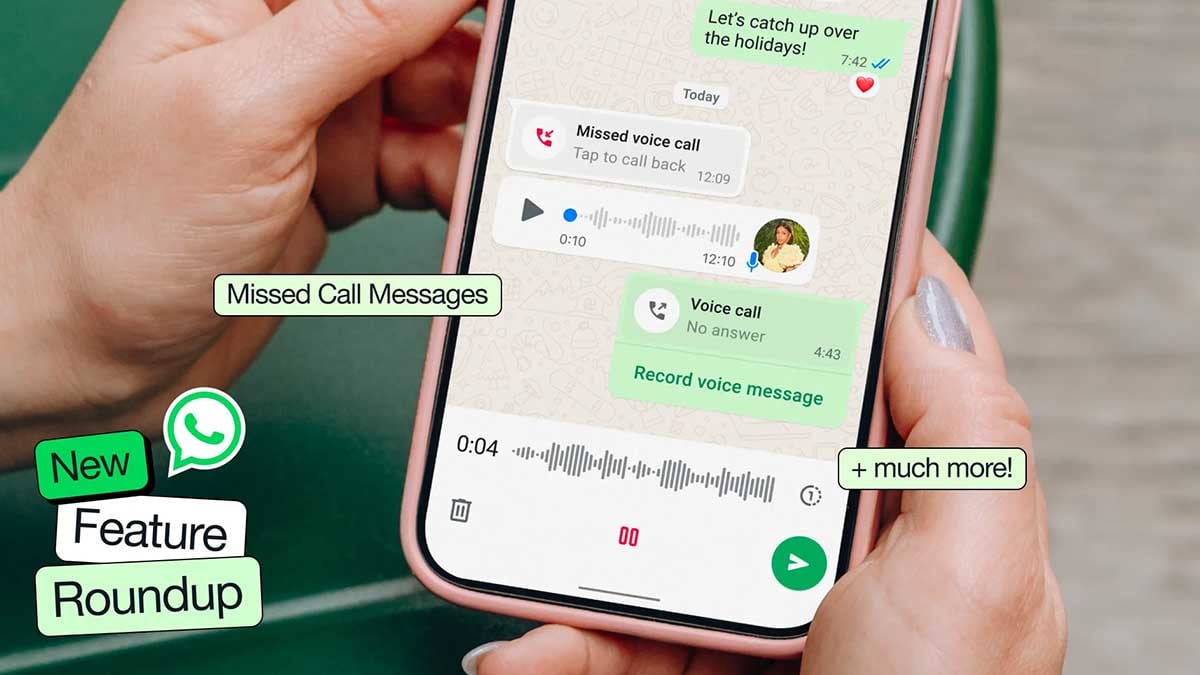
WhatsApp is finally fixing one of its most glaring feature gaps. After months of quiet development, WhatsApp is rolling out the ability for users to schedule messages through Android Beta version 2.26.40.7.
If you have ever relied on third-party workarounds or set calendar reminders just to send a late-night birthday wish without waking someone up, this update could make your life significantly easier, as discovered by WABetaInfo.
How message scheduling works and how to use it
Instead of tapping the send icon as you normally would after typing out a text or selecting a photo, holding down the send button triggers a new bottom sheet menu.
From there, you can pick a specific date and time for delivery.
WhatsApp allows you to queue up text messages, links, single photos, and individual videos anywhere between 10 minutes and two weeks in advance.
Crucially, delivery happens on WhatsApp’s servers, meaning your message fires off on schedule even if your phone happens to be powered off or completely disconnected from the network at that exact moment.
A dedicated section inside the chat info screen lets you review or delete pending items before they go out. Recipients will not see any tag indicating a message was scheduled, nor will they be notified if you decide to cancel one before delivery.
In group chats, messages are only delivered to members who were present at the moment of scheduling, avoiding awkward context issues if new members join later.
While the feature is currently limited to select beta users, a broader rollout across the stable channel should follow in the coming weeks.



WhatsApp is working on a new Settings page to make the app easier to use. The new design will help users find important options quickly without going through a long list.
In the new design, the Settings tab will become the You tab. It will show the user’s profile photo, name, and phone number at the top. Users can edit and share their profiles. Below this, they will find options such as Subscriptions, Lists, Broadcast Messages, Events, Starred, and Linked Devices.
Other options will move to a separate Settings menu. Users can open it by tapping the gear icon at the top of the screen. This menu will include Account, Privacy, Chats, Appearance, Notifications, Storage and Data, and Parental Controls. Help and other options will also remain available.

Image via WABetaInfo
WhatsApp will add a search bar to this menu, making it easier to find settings quickly. Users will also be able to add another account by tapping their account name in the You tab.
The main aim of this change is to make the Settings page cleaner and less crowded. Frequently used options will stay easy to find, while other settings will be available in a separate menu.
The new design is currently under development for iOS. It could soon reach beta users before gradually rolling out to more users. It was spotted in WhatsApp beta version 26.40.10.21 for iOS, available through TestFlight.
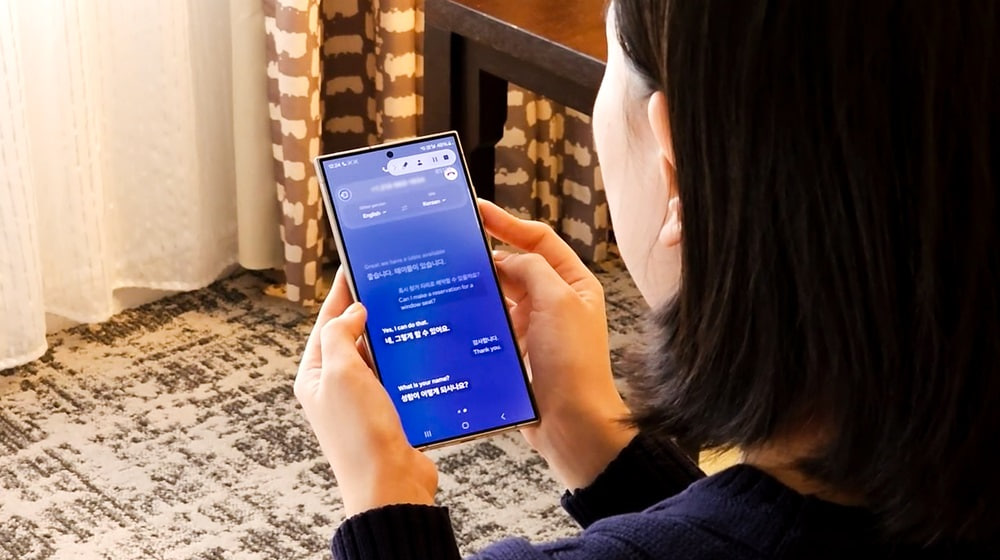
Google Translate may soon get a new feature, Smart Assist, that could make voice translation easier and clearer. The feature may remove extra words and repeated phrases from speech before translating it into another language.
When people speak, they often use words like “um” and “uh” or repeat themselves. These habits can make sentences harder to understand. Smart assist could clean up these sentences and help Google Translate provide clearer results.
Google has already introduced a similar feature, Rambler for Gboard. It removes unnecessary words from voice input and makes the text cleaner. Now, Google Translate appears to be preparing a similar feature for its Android app.
Smart Assist was spotted in version 10.39.34.995726622.4-release of Google Translate. Early findings suggest that users may be able to choose between normal word-for-word translation and Smart Assist.

Image via Android Authority
With Smart Assist turned on, the app could improve spoken sentences before translating them. This may be helpful when talking to people who speak different languages.
Smart Assist may only work in Conversation mode. Early findings suggest that the option will not be available in Listening and Text-only modes. It is also unclear which Android phones will support the feature. Google’s Rambler tool has limited device support, so Smart Assist may also have some restrictions.
Google has not officially announced Smart Assist or shared a release date. Details about supported devices and languages are also unknown. Stay tuned for more information.

Samsung is offering 6 months of free access to Canva Pro. The company has launched a promotion in Latin America, and the beneficiary products are the Galaxy Tab S12 series along with select Galaxy Tab S series tablets.
On October 10, Samsung announced a new Canva Pro promotion in Latin America, offering free premium access to the buyers of the Galaxy Tab S12 series as well as a handful of existing Galaxy Tab S series premium tablets.
Samsung offering 6 months of free access to Canva Pro
Samsung and Canva partnered to offer Galaxy tablet users six months of free access to Canva Pro.
The benefit will be available for an expanded number of devices: the new Galaxy Tab S12 Series, as well as the Galaxy Tab S11, Galaxy Tab S10 FE Series, and Galaxy Tab S10 Lite activated through a Samsung account.
The partnership with Canva expands the possibilities of the Galaxy Tab by bringing together mobility, productivity, and creation tools into a single experience.
What’s new in Canva Pro?
With Canva Pro, users get access to premium templates, images, and fonts, alongside AI tools that help create and edit different types of content with greater agility.
The combination of the Galaxy Tab and Canva can support various stages:
For students:
With Multi Window, it is possible to attend a class, take notes in Samsung Notes using the S Pen or the keyboard cover, and create a project presentation in Canva, all on the same screen, without switching devices and without losing focus.
For career changers:
With Samsung DeX, the Galaxy Tab offers a productivity environment that can be used to build a portfolio, update a resume, and work on personal branding in Canva from anywhere.
For entrepreneurs:
With split screen, it is possible to reply to customers, plan weekly content, and create posts, catalogs, and a business visual identity in Canva, bringing multiple activities together on a single device.
How to redeem Canva Pro access
After purchasing and activating an eligible Galaxy Tab, consumers can access the benefit in three steps:
- Activate your new tablet and sign in to your Samsung account during initial setup.
- Within up to four days, you will automatically receive a promotional code via the email address registered to your Samsung account.
- Access the link sent via email, enter the code on the redemption page, and enjoy six months of free access to Canva Pro.
WhatsApp is bringing a new feature to Android users that allows them to watch status videos at double speed. The feature will help users watch status updates faster and save time. It is currently rolling out to some beta testers.
Users can easily use this feature. They just need to press and hold the right side of the screen while watching a status video. The video will immediately start playing at double speed, allowing users to watch the content in less time.
When users lift their finger from the screen, the video returns to normal speed. The speed change is temporary and does not remain active for other status updates. Users can use the gesture whenever they want while watching a video.

Image via WABetaInfo
The new feature can be useful for people who watch many status updates every day. WhatsApp has increased the maximum music clip duration in status updates from 15 seconds to 30 seconds. Watching videos at double speed can help users catch up on longer updates more quickly.
The press-and-hold gesture may also feel familiar to users of Instagram, TikTok and YouTube, where similar controls are used to speed up videos. This makes the new feature easy to understand and use.
The feature was spotted in WhatsApp beta for Android version 2.26.40.4, available on the Google Play Store. WhatsApp introduced the same feature on iOS last month. WhatsApp is rolling out the feature gradually to Android beta testers.
-
 One UI5 hours ago
One UI 9.0 official update now rolling out to these Samsung phones
-

 One UI2 days ago
Galaxy S23 phones should be getting One UI 9.0 update soon
-

 One UI1 day ago
One UI 9.0 (Android 17) arrives for Galaxy S24 phones globally
-
 One UI1 day ago
One UI 10 could mark a major change for Samsung Galaxy phones