
WhatsApp testing a redesigned settings page with a separate menu


WhatsApp is working on a new Settings page to make the app easier to use. The new design will help users find important options quickly without going through a long list.
In the new design, the Settings tab will become the You tab. It will show the user’s profile photo, name, and phone number at the top. Users can edit and share their profiles. Below this, they will find options such as Subscriptions, Lists, Broadcast Messages, Events, Starred, and Linked Devices.
Other options will move to a separate Settings menu. Users can open it by tapping the gear icon at the top of the screen. This menu will include Account, Privacy, Chats, Appearance, Notifications, Storage and Data, and Parental Controls. Help and other options will also remain available.

Image via WABetaInfo
WhatsApp will add a search bar to this menu, making it easier to find settings quickly. Users will also be able to add another account by tapping their account name in the You tab.
The main aim of this change is to make the Settings page cleaner and less crowded. Frequently used options will stay easy to find, while other settings will be available in a separate menu.
The new design is currently under development for iOS. It could soon reach beta users before gradually rolling out to more users. It was spotted in WhatsApp beta version 26.40.10.21 for iOS, available through TestFlight.




WhatsApp is bringing a new feature to Android users that allows them to watch status videos at double speed. The feature will help users watch status updates faster and save time. It is currently rolling out to some beta testers.
Users can easily use this feature. They just need to press and hold the right side of the screen while watching a status video. The video will immediately start playing at double speed, allowing users to watch the content in less time.
When users lift their finger from the screen, the video returns to normal speed. The speed change is temporary and does not remain active for other status updates. Users can use the gesture whenever they want while watching a video.

Image via WABetaInfo
The new feature can be useful for people who watch many status updates every day. WhatsApp has increased the maximum music clip duration in status updates from 15 seconds to 30 seconds. Watching videos at double speed can help users catch up on longer updates more quickly.
The press-and-hold gesture may also feel familiar to users of Instagram, TikTok and YouTube, where similar controls are used to speed up videos. This makes the new feature easy to understand and use.
The feature was spotted in WhatsApp beta for Android version 2.26.40.4, available on the Google Play Store. WhatsApp introduced the same feature on iOS last month. WhatsApp is rolling out the feature gradually to Android beta testers.

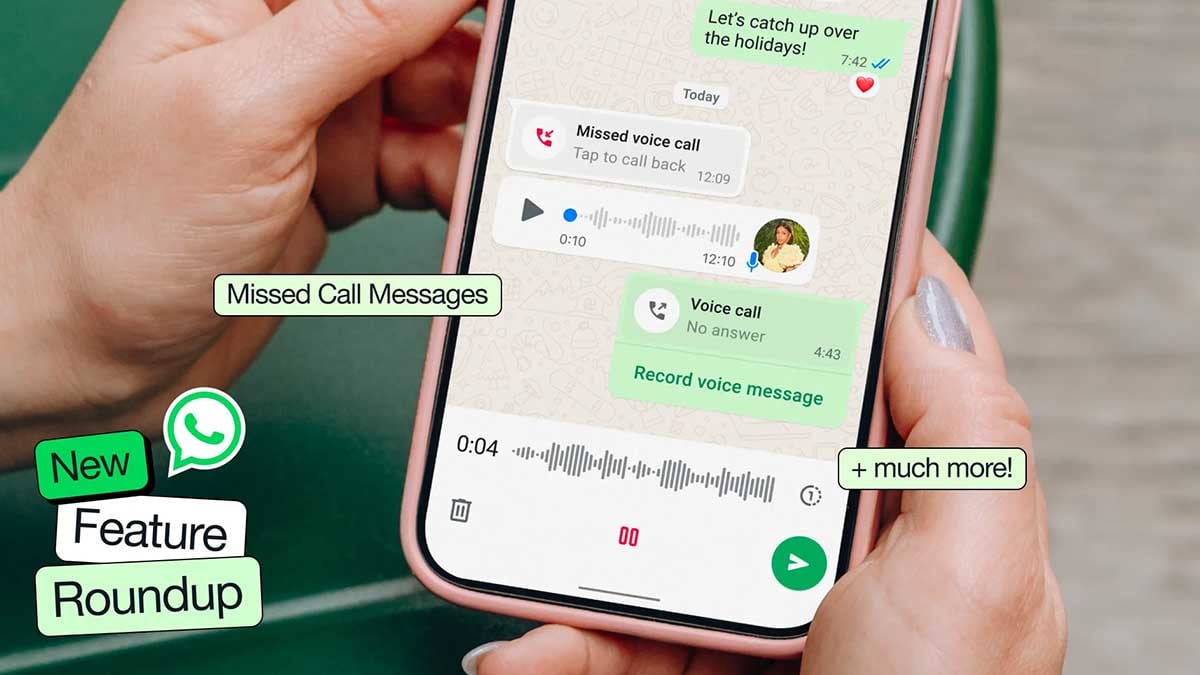
WhatsApp is testing a dedicated Contacts tab on Android that could make finding people and checking their availability much easier. The feature brings the contact list, online indicators, birthday reminders, and an option to invite friends into one place.
According to WABetaInfo, WhatsApp is testing the Contacts tab with Beta version 2.26.40.3. The change builds on an earlier plan to show online contacts inside Settings, but WhatsApp now appears to be moving that functionality into a dedicated section instead.
The new tab includes a search bar for finding contacts by name, phone number, or username. Users can sort contacts by activity or alphabetically. The Activity view puts people who are currently online first, followed by recently active contacts, while a green dot highlights those who are online.
WhatsApp is also preparing birthday reminders
Contacts with a birthday today could appear with a cake emoji and a “Birthday today” label, using information saved in the phone’s address book. There is also an “Invite a friend” option at the bottom, along with a shortcut to chat with Meta AI.

Contacts who hide their online or last-seen information will not suddenly become visible through this new tab. The feature organizes information WhatsApp is already allowed to show rather than creating a new way around privacy settings.
The Contacts tab is still under development and is not available to regular users yet. WhatsApp has not confirmed when it will roll out publicly.
More on WhatsApp:
WhatsApp is rolling out a new warning that can prevent some users from logging in until they install the latest available software update on their Android or iPhone.
WhatsApp can identify accounts running on an operating system it considers too outdated and display a dedicated screen during login. The message directs users to their phone’s Settings app to install the latest available OS update.
According to WABetaInfo, the change is being applied server-side, so users do not necessarily need to download a new WhatsApp update to encounter it.
There is no announced list of Android or iOS versions that trigger the restriction yet. WhatsApp also appears to be enabling the requirement for selected accounts rather than switching it on for everyone at once.

End-to-end encryption protects WhatsApp conversations while they are being transmitted, but it cannot fully protect information on a compromised phone.
Older operating systems can contain publicly known security flaws that attackers may exploit to gain access to data before an app can protect it.
This is also separate from a WhatsApp vulnerability.
The company is effectively treating the operating system as part of its security boundary. If the underlying platform no longer receives important security protections, WhatsApp has less confidence in the environment where its app and user data are running.
For affected users, there is no workaround in the new login flow. Updating Android or iOS is required before WhatsApp allows access again.
WhatsApp is working on a new design for the bottom navigation bar on its Android app. The new design will have a floating bar with rounded corners. This could give the app a cleaner and more modern look.
Back in 2023, WhatsApp first added the bottom navigation bar to Android. It moved important sections such as Chats, Communities, Updates, and Calls to the bottom of the screen. This made it easier for users to move between different sections.
Now, WhatsApp is testing a new look for this bar. Instead of being connected to the bottom of the screen, the new bar will appear like a separate floating box. It will have rounded corners and a simple design.

Image via WABetaInfo
The new Android design also looks a little like the navigation bar on WhatsApp for iPhone. However, WhatsApp may not use the same transparent look on Android. The company could make more changes before releasing the final version.
The new navigation bar is being tested with both light and dark themes. WhatsApp may also change its design based on testing and user feedback.
The new design was spotted in the WhatsApp beta for Android version 2.26.38.10. It is still being developed, so it is not available to all beta users yet. WhatsApp may release it to some users in a future update.

WhatsApp is preparing another small but useful addition to its upcoming Contacts tab. WhatsApp is testing birthday reminders that could make it easier to notice when someone in your address book has their birthday.
WABetaInfo spotted the feature in WhatsApp Beta for iOS version 26.38.10.18, currently available through TestFlight. Rather than asking users to maintain a separate birthday list inside WhatsApp, the app appears to pull this information from the iPhone’s Contacts app.
Birthday reminders will appear beside contacts
When a saved contact has a birthday, WhatsApp will highlight that person in the Contacts tab with a cake emoji and a “Birthday today” label. The indicator is expected to remain visible throughout the day, prompting users to start a conversation and send their wishes.
There is no need to manually add the birthday inside WhatsApp. If the date is already stored in the contact’s address-book information, WhatsApp can use it automatically. Users can also add or edit a birthday through the iPhone’s Contacts app.

The birthday feature is being developed alongside a broader overhaul of WhatsApp’s navigation. The company is working on moving Status updates and Channels into the Chats section, which would free up space for a dedicated Contacts tab.
The feature is still under development, so its final design and availability could change before release. WhatsApp has not announced a public rollout date, and beta availability is expected to come first.
-
 One UI3 days ago
One UI 9.0 official update now rolling out to these Samsung phones
-
WhatsApp3 days ago
WhatsApp brings contacts, birthdays and invites into one new tab
-
 Updates2 days ago
Samsung Galaxy S26 October 2026 update now rolling out in the US and Canada
-
 One UI3 days ago
One UI 9.0 has this new Quick Panel for all Samsung phones