
Apps
Android may soon get an AirDrop-like Tap to Share feature

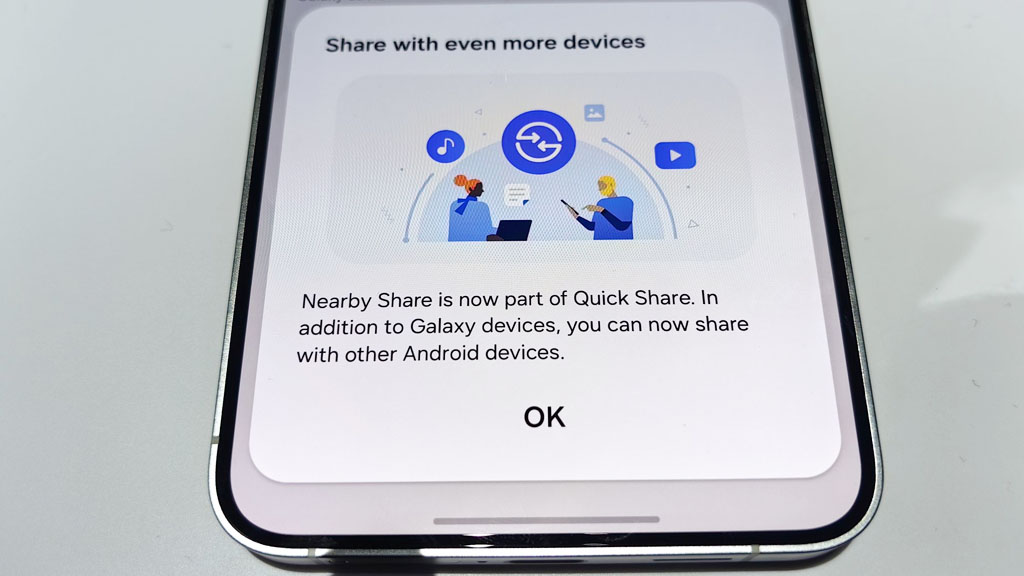
Google is working on a new feature, Tap to Share, that could make sharing files between Android phones much easier. The feature has not been officially announced, but new code found in Google Play Services v26.30.31 gives us a preview of what Google is working on.
Right now, Android users need to tap the Share button, choose Quick Share, and then select the other phone to send a file. With Tap to Share, this extra step may no longer be needed.
Instead, users can tap the Share button and simply bring their Android phone close to another Android phone. The file transfer will start automatically without opening Quick Share first. This makes the process faster and easier.
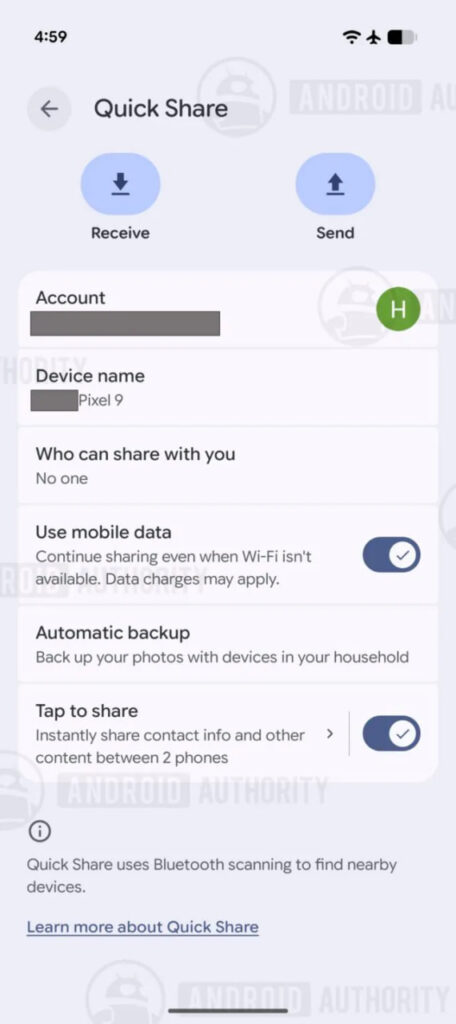
Image via Android Authority
The feature is similar to Apple’s AirDrop on iPhones. AirDrop also lets users start sharing by opening the Share menu and bringing two phones close together. Google appears to be bringing a similar experience to Android devices.

Image via Android Authority
The latest code also shows that Google is adding a setting to turn Tap to Share on or off. Users who do not want to use this feature can disable it and continue sharing files with the regular Quick Share option.
Google has not announced when Tap to Share will be released. Since it is still being tested, the final version could be different.



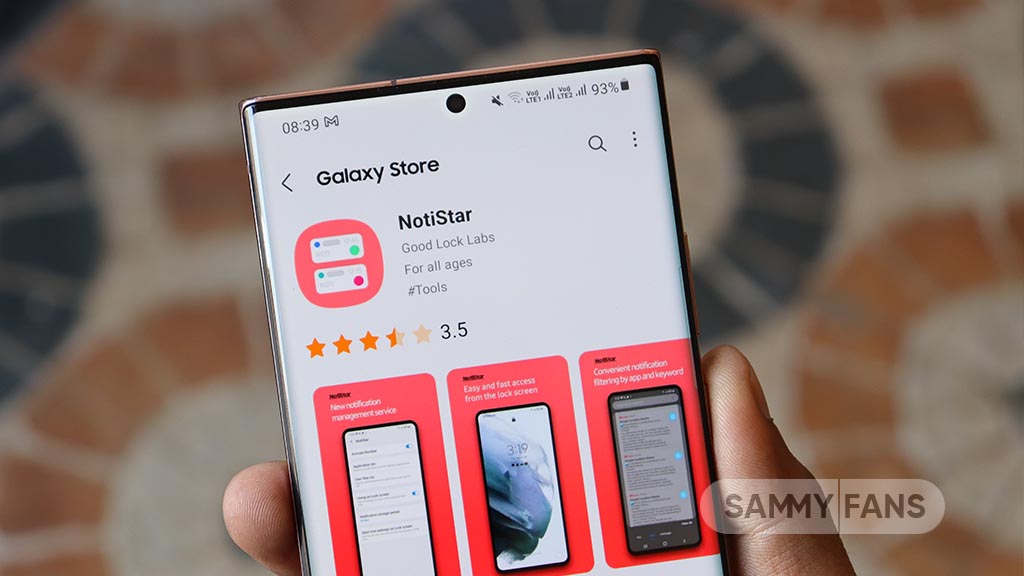
Samsung has released a new update for the NotiStar Good Lock module. The latest version brings support for One UI 9 along with a cleaner design and a few useful improvements.
The fresh update for Samsung NotiStar arrives with version 9.0.79.0. Along with One UI 9, it is also live for Galaxy devices running One UI 8.5 and older versions.
The new NotiStar update mainly focuses on making the app easier to use. Samsung has redesigned some parts of the interface and reorganized the settings menu for a cleaner look.
A new storage usage indicator has been added. This feature shows how much storage your saved notifications are using to make it easier to manage space.
Samsung has also improved the lock screen access setting. The option is now easier to understand, so users can quickly know whether NotiStar can be opened directly from the lock screen or only after unlocking the phone.
The update also removes one feature in One UI 9. Users can no longer save notifications from Work Profile, Dual Messenger, and Secure Folder. This option is still available on One UI 8.5 with the same NotiStar version. Samsung has not shared the reason behind this change, so it is not clear whether the feature will return in a future update.


Samsung is quietly polishing the Home Up app ahead of the stable One UI 9 rollout, and a fresh update has just been spotted in the wild.
The Home Up module, Samsung’s dedicated app for managing the Home Screen and app drawer experience, has moved from version 18.0.00.24 to 18.0.00.30, bringing a handful of practical improvements, via Kailash.
DIY Home Screen restoration gets fixed
Previously, users setting up a new phone or restoring a backup would sometimes run into configuration errors with their custom DIY Home Screen layouts; this update resolves that issue.
Smarter sorting and cleaner shortcuts
Samsung has also refined how DIY sort mode behaves, making it smoother to organize icons and widgets exactly how you want them.
A display error affecting the Integrated Panel app shortcut has been squashed, so that shortcut should now appear correctly instead of glitching out.
Favorites background gets finer control
Another notable tweak applies detailed leveling to the favorites background adjustment steps, giving users more granular control.
General bug fixes
Samsung has also included general bug fixes and user feedback, the kind of behind-the-scenes cleanup that keeps Home Up running reliably as One UI 9 continues its staged rollout to select Galaxy devices this August.
Related article:
Galaxy users can check for this Home Up update through Good Lock or directly on the Galaxy Store. Since it’s a gradual rollout, you may not be able to immediately download this version until the expansion reaches your region.

Reddit may soon introduce a new video feature that could change how users enjoy stories on the platform. The company is reportedly testing a new experience that will allow people to watch and listen to popular Reddit posts through short videos.
The idea is similar to TikTok, where users can scroll through short videos quickly. On TikTok, many creators already share Reddit stories using computer-generated voices while showing other videos like gameplay or cooking clips. Reddit now appears interested in creating its own version of this experience.
Reddit CEO Steve Huffman recently talked about this possible feature during the company’s earnings call. He said that listening to Reddit stories could become a new and interesting way for people to enjoy content. The company may start testing the feature later this year, but no official launch date has been announced yet.
It is still unknown how Reddit will add this video feed to its app. The feature could help users find viral stories without spending time reading long posts. This move follows a bigger trend in social media. Many platforms, including Facebook, Netflix, and LinkedIn, have added short-form video feeds as users spend more time watching videos online.
Reddit has also seen growth in video content. The company recently launched video comments, and it says they already make up more than 10% of all video posts.
For now, this remains a rumor, and Reddit has not officially announced when or if the feature will be released. More information is expected once the company begins public testing later this year.

WhatsApp dropped a new storage cleanup feature on the Beta channel. Android users running the Beta build of WhatsApp Messenger could access the new feature. It allows you to clean media files from channels you’ve joined.
WABetaInfo reports that WhatsApp Beta for Android v2.26.30.4 introduces a channel storage cleanup feature. The upgrade comes with “two dedicated entry points,” which hand users more control over the media.
You may have joined plenty of channels of your liking. Over time, the channel becomes a central hub of massive storage due to countless files. You did not have an easy option to clean up the channel media and save storage.
WhatsApp stores media files shared in channels on the device. This could make your smartphone slow over time. Therefore, the latest cleanup tool is a welcome addition to the WhatsApp Messenger app on Android.
How to access the cleanup tool:
- Directly from the channel info screen
- Updates tab: Tap and hold a channel to select it, then open the overflow menu to find the “Clear media files” option

The cleanup tool also allows users to filter media before deleting them. The categories include photos, videos, stickers, and voice notes. Notably, it can also retain the media you’ve “starred” by bypassing the delete trigger.
At present, the feature is rolling out to users on the Beta channel. WhatsApp has even more features in development for Android and iOS users. If you are on Stable version, you have to wait until the next update to receive it.
Samsung launched the full One UI 9 experience last week, which introduces 4 new AI features specifically for Netflix users.
The two companies have been partnering since the year 2019. Netflix is one of the most used entertainment platforms around the world. Netflix has deep links with Samsung; it is even available for download on Galaxy Store.
Samsung and Netflix are teaming up once again. To celebrate the new foldables, Samsung is offering five free themes and wallpapers inspired by The East Palace, along with matching icons.

The real highlight, though, is how deeply Netflix is now woven into One UI 9’s AI tools. Here’s what’s new:
There are 4 distinct Netflix-related AI enhancements:
- Netflix recommendations appear in Now Brief.
- Users can resume shows where they left off directly from Now Brief.
- Recommendations become context-aware (such as Travel Ready suggestions before a trip).
- Samsung Finder can search Netflix titles without opening the app.
Netflix in Now Brief:
Samsung’s AI assistant now surfaces Netflix recommendations as part of its daily suggestion cards, based on your schedule and how you use your device.
Resume from Now Brief:
When a show pops up in Now Brief, you can jump straight back to where you left off without opening the Netflix app first.
Context-aware suggestions:
Now Brief adapts recommendations to your situation. Heading out for a weekend trip, for instance, might trigger “Travel Ready” content picks suited for offline viewing.
Samsung Finder search:
You can now search for Netflix titles directly through Samsung Finder and land on related content instantly, skipping the need to launch the app manually.

-
 Featured17 hours ago
Samsung One UI 9 release date: Here’s when you could get major Android 17 software update
-
 One UI3 days ago
SammyFans Poll: One UI 9 is on the horizon; how much are Samsung users excited?
-
 One UI1 day ago
Here’s when One UI 9.0 Beta 5 update could release
-
 One UI2 days ago
Samsung releases first official One UI 9-based update for Galaxy Z Fold 8 phones