
Good Lock
Samsung improves Good Lock stability and UI


Samsung uploaded a new Good Lock version on Galaxy Store, which improves its stability and UI. Galaxy users who run the personalization suite on their devices can navigate to the Updates section on the native app store to install the latest version.
Over the past couple of days, Samsung has been gradually rolling out a new Good Lock update, which improves the app’s stability and UI. The latest version is 3.0.16.6, which is being rolled out to compatible devices sequentially.
This 16MB Good Lock update comes after Samsung made the most famous modules functional with One UI 9 operating system. The company has released Home Up with tons of gesture customization options for the latest OS.
With the previous Good Lock update, Samsung fixed a severe bug causing issues with plugin updates. Galaxy users reported some plugins were not updating as intended, and Samsung quickly offered the fix with an update.
Good Lock wallpapers
You may find it interesting that Good Lock has an expansive collection of wallpapers. The titles are driven by various apps and plugins of the native app. You can have them on the home screen and/or lock screen for a unique look.
Good Lock app’s home page has a “Gift box” icon near the Settings gear. Tap that icon, and you see the Wallpapers awaiting your attention. You can have a quick preview of each title before applying them to your smartphone.





One UI 9 significantly expands Samsung Home Up module with two standout features: customizable Favorites (dock) backgrounds and advanced multi-finger gestures. Users can personalize the dock with blur, shadows, images, colors, and layout adjustments. New gesture controls support up to five fingers, enabling swipe, tap, and pinch actions that can launch shortcuts, apps, and system functions.
Samsung continues to make Good Lock’s Home Up module more powerful with One UI 9, via GalaxyTechie. The latest version introduces two major customization features that give users much greater control over their Galaxy experience.
What are the new Samsung Home Up features in One UI 9?
One UI 9 introduces two headline additions:
- Favorites (dock) background customization
- Multi-finger gesture controls
These features join Home Up’s existing home screen, task changer, Edge Panel, and Share Manager customization options, making the module even more feature-rich for power users.
How can you customize the Favorites (dock) background?
Samsung is giving users much more freedom to redesign the dock that sits at the bottom of the home screen.
The new Favorites background settings include:
- Enable or disable a custom dock background
- Add blur effects
- Apply shadow effects
- Choose a solid background color
- Set a custom transparency (alpha)
- Adjust corner radius
- Change horizontal and vertical padding
- Apply custom background images
Users can also choose from several built-in background styles, including:
- Solid Color
- Soft Tile
- Color Tile
- Mint Flow
- Blush Flow
- Wave Flow
- Pastel Brush
- Metal
- Custom Image
The interface even lets you pick custom colors for the dock, making it easy to match wallpapers or icon packs.

How do multi-finger gestures work in One UI 9 Home Up?
One UI 9 adds one of the most advanced gesture customization systems Samsung has offered. Users can configure gestures using 2, 3, 4, or even 5 fingers, with different actions assigned to each gesture.
Supported gestures include:
- Swipe left
- Swipe right
- Swipe up
- Swipe down
- Pinch in
- Pinch out
- Single tap
- Double tap
- Long press
Each gesture can trigger different actions depending on your preferences.
If you enjoy customizing One UI, these are among the most useful additions Samsung has made to Home Up in recent releases.


Samsung has released One UI 9.0-compatible versions of LockStar, NavStar, and Display Assistant modules. Support for the new operating system comes through updates to the three Good Lock apps/modules.
LockStar is the most widely used Good Lock plugin among the three. NavStar and Display Assistant modules have their own set of features. With extended support, users on One UI 9.0 can also utilize LockStar, NavStar, and Display Assistant.
Earlier, Samsung updated ClockFace and RegiStar plugins. The two have also received support for the Android 17 operating system. The total number of One UI 9-supported Good Lock apps has reached around 21.
One Hand Operation + module also received One UI 9 compatibility last week. This is among the most used Good Lock plugins, allowing users to enhance single-handed operation experience on their Galaxy devices.
Now, Home Up remains the only major Good Lock awaiting One UI 9 support. Samsung may have been testing the reliability of new features. Galaxy users should patiently wait for the Home Up module for better animation tweaking.
For now, you can install the latest versions of LockStar, NavStar, and Display Assistant. They work as usual on One UI 8.5 even without an update. If you’re on One UI 9 Beta, the update is necessary; you can find them in Good Lock.
- LockStar – v9.0.00.5
- NavStar – v9.0.00.11
- Display Assistant – v9.0.08
Samsung will launch its next foldables with One UI 9. The unveiling is expected on July 22, and global sales may start on August 5. That said, the company is preparing to make apps and services compatible with the new OS.

Image via SammyFans
Samsung Good Lock nears full compatibility with One UI 9, and One Hand Operation + also receives support for the new operating system. Samsung is rolling out a new update, which also addresses a major issue.
One Hand Operation + is getting a new Samsung update, which makes it compatible with the Android 17-based One UI 9.0. Release notes mention OneUI9Beta compatibility, bringing good news for Galaxy S26 users.
Currently, One UI 9 Beta is only available on the Galaxy S26 series. The Beta Program was released in mid-May, and participants have received three Beta updates so far, with the fourth gearing up to release next week.
One Hand Operation + version 9.2.19.0 also brings bug fixes and stability improvements. One thing Samsung specifically highlighted: the resolution of the “Edge handle” problem, which was not working in certain cases.
If you’ve got a One UI 9 device, it’s time to install the latest One Hand Operation +. The update is available on previous One UI versions too. However, the latest changes only reflect if you’re running Samsung’s Android 17 Beta.
Here’s everything new in the update:
- Support for One UI 9 Beta.
- Fix the Edge handle not working issue.
- Bug fixes and stability improvements.
To update Samsung Apps on your Galaxy device, open Galaxy Store > Updates. A list of available apps will be showcased, and tapping the update icon starts the download.
Related post: Samsung One UI 9 now supports 17 Good Lock modules, including MultiStar

Samsung Theme Park has gained One UI 9 compatibility with its previous update, but an editing issue started haunting other versions. Something crushed the icon editing of the Good Lock plugin, which made some icons disappear.
With the Theme Park version 1.1.02.2, Samsung has addressed the icon editing issue that appeared on One UI versions older than One UI 9.
Unlike smartphone updates, Samsung defined what the latest Theme Park update does.
Samsung has fixed the Theme Park issue, which was rendering the Clock and Calendar icons invisible on the per-app editing page. Users on One UI 9 had no complaints, but all the other versions were impacted.
“Fixed an issue where the clock and calendar icons were not visible when entering per-app icon editing on devices running a version other than One UI 9.”
Thanks to the Samsung update, the Theme Park app will now offer a better editing experience on Galaxy devices. Icons won’t disappear on the editing page, letting users make customizations with ease and proper control.
The new app is available on Galaxy Store with wider availability. You can update the app right from the Good Lock app or search “Theme Park” in Galaxy Store.
Related article:

Samsung just released a One UI 9-compatible MultiStar module update, taking the supported Good Lock module numbers to 17. The new version is available on Galaxy Store with restricted support for the latest OS.
Last month, Samsung revealed Good Lock apps and plugins that work in One UI 9 software. The list comprised 16 apps/modules that work and 8 that don’t. MultiStar was one of those that weren’t functioning in One UI 9.
Enthusiast GalaxyTechie shared the latest MultiStar app update screenshot on X. The release notes confirm that the latest version works with One UI 9. This new release ramps the Good Lock compatibility list by one point.
MultiStar is a popular plugin among Galaxy users, specifically tablet and foldable owners. It extends Samsung’s multitasking feature capabilities. Galaxy S26 users will now be able to use the MultiStar on the One UI 9 Beta firmware.
If you are on One UI 8.5 or lower build, you have access to all Good Lock offerings. The compatibility issue is limited to Beta firmware. It’s a routine process as an OS upgrade requires deeper optimization across code.
These Good Lock apps/modules are supported in One UI 9:
- MultiStar
- One Hand Operation+
- Sound Assistant
- Keys Cafe
- Theme Park
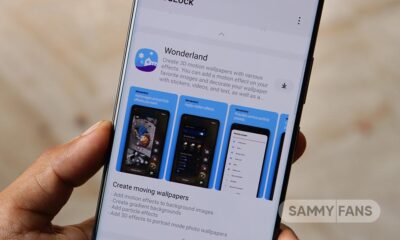
- Wonderland
- Edge Lighting+
- Dropship
- Galaxy To Share
- Routines+
- Nice Catch
- Edge Touch
- Camera Assistant
- RegiStar
- Display Assistant
- Nice Shot
- Gallery Assistant
Apps/plugins that are under development are as follows:
Samsung has yet to fully support Good Lock modules with One UI 9. Useful apps such as QuickStar, LockStar, and Home Up are still unsupported. The development is underway and deployment likely around the July Unpacked event.
- QuickStar
- LockStar
- ClockFace
- NavStar
- NotiStar
- Home Up
- Game Booster+

-
 One UI1 day ago
One UI 9.0 (Android 17) testing on these 42 Samsung devices
-
 News2 days ago
Samsung Galaxy Z Fold 8 Ultra: Complete phone specifications
-

 Samsung2 days ago
Samsung Galaxy Z Fold 8 (Wide): Complete phone specifications
-
 Updates2 days ago
Samsung rolling out July 2026 update to Galaxy S24, S25, Edge, FE, Fold 7 and more phones