
Good Lock
Samsung LockStar, NavStar and Display Assistant grab One UI 9.0 support


Samsung has released One UI 9.0-compatible versions of LockStar, NavStar, and Display Assistant modules. Support for the new operating system comes through updates to the three Good Lock apps/modules.
LockStar is the most widely used Good Lock plugin among the three. NavStar and Display Assistant modules have their own set of features. With extended support, users on One UI 9.0 can also utilize LockStar, NavStar, and Display Assistant.
Earlier, Samsung updated ClockFace and RegiStar plugins. The two have also received support for the Android 17 operating system. The total number of One UI 9-supported Good Lock apps has reached around 21.
One Hand Operation + module also received One UI 9 compatibility last week. This is among the most used Good Lock plugins, allowing users to enhance single-handed operation experience on their Galaxy devices.
Now, Home Up remains the only major Good Lock awaiting One UI 9 support. Samsung may have been testing the reliability of new features. Galaxy users should patiently wait for the Home Up module for better animation tweaking.
For now, you can install the latest versions of LockStar, NavStar, and Display Assistant. They work as usual on One UI 8.5 even without an update. If you’re on One UI 9 Beta, the update is necessary; you can find them in Good Lock.
- LockStar – v9.0.00.5
- NavStar – v9.0.00.11
- Display Assistant – v9.0.08
Samsung will launch its next foldables with One UI 9. The unveiling is expected on July 22, and global sales may start on August 5. That said, the company is preparing to make apps and services compatible with the new OS.

Image via SammyFans


Samsung started rolling out a major Wonderland app update, which polishes 3D wallpapers and the editing experience. Version 1.6.22 is now live on the Galaxy Store, and Samsung users can grab it now to improve the user experience.
The headline change in this update is the improved 3D effect application for portrait photos captured with the latest camera app.
3D/motion effects and editor fixes
Samsung has also worked on stability here, which means users creating 3D wallpapers or spatial photo effects should notice smoother processing and fewer glitches during conversion.
This is a welcome tweak, especially for Galaxy S25 and S26 series users who rely on Wonderland to turn portrait shots into more dynamic, layered visuals.
Beyond the 3D improvements, Samsung has squashed a handful of nagging bugs. One fix addresses motion effect tilting, which was previously moving in the wrong direction depending on how the screen was oriented.
Anyone who uses tilt-based wallpapers will appreciate this correction, since a wallpaper reacting incorrectly to phone orientation kind of defeats the purpose.

There was an issue where layers would simply vanish if dragged outside the preview area while editing, which understandably frustrated users mid-project, which is now resolved.
Samsung has also fixed a bug where text position would shift unexpectedly when changing font style, along with a crash that occurred when users tried adding videos that weren’t supported for playback.
Here’s everything new in Wonderland 1.6.22
- Improved 3D effect application and stability for portrait photos taken with the latest camera app
- Fixed motion effect tilting in the wrong direction based on screen orientation
- Fixed issue where layers disappear when dragged outside the preview in the wallpaper editor
- Fixed text position changing when modifying style or font
- Fixed app crash when adding unplayable videos
Samsung Wonderland updates arrive quietly through the Galaxy Store. If you’re on a compatible Galaxy device, head to the Galaxy Store app, check for updates, and Wonderland 1.6.22 should be waiting for you.
Samsung has released new updates for two more Good Lock modules, bringing better support for devices running One UI 9. The updated modules are Game Booster+ and Pentastic.
Game Booster+ has received a new update with version 2.0.00.33. The new version adds support for Samsung’s One UI 9. This will help users continue using the module after updating their Galaxy phones to the latest software. This module offers different features for Galaxy users who play games on their phones.
However, there is one important change. Samsung has confirmed that the Gamepad Key Reset feature is not supported on One UI 9. Users who used this feature will not be able to access it on devices running the new software.

The second module, Pentastic, has also received a new update. It is now available in version 3.0.01. Samsung says the latest version has been optimized for One UI 9 devices.
Pentastic is mainly used to customize the S Pen experience on supported Galaxy smartphones and tablets. The new update should make the module work better with One UI 9.
Samsung is updating its modules to make them ready for the new One UI 9 software. Users can check the Good Lock app or Galaxy Store to download the latest versions.
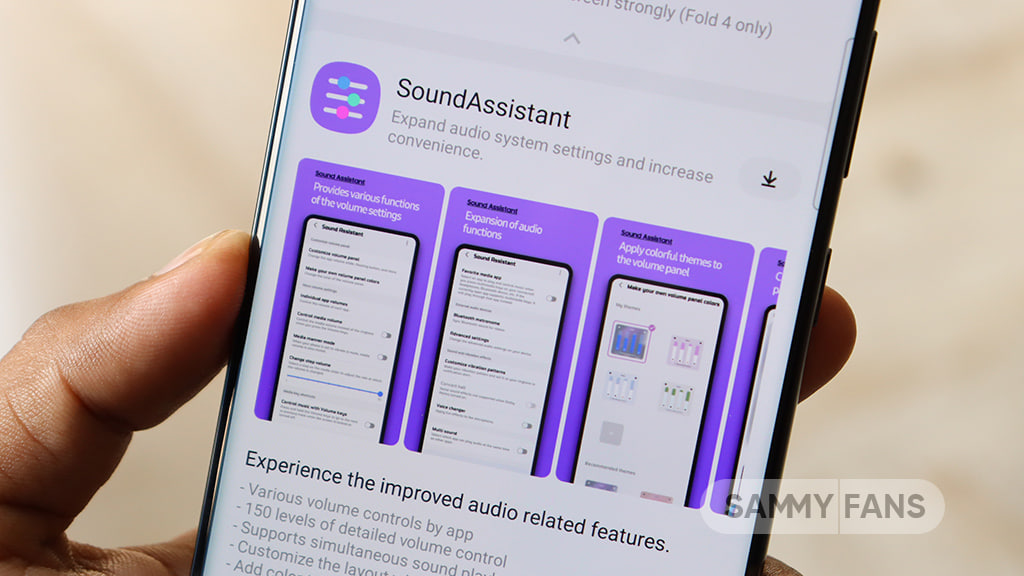
Samsung has pushed a new update for its Sound Assistant Good Lock module. The update comes with version 9.0.00.10 and brings support for One UI 9.0 and newer versions.
The main change in this update is One UI 9.0 support. With this update, Galaxy users who have One UI 9.0 can use the Sound Assistant module without any compatibility problems.
Samsung has also made some small improvements to the user interface. These changes are designed to make the module easier and better to use. The company has also fixed some translation errors found in the previous version.
Sound Assistant is a Good Lock module that gives Samsung Galaxy users more control over their phone’s sound. It offers extra sound settings and features that are not available in the phone’s normal sound settings.
This update comes as Samsung is preparing to bring One UI 9.0 to more Galaxy devices. At the moment, One UI 9.0 is available as a beta update for a limited number of Galaxy devices. Samsung is expected to start releasing the stable version to more supported phones soon.
The latest Galaxy foldable devices are already available with stable One UI 9.0. Because of this, Samsung is also updating its Good Lock modules to make them ready for the new software.
Users running One UI 9.0 can download the latest Sound Assistant update through the Galaxy Store >> Menu option >> Updates. Updating to version 9.0.00.11 will ensure that the module works properly with the new software.
Just a day after One UI 9 Beta 5 for the Galaxy S26 series, Samsung has started rolling out a fresh round of improvements for Good Lock’s Home Up app.
Samsung isn’t slowing down on its Good Lock updates even as the One UI 9 beta program nears its final stretch. Home Up module has picked up another update, moving to version 18.0.00.32 with a smaller companion release before it at 18.0.00.30.
Home Up v18.0.00.32
The headline fix in version 18.0.00.32 (via Kailash) targets DIY Home Screen layout position errors, an issue that had been bothering users who like to build custom grids and icon arrangements rather than sticking with Samsung’s default layout.
Positioning glitches in DIY mode can be especially annoying since the entire point of the feature is precise control, so this fix should make a real difference for power users.
- Fix DIY Home Screen Layout Position Errors
Given how closely Samsung has been tuning Home Up alongside the One UI 9 beta cycle, more refinements are likely on the way before the stable rollout expands further.

Home Up v18.0.00.30
It resolved DIY Home Screen configuration errors that would crop up during Smart Switch restoration, a problem that likely frustrated anyone setting up a new Galaxy device and trying to carry over their custom layout from an older phone.
Alongside that, Samsung improved how DIY sort mode operates, making it easier to rearrange icons and widgets without hiccups.
The update also fixed a display error tied to the Integrated Panel app shortcut and applied more detailed leveling to the favorites background adjustment steps, giving users finer control over how that section looks.
- Fix DIY Home Screen Configuration Errors During Smart Switch Restoration
- Improved DIY sort mode operation
- Fixed error displaying Integrated Panel app shortcut
- Apply detailed leveling to favorites background adjustment steps
- Bug fixes and user feedback incorporated
Together, the two builds bring a solid set of fixes for anyone using DIY layouts on their Home Screen. As with most Home Up updates, this one is reaching Galaxy Store users gradually rather than all at once.
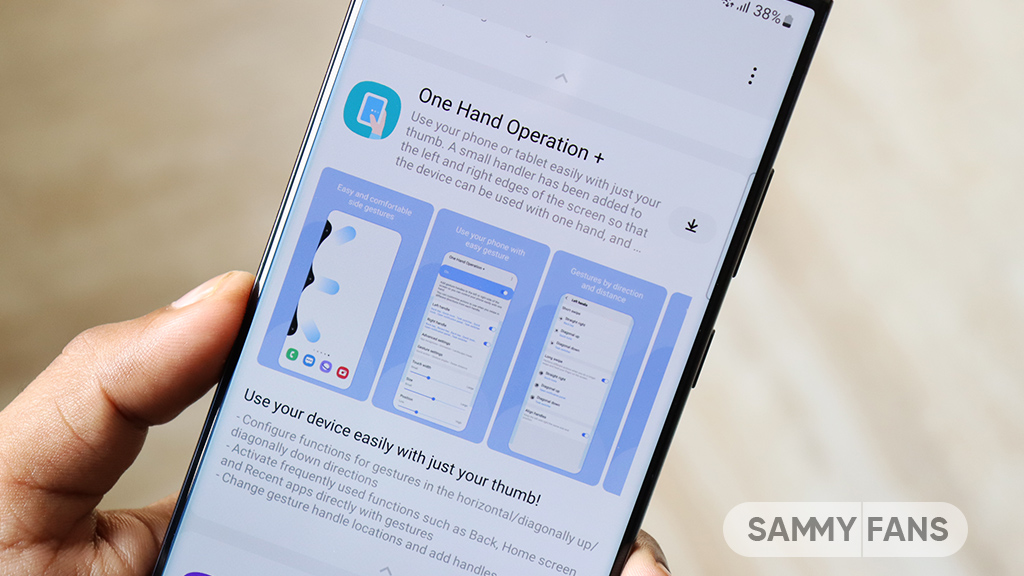
Samsung is getting ready to release a new update for its One Hand Operation + Good Lock module with version 9.2.21.0. It will fix several problems that users have been facing and will also improve the overall stability of the feature. The update is mainly focused on making gestures work better on Galaxy phones.
Along with these fixes, Samsung will add other bug fixes and stability improvements to make One Hand Operation + smoother and more dependable. Samsung has not yet announced the exact release date. Once available, users should be able to get the update through the Galaxy Store or the Good Lock app. Let’s explore what’s new coming!
Samsung One Hand Operation + 9.2.21.0 update reportedly fixes issues related to the Edge Panel. One Hand Operation+ lets users perform different actions by swiping from the sides of the screen. Sometimes, these gesture areas can overlap with the Edge Panel handle. However, it has not always worked as expected.
This problem could cause the Edge Panel to stop working. In some cases, the home screen could also become unresponsive when the two gesture areas conflicted. Samsung had already confirmed that it was working on a fix, and the solution will arrive with the new One Hand Operation+ update.
The update will reportedly also fix a problem with Instagram. Some gestures from One Hand Operation+ were not working properly when users were using the Instagram app. Samsung is expected to fix this issue with version 9.2.21.0.
There is an issue related to vibration feedback. Some gestures did not produce vibration even when they were supposed to. Samsung will fix this problem as well. The update will also address a screenshot afterimage issue, where users could notice an unwanted visual effect after taking a screenshot.
-
 Updates17 hours ago
Google Play System August 2026 update brings new features and improvements
-
Updates3 days ago
Samsung rolled out the August 2026 update to these Galaxy devices
-
 Samsung2 days ago
Samsung Galaxy S26 FE Leaks and Rumors Roundup
-
 Updates2 days ago
Samsung users are asking where the August 2026 update is