
Apps
Google Wallet could make saving tickets and passes easier


Google Wallet may soon get two new features to make the app easier to use. A recent update has revealed an option to save passes automatically and a new “Agents” option. However, both features are still under development and are not working yet.
The first feature, Auto add from partners, was found in Google Wallet’s settings. It may allow users to automatically save digital passes from supported businesses, such as airline tickets, shopping loyalty cards, and event tickets.
Currently, users often need to scan QR codes or import passes from Gmail. The new feature could make this process easier by saving eligible passes automatically.

Image via Android Authority
The second feature is a new “Agents” option in the account switcher. Tapping it currently opens a webpage that shows an error. The web address suggests that Google may be preparing new features related to AI.

Image via Android Authority
Google is already working to connect its services with Gemini, its AI assistant, and exploring ways to make online shopping and payments easier through Google Pay. The new Agents option could be linked to these plans. However, there is no confirmation that AI agents will be able to make payments directly through Google Wallet.
Google has not officially announced either feature or shared a release date. If introduced, these changes could make Google Wallet more convenient by simplifying pass management and adding new AI-powered tools.


WhatsApp has launched a new feature, Guest Calls. It allows people without a WhatsApp account to join voice and video calls using a link. Guests do not need to download the app or create an account. The feature is free and has no time limit.
To start a guest call, users need to open the Calls tab and tap the “+” icon to create a call link. They can share this link with friends, family members, or colleagues. Guests can open the link in their web browser, enter their name, and request to join the call.
The host must approve every guest before they can join. This helps prevent unknown people from entering a call without permission. The feature supports individual and group calls with up to 32 participants.

Image via WABetaInfo
Guests can use features such as screen sharing, emoji reactions, and raising their hands to speak. However, they cannot see other participants’ phone numbers, send messages, or invite other people to the call.
WhatsApp says guest calls support end-to-end encryption, which helps keep conversations private. The host can also remove a guest or end the call for everyone at any time.
The company is rolling out guest calls slowly to users with the latest version of WhatsApp. The feature may not be available to everyone yet. Users who cannot see the option will need to wait for it to arrive on their accounts in the coming weeks.


Google has begun rolling out the Android Auto 18.0 Beta to testers, dropping clear hints that a sweeping visual makeover is right around the corner.
Deep inside the build lies a new app launcher asset named “cielo_launcher,” pointing toward Google’s next major design phase, codenamed Cielo, via 9to5Google.
While Coolwalk gave us flexible multi-window layouts, Cielo looks poised to refine the driver experience even further. Early teardown assets reveal that development has shifted beyond basic backend prep toward active UI building blocks.
Google seems intent on leveraging variable font tech through Google Sans Flex to dynamically tweak text weight and width across different dashboard screen aspect ratios.
Beyond layout updates, the beta lays the groundwork for personalized Gemini integration. Onboarding strings show the assistant preparing to tap into user data like Google Calendar schedules and Gmail details.
Drivers who split focus between personal and work responsibilities might also appreciate incoming support for Android Work Profiles, indicated by new dedicated status icons.
Google has already purged over 200 legacy dialer and early Coolwalk assets from the build. It feels like the team is tidying up the codebase before unveiling the complete Cielo interface.
We probably will not see the full user-facing redesign flip on overnight, but this update makes it clear that the current dashboard layout will soon be a relic of the past.

Some Galaxy users have reported an issue while creating special character keyboards in Samsung KeysCafe. When they create a keyboard on page 1 and then start creating another keyboard on page 2, changes on page 2 can also affect page 1.
For example, if users delete a key or change its size on page 2, the same change may appear on page 1. This makes it difficult to create different keyboard layouts on each page.
Users want to complete the keyboard on page 1 and keep it unchanged while creating a new keyboard on page 2. However, the current design does not allow users to customize every page completely independently.
According to the community moderator, the special character keyboard uses the same layout for all pages. This means that if users change the width or height of a key at a particular position on page 1, the key at the same position on other pages will also change.
The moderator explained that this is a limitation of the special character keyboard feature. Therefore, some layout changes will affect all pages, even if users want to design each page differently.

However, if the same key is added to other pages automatically or unexpected changes occur while editing, it may be a separate issue. In such cases, users should report the problem through the Send Error option immediately after it happens.
Users should also attach a video showing the issue and provide the relevant system logs. This will help the development team understand the problem and investigate it further.
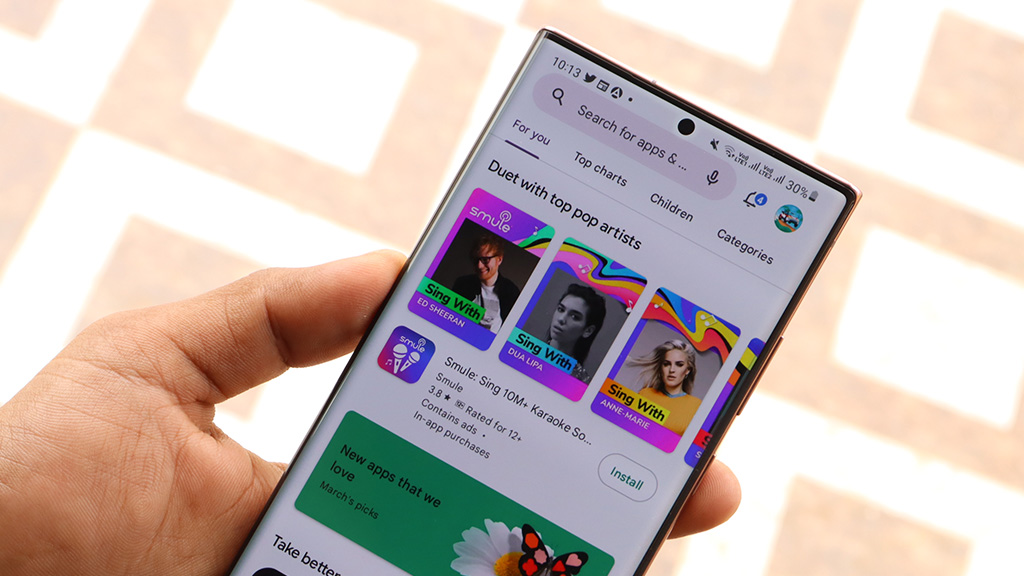
Google is making it easier for users to find games on the Play Store. The company has introduced a new feature, Game Finder. It helps users discover games based on their interests and gaming habits.
Game Finder uses a feature called Gamer DNA. It studies users’ gameplay, ratings, and interests to suggest games they may enjoy. This helps users find their favorite types of games without spending too much time searching.
Users can also choose their favorite game genres and gameplay styles. For example, they can select action, racing, puzzle, or role-playing games. This helps Game Finder provide better recommendations.
The feature also gives users more information about games. They can see what people with similar interests are playing and how many people they follow play a particular game. It also provides summaries of user reviews and explains why some games are becoming popular.

Image via Android Authority
Along with Game Finder, Google is introducing another feature called Game Playlists. It allows users to create collections of games and organize them into different categories. For example, users can make separate lists for racing games, action games, and games they want to play later.
Google also plans to let users share their playlists with friends and explore playlists created by other players. However, these sharing features will be available in the future.
Game Finder is currently rolling out to users in the United States who use the Play Store in English. Google plans to bring it to more countries soon. These new features aim to make finding and organizing games easier for everyone.
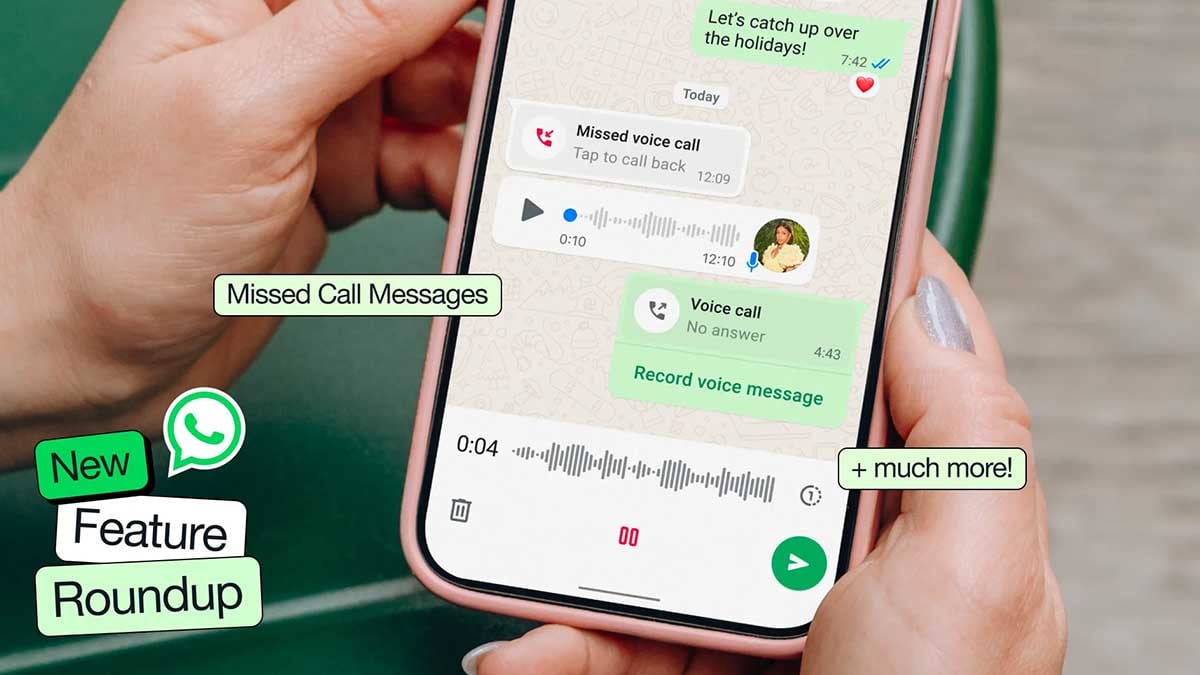
WhatsApp is finally fixing one of its most glaring feature gaps. After months of quiet development, WhatsApp is rolling out the ability for users to schedule messages through Android Beta version 2.26.40.7.
If you have ever relied on third-party workarounds or set calendar reminders just to send a late-night birthday wish without waking someone up, this update could make your life significantly easier, as discovered by WABetaInfo.
How message scheduling works and how to use it
Instead of tapping the send icon as you normally would after typing out a text or selecting a photo, holding down the send button triggers a new bottom sheet menu.
From there, you can pick a specific date and time for delivery.
WhatsApp allows you to queue up text messages, links, single photos, and individual videos anywhere between 10 minutes and two weeks in advance.
Crucially, delivery happens on WhatsApp’s servers, meaning your message fires off on schedule even if your phone happens to be powered off or completely disconnected from the network at that exact moment.
A dedicated section inside the chat info screen lets you review or delete pending items before they go out. Recipients will not see any tag indicating a message was scheduled, nor will they be notified if you decide to cancel one before delivery.
In group chats, messages are only delivered to members who were present at the moment of scheduling, avoiding awkward context issues if new members join later.
While the feature is currently limited to select beta users, a broader rollout across the stable channel should follow in the coming weeks.

-

 One UI2 days ago
One UI 9.0 official update lands on Galaxy S23, S23+, and S23 Ultra
-

 Updates2 days ago
Samsung’s October 2026 One UI 8.5 update arrives on Galaxy A phones
-
 One UI3 days ago
Samsung launches One UI 9.0 in Japan, drops a release roadmap
-
 One UI1 day ago
Galaxy A36 and A56 receiving Android 17-based One UI 9.0, joining A57, A37 and A27