
Issues
How to fix charging and blinking light issues on Galaxy Buds 3 and 3 Pro


Many Samsung Galaxy Buds 3 series users are facing charging and red light blinking issues with their Galaxy Buds. Users of the Galaxy Buds 3 and Buds 3 Pro have reported seeing an “Earbud charging stopped” message on their phones and noticing that the LED on their charging case is blinking red.
Samsung has acknowledged the charging issue of the Galaxy Buds 3 series and is working on the solution. In addition, the community moderator has shared reasons for the appearance of these issues on Samsung Galaxy Buds 3 along with useful precautions.
For “Earbuds Charging Stopped’ pop-up
Firstly, you need to check the charging status of your earbuds with the Galaxy Buds 3 Manager app running version 6.1.24100151 or later. Users might see the pop-up for some reasons, check them below:
Low Battery in the Case
- Make sure your charging case has enough battery.
Moisture or Dirt
- Look for sweat, moisture, or dirt in the earbud charging area or inside the case. If you clean these areas, charging should resume, and the pop-up will disappear when you open the case lid.
If the message keeps appearing, there might be a more serious issue with the charging parts, or the charging case is damaged.

Blinking red LED of Galaxy Buds 3 Case
A blinking red LED on the charging case usually signals moisture or dirt on the charging points. To solve this, a user should wipe the charging terminals with a soft, lint-free, or dry cloth. Make sure everything is dry before trying to charge again as moisture can cause damage.
Charging Tips
Check some tips that will surely help you in charging your Earbuds betterly.
- Charging the earbuds via a USB connection to a computer might take longer due to lower power.
- It’s normal for the earbuds and charger to feel hot while charging. If they get too hot, charging will stop for safety. They should be allowed to cool down before charging again.
- It’s important not to charge with wet cables and to avoid bending the charging cable to prevent damage.
If problems persist after trying these steps, contacting customer service for assistance is recommended.
BREAKING: Samsung releases Stable One UI 6 Watch (Wear OS 5) for Galaxy Watch 6







Samsung’s green line issue may no longer be limited to Galaxy phones and smartwatches. A fresh user report suggests the same line-on-display defect has now surfaced on one of Samsung’s most affordable wearables, the Galaxy Fit 3 fitness tracker.
A Reddit user, u/omelettelover1, shared their experience on the r/GadgetsIndia subreddit after their roughly two-year-old Galaxy Fit 3 suddenly developed a serious display problem.
According to the post, the budget fitness tracker first went completely black and stayed that way for several days. Unfortunately, it didn’t recover completely.
A bright vertical green line permanently appeared across the AMOLED screen, slicing straight through the watch face and even cutting across the displayed time. The tracker remained usable, but the damaged display became impossible to ignore.
Samsung hasn’t acknowledged the case, and there’s no evidence that this is a widespread Galaxy Fit 3 issue. The timing is interesting because a Galaxy Watch 4 owner has recently reported similar green line problems post One UI 8 Watch update.
Before that, Samsung smartphones had already built an unfortunate reputation for sudden green lines appearing on AMOLED displays across several Galaxy models.
If this issue begins appearing on more Galaxy wearables, Samsung needs to acknowledge it directly and provide a clear path for affected customers instead of leaving them guessing.
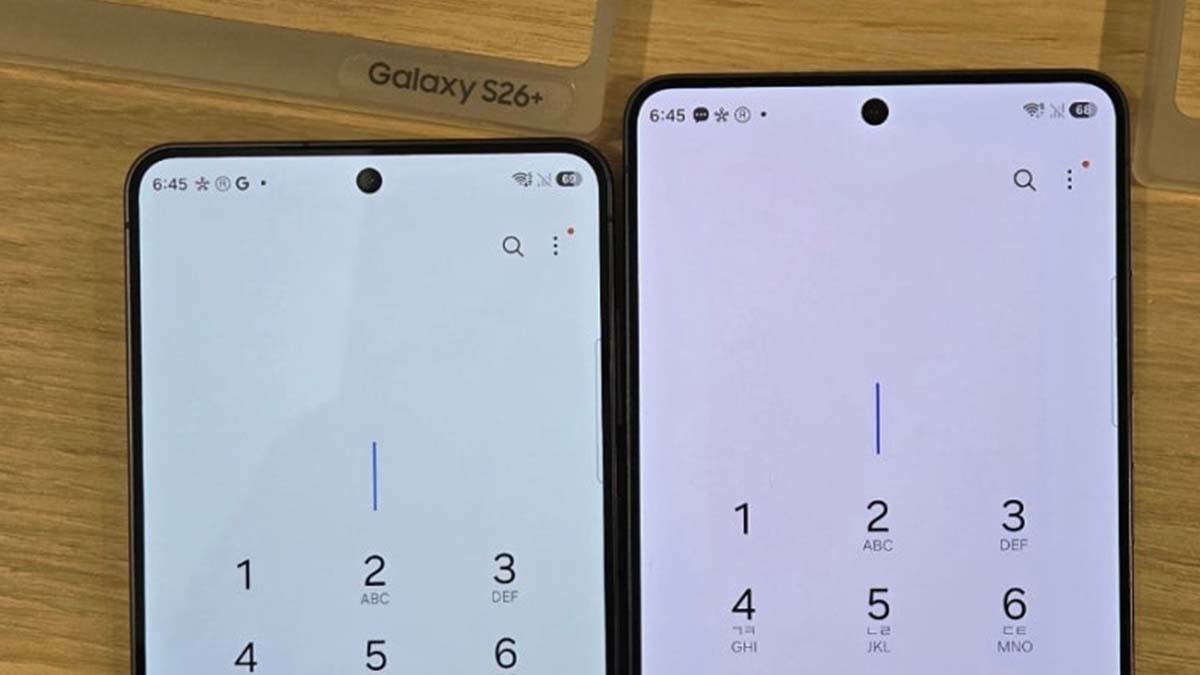
Samsung is now looking into reports that some Galaxy S26 Ultra units are showing a Red tint in the center of the display. The company has not confirmed a defect, but it is reviewing the issue internally to determine whether the problem is tied to the panel structure, the new Privacy Display feature, or a smaller number of affected devices.
Why is Samsung investigating Galaxy S26 Ultra Red tint display issue?
The reports surfaced after users and display units were seen with a reddish patch on the screen, prompting fresh concern around Samsung’s Galaxy S26 Ultra.
Samsung has said (via Newsway) that it is examining the matter internally, but it has not yet explained whether the phenomenon is a broad product-line issue or something limited to specific conditions.
Samsung is conducting an internal review to identify the exact cause and the conditions under which the issue arises. A company official stated, “We are currently examining the matter internally to determine the cause.”
The attention is landing on Privacy Display, the Galaxy S26 Ultra’s newest display feature. Samsung introduced it as a panel-level privacy measure that narrows viewing angles so people beside the user cannot easily read the screen.
Is this burn-in or a panel defect?
Some users have linked the red discoloration to OLED burn-in, which happens when individual pixels degrade unevenly and leave ghost-like marks behind.
Display experts caution that the currently available images are not enough to conclude that burn-in is responsible. Proper verification requires controlled testing, repeated reproduction of the issue, and examination of the panels.
My read is that Samsung will want to move fast on this one.
Premium phones can absorb a lot, but they do not get much grace when display quality is in question. If Privacy Display is involved, the company may end up looking at a hardware-level adjustment rather than a simple software fix.

If Bixby has recently started speaking in a different voice on your Samsung device, you’re not alone. Some Galaxy users say the assistant now switches between voices during the same conversation, even when a single voice is selected. Samsung has reportedly acknowledged the feedback and says it will share the issue with the relevant team, although it hasn’t confirmed whether this is a software bug.
Bixby changing its voice on Samsung phones
A handful of Samsung Galaxy users have reported an unusual voice changing issue with Bixby after a recent update. Instead of consistently using the selected voice, the assistant appears to alternate between different voices while responding.
The complaint surfaced on Samsung’s Korean Community forum, where one user explained that Bixby begins with a lower, unfamiliar voice before switching back to their chosen voice on the second response.
According to the report, later replies also continued to use the unexpected voice, making conversations with the assistant feel inconsistent.
Another Galaxy owner echoed the concern, saying Bixby’s voice noticeably changes depending on what it is saying.
Has Samsung acknowledged the Bixby voice issue?
A moderator from the Bixby team responded to the community post, apologizing for the inconvenience and confirming that the feedback regarding Bixby’s voice style would be forwarded to the relevant department.
Samsung did not describe it as a software bug, nor did it mention whether a fix is currently being developed. That response leaves the situation somewhat open; until Samsung provides further clarification, it’s difficult to say with certainty.

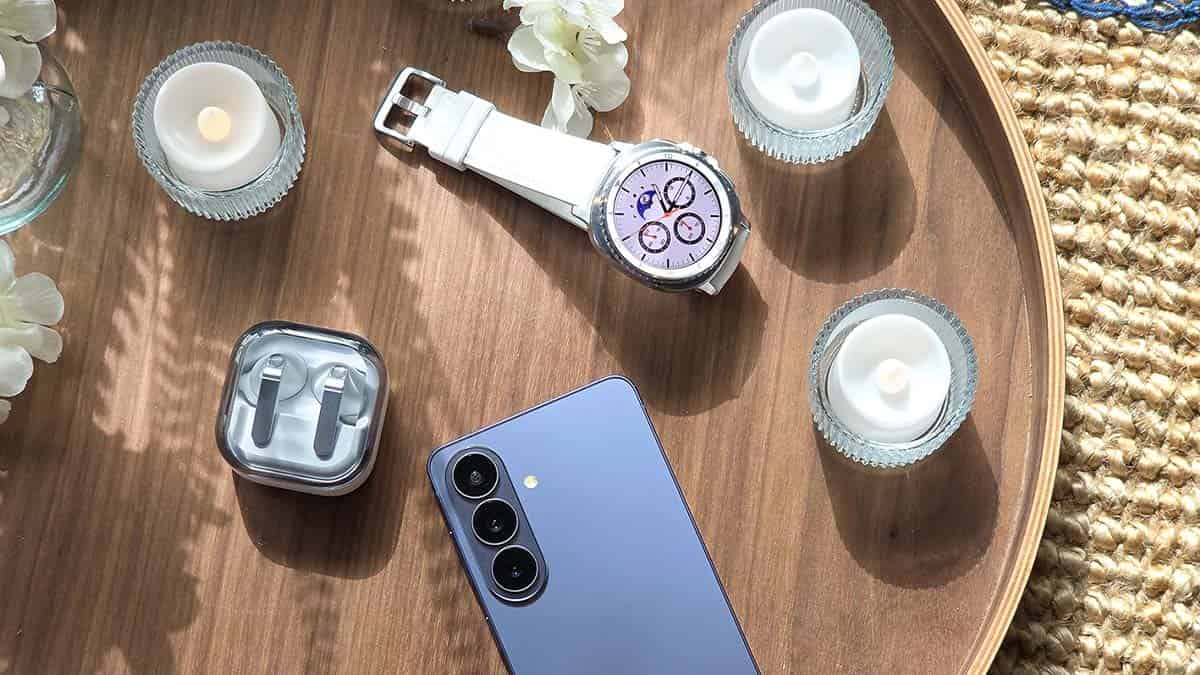
Samsung smartwatches reportedly failing to open apps on Wear OS 6. A bug appears to be preventing certain apps from opening on the device. Users are frustrated as a key functionality of their wearable has stopped.
Users of Samsung smartwatches have been posting about a frustrating issue where apps like Gmail, Google Calendar, and WhatsApp simply refuse to open.
You tap the icon, the splash screen flashes for a second, and then you’re dumped right back into the app drawer. Similar reports are posted as complaints across various social media platforms, including Reddit.
One Galaxy Watch 8 Classic owner brought it to Reddit, and the replies confirmed this isn’t an isolated incident. Meanwhile, someone in that Reddit thread (via AndroidAuthority) dug into the cause, and it’s a Wear OS 6 kernel problem.
A zombie process, meaning a process that’s technically finished but still sitting in the system’s memory, creates a deadlock when the app tries to close. When you try to relaunch the app, the OS spots that old process, can’t kill it, and aborts the whole startup.
The fix is the May 2026 security patch. A Galaxy Watch 7 owner installed it and reports the bug hasn’t resurfaced since. Although the May patch’s rollout has begun, it’s still not widely available on Galaxy Watch models globally.
A kernel-level bug is making apps unusable on Galaxy Watches; the only potential fix requires a security update that not everyone may have received yet.
If your Galaxy Watch has been eating app launches lately, check your software update settings immediately.

Galaxy users are once again reporting issues with the battery life, and this time, Samsung needs to talk about what its One UI 8.5 update is doing to that aspect.
One UI 8.5 brings user interface changes and new AI features. The more the features, the more the utilization of resources, including the chip and battery. Extended visuals also play a role in draining the battery juice in everyday usage.
Samsung battery drains faster than before
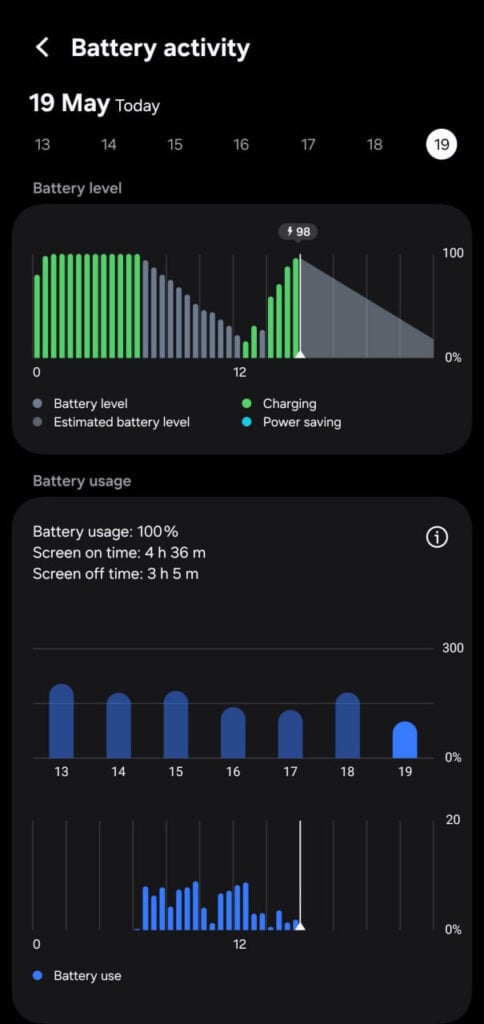
Growing reports from the users of the Galaxy Z Fold 7 indicate that the battery life has worsened following the recent updates, including the One UI 8.5 and May 2026 security patches.
Initially, consumers assumed that background optimization would occur after One UI 8.5 was running, causing the battery to drain faster than before, but it has become endless to some.
Be it Reddit or Facebook, the concern is the same: battery life worsened. Samsung’s community forums also have a handful of complaints with the same concern, and Samsung has yet to respond to user reports.
Samsung took almost five months to test One UI 8.5 in the Beta Program. It was one of the largest and longest Beta Programs in history. However, the legacy problem still persists, with users facing battery life issues post-install.
Factory resetting your Galaxy could make things better, but it should be the last resort. Visiting the service center is a total time waste as it’s a software problem. The hardware is fine, the software isn’t, and it should be fixed by engineers.
If you are also facing battery life issues, report to the software team using the Samsung Members app. Do attach a log file while submitting the feedback so the engineers have a better idea of your phone’s state.
-
 Updates3 days ago
Samsung rolling out July 2026 update to Galaxy S23, S24, S25, S26, and foldable phones
-

 Samsung2 days ago
Galaxy S25 One UI 9 update to bring Now Nudge, Horizon Lock camera and My FanCam
-
 One UI3 days ago
Samsung could soon release One UI 9.0 Beta for Galaxy S25 series
-
 Samsung2 days ago
We tested Galaxy S26 Ultra on the new Geekbench 7 – Here are the CPU and GPU scores