
One UI
Galaxy S27 may get Scam Detection along with older Samsung phones


Samsung may soon bring its useful Scam Detection feature to more Galaxy phones. New information found in the One UI 9 Beta 7 software suggests that the feature could arrive on the upcoming Galaxy S27 series as well as some older Samsung phones.
Scam Detection was first introduced by Google as a feature for Pixel phones. It was first available on the Pixel 9 series. Later, Google started bringing the feature to Samsung phones. The Galaxy S26 series already supports Scam Detection, and newer Galaxy Z8 foldable phones can also use the feature through Samsung’s Phone app.
Now, code found in the latest One UI 9 beta suggests that Samsung and Google may expand the feature even further.
The Galaxy S25 series could get Scam Detection. This includes the Galaxy S25, Galaxy S25 Plus, Galaxy S25 Edge, and Galaxy S25 Ultra. Samsung’s newer foldable phones may also receive the feature, including the Galaxy Z Fold 7, Galaxy Z Flip 7, and Galaxy Z TriFold.

The Galaxy S27 series is also mentioned in the software code. The model numbers SM-S952, SM-S956, SM-S957, and SM-S958 are believed to be linked to the Galaxy S27, S27 Plus, S27 Pro, and S27 Ultra.
The code also gives us some information about the Galaxy S27 processors. It mentions “s5e9975,” which is expected to be Samsung’s Exynos 2700 chip. Qualcomm is also mentioned. This suggests Samsung may continue using both Exynos and Qualcomm chips in the Galaxy S27 series, depending on the country.
However, this information does not confirm that all these phones will definitely get Scam Detection. Samsung and Google could still change their plans. The Galaxy S27 series is still months away, so we may have to wait for more information before Samsung officially confirms the feature.


Samsung is rolling out the August 2026 security update to various Galaxy phones. Starting with the Galaxy S26 series, the update has been expanded to several models.
The update was rolled out on the Galaxy S25 series, Galaxy S24 series, and Galaxy S23 series, as well as their Fan Edition models and foldable devices. The update improves system security and stability to provide a better experience.
August 2026 update has been rolled out to these models:
- Galaxy S25 series – CZH2
- Galaxy S25 FE – BZH2
- Galaxy S24 – DZH2
- Galaxy S24 FE – DZH3
- Galaxy S23 series – FZH2
- Galaxy S23 FE – EZH2
- Galaxy Z TriFold – BZH3
- Galaxy Z Fold 7 – BZH3
- Galaxy Z Flip 7 – BZH3
- Galaxy Z Fold 6 – DZH5
- Galaxy Z Flip 6 – DZH5
- Galaxy XCover 7 – EZH2
- Galaxy M55 – DZH1
The latest update includes the August 2026 security patch. The August update has patches for 58 vulnerabilities. Samsung detailed its August patch, which brings 38 CVE items from Google and an additional 18 SVEs from Samsung.
Additionally, the update will also clean up internal storage by removing unnecessary files and cache. It will improve your device’s performance and efficiency; however, initial experience might be a bit buggy until full optimization.
To download the update, head to Settings > Software update > Download and install.
Initial Article
Samsung has finally begun rolling out the August 2026 security update for the Galaxy S26, Galaxy S26+, and Galaxy S26 Ultra. The rollout appears to have started in South Korea and should reach more countries in the coming hours or days.
The new update comes with a firmware version ending in AZHA. It is around 460MB in size, so users should make sure their phone has enough free storage and a stable Wi-Fi connection before downloading it.
The update is currently rolling out to Galaxy S26 series phones running the stable version of One UI 8.5. Also, One UI 9 beta users already received the update with the latest beta update.

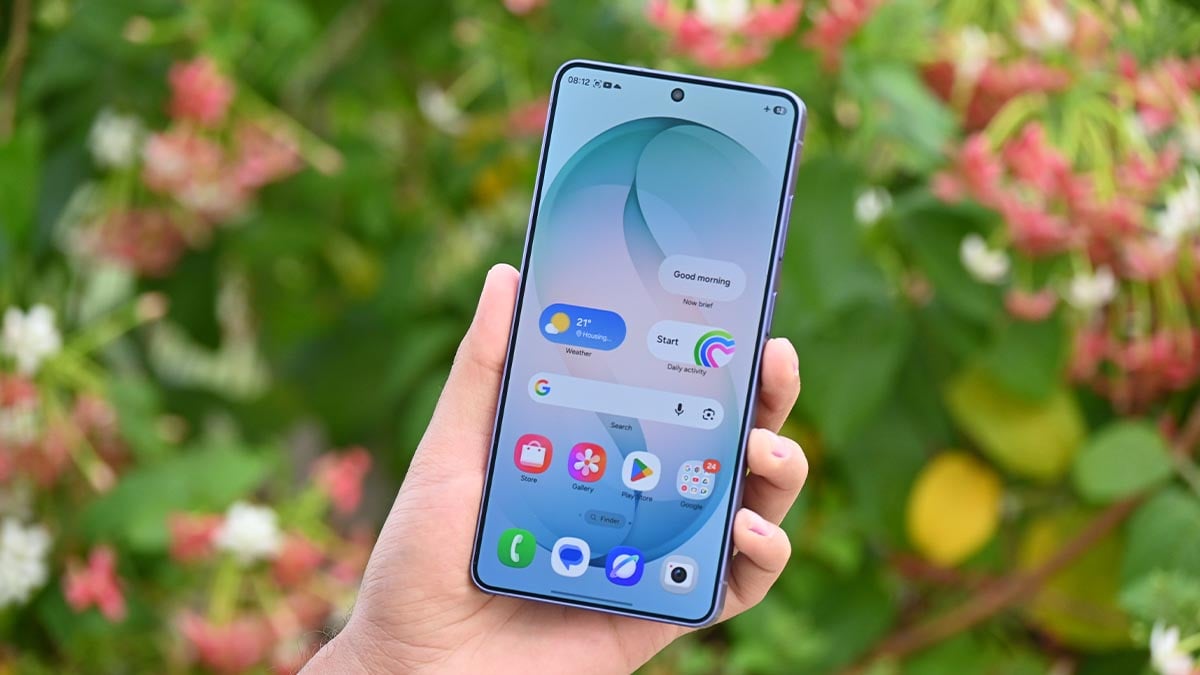
One UI 9 Beta 7 update brings several new features to the Samsung Galaxy S26 Ultra. These features are designed to make the phone’s camera, AI tools, calls, and Bixby assistant more useful. Here’s how you can use the latest features.
These are:
1.) My FanCam
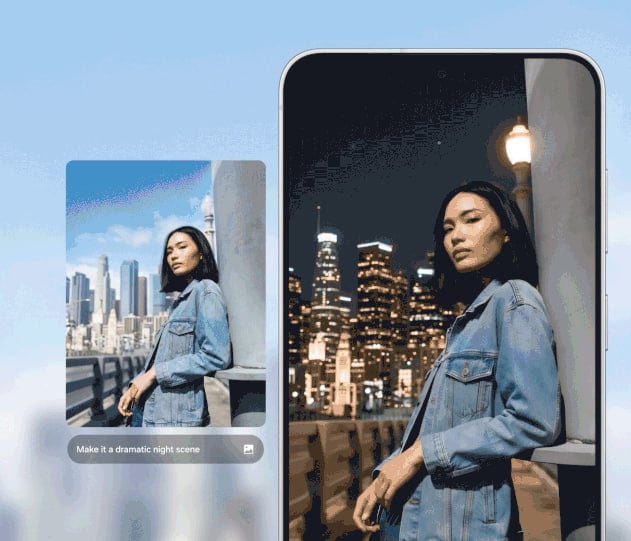
My FanCam is a new AI feature for videos. It helps you focus on a specific person or subject in a video. My FanCam can also change the video size and shape for different social media platforms.
To use, open the Camera app and look for the My FanCam option. You can select a person or subject from a recorded video, and the phone will try to keep that subject in focus. This can be useful when recording sports, concerts, or other events where you want to follow one person.
2.) Now Brief Custom Cards
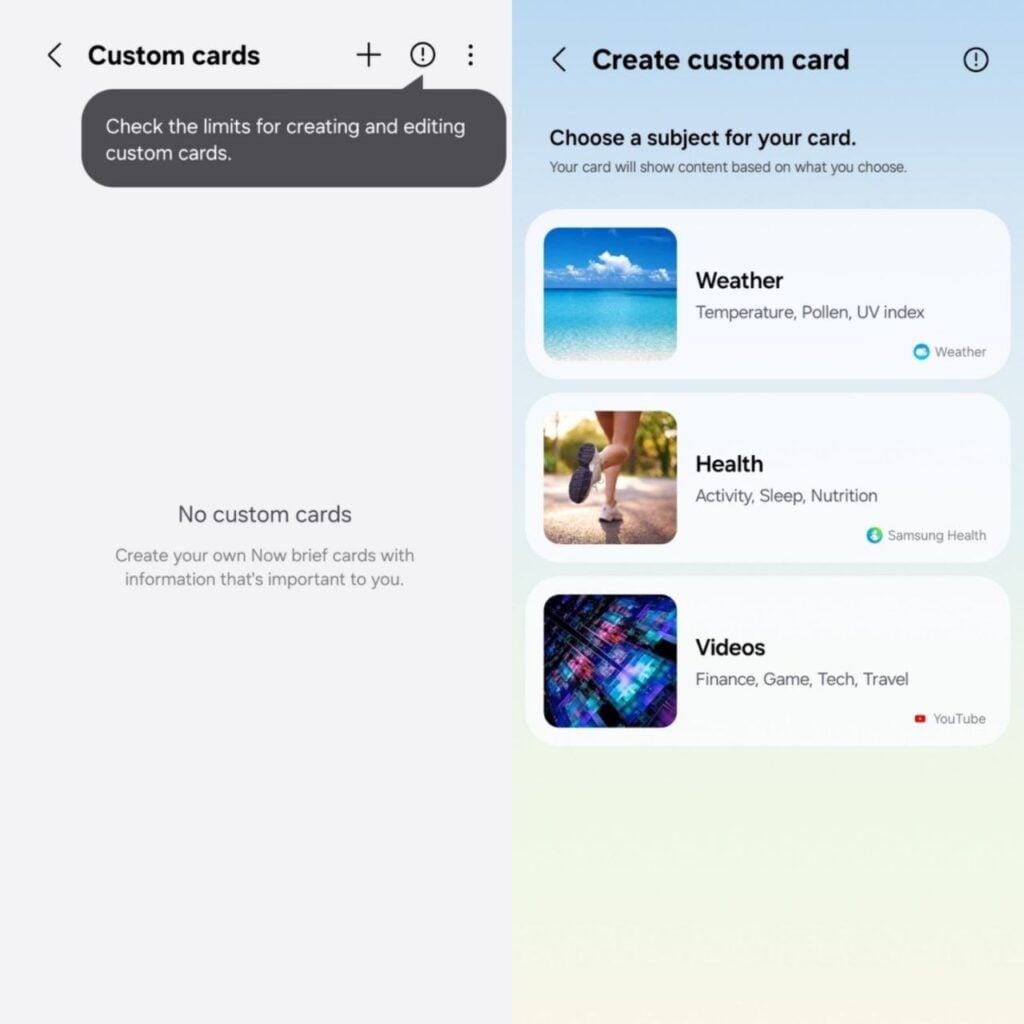
Samsung has also added Custom Cards to Now Brief. These cards let you choose the information you want to see.
Go to Settings >> Galaxy AI >> Now Brief >> Content to include. You can create cards for categories such as Weather, Health, and Videos. For example, a Weather card can show forecasts, rain chances, UV levels, humidity, wind, and other weather information. You can create up to three custom cards at a time.
3.) Now Brief Netflix
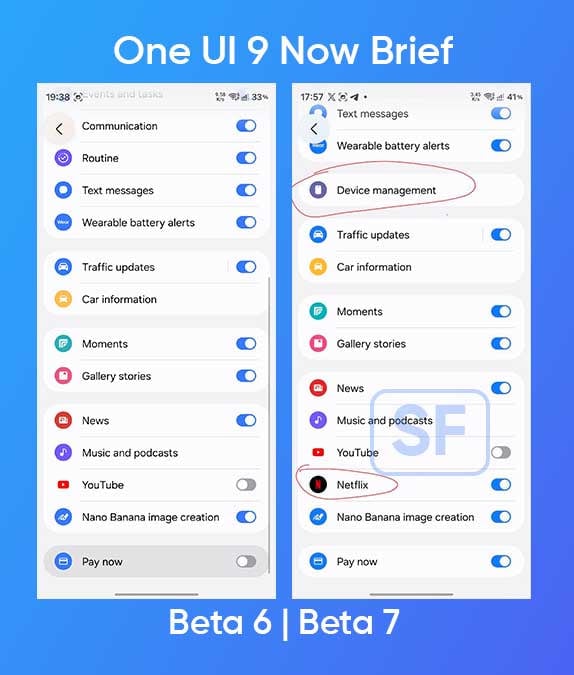
Netflix recommendations are another new addition to Now Brief. After enabling Netflix, Now Brief can show a “Top picks for you” card with movie recommendations. This gives you an easier way to discover something to watch without opening the Netflix app first.
Go to Settings > Galaxy AI > Now Brief > Content to include and turn on Netflix. After enabling it, Now Brief can show a “Top picks for you” card with movie recommendations.
4.) Call Brief
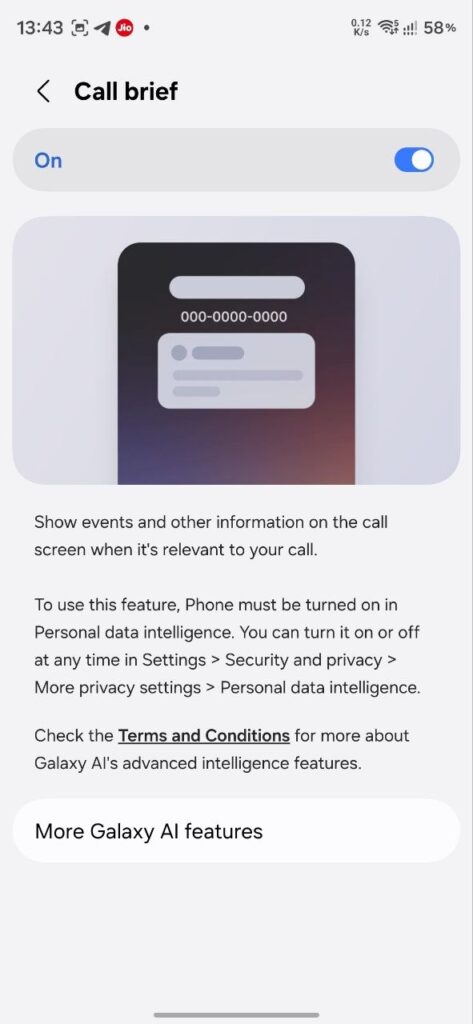
Call Brief provides useful information while you are on a phone call. When relevant, it can show events and other information directly on the call screen. This means you may not need to leave the phone app and open another app to check related information. Call Brief uses Samsung’s AI features and can be disabled whenever you want.
To enable it, go to Settings >> Security and privacy >> More privacy settings >> Personal data intelligence and turn on Phone.
5.) Bixby New features
Bixby gets three useful improvements in One UI 9 Beta 7. Gesture Wake-up lets you activate Bixby by holding the phone near your mouth and speaking. Samsung has also added 2×1, 2×2 and 4×2 Bixby widgets, offering quick voice and text input from the home screen.
Open Bixby settings to enable Gesture Wake-up. To add a widget, long-press the home screen, tap Widgets, select Bixby, and choose a widget size.
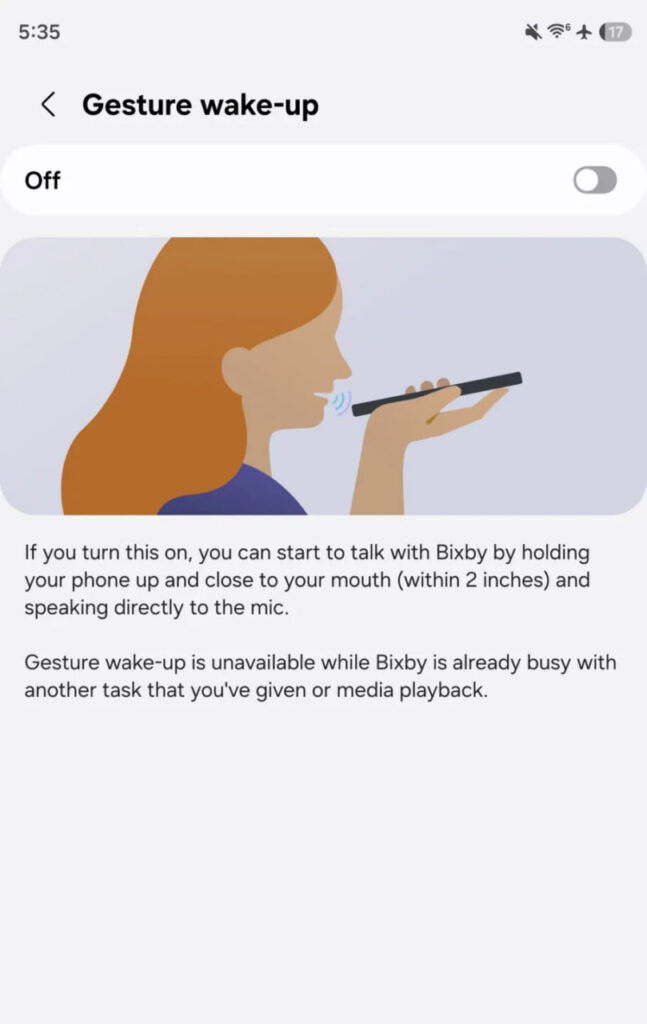
Image – Samsung Bixby Gesture Wake-Up | Source – Android Authority


Samsung Bixby is getting important upgrades in One UI 9 Beta 7, including three impressive new features. Galaxy’s native assistant has adopted a new gesture wake-up feature along with diagnostics and an interpreter.
On August 28, Samsung announced a One UI 9 Beta feature update for the Galaxy S26 series. The company outlined three major upgrades spanning My FanCam and Now Brief; however, Bixby wasn’t part of that press release.
Bixby Diagnostics
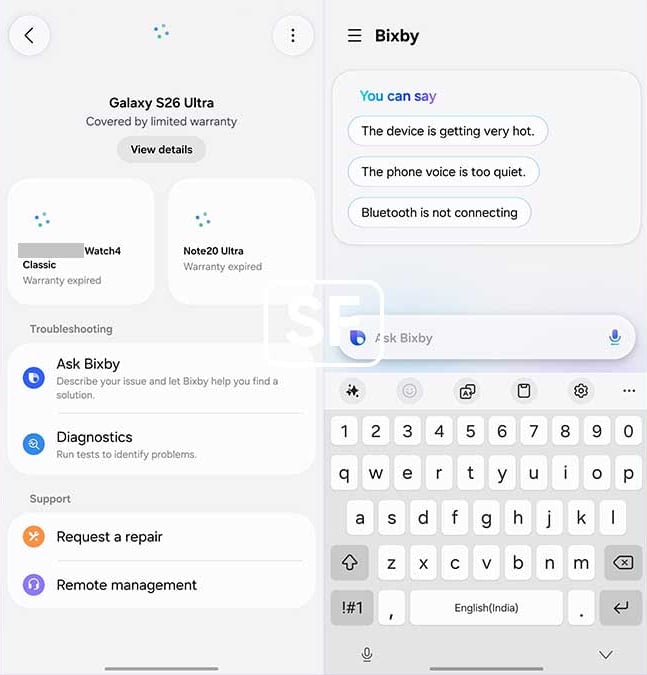
Galaxy S26 series users can now ask the Bixby assistant to diagnose their device. There’s a separate menu that has been added entitled “Diagnostics” that lets you search and troubleshoot potential problems on your Galaxy.
When opened, the page shows you some examples of how you can use the Diagnostics feature:
- You can say:
- The device is getting very hot.
- The phone voice is too quiet.
- Bluetooth is not connecting.
The next part is a bit more interesting.
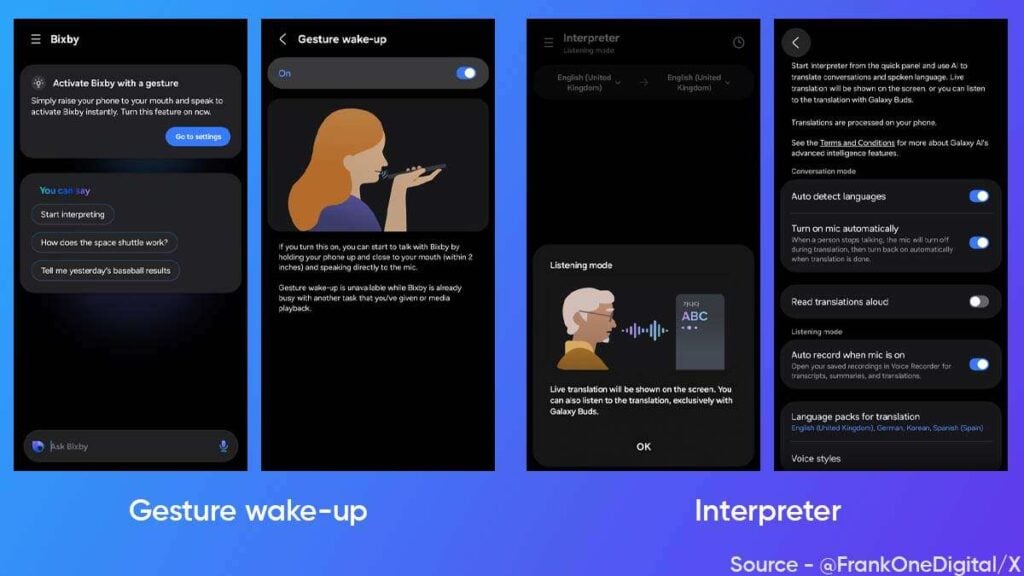
Samsung Bixby on Galaxy S26 series has added (via FrankOneDigital) the new “Gesture wake-up” feature right from the official One UI 9 version. When enabled, you no longer need to say any hotword to wake up the digital assistant on your device.
Next comes Interpreter. Samsung has integrated Interpreter right into Bixby. This helps users interpret conversations in real time without separately accessing the Interpreter feature and tasking Bixby to handle the rest intelligently.
Related articles:
- One UI 9 Now Brief introduces Netflix and Device management
- Galaxy S26 phones now have Google Search and Finder integration
In addition, Galaxy S26 users have also received the new My FanCam feature inside the stock camera application. This feature allows you to quickly export an object-centered clip from your pre-recorded video with minimal effort.
You may like:
Samsung One UI Beta testers report that the One UI 9 Beta 6 offered better animations than the latest Beta 7 update. The new Beta introduces next-gen Galaxy AI features, yet some users are reverting to the previous Beta.
The seventh Beta, identified by firmware ending in ZZHK, is reportedly less fluid than Beta 6, which carried the ZZHE build.
One UI 9 Beta 7 started rolling out on August 28 with several additions, including new AI features, improvements for intermittent rebooting, and better usability for Do Not Disturb.
However, the latest One UI 9 Beta animations feedback suggests that Samsung may still have some optimization work to finish before releasing the stable version.
One UI 9 Beta 7 animations are not so smooth
Galaxy S26 Ultra users are noticing small inconsistencies during everyday interactions, including typing, moving between the Quick Panel and notifications, and navigating the Home screen.
After moving to Beta 7, some testers noticed more micro-stutters and less consistent system animations. More than 30 users had marked the same issue at the time of writing.
Ice Universe has also criticized the change in smoothness, claiming that he rolled his Galaxy S26 Ultra back from Beta 7 to Beta 6 because the older build felt noticeably smoother.
For context, Ice had previously described Beta 6 as the smoothest One UI 9 version he had tested, particularly praising its animations, transitions, and responsiveness.
You may like: Samsung announced more One UI 9.0 features, but no release date
Samsung has already reached its seventh beta while One UI 9 has been in testing since May, and the Galaxy S26 series is now much closer to its stable release.
Still, the timing makes the feedback worth watching.
Related articles:

Samsung is making Now Brief more useful with the latest One UI 9 Beta 7 update to the Galaxy S26 series. The update adds a new feature, Custom Now Brief Cards, which lets users decide what information they want to see.
Users can create a custom card by selecting a topic on their Galaxy S26 devices. The card will then show information based on the options they choose. This makes Now Brief more useful because users can focus on the information that is important to them.
There are different categories available, including Weather, Health, and Videos.
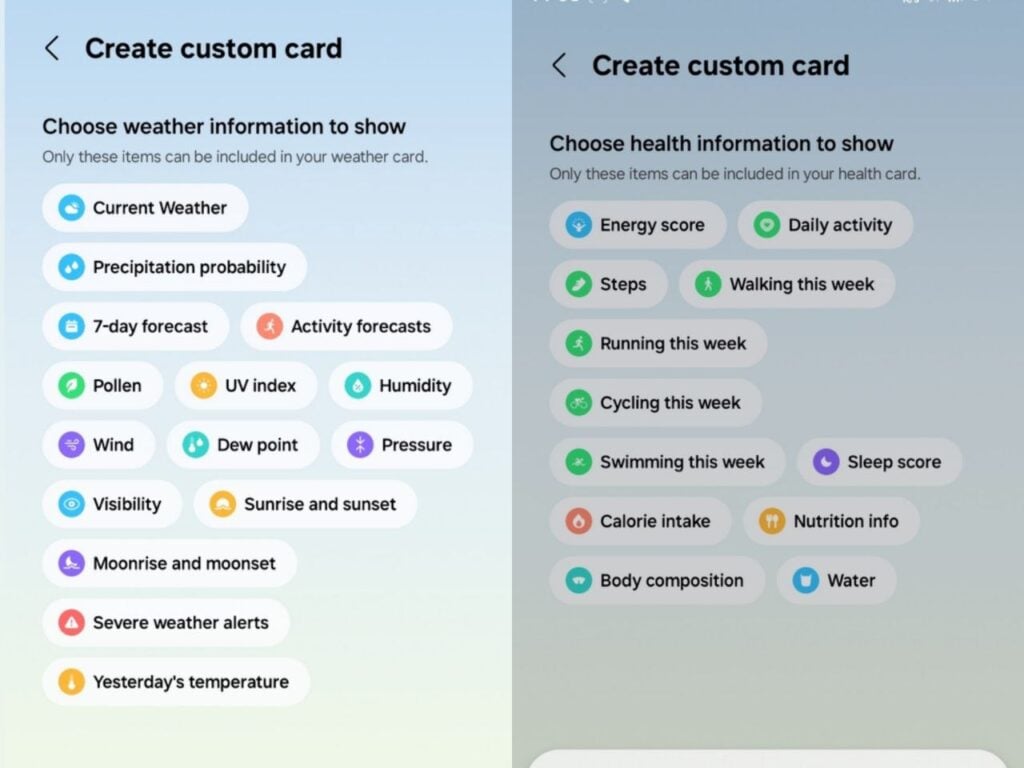
The Weather card can show many types of information. Users can choose current weather, precipitation probability, the 7-day forecast, pollen levels, UV index, humidity, wind, dew point, pressure, and visibility. It can also show sunrise and sunset, moonrise and moonset, severe weather alerts, and yesterday’s temperature.
The Health card is designed to show personal health and activity information. It can include Energy Score, daily activity, steps, walking, running, cycling, swimming, Sleep Score, calorie intake, nutrition information, body composition, and water intake. Users need to give permission for Samsung to access their health data.
For Videos, users can choose topics such as Finance, Games, Technology, and Travel. Now Brief can then show content related to the selected interests.
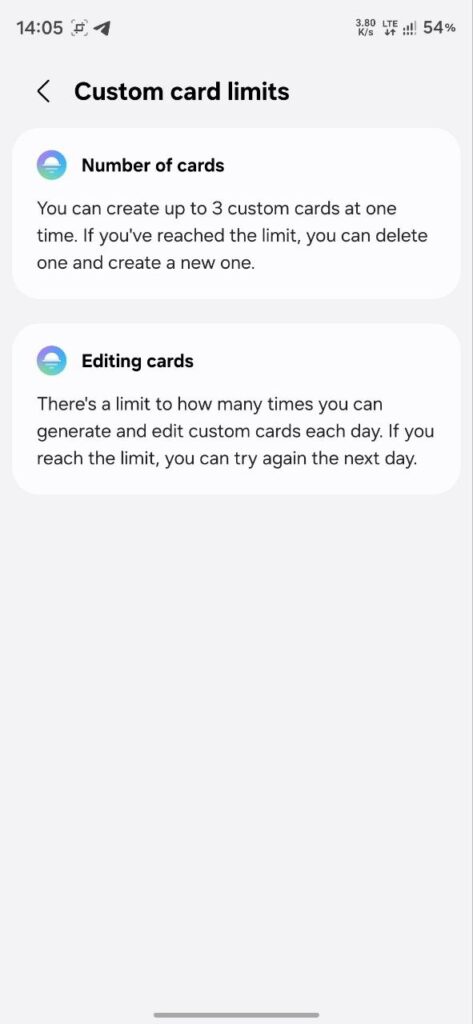
Samsung has also added some limits to this feature. Users can create a maximum of three custom cards at one time. If they want to create another card after reaching the limit, they must delete an existing card first.
There is also a daily limit on how many times users can create or edit custom cards. After reaching the daily limit, users must wait until the next day. Custom Now Brief Cards give users more control over what they see and make Now Brief more personal and useful.
-
One UI9 hours ago
Samsung’s August 2026 update released for Galaxy S23, S24, S25, S26, FE, foldables and more
-

 One UI3 days ago
Samsung releases One UI 9 Watch Beta for Galaxy Watch 8 in the US [Signup Guide]
-
One UI2 days ago
Samsung makes Galaxy S26 calls smarter with new Call Brief feature
-
 News2 days ago
Apple may shift iPhone user base to Samsung’s foldable territory