
One UI
Samsung’s One UI 8.5 refreshes Software Update experience over One UI 8.0

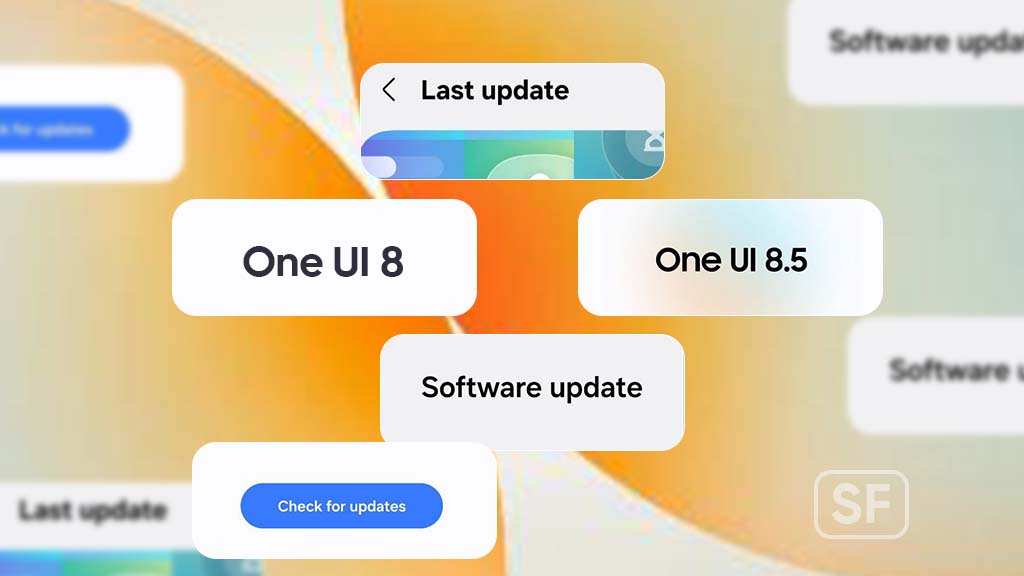
Samsung’s One UI 8.5 is currently in the beta phase, and the stable update is confirmed to arrive with the Galaxy S26 series next year. This major update brings several new features and improvements to provide a next-level user experience. Along with these changes, One UI 8.5 also introduces a redesigned Software Update screen.
Here, you can check what Samsung has changed in the Software Update screen and menu in One UI 8.5 compared to One UI 8.0.
The Software Update is an important section, as Galaxy users access it regularly to check for and install updates. With One UI 8.5, Samsung has made this section more attractive and easier to use. However, the method to access the Software Update section remains the same: you still need to open Settings, scroll down, and tap on Software Update.
Main Screen
In One UI 8.0, when you tap on the Software Update option, the title “Software update” appears at the top of the screen. Other options are displayed below in card-style sections. The background uses a simple color, which makes the screen look somewhat boring.
With One UI 8.5, Samsung has completely changed this approach. The One UI version is now displayed prominently in the center of the screen, surrounded by a light background with subtle color gradients. The main screen shows minimal content, keeping things simple and clean.
At the bottom, there is a blue “Check for updates” button. This design helps users quickly understand which version they are on and what action to take next.

One UI 8.0 vs One UI 8.5
Other Menus
In One UI 8.0, other options are clearly visible on the main screen, with brief details shown below each option name. There are three main options:
- Download and install
- Auto Download
- Last Update
While this layout provides useful information at a glance, it appears less visually simple. Users can tap any option to view more details. A search icon is also present, which feels unnecessary since there are only a few options available.
But in One UI 8.5, Samsung has hidden these options to keep the main screen minimal. They can now be accessed by tapping the More (three vertical dots) icon in the top-right corner, which opens a small floating menu with the following options:
- Software Information
- Auto Download
- Last update.
Tapping any option opens its respective page.

One UI 8.0 vs One UI 8.5
The Software information option displays details such as the Android version, firmware version, and security patch level. Previously, this information appeared under Download and install when no update was available.

One UI 8.0 vs One UI 8.5
The Last update section features a visually appealing background and shows details of the last successfully installed update, including time of installation, firmware, and more.

One UI 8.0 vs One UI 8.5
With these changes, we can say the One UI 8.5 Software Update screen is visually appealing over One UI 8.0. The new version is much cleaner while still allowing access to detailed information when needed. It looks more modern, minimal, and design-focused. Samsung has updated this section to make it easier to understand at a glance and more user-friendly.





One UI 9.0 update caused a severe battery drain problem across several Galaxy phones, and Samsung has now reportedly pledged to fix the issue in the One UI 9.5 update.
Software updates are intended to improve functionality and system stability. Consumers expect new features, but sometimes, a new firmware makes things worse. Samsung updates are often accused of causing damage rather than consumer satisfaction.
Samsung is testing One UI 9.5 software in the Beta Program on the Galaxy S26 series. The official update is slated to launch on the Galaxy S27 series next year. Older generation models will likely join the Beta testing early next year.
Galaxy owners are still exploring the features and changes in One UI 9.0 software. One UI 9.5 is a thing of the future, but a Samsung moderator’s response (via Alfaturk) has just made it noteworthy for almost every Samsung smartphone user.
One UI 9.5 update will address the battery drain worries sparked after One UI 9.0 update. Samsung hasn’t yet officially acknowledged the issue, but consumers continue to report the same across social media and community forums.
In particular, owners of the Galaxy S24 Ultra and Galaxy S25 Ultra have been facing a sharp decline in battery life. Consumers need to charge more frequently than before, and incremental updates have failed to make things better.
With the moderator’s response in hand, Samsung users can have a breath of relief. Samsung’s next major upgrade could finally address the battery draining problem and bring Galaxy flagships back to their incredible battery performance.
Hello Valued Customer,
The drop in battery health that you have been experiencing will be brought under control with the upcoming ONEUI 9.5 update.
We would like to state that we will be happy to assist you again with all your questions and support requests.
Thank you for your interest.
Emre
Samsung Members Team
24/11 09:12

Via: Alfaturk

Samsung today announced the global availability of its Wear OS 7-based One UI 9 Watch update on the Galaxy Watch 8 and Classic, while leaving out mention of older lineups, including the Galaxy Watch 7, Watch 6, and Watch 5 series.
In mid-November, Samsung started shipping the official One UI 9 Watch upgrade to the Galaxy Watch 8 series. The release introduces several new features and health tracking updates from the newest Watch 9 and Ultra 2.
Starting in Korea, the official update has landed in the US. The company then sequentially expanded the reach to global Galaxy Watch users. Samsung today stated that the rollout is in full swing, while staying silent about previous models.
Galaxy Watch 7, Watch 6, and Watch 5 series are eligible for the One UI 9 Watch upgrade. These lineups are next in line for the major release; however, Samsung hasn’t mentioned these smartwatches in its latest press release.
One UI 9 Watch Beta is running well on the Galaxy Watch 7 series. The next-eligible lineup has recently received two new Beta updates. This suggests the stable update is just around the corner for 2024’s Watch 7 and Watch Ultra.
What’s new in One UI 9 Watch update
The update brings Vitals, Heart Health Score, Daily Cardio Load, Fitness Index, and the upgraded Sleep Apnea feature. Samsung’s new Health app improves Sleep Coaching to offer more personalized guidance. Besides, the upgraded Sleep Apnea feature classifies breathing disruptions into three levels.

Additionally, the new Galaxy Watch upgrade lets users display their favorite moments on their wrist with Portrait Watch Face, which recognizes people in photos and arranges the clock and background around them.
Last but not least, Samsung’s new Compass app allows users to save important locations, such as where they parked or a campsite, as waypoints. With Track Back, users can follow a recorded route back to their starting point.

Samsung‘s One UI 9.5 Beta 1 has revealed some interesting features that could arrive on Galaxy phones in a future update. The new features are mainly related to call safety, walking alerts, AI photo editing, and better call transcription.
The company has not officially announced these features yet. However, details found in the beta software suggest that the company is working on several useful improvements. Here are four features that could arrive in the next One UI 9.5 Beta update.
1.) Scam Detection could work with WhatsApp and Telegram
Samsung could soon bring its Scam Detection feature to apps beyond its default Phone app. According to the One UI 9.5 beta code, the feature could support popular apps such as WhatsApp, Telegram, Google Meet, Instagram, Messenger, and Signal. It could warn users about scam conversations, known scammer voices, and AI-generated voices that sound like real people.
The phone could check these calls using on-device AI. This means users may not need to send their call data to online servers for scam detection. Samsung appears to be preparing this feature for South Korea first, while China could also get support.
2.) Real-time walking alerts could keep users safe
Samsung is also working on a new feature that could warn users when they use their phones while walking. The company already has a Walking screen time feature that shows how much time users spend looking at their phones while walking. However, the new feature could take things further by sending alerts at that moment.
A new option, “Get real-time walking alerts,” has appeared in the beta code. Once enabled, Galaxy phones could remind users to look up and pay attention to their surroundings. This could help prevent accidents caused by using phones while walking.

3.) Users could turn off AI watermarks on photos
Samsung may soon give users the option to remove visible AI watermarks from photos edited using Galaxy AI. One UI 9.5 beta code includes a new setting, “Show visible AI watermark.” Users could turn it off if they don’t want a visible AI label on their edited pictures.
However, Samsung may still add C2PA Content Credentials to these images. These details can show whether an image was created or edited using AI. Samsung could also warn users about laws that require AI-generated content to be labelled.
4.) Cloud transcription could improve Call Screening
Samsung is reportedly working on a Cloud transcription option for its Call Screening feature. Currently, Call Screening uses on-device AI to convert callers’ speech into text. The new option could send voice data to Samsung’s servers to provide more accurate results.
It could initially support English and Chinese. If the cloud service is unavailable, the phone could switch back to on-device AI. This could improve call transcription, although users may have privacy concerns about sending voice data online.
These four features show that Samsung is working on more useful improvements for Galaxy phones. However, they are still under development, and Samsung has not confirmed when or whether they will arrive in the final One UI 9.5 update. Stay tuned for more information.

Samsung users who like to customize their phone’s status bar may finally get some good news with the upcoming One UI 9.5 update. Samsung has acknowledged an annoying issue affecting the date display in the status bar and confirmed that an improvement is planned.
The issue started appearing after a recent QuickStar update. According to a user report on the Samsung Community, the date display was working perfectly before the update. Users could easily fit the date in a simple format like 11/21 without taking up too much space.
However, after the update, the date started moving upwards instead of staying properly aligned. This makes the status bar look strange and takes up more space than necessary. Users who prefer a clean and compact status bar are particularly affected by this problem.
The user also highlighted another problem with date customization. Currently, after adding the day of the week to the date display, there is no option to remove it. This limits the customization options and makes it difficult to get the desired look.
In response, a Samsung Community moderator acknowledged the reported problems and explained that fixing them requires changes to the system software. The moderator confirmed that the issue is scheduled to be improved in One UI 9.5. The moderator also apologized for the inconvenience caused to users.

This is good news for Samsung users who have been waiting for a better status bar customization experience. However, Samsung has not shared an exact release date or further details about the planned changes.
Hopefully, One UI 9.5 will fix the date alignment problem and bring more flexible customization options to keep the status bar clean and simple. Stay tuned.

Samsung One UI 9.5 update introduces a plethora of new features. From fresh customization perks to useful new features, the upgrade has plenty to explore. And this is just the beginning, as the official version will be even more exciting and impressive.
On November 18, Samsung announced the Beta for the Galaxy S26 series in six markets, including India, the US, the UK, Germany, Poland, and South Korea. Here are 10 features worth exploring, along with where to find them and what you should know before using them.
Note: These instructions are based on the first One UI 9.5 Beta. Menu names and feature availability may change before the stable release.
10 One UI 9.5 tips and tricks you should try
1. Find Quick Panel controls and pin accessibility shortcuts
Samsung has made two everyday navigation improvements that are worth setting up.
- First, swipe down from the upper-right corner to open the full Quick Panel and tap the Edit pencil icon.
- Second, you can enable floating accessibility shortcuts through Settings > Accessibility > Advanced settings > Accessibility shortcuts.
2. Lock individual apps without Secure Folder
Samsung has finally introduced native App Lock, allowing users to protect individual applications without moving them into Secure Folder.
Long-press an app icon on your Home or Apps screen and tap the padlock icon. Alternatively, navigate to Settings > Security and privacy > More privacy settings > App Lock to manage multiple apps.

Image: Samsung’s App Lock in One UI 9.5
3. Share files by tapping two phones together
Quick Share gets a more direct transfer option with Tap to Share. You can enable it under Settings > Connected devices > Quick Share > Tap to Share.
Both phones need NFC, Bluetooth, and Wi-Fi enabled, and their screens must be unlocked. To send a photo, video, or document, open Quick Share or the sharing panel and tap the back of your Galaxy phone against the recipient’s compatible device.

4. Get animated sports updates through Now Bar
Samsung is expanding the visual effects available through its Now Bar feature. One UI 9.5 introduces animations for additional sports, displaying special effects when supported teams score goals or achieve victories.
5. Add a 10-second pause before opening distracting apps
One UI 9.5 adds a useful Digital Wellbeing feature for people who repeatedly open social media apps without thinking.
Go to Settings > Digital Wellbeing > App timers, choose an application or category, and configure its usage timer. You should find the Pause before app launch toggle below the timer controls.
6. Put your favorite controls beside the Pro Camera shutter
Samsung has made Pro and Pro Video modes more customizable by introducing dedicated shortcut buttons around the shutter or record button.
- Open Camera > More > Pro or Pro Video and configure the available shortcuts.

Image: New Camera controls in One UI 9.5
7. Give your Lock screen wallpaper a 3D effect
The new Live Effect option makes regular photo wallpapers respond to your phone’s movement. Open the Lock screen wallpaper editor, select a suitable photo, and enable Live Effect. The feature separates elements into different visual depths
8. Keep the Lock screen clock visible for longer
One UI 9.5 gives users more control over how long the Lock screen clock displaying seconds remains visible. You can select a timeout of 10 seconds, 30 seconds, one minute, two minutes, five minutes or 10 minutes.
9. Use Samsung Health for journaling and medication reminders
Samsung Health receives two useful additions with One UI 9.5: Mindful Note and Medications.
Mindful Note lets you record thoughts through free writing or guided prompts. On the other hand, the Medications feature lets you add prescriptions, vitamins and supplements, configure reminders and track daily intake.

Image: Samsung Health One UI 9.5
10. Open Word and PowerPoint documents directly in My Files
One UI 9.5 makes Samsung’s built-in My Files app more useful by adding support for Microsoft Word and PowerPoint documents.
Navigate to your Downloads or Documents folder and tap a compatible .DOCX or .PPTX file. It opens directly through the built-in document reader, so you do not need to install Microsoft Office just to view a document.
-

 News3 days ago
[Update: Jensen Huang returns] Nvidia appoints Colette Kress interim CEO
-

 Updates3 days ago
Battery life should improve on Galaxy S24 Ultra as its November update arrives globally
-

 One UI2 days ago
Samsung One UI 9.5: 10 new features worth trying
-

 One UI2 days ago
Samsung vows to fix One UI 9.0 battery drain in One UI 9.5 update