
Good Lock
Samsung shares temporary fix for side button shortcut not working on lock screen


Samsung Galaxy users are facing a problem after the latest software update. The update has reportedly stopped the side button shortcut that allowed users to start voice recording by double-pressing the button using Samsung’s RegiStar app. This issue has been spotted on the Galaxy Z Flip 5.
Earlier, users could quickly start recording by pressing the side button twice, even when the phone was locked. However, this feature is no longer working properly after the update. This has frustrated users who regularly use it for quick voice recordings.
Users have also questioned why Samsung has broken a useful feature, mainly since the Galaxy Z Flip5 is said to be getting its final major software update. Some users have also asked Samsung to provide an option to return to an older software version.

In response to the complaint, a Samsung community moderator apologized and confirmed that the company is aware of the issue. The moderator said that side button actions are not working properly on the lock screen in some situations.
Samsung has promised to fix the problem through an upcoming software update. Meanwhile, the company has shared a temporary solution for affected users.
Users need to go to Settings >> Lock screen and AOD >> Screen lock and biometrics and change the screen lock method to Drag or None. After that, restart the phone and set the previous screen lock method again.
According to Samsung, this should help bring back normal side button functions. If the problem continues, users should send an error report with system logs through the Samsung Members app. For now, users will have to wait for Samsung to release the promised fix.





Samsung users are facing an issue with the white blur effect in the Quick Panel. They want Samsung to fix this problem instead of adding more colors to the blur effect.
The main request is simple. Users want the existing blur effect to work properly without changing its original look. They believe Samsung should focus on fixing the white blur issue rather than introducing extra color options.
In response to this complaint, a community moderator explained that the image shared by the user shows the settings for changing the Quick Panel background color. These settings allow users to adjust saturation and transparency. However, the moderator also made it clear that Theme Park does not offer any option to change the color of the Quick Panel blur effect.
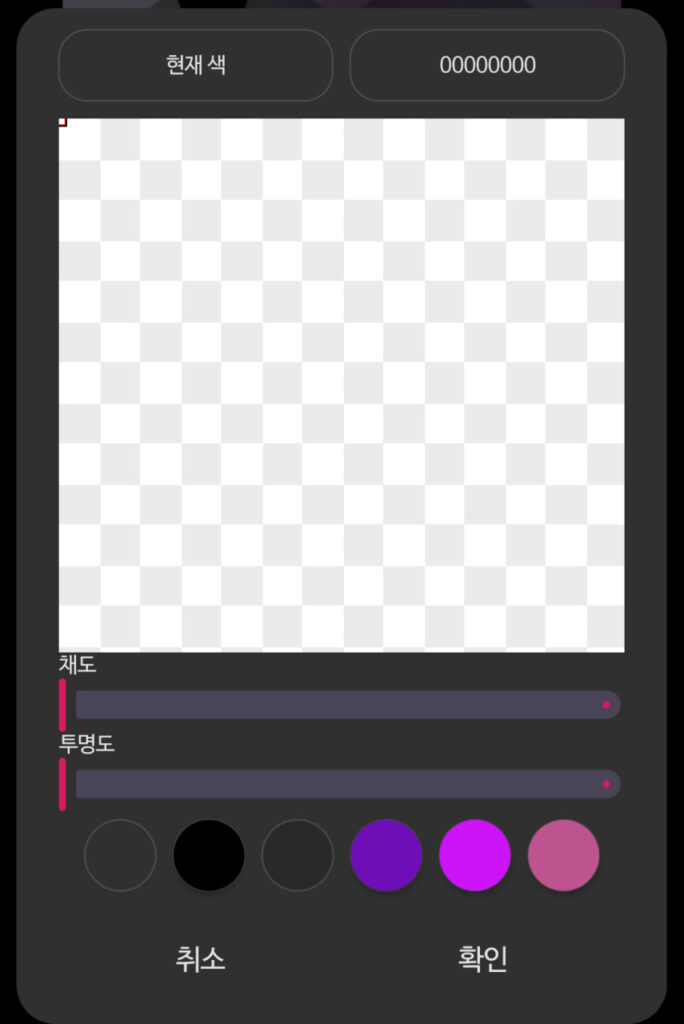
According to the moderator, the blur effect is a default feature provided by the device. This means users cannot change its color or customize it through the Theme Park app.
Although the moderator explained how this feature works, the user’s main concern is still not solved. Users simply want a better blur effect without having to add extra colors or change the overall appearance.
Many users would like Samsung to provide more control over the Quick Panel in future updates. A simple option to adjust the blur effect would make customization better and give users more freedom.
For now, users have to use the default blur effect. Hopefully, Samsung will consider this feedback and provide a proper solution in a future update.
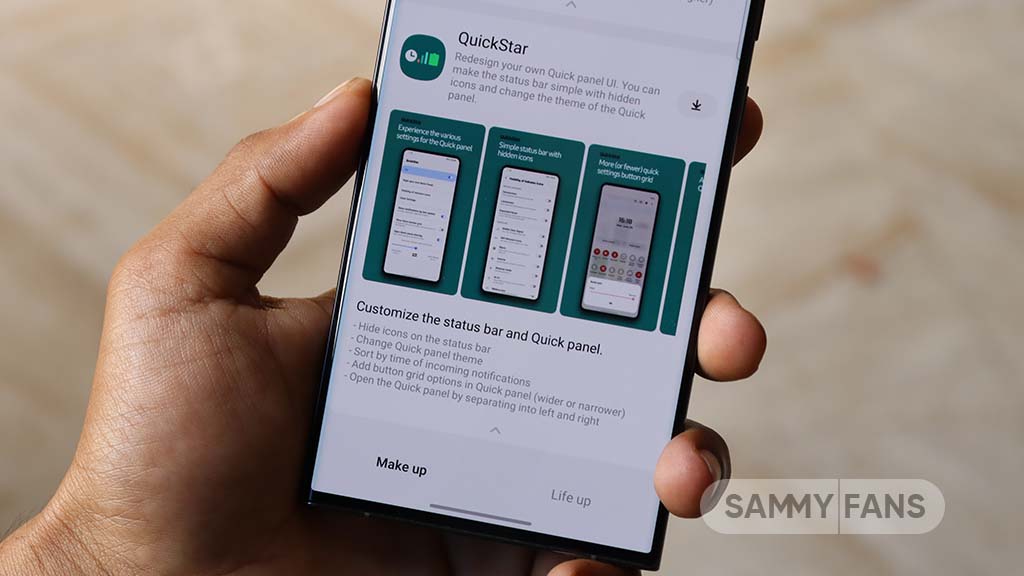
Samsung QuickStar has received support for One UI 9.5, bringing several new features and improvements. The latest update makes customization easier and provides a better experience for users running One UI 9.5 or higher.
The main addition in this update is the full image editing feature. With this feature, users get more options to edit images and customize their experience. It gives users better control over their edits and makes the overall process more convenient. Samsung has also improved the app’s layout to make it easier to use and navigate.
Samsung has also added Edit Screen Preview support. This feature allows users to preview their changes directly on the editing screen. This means users can see how their selected changes will look before applying them. It makes the editing process easier and helps users make changes without unnecessary steps.
The latest update also introduces a new Icon Activation option. This gives users another way to manage icon-related settings and improves the overall customization experience. These small additions can make QuickStar more useful for people who like to personalize their Samsung Galaxy devices.
For those who don’t know, QuickStar is part of Samsung’s Good Lock customization suite. It allows users to customize different parts of their phone’s interface and adjust the appearance according to their preferences.
The latest QuickStar update is good news for Samsung Galaxy users. With full image editing, Edit Screen Preview support, a new Icon Activation option, and an improved layout, QuickStar offers a better customization experience. Users running One UI 9.5 or higher can enjoy these new improvements and make their Galaxy devices more personal.

Samsung has released a new update for its RegiStar app. The latest update comes with version 1.0.84 and brings several improvements and bug fixes to make the app work better. This update focuses on improving existing features and providing a smoother experience for users.
The main change in this update is the improved Back-Tap feature. Samsung has enhanced Back-Tap recognition, which will help users enjoy a more reliable experience. The company has also added a user guide to help users understand how to use this feature.
Samsung has also improved the way the RegiStar app opens the default digital assistant. This change will make it easier for users to access their preferred digital assistant. Apart from this, the company has improved the Time notification sound behavior to provide a better notification experience.
The new update also fixes some existing issues. Samsung has fixed a problem where Back-Tap notifications appeared during screen capture. This will help users avoid unwanted notifications while capturing their screen.
Another issue fixed in this update is related to duplicate shortcuts. Earlier, users could see duplicate shortcuts on the app selection screen, but this problem has now been fixed.
Along with these changes, Samsung has also included general improvements to make the app more stable and easier to use. These improvements aim to provide a better overall experience for RegiStar users.
Samsung RegiStar 1.0.84 update is a useful release that brings improvements to the Back-Tap feature, fixes some annoying bugs, and makes the app more stable. Users are recommended to install the latest update to enjoy these improvements on their Samsung Galaxy devices.
Samsung has released new updates for two Good Lock modules on the Galaxy Store. The latest updates are now available for Wonderland and One Hand Operation.
Both updates bring some useful improvements, bug fixes, and better app performance for Galaxy users. The new versions are Wonderland v1.6.28 and One Hand Operation v9.4.23.0.
Samsung’s Wonderland module has received several improvements with the latest update. Samsung has improved the wallpaper editor preview, making it easier for users to see their changes while creating wallpapers.
The update also adds support for landscape lock screens. Another new feature allows users to restore layers that are placed outside the screen. This can help users while editing and managing different wallpaper elements.
Image via SammyFans
Apart from these changes, Samsung has also fixed some problems with video wallpapers. The company has improved the saving speed, so users can save their work faster. The update also brings better stability for a smoother experience.
Meanwhile, the One Hand Operation module has also received a new update. The latest version 9.4.23.0 fixes an issue with the Home button’s long-press function in landscape mode. Samsung has also fixed other bugs and made improvements to the app’s stability. These changes aim to provide a better experience when using the module.
Galaxy users can download both updates through the Samsung Galaxy Store. To get the latest versions, simply open the Galaxy Store, search for Wonderland or One Hand Operation, and check for updates. If you have received the update, download it now.

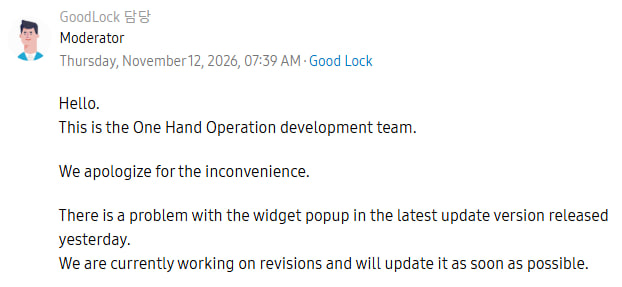
Samsung has acknowledged a display scaling bug affecting widget pop-ups in its Good Lock UI customization tool, One Hand Operation+, following widespread complaints from Galaxy users this week.
According to official community feedback, Samsung’s development team is already preparing a software patch to resolve the issue, which drastically shrinks the floating container used for quick-access widgets.
The regression first surfaced after Samsung pushed version 9.4.21.0 earlier this week, an update primarily intended to fix a landscape-mode Home button long-press flaw alongside routine stability improvements.
Users quickly noticed that triggering a widget pop-up via edge-swipe gestures now spawns a noticeably narrower window than before. The container compresses, cramping third-party and native widgets alike.
Affected users point to a layout conflict between One UI’s main launcher grid and the module’s internal rendering engine. While many Galaxy owners configure their primary home screens on a 5×7 grid, One Hand Operation+ restricts its widget pop-ups to a four-column horizontal layout.
In the current build, the module appears to miscalculate padding and column width when bridging those two different grid densities. Even the subsequent 9.4.23.0 build fails to resolve the erratic resizing.
For power users relying on Good Lock to navigate large-screen flagships one-handed, broken pop-ups undermine a core productivity shortcut.
A Samsung community moderator has officially confirmed (via SammyGuru) the bug and noted that a fix will roll out soon, likely arriving as a minor point release on the Galaxy Store within days.
-

 News2 days ago
[Update: Jensen Huang returns] Nvidia appoints Colette Kress interim CEO
-

 Updates3 days ago
Battery life should improve on Galaxy S24 Ultra as its November update arrives globally
-

 One UI2 days ago
Samsung One UI 9.5: 10 new features worth trying
-

 One UI1 day ago
Samsung vows to fix One UI 9.0 battery drain in One UI 9.5 update