
Apps
Fresh Samsung Clock app update available for One UI 6 devices

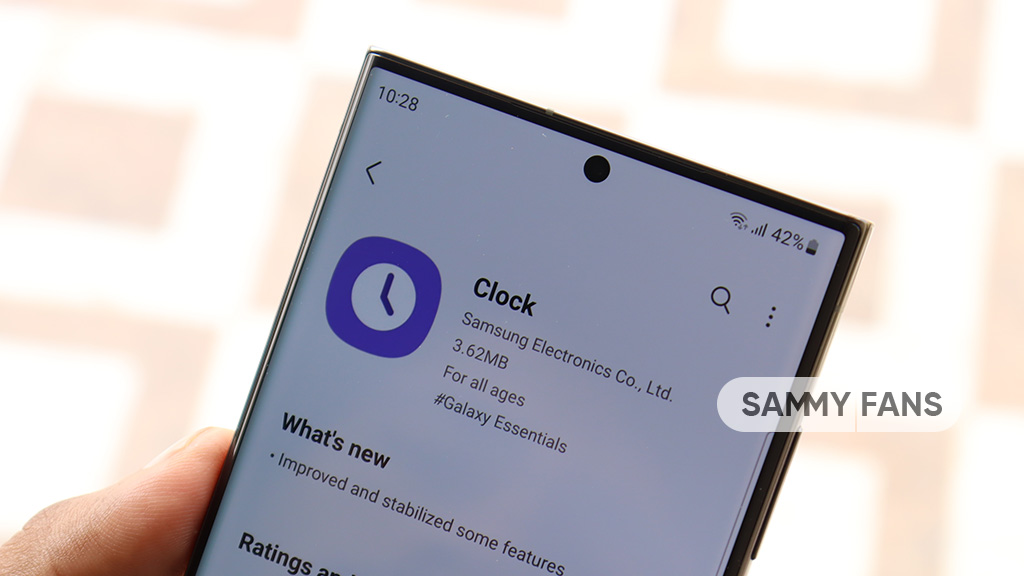
Samsung Clock app is receiving a new update with version 12.3.10.47 for Galaxy devices. The update is available for download on the Galaxy Store with a package size of 31.01MB. It is currently rolling out for Galaxy devices running Android 14-based One UI 6.0.
The fresh update of the Samsung Clock app comes with improvements and optimizations for some features. However, there are no new features or changes noted but it surely provides a better Galaxy experience.
Follow our socials → Google News | Telegram | X/Twitter | Facebook | WhatsApp
The update is rolling out gradually so it may take some hours or days to reach all devices. Users can download the update through Galaxy Store >> Menu option >> Updates. You can also get it through the third-party source link mentioned here.


Samsung Messages is set to shutdown in the US next week. Following the initial announcement in April 2026, Samsung is now notifying Galaxy users of the exact date of the shutdown of the native messaging application.
July 8 is the date when Samsung Messages will shutdown in the US. Galaxy users who are still on Samsung Messages are seeing an in-app notification. The page reveals the date and encourages users to switch to Google Messages.
It’s worth noting that Samsung Messages will stay online outside the US even after July 6, 2026. However, it’s unclear how long the Galaxy’s in-house messaging app will survive in countries other than the United States.
Switch to Google Messages
Samsung recommends users make Google Messages their default messaging app. The switch will ensure users won’t face any interruption with the messaging function.
Google Messages is equipped with Android’s expansive RCS support. The new standard offers a next-generation messaging experience with useful features such as reactions and replies.
If you are still on Samsung Messages, it’s good to make the switch instead of waiting for the deadline to arrive.
To make Google Messages the default, open Google Messages, and the app will walk you through the entire process, and your chats will also appear inside the application.


WhatsApp officially launched the “Username” feature for its users. Although the Meta-owned messaging giant has made it official, the public rollout won’t start anytime soon, as the timeline is “later this year.”
Handing someone your phone number has always felt like an oddly intimate gesture for what’s often a casual interaction.
What’s notable is how WhatsApp is framing this purely as a privacy upgrade rather than a social feature. You will need someone’s exact username to message them, and the messaging platform is expected to offer some life-saving tools.
In particular, WhatsApp is adding an optional “username key,” essentially a second layer requiring people to know a specific code before they can reach you.
Usernames are our latest step to make WhatsApp even more private. There’s no directory to browse and no suggestions; people will need to know your exact username to contact you for the first time. To help control who can reach you on WhatsApp with your username, we’ve built an optional username key that others will need to know to message you.
The Instagram and Facebook handle-matching option is a smart touch too. Creators and businesses spend years building recognition around a single handle, and letting them carry that identity into WhatsApp without losing it to a stranger.
How to reserve your WhatsApp Username
Worth grabbing your preferred username now regardless, since with three billion people already on the app, the obvious choices won’t survive the week. Head to Settings, then Account, then Username, and lock it in.

WhatsApp is making Meta AI more useful with a new feature called Side Chat, giving users a private way to get AI assistance without leaving their conversations.
WABetaInfo reports that WhatsApp Side Chat feature is currently rolling out to a limited number of Android and iOS users, and it focuses on one key idea: letting Meta AI understand a conversation’s context while keeping the interaction protected.
Side Chat arrives as an extension of WhatsApp’s growing AI push. Earlier, Meta introduced Incognito Chat with Meta AI, which allowed users to have private AI conversations where messages disappear after closing the session.
Meanwhile, the Side Chat takes a different approach. Instead of starting a separate AI conversation, it lets users ask Meta AI for help based on an existing chat.
Here are the seven features WhatsApp users can expect:
- Private AI help inside your chats
- A separate panel for private questions
- Context-aware replies without copy and paste
- Web Search support for better answers
- Private Processing keeps the feature secure
- Different from @Meta AI in regular chats
- Inaccessible when Disappearing messages and Advanced Chat Privacy enabled
The rollout is still limited, and WhatsApp has not publicly shared a timeline for wider availability. If the feature reaches more users, it could become one of the more practical ways Meta AI appears inside WhatsApp.
Related article:


Samsung Good Lock nears full compatibility with One UI 9, and One Hand Operation + also receives support for the new operating system. Samsung is rolling out a new update, which also addresses a major issue.
One Hand Operation + is getting a new Samsung update, which makes it compatible with the Android 17-based One UI 9.0. Release notes mention OneUI9Beta compatibility, bringing good news for Galaxy S26 users.
Currently, One UI 9 Beta is only available on the Galaxy S26 series. The Beta Program was released in mid-May, and participants have received three Beta updates so far, with the fourth gearing up to release next week.
One Hand Operation + version 9.2.19.0 also brings bug fixes and stability improvements. One thing Samsung specifically highlighted: the resolution of the “Edge handle” problem, which was not working in certain cases.
If you’ve got a One UI 9 device, it’s time to install the latest One Hand Operation +. The update is available on previous One UI versions too. However, the latest changes only reflect if you’re running Samsung’s Android 17 Beta.
Here’s everything new in the update:
- Support for One UI 9 Beta.
- Fix the Edge handle not working issue.
- Bug fixes and stability improvements.
To update Samsung Apps on your Galaxy device, open Galaxy Store > Updates. A list of available apps will be showcased, and tapping the update icon starts the download.
Related post: Samsung One UI 9 now supports 17 Good Lock modules, including MultiStar


Samsung Theme Park has gained One UI 9 compatibility with its previous update, but an editing issue started haunting other versions. Something crushed the icon editing of the Good Lock plugin, which made some icons disappear.
With the Theme Park version 1.1.02.2, Samsung has addressed the icon editing issue that appeared on One UI versions older than One UI 9.
Unlike smartphone updates, Samsung defined what the latest Theme Park update does.
Samsung has fixed the Theme Park issue, which was rendering the Clock and Calendar icons invisible on the per-app editing page. Users on One UI 9 had no complaints, but all the other versions were impacted.
“Fixed an issue where the clock and calendar icons were not visible when entering per-app icon editing on devices running a version other than One UI 9.”
Thanks to the Samsung update, the Theme Park app will now offer a better editing experience on Galaxy devices. Icons won’t disappear on the editing page, letting users make customizations with ease and proper control.
The new app is available on Galaxy Store with wider availability. You can update the app right from the Good Lock app or search “Theme Park” in Galaxy Store.
Related article:

-
 One UI2 days ago
Android 17-based One UI 9.0 testing on these 27 Samsung devices
-
 Phones4 hours ago
Samsung Galaxy Z Flip 8, Fold 8 and Ultra design revealed in cases; reservations open in China
-

 Samsung2 days ago
Samsung Galaxy Z Fold 8 (Wide): Complete phone specifications
-

 News2 days ago
Samsung Galaxy Tab S12 tablets may launch in September 2026