
Apps
Google Meets app adds new features to enhance Video Call

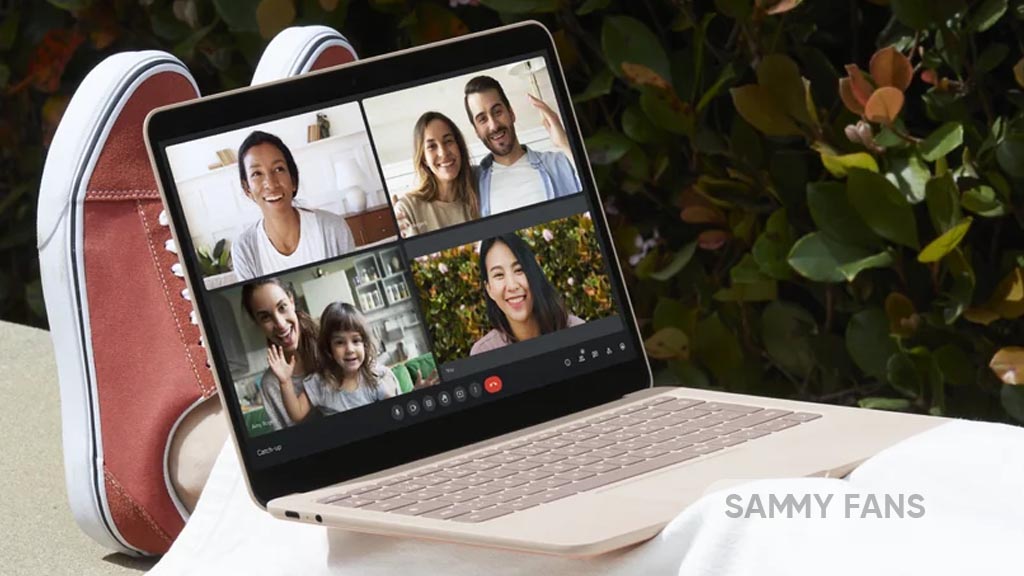
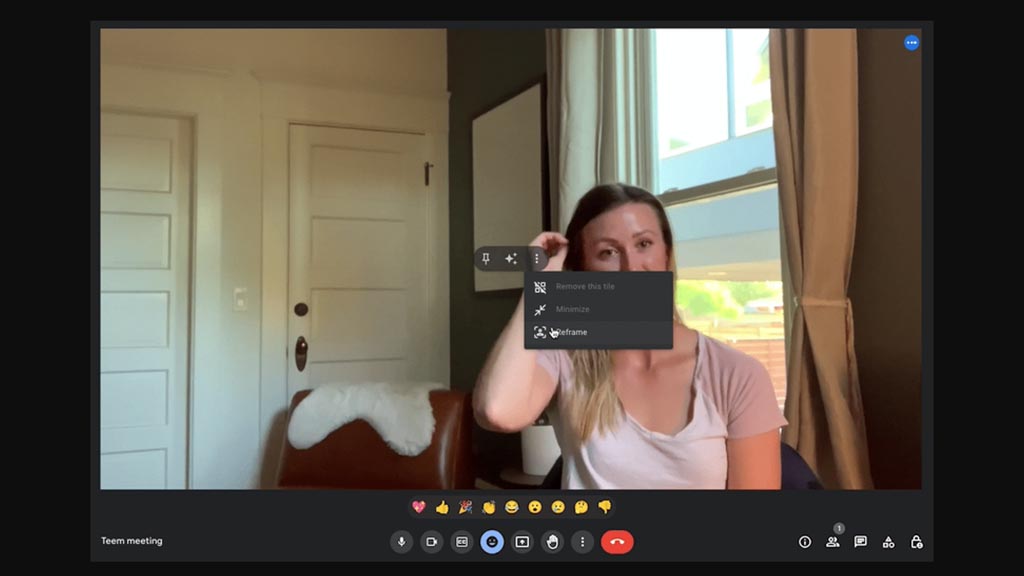
Google Meet has introduced new features that enhance the user experience and functionality of the web app. Users can now access a quick action menu by hovering over their own video feed.
This new menu allows users to pin their video, apply video effects (such as filters and immersive backgrounds), and adjust the zoom level and framing of their video. Users can also remove, minimize, or reframe their video from the overflow menu. These features are more convenient than using the bottom toolbar.
Additionally, users can turn off the video feeds of other participants in the call. This feature can be useful in situations where users want to focus on the presenter or avoid participants with distracting video feeds. Users can turn off the video feeds by hovering over them and selecting the option.
At the moment, these new features are available to all Google Workspace users, and the company will roll out gradually in the coming weeks.



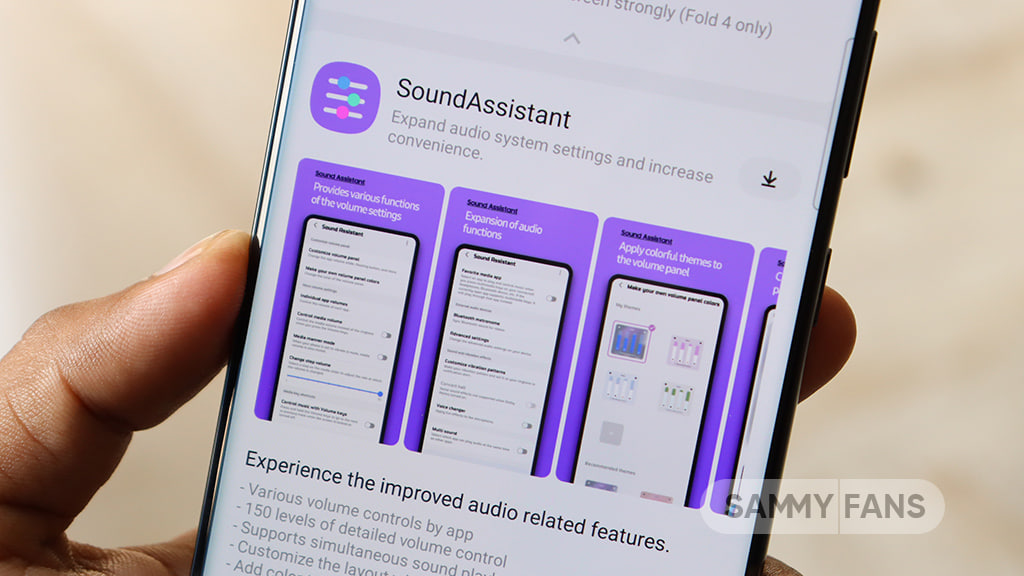
Samsung has pushed a new update for its Sound Assistant Good Lock module. The update comes with version 9.0.00.10 and brings support for One UI 9.0 and newer versions.
The main change in this update is One UI 9.0 support. With this update, Galaxy users who have One UI 9.0 can use the Sound Assistant module without any compatibility problems.
Samsung has also made some small improvements to the user interface. These changes are designed to make the module easier and better to use. The company has also fixed some translation errors found in the previous version.
Sound Assistant is a Good Lock module that gives Samsung Galaxy users more control over their phone’s sound. It offers extra sound settings and features that are not available in the phone’s normal sound settings.
This update comes as Samsung is preparing to bring One UI 9.0 to more Galaxy devices. At the moment, One UI 9.0 is available as a beta update for a limited number of Galaxy devices. Samsung is expected to start releasing the stable version to more supported phones soon.
The latest Galaxy foldable devices are already available with stable One UI 9.0. Because of this, Samsung is also updating its Good Lock modules to make them ready for the new software.
Users running One UI 9.0 can download the latest Sound Assistant update through the Galaxy Store >> Menu option >> Updates. Updating to version 9.0.00.11 will ensure that the module works properly with the new software.


Just a day after One UI 9 Beta 5 for the Galaxy S26 series, Samsung has started rolling out a fresh round of improvements for Good Lock’s Home Up app.
Samsung isn’t slowing down on its Good Lock updates even as the One UI 9 beta program nears its final stretch. Home Up module has picked up another update, moving to version 18.0.00.32 with a smaller companion release before it at 18.0.00.30.
Home Up v18.0.00.32
The headline fix in version 18.0.00.32 (via Kailash) targets DIY Home Screen layout position errors, an issue that had been bothering users who like to build custom grids and icon arrangements rather than sticking with Samsung’s default layout.
Positioning glitches in DIY mode can be especially annoying since the entire point of the feature is precise control, so this fix should make a real difference for power users.
- Fix DIY Home Screen Layout Position Errors
Given how closely Samsung has been tuning Home Up alongside the One UI 9 beta cycle, more refinements are likely on the way before the stable rollout expands further.

Home Up v18.0.00.30
It resolved DIY Home Screen configuration errors that would crop up during Smart Switch restoration, a problem that likely frustrated anyone setting up a new Galaxy device and trying to carry over their custom layout from an older phone.
Alongside that, Samsung improved how DIY sort mode operates, making it easier to rearrange icons and widgets without hiccups.
The update also fixed a display error tied to the Integrated Panel app shortcut and applied more detailed leveling to the favorites background adjustment steps, giving users finer control over how that section looks.
- Fix DIY Home Screen Configuration Errors During Smart Switch Restoration
- Improved DIY sort mode operation
- Fixed error displaying Integrated Panel app shortcut
- Apply detailed leveling to favorites background adjustment steps
- Bug fixes and user feedback incorporated
Together, the two builds bring a solid set of fixes for anyone using DIY layouts on their Home Screen. As with most Home Up updates, this one is reaching Galaxy Store users gradually rather than all at once.

Samsung Expert RAW is getting updated to version 6.0.02.4 in August 2026, and the changelog confirms the adoption of a new feature called Virtual Reflector.
Virtual Reflector was already available on compatible Samsung phones, including the Galaxy S26 Ultra. The real change post One UI 9 Beta 5 is how Samsung users access the Virtual Reflector feature of the Expert RAW app.
It seems Samsung may have silently expanded the availability of the Expert RAW’s Virtual Reflector feature. However, its switch from Labs and becoming a downloadable feature signals seamless wider availability on Galaxy devices.
That said, you can use the Virtual Reflector on Galaxy S26, S25, S24, S23 and S22 series devices, S21 Ultra, S20 Ultra, Note 20 Ultra, Z TriFold, Z Fold 8/Ultra, Z Flip 8, Z Fold 7, Z Flip 7, Z Fold 6, Z Flip 6, Z Fold 5, Z Fold 4, Z Fold 3 and Z Fold 2.
Samsung Virtual Reflector
Samsung’s Virtual Reflector feature aims to reduce shadows on the face depending on the direction of the light source, to give you brighter portraits.
When shooting outdoors or indoors, if shadows appear on the face due to the direction of the light source, you can use a reflector to minimize these shadows and obtain bright photos.
When to try:
- When the outdoor sunlight is strong and the face appears dark
- When filming pets
- When the lighting is not uniform indoors
To get Virtual Reflector on your Galaxy, make sure to install Expert RAW first. It’s available on Galaxy Store for supported Samsung flagships.


Samsung has upgraded the Try Galaxy web app experience with One UI 9, featuring the Galaxy Z Fold 8, Galaxy Watch 9, and more. You can now try Samsung’s latest devices and software advancements right on your current device.
Try Galaxy helps Samsung and non-Samsung users try out the ecosystem before making their purchase decision. It offers an in-hand experience so you can access some of the top features before jumping to Galaxy.
Thanks to the upgraded Try Galaxy app experience, you can preview the user experience, explore helpful tutorials, and get a feel for features as if you’re using Galaxy Z Flip 8, Galaxy Z Fold 8, or Galaxy Z Fold 8 Ultra.
One UI 9 Try Galaxy lets you experience the new Galaxy Z Fold 8 foldable phone’s top features, including Side-by-side Productivity, Immersive Viewing, Flex Window, and My FanCam.

From the Try Galaxy home screen, you can get a feel for the new Galaxy Z Flip 8 Hero Wallpaper. When using the Galaxy AI Widget, you can try My FanCam and Photo Assist.
Additionally, you will be able to try MultiWindow productivity for multitasking and experience Immersive Viewing and Super Steady video.

Galaxy S26 Ultra experience is also here if you are not a foldable fan so far. Samsung also lets you try out its wearable devices through interactive tutorials, such as the Galaxy Watch, Galaxy Ring, and Galaxy Buds.
Pre-orders are over, yet Samsung is offering up to $1,000 instant trade-in credit or $200 Credit without trade-in. If you go for a carrier-locked Galaxy upgrade, you can score up to $1,900 in carrier deals.
You may like:

Google Messages has disabled the “Clear data” button in Android settings for some beta users. The change started appearing in recent beta versions, including version 20260731.
This is not likely to be a bug. Google appears to be working on a new feature that will let users manage Messages storage from inside the app.
Google has added a new activity, ManageSpaceActivity, to the Messages app. This suggests that the company may soon offer a special storage management page.
Usually, Android’s “Clear data” option removes all data stored by an app. But Google Messages may soon let users choose what they want to delete instead. Like users could be able to remove old photos, videos, voice messages, and other large files without deleting their important conversations.

The new storage feature is still being developed and does not work yet. Due to this, Android has currently made the “Clear data” button unavailable in the latest beta versions.
For now, beta users who want to completely erase Google Messages data may need to uninstall the latest updates and go back to an older stable version. The new storage manager could be very useful for Messages users. This could make Google Messages much easier to manage in the future.
-
 One UI2 days ago
Samsung releases first official One UI 9-based update for Galaxy Z Fold 8 phones in more countries
-
 Updates3 days ago
Google Play System August 2026 update brings new features and improvements
-
 One UI2 days ago
One UI 9 introduces a new Chopin ringtone for Samsung devices
-
One UI2 days ago
Samsung One UI 9.0 Beta 5 took a month to arrive, bringing these changes to Galaxy S26 users