
One UI
One UI 9.0 animations can be much smoother with custom work


Samsung One UI 9.0 introduces much smoother system animations, but they can still be improved with custom work through Good Lock’s Home Up. The official personalization tool is here, but it requires you to spend some time tweaking and testing the aspect a lot of time.
One UI 9.0 update is rolling out to several Samsung devices, including the flagship Galaxy S smartphones, foldable Galaxy Z devices, and mid-range Galaxy A phones.
Samsung’s new software offers several improvements, including smoother animations. However, the fluidity of system animations varies by model and hardware specs.
One UI 9.0 animations could be much smoother
When Ice Universe posts a side-by-side comparison, Samsung enthusiasts pay attention. The prolific tipster recently shared a video contrasting stock One UI 9 home screen interactions against a heavily modified profile he calls Ice Home Up.
The clip walks through everyday gestures like opening app folders, pulling up the app drawer, and returning to the home screen.

Where the stock One UI 9 animation feels somewhat rigid and mechanical, Ice Universe’s version glides with a natural, elastic rhythm.
The background blur responds dynamically without stalling the frame rate, introducing an adjustable depth parameter that gives the launcher a surprisingly polished dimension.

How to use Home Up to personalize animations
For Galaxy owners looking to clean up their phone’s motion feel right now, Good Lock’s Home Up module offers the closest official remedy.
By grabbing Good Lock from the Galaxy Store, opening Home Up, and diving into the Home Screen section, you gain direct access to animation tuning controls.
Toggling on advanced gesture tuning lets you adjust transition scale parameters, modify folder opening speeds, and dial back background blur intensity to reduce perceived system drag.

One UI Home Up | SammyFans
Fine-tuning these sliders will not completely replicate custom motion curves, but it noticeably trims stock delay and makes gesture navigation feel far more responsive.
Keep expectations grounded
Samsung has made remarkable strides in system stability and feature density over the last few years, but its animation physics still lag behind the silky predictability found on iOS or modern ColorOS builds.
It is important to keep expectations grounded. “Ice Home Up” is a localized conceptual tweak, not a leaked internal build or guaranteed preview of future Good Lock modules.
Even so, seeing what is possible on top-tier silicon proves that Samsung’s software stack still holds untapped potential. Whether official software engineers adopt these principles for future maintenance releases remains uncertain, but community interest in refined motion design isn’t going away anytime soon.
Could Galaxy OS end the animations debate?
Looking further ahead, these animation debates might soon be overshadowed by an even larger software overhaul.
Fresh industry rumors suggest Samsung is quietly laying the groundwork for a potential rebrand internally referred to as Galaxy OS or One UI 10, targeted for release alongside the Galaxy S28 series.
While details remain unavailable, leaks point to a deeper, system-level AI integration developed in partnership with Google, shifting away from standalone features toward a unified intelligence layer.
If Samsung truly intends to rebuild its software identity from the ground up, rethinking its rigid animation physics and layout transitions should be priority number one.
Whether the mobile design team takes the hint for final One UI iterations remains an open question, but the pressure from power users is certainly not backing off.




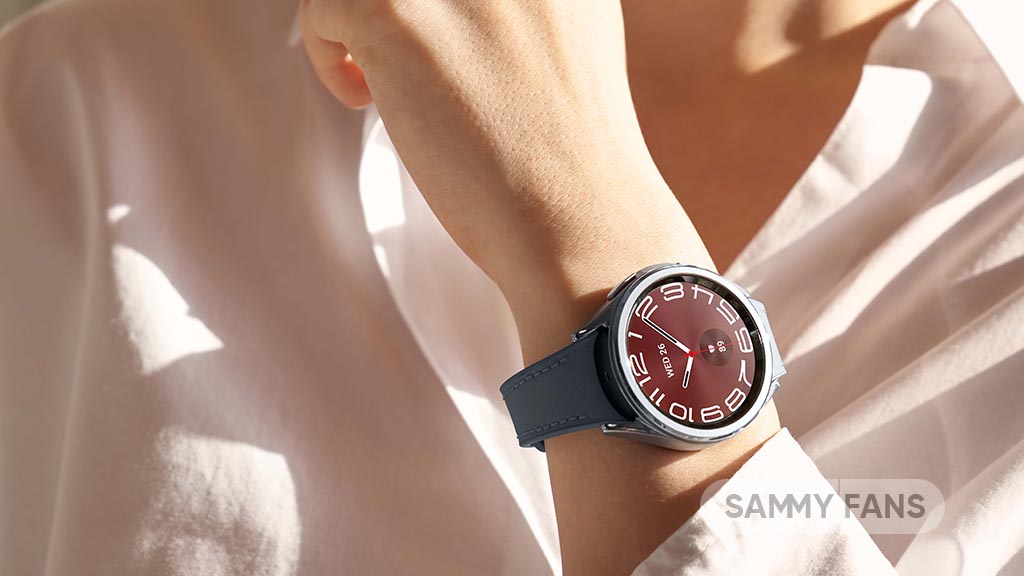
Samsung is pushing out another round of polish for its wearable lineup as the One UI 9 Watch Beta 4 build makes its way to the Galaxy Watch 6 series.
While late-stage Beta releases rarely headline major feature overhauls, this one focuses on system-level refinements and fixes that directly impact usability. The most notable improvements address the Watch Now Bar and the built-in altimeter.
One UI 9 Watch 6 Beta 4 – What’s new
Users testing earlier beta builds reported persistent UI glitches when interacting with the Now Bar, alongside inaccurate elevation readings during outdoor tracking; Beta 4 resolves both issues.
Samsung has integrated additional stabilization code to smooth out overall system performance. The update also tackles a particularly annoying software glitch where forced reboots during installation caused boot loops and update errors. Transitioning to the charging screen has also been patched for seamless docking.
With stability fixes coming in rapid succession, Samsung appears to be closing the gap on a final public release for the Galaxy Watch 6 and Watch 6 Classic, likely signaling that the Beta Program is nearing its conclusion.
Changelog (via Alfaturk):
- System Stability: Added stabilization code to improve overall device performance.
- Update and Boot Fixes: Resolved an installation error caused by forced reboots during software updates.
- UI Bug Fixes: Fixed errors affecting the Watch Now Bar and resolved an issue preventing proper transition to the charging screen.
- Altimeter Fix: Corrected inaccuracies in altimeter data display.


Samsung has released the One UI 9 Beta 3 update for the Galaxy A16 5G in India. The new update brings important bug fixes to improve the phone’s performance and camera experience.
One UI 9 Beta 3 update comes with software version A166PXXU9ZZJ8 and has a download size of 303.46 MB. The update also includes the October 2026 security patch.
The latest update fixes three major bugs reported by users. Samsung has fixed an issue where the Galaxy A16 5G kept restarting after a software upgrade. This fix should help improve the phone’s stability and provide a smoother experience.
The update also fixes a camera issue where photos taken with the ultra-wide camera appeared green in the Gallery app. Users should now be able to view these photos without this problem.
Moreover, Samsung has fixed an issue where photos appeared completely black when taken with the camera flash turned on. This improvement should help users enjoy a better camera experience.
Galaxy A16 5G users enrolled in the One UI 9 beta program in India can check for the update by going to Settings >> Software update >> Download and install. The update may take some time to reach all eligible users. It improves system stability, camera performance, and security for Galaxy A16 5G users.

Samsung has rolled out new One UI 9 Watch Beta updates for the Galaxy Watch 7 and Galaxy Watch 8 series, pushing out firmware version ZZJ5. The update, weighing in at roughly 195MB, arrives with the October 5, 2026 security patch and addresses several notable stability and visual issues.
The headline fix here resolves persistent inaccuracies with altimeter data displays, a welcome relief for users who rely on the wearable for elevation tracking during outdoor workouts.
Beyond altitude fixes, Samsung added system stabilization code to smooth out general wrist performance and resolved a frustrating update bug where forced reboots caused installation failures.
On the interface side, the patch fixes glitches touching the Watch Now Bar and corrects a transition bug that previously prevented the watch from properly switching to its charging screen, as spotted by tipster Kailash.
One UI 9 Watch Beta 4 and Beta 5 look like a solid push toward final release readiness. Given how close this build brings the Watch 7 and Watch 8 to polished software, a stable rollout shouldn’t be too far off for regional markets outside Korea.
Key changes/improvements
- System Stability: Added stabilization code to improve overall device performance.
- Update and Boot Fixes: Resolved an installation error caused by forced reboots during software updates.
- UI Bug Fixes: Fixed errors affecting the Watch Now Bar and resolved an issue preventing proper transition to the charging screen.
- Altimeter Fix: Corrected inaccuracies in altimeter data display.


Samsung’s Android 17-based One UI 9.0 update has started rolling out to the Galaxy A36 and Galaxy A56. The initial rollout has started in South Korea, joining the newer models like the Galaxy A57, A37, and A27.
The initial rollout is prioritizing models that are enrolled in the Beta Program. Meanwhile, Galaxy A36 and Galaxy A56 users in the Global market will have to wait a little longer, probably a week, for their Android 17-based One UI 9.0 treat.
Beta Program is over; upgrade now
If you are enrolled in the Beta Program, Samsung recommends installing the latest firmware. Beta Program has been closed, and sticking to a beta build doesn’t make any sense.
The feedback window will remain open through the Samsung Members app. Meanwhile, the Beta community will stop receiving moderator assistance and other communications, such as the Beta forum.
Earlier, Samsung released the stable One UI 9.0 update to the Galaxy A57. This was the first Galaxy A model to receive the major upgrade. Later, even more devices, including the Galaxy A37 and Galaxy A27, joined the team.
The stable One UI 9.0 upgrade introduces new features and customization tools. It also improves the overall stability and performance of the device. Apps launch faster and work in optimum state, offering a better user experience.
Meanwhile, the release notes entirely exclude Galaxy AI perks. That was expected, as the company hasn’t even brought the Galaxy AI suite to its Galaxy A57. It seems Galaxy AI will remain restricted to the flagship mobile range.
To check for updates, open Settings, then Software update, and Download and install.
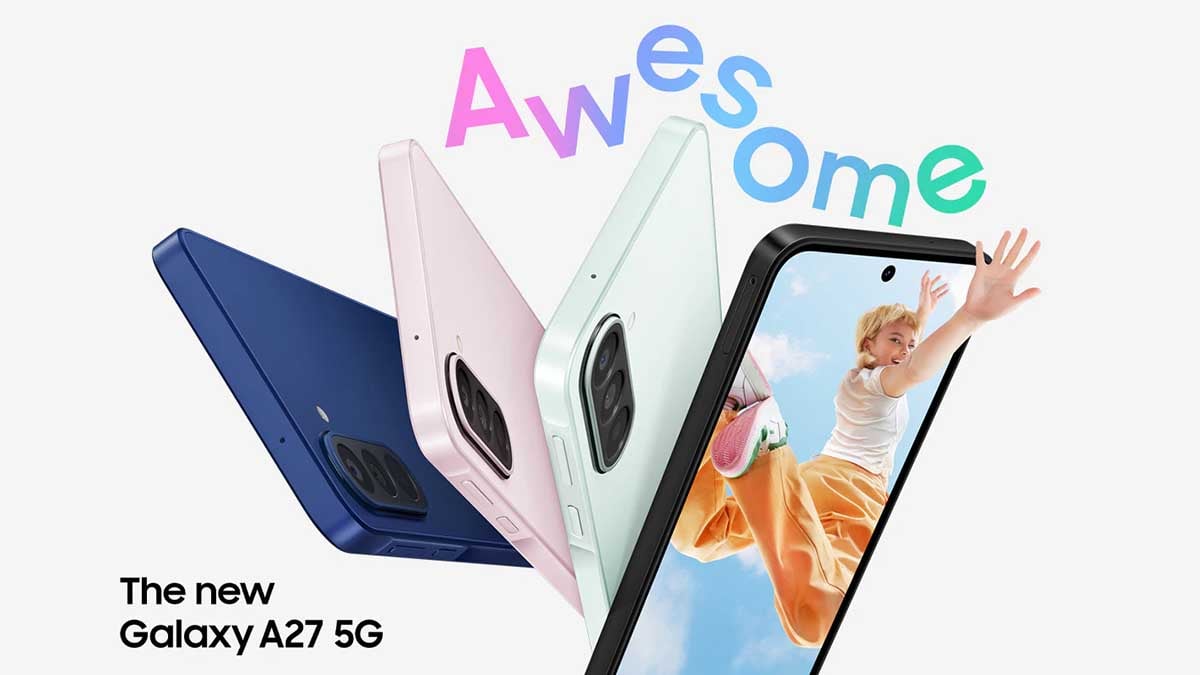
Samsung has started bringing new software to the Galaxy A27 (Jump 5) users in South Korea. The smartphone has received the One UI 9 update, giving users access to Samsung’s latest software version.
One UI 9 update carries build number A276KKSU3BZIF. Users in South Korea can check their phones to see if the update is ready to download. Samsung usually releases updates in stages, so the new software may not reach every user at the same time.
Based on Android 17, One UI 9 brings new features and improvements to the Samsung Galaxy A27. These may include a refreshed user interface, smoother animations, better system performance, improved security, and updates to Samsung’s built-in apps. Users may also notice changes to the phone’s settings, notifications, and customization options.
Galaxy A27 users can check for the update by opening the Settings app, going to Software update, and tapping Download and install. If the update is available, they can follow the instructions to install it.
Before installing the new software, users should connect their phones to Wi-Fi and make sure the battery has enough charge. Backing up important data is also recommended.
-

 One UI2 days ago
One UI 9.0 official update lands on Galaxy S23, S23+, and S23 Ultra
-

 Updates2 days ago
Samsung’s October 2026 One UI 8.5 update arrives on Galaxy A phones
-
 One UI3 days ago
Samsung launches One UI 9.0 in Japan, drops a release roadmap
-
One UI1 day ago
Galaxy A36 and A56 receiving Android 17-based One UI 9.0, joining A57, A37 and A27