
Updates
Samsung Galaxy S24 series gets ready for One UI 9 with September 2026 patch

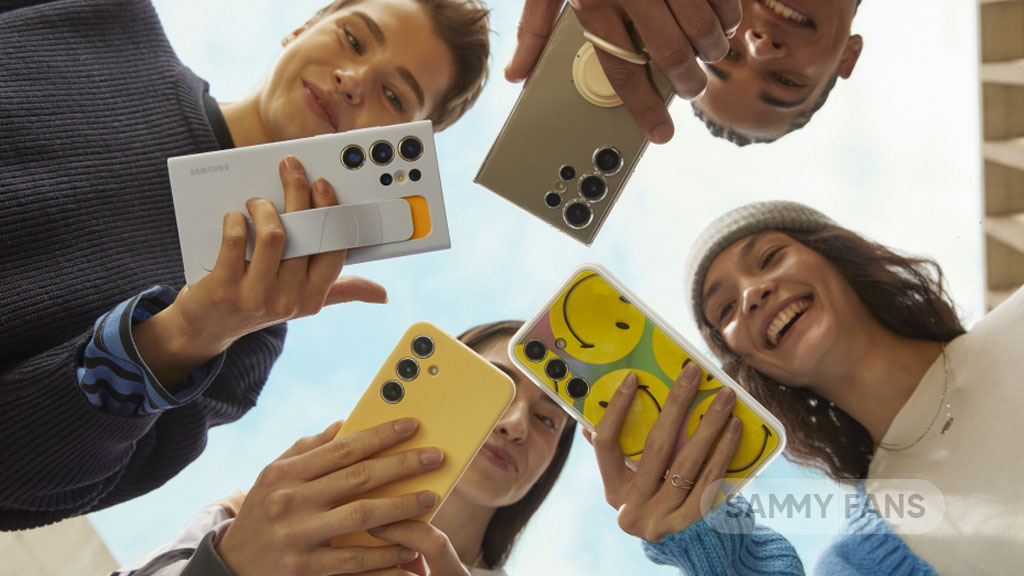
Samsung has released a new software update for the Galaxy S24 series ahead of One UI 9. The update is currently available in Europe and brings the September 2026 security patch to Galaxy S24 users.
The new update comes with the build number S92xBXXSHDZI1. It has a download size of around 450MB. The update mainly focuses on improving the security and stability of the Galaxy S24 series.
Samsung has not mentioned any major new features with this update. Instead, users can expect security improvements and fixes that should help keep their phones safer and running smoothly.
September 2026 update is also important because Samsung is reportedly getting ready to release the stable One UI 9 update for the Galaxy S24 series. One UI 9 will bring new features, improvements, and changes to the software experience.
The Galaxy S24 series includes the Galaxy S24, Galaxy S24+, and Galaxy S24 Ultra. Users in Europe can check for the new update by going to Settings >> Software update >> Download and install. The update may not appear for everyone at the same time, as Samsung usually releases software updates in stages.
For now, Galaxy S24 users should install the September security update when it becomes available on their devices. While it may not bring major changes, keeping the phone updated is important for security and stability. Also, it makes your device ready for stable One UI 9 update.
With this update now rolling out, Galaxy S24 users can also look forward to the upcoming One UI 9 stable release. Samsung may release One UI 9 for the Galaxy S24 series in early October 2026.





Samsung has begun rolling out a new software update for the Galaxy S26 series just hours after releasing the stable One UI 9.0 update. The new update brings the October 2026 security patch to the Galaxy S26 lineup.
The new update has started rolling out in Europe. It comes with the build number S948BXXS4BZIG and is around 550MB in size. This shows that the company is working to provide a better One UI 9 experience.
The update is based on Android 17 and One UI 9. The Galaxy S26 series recently received the stable One UI 9.0 update, which brought Samsung’s latest software experience to the phones. Now, the company has quickly followed it with another update focused mainly on security.

Image via TarunVats
The main change in this update is the October 2026 security patch. Security updates help protect smartphones from possible security problems. Samsung may also include some bug fixes and small improvements with the new software, although the main focus of this release is security.
Galaxy S26 users in Europe can check for the update by going to Settings >> Software update >> Download and install. If the update is available for their device, they can download and install it from there. It is recommended to use a Wi-Fi connection while downloading the update.
Samsung is releasing the update in stages, so it may not be available for everyone immediately. The company is expected to expand the rollout to more countries soon. Galaxy S26 users can install the update once it arrives on their phones to keep their devices secure and up to date.


Sep. 28 | Verizon has now released the September 2026 update for the Galaxy S23 generation flagships in the US. This incremental update has arrived as part of the company’s promise to offer regular monthly security patches.
The details:
- Android Security Patch Level: September 2026
- Software Version: BP4A.251205.006.S91xUSQS8FZI1
What’s changing:
- The current software update provides the most up-to-date Android security patches for your device.
How to download September update
Initially released in South Korea, Galaxy S23’s September update has made its way to the United States, with a Global expansion approaching soon. You can check for updates manually through Settings > Software update > Download and install.
Sep. 21 | Detailed earlier this month, Samsung’s September patch brings fixes for 90 vulnerabilities across Android, Exynos, and One UI. September 2026 update has gone public for users of the Galaxy S23 series in Korea, as first spotted by Kailash.
Galaxy S23 series is approaching its fourth anniversary. It would be a milestone for the 2023 flagships, but also bring some bad news. Monthly updates will be dropped, and the lineup will be shifted to a quarterly chart.
One UI 9.0 update
Samsung is also running the One UI 9 Beta Program on the Galaxy S23 series. However, the company has not shared any new Galaxy AI features with the smartphone lineup.
The stable One UI 9.0 rollout started on September 16, and Global availability is expected today. Galaxy S26 users are eagerly waiting for the major upgrade, which is based on Android 17.
With the September update already rolling out, One UI 9.0 may arrive next month. This month could be aimed at last year’s Galaxy S series flagship phones and Galaxy Z series foldables.

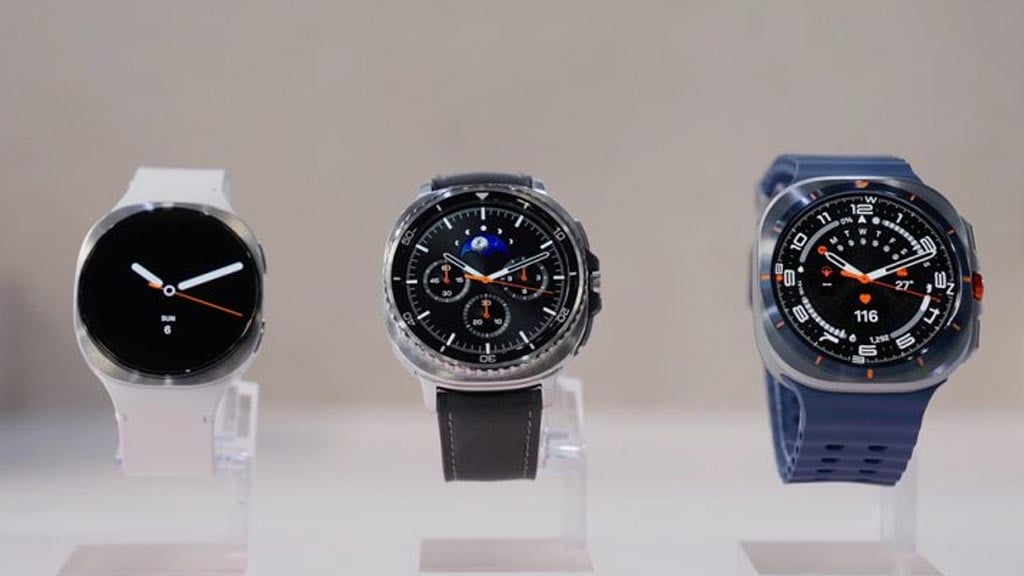
Samsung just pushed the One UI 9 Watch Beta 3 update for the Galaxy Watch 8 series. The latest software introduces crucial fixes for Always On Display (AOD) and a handful of apps such as Nova, Compass, and Weather.
Galaxy Watch 8 and Watch 8 Classic users who are enrolled in the One UI 9 Watch Beta Program can download the Beta 3 update. Release notes mention three specific items, with focus given on the Always On Display function.
The update addresses an issue linked to Watch Face when in use with Always On Display. Additionally, an AOD Watch Data problem has been addressed, allowing users to seamlessly utilize the wrist gadget.
In addition, Samsung resolved bugs in some apps, particularly Nova, Compass, and Weather. That said, the third Beta update is more likely to be a build focusing on overall stability improvements rather than a regular release.
You can update your Galaxy Watch’s firmware using the Galaxy Wearable app. Open the app, then go to Watch settings > Watch software update. Make sure to back up your watch and maintain over 50% battery.
Here’s the One UI 9 Watch Beta 3 changelog
- An issue with the watch face AOD (Always On Display) has been resolved.
- An issue regarding AOD watch data has been fixed.
- Bugs in the Nova, Compass, and Weather apps have been fixed.
One UI 9 Beta 3 for the Galaxy Watch 8 series has been released in Korea.‼️‼️
– An issue with the watch face AOD (Always On Display) has been resolved.
– An issue regarding AOD watch data has been fixed.
– Bugs in the Nova, Compass, and Weather apps have been fixed. pic.twitter.com/AoxlJ8VOdz
— Alfatürk (@Alfaturk16) September 21, 2026

Samsung started rolling out the September 2026 update to the Galaxy Z Fold 8 and Galaxy Z Fold 8 Ultra (and probably the Galaxy Z Flip 8 too), with improvements to the AI Select feature for its behaviour linked to the Edge Panel.
Galaxy Z8 series has already started getting the September update in select markets. However, the latest update, which weighs over 1GB (via FahadAliJaved), retains the September 2026 security patch while bringing AI Select feature improvements.
Galaxy Z Fold 8 owners reported having problems with the Edge Panel. This useful Galaxy function was causing frequent accidental touches on the screen. Tapping and holding the Edge Panel handle was triggering the AI Select feature.
Now, Galaxy Z Fold 8 (and Ultra) users can disable “Touch and hold for AI Select.” It’s a great improvement that is aligned with Samsung’s promise to offer the most optimal user experience on its premium foldable phones, as spotted by TarunVats.
Apple has also introduced its first foldable phone, named iPhone Duo. The device is set to be available in select markets by mid-October. However, the iPhone Duo has sparked a fresh wave of orders from Korean users.
Samsung is also gearing up to release the official Android 17-based One UI 9.0 update. First landed in Korea on September 16, the major upgrade is expected to start hitting Global Galaxy S26 series users starting today.


Galaxy phones have started getting the September 2026 Google Play system update before Samsung brings them the One UI 9 software.
On September 16, Samsung officially announced the One UI 9 rollout for Galaxy S26 series. Owners of the flagship lineup have started getting the latest update in South Korea, with Global expansion anticipated on September 21.
Google Play system update, that too with the September 2026 version, is already rolling out to Samsung Galaxy devices. This release isn’t linked to a specific Android version, as the rollout is happening across various models.
September 2026 update introduces essential bug fixes for account management alongside improved location-sharing experiences. Additionally, developers gain helpful features supporting maps and cross-operating system device setups.
Device connectivity and location services receive powerful developer tools to streamline app processes. System management services improve overall updatability, while diagnostic bug fixes ensure a smoother experience.
Wallet updates enable real-time cart price adjustments during checkout. Users also receive helpful notifications for re-adding tap-and-pay cards, alongside new NFC transit card support.
The Play Store introduces the Contribution Hub for tracking review impact. Finally, AICore brings model management enhancements, expanded device compatibility, and performance optimizations across phones.
Here’s everything new or changed in Google Play system update
September 2026
Google Play services v26.36 (2026-09-14)
Account Management
- [Phone] Bug fixes for Account Management related services.
- [Phone, Wear] With the updates to account management, you’ll now get an improved experience with location sharing.
Developer Services
- [Phone] New developer features for Google and third party app developers to support Maps related processes in their apps.
- [Phone] You can now set up devices across operating systems.
Device Connectivity
- [Phone, Wear] New developer features for Google and third party app developers to support Device Connectivity related processes in their apps.
Location & Context
- [Phone] New developer features for Google and third party app developers to support Location & Context related processes in their apps.
System Management
- [Auto, PC, Phone, TV, Wear] Bug fixes for System Management & Diagnostics related services.
- [Auto, Phone, TV, Wear] Updates to system management services that improve Updatability.
Wallet - [PC, Phone] Enable real-time cart price adjustments when a user selects or changes their payment method during checkout.
- [Phone] You’ll now receive a notification to add your Google Wallet tap and pay cards again when you switch to a new device.
Google Play Store v53.2 (2026-09-14)
- [Phone] You can now use the Contribution Hub cluster on the “You” tab to submit ratings and reviews while you track the social impact of your contributions.
Android WebView v154 (2026-09-10)
- We changed WebView Finch from Application consistent to Device level consistent.
- Improvements to security and privacy and updates for bug fixes.
- New developer features for Google & 3rd party app developers to support functionality related to displaying web content in their apps.
Important: Some features may be experimental and available to certain users.
Google Play services v26.35 (2026-09-07)
Account Management
- [Phone, Wear] Improvements to Supervision.
- [Phone] A new infrastructure within Kids Auth Module to manage and display regulatory compliance notices on Android.
Location & Context
- [Phone] This update adds safety status information to shared locations in the location sharing API.
Wallet - [Phone] You can now use NFC to add physical transit card passes and balances to Google Wallet.
- [Phone] This update introduces a new “Add a card” success screen with an improved UI.
- [Phone] New developer features for Google and third party app developers to support Digital Wallet & Payments related processes in their apps.
Google Play Store v53.1 (2026-09-07)
- [Phone] You can now find a short description that highlights a key feature in similar apps, in the similar apps section of the app details pages.
- [Phone] You can now find on what devices an app is installed when you browse recommendations on the other devices sub-navigation.
- [Phone] With a new navigation bar, you can explore more of your interests directly on Play home pages.
Android AICore
- [PC, Phone] Model management enhancements, expanded device compatibility, performance optimizations, and enhancements to diagnostics.
Android System Intelligence B.29 / C.7 (2026-09-03)
- [Phone] Bug fixes and maintenance changes.
💥 Google Play system update available
Update size: 81 MB
1 September 2026
All Galaxy users check the update which has received the update, please share it. pic.twitter.com/ci36DGhwgx
— Kailash (@Kailash0729) September 16, 2026


