
Apps
Android Auto’s missing signal bars are coming back


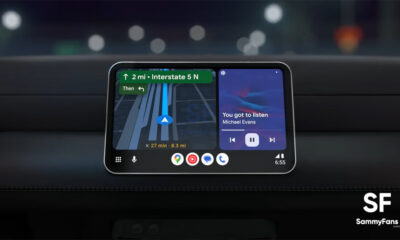
Android Auto may soon fix a small but annoying problem for its users. The mobile network signal bars, which show how strong your phone’s network is, are starting to come back for some users.
The signal bars disappeared from Android Auto for some people earlier this year. The problem did not affect important features. Phone calls, mobile data, and navigation continued to work normally. However, the missing bars were still frustrating, especially when driving through areas with weak network coverage.
Now, the signal bars appear to be returning with Android Auto version 17.8.1638. This version is currently being tested as a beta update.
Some users on Reddit have reported that the signal bars returned after installing the Android Auto 17.8 beta. The bars now appear next to the battery icon on the dashboard. Some users may also need to clear the Android Auto app cache after installing the update. This may help the signal bars appear again.

Image via Reddit
However, the fix is not available to everyone yet. Android Auto 17.8.1638 is still a beta version, so users on the stable version may have to wait for a future update.
The rollout also seems to be different for different users. Some beta testers said the signal bars returned, disappeared again, and later came back. This happened even though their Android Auto version number stayed the same.
This may mean Google is also making changes on its servers to fix the problem. Google has not officially confirmed this yet. For now, users who are missing the signal bars may need to wait until the fix reaches the stable version of Android Auto.





Samsung may have accidentally hinted at its next tablet series before its official launch. The company is reportedly working on the new Galaxy Tab S12 Series, but it has not announced the tablets yet. However, a recent software update has given fans an early look at the upcoming devices.
The latest version of Samsung’s Camera Assistant app, version 5.0.00.7, mentions support for the Galaxy Tab S12 Series. This suggests that Samsung is already preparing its software for the new tablets. It also gives us a strong clue that the new Galaxy Tab S12 models are in development.
This leak interesting is that it came directly from Samsung. The information was found in the company’s own software update changelog. So, this is not just a rumor from an unknown source. Samsung itself appears to have mentioned the upcoming tablets before their official announcement.

Samsung has not shared many details about the Galaxy Tab S12 Series yet. We do not know the exact models, specifications, price, or launch date. Information about the screen, processor, cameras, and battery is also still missing. More details could appear in the coming weeks or months.
For now, Samsung has not officially announced the Galaxy Tab S12 Series. But its own Camera Assistant update has given us an early hint about the new tablets. Samsung probably wanted to keep the surprise for later.

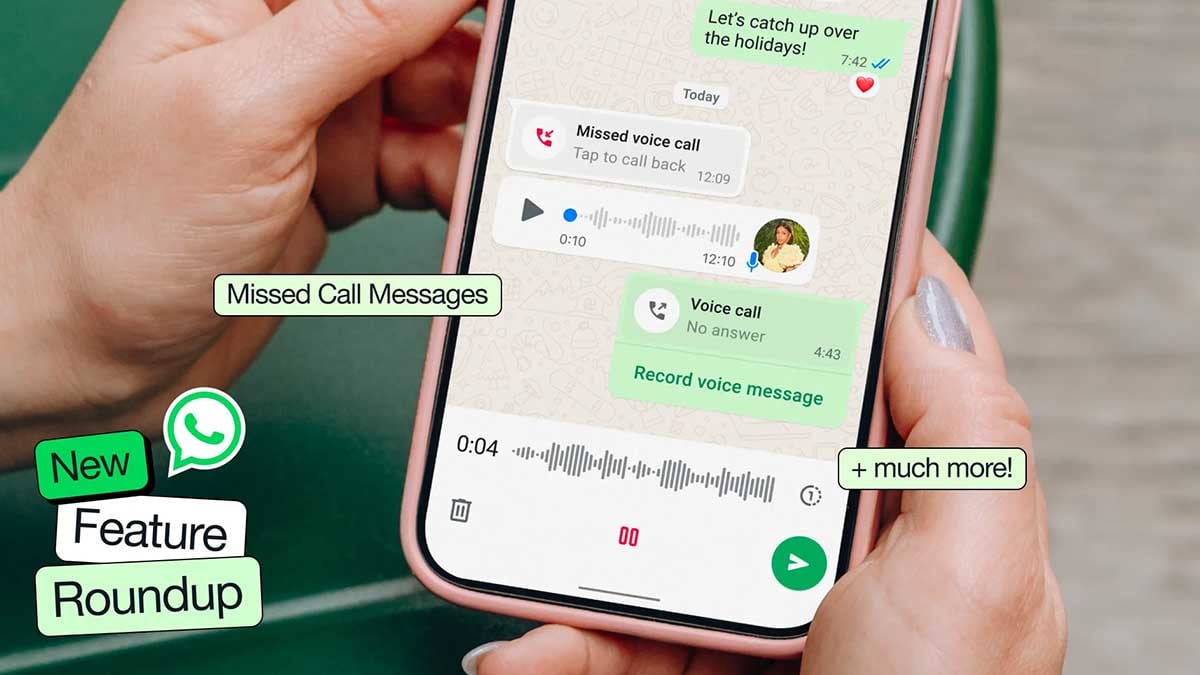
WhatsApp is giving Android users more control over how their chats look, with a redesigned collection of themes and wallpapers now reaching beta testers.
WhatsApp bringing new chat themes, wallpapers
According to WABetaInfo, the feature is rolling out through WhatsApp Beta for Android version 2.26.37.6. The updated theme picker organizes options into categories including Featured, Nature, Live, Minimal, and Doodle. This makes it easier to find a visual style instead of scrolling through a single collection.
The Live section is particularly interesting because it adds animated wallpapers. The motion is deliberately subtle, keeping the background from becoming a distraction while messages remain the focus.

Credits: WABetaInfo
WhatsApp is also separating wallpapers from complete chat themes. Users can therefore change the background independently, with additional Vibrant and Gradient collections available alongside the themed options. Personal images and AI-generated wallpapers remain alternatives for users who want something more personal.
WhatsApp handles bubble colors automatically
WhatsApp selects a complementary bubble color based on the chosen theme or wallpaper, helping maintain readability without requiring users to manually adjust the interface. Users can still change the color if they prefer another look.
This builds on WhatsApp’s broader push toward chat customization. Meta introduced chat themes in 2025, including AI-assisted options for creating personalized designs.
For now, the expanded themes are rolling out gradually to Android Beta testers, so seeing version 2.26.37.6 does not guarantee immediate access. WhatsApp is expected to expand availability in the coming weeks, although a stable-release date has not been confirmed.

Samsung Gallery has started rolling out the Google Photos sync feature. The development follows a recent revelation that teased this major shift. Compatible Galaxy device users can now set up the new backup and sync method.
OneDrive has worked behind the Samsung Gallery app’s sync for years. Galaxy users were expecting Samsung to bring something from its own umbrella. Meanwhile, it decided to seize the space through Google Photos.
Samsung Gallery has already confirmed a phased departure of Microsoft’s OneDrive. Your backed-up photos and videos can still be accessed inside OneDrive. However, new photos and videos won’t be synced or shown in the Gallery.
How to setup Samsung Gallery-Google Photos sync
This upgrade is rolling out (via IceUniverse) as part of the Samsung Gallery app’s version 15.9.01.7. It appears to be a server-side rollout, meaning not everyone will be able to see the new feature.
Once updated, you can find the new Google Photos sync option within Gallery Settings > Sync photos and videos. There’s a dedicated page that informs you of what’s next, including the terms and conditions of syncing.
The heading next to the page requires your consent to begin syncing. Once started, Google Photos will sync (backup) your Samsung Gallery stuff, such as photos and videos.

Credits: Ice Universe
What makes it more useful is the Google AI Pro freebie on Samsung devices. Recent flagship phones come with up to 6 months of Google AI Pro at no cost. You get cloud storage in terabytes, opening up a massive space for storage.
If you don’t find the new Gallery sync feature, don’t panic. Patience is key, as the feature will soon be appearing on Galaxy devices as the app update expands to more users.
YouTube users on Android are facing a strange problem while watching videos in full-screen mode. Suggested videos are appearing at the bottom of the screen and covering the video’s progress bar.
Due to this problem, users cannot easily move forward or backward in a video. The suggested videos can also cover part of the video, making it difficult to watch.
Many users have recently reported the problem on Reddit and Google’s community forum. However, this issue is not completely new. Some users reported seeing the same problem as early as April.

Image via Reddit
The problem does not appear to affect everyone. Some users have said that it goes away on its own after some time. The issue has also been seen on phones such as the Google Pixel 8.
It is still not clear what is causing the problem. It could be a bug in the YouTube app, an Android-related issue, or a test of a new YouTube design. So far, Google and YouTube have not officially confirmed the problem. The company has also not announced when a fix will be available.
There is a simple trick that affected users can try. First, tap one of the suggested videos that is covering the bottom of the screen. Then press the left-arrow button to return to the video you were watching. This may remove the suggested videos from the bottom of the player.
For now, this trick may help users who are facing the problem. Users will have to wait for YouTube to provide an official fix if the issue continues.
WhatsApp is adding more languages to its voice message transcription feature on Android. This feature allows users to read a voice message as text without listening to the audio.
The new languages are under testing in WhatsApp beta for Android version 2.26.37.5. The update is available to some beta testers through the Google Play Store. WhatsApp is releasing the feature slowly, so it may not be available to everyone yet.
WhatsApp is adding more language options for English, German, French, Italian, and Japanese. These are being added to languages that were already supported, including Arabic, Spanish, Hindi, Portuguese, and Russian.
Voice transcriptions can be helpful in many situations. For example, users can read a voice message when they are in a meeting, in a quiet place, or when they do not want to play the audio.

Image via WABetaInfo
WhatsApp uses language packs to turn voice messages into text. These packs are downloaded and stored on the user’s phone. This means the audio does not have to be sent to a third-party service for transcription, helping keep the process private.
Users can download a language pack when they first turn on voice transcriptions. They can also manage their downloaded language packs from WhatsApp settings.
Once a language pack is downloaded, users can transcribe voice messages even without an internet connection. If a voice message is in a language that has not been downloaded, WhatsApp can ask the user to download the required pack.
The new language support is currently being rolled out to Android beta testers. WhatsApp has not confirmed when it will be available to all users. The company may also add more languages in future updates.
-
 One UI2 days ago
Here’s when One UI 9.0 official update coming to global markets
-
 One UI1 day ago
New One UI 9 Beta update arrive for Galaxy S25 and S23 phones; Samsung sets official release dates
-
 One UI3 days ago
Stable One UI 9.0 (Android 17) update starts rolling out to Galaxy S26 series
-
 News2 days ago
iPhone Duo launch sends more buyers to Galaxy Z Fold 8