
Android
Android Auto may add new settings for battery, theme and Gemini


Android Auto may soon become easier to use with a new Quick Settings menu. Google is testing this feature to give drivers faster access to some ordinary phone and car settings. The new menu is still under development, but it could make everyday controls more convenient.
The new option being tested is Battery Saver. Users may be able to turn it on or off directly from the Android Auto screen. This can be helpful when a phone connected to the car is running out of battery. The feature will not turn on while the phone is charging.
Google is also preparing a new Theme option. It could allow users to choose between Auto, Light, and Dark modes. Dark mode appears to be working well in testing. Light mode, however, still has some problems and may need more work before it is ready for everyone.
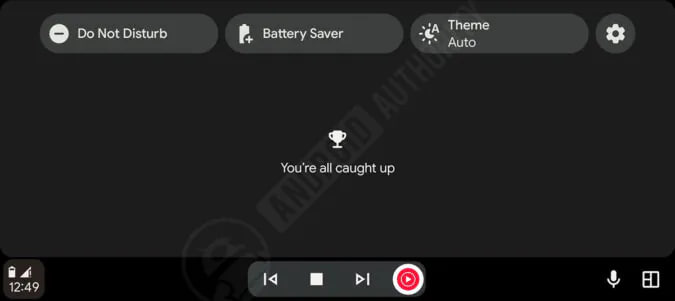
Image via Android Authority
The new Quick Settings menu could also look different depending on the size of the car display. Larger screens may show both icons and words, and smaller screens may use only icons so that the menu does not take up too much space.
There’s also a change under the testing Personalization setting for Gemini. Google has not explained exactly what this option will do yet. It could give users more control over features such as saved information, connected apps, and Gemini’s personal data.
For now, these features are only being tested, and there is no confirmed launch date. Google may change some of them before releasing them to users. Still, the work shows that Android Auto could offer simpler and more useful controls in a future update.



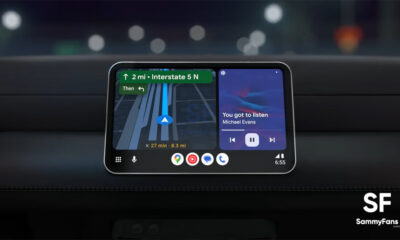


Google Maps users on Android Auto are facing a strange problem. Some users say the speedometer and speed limit signs have suddenly disappeared from their car screens.
The speedometer shows how fast the car is moving while using Google Maps. Google Maps has had this feature on phones for a long time. It is also available on Apple CarPlay.
Android Auto users recently started getting the same feature. The first reports of the speedometer appearing on Android Auto came in July. At that time, Google was testing the feature with some beta users.
Now, some users say the feature has disappeared again. They can no longer see their current speed or the speed limit while driving. Some users are also reporting that stop signs and traffic lights have disappeared from Google Maps. This suggests that the problem may be affecting other map features too.
It’s unclear what is causing the issue. Google has not said whether it removed the features on purpose or if this is a temporary bug. It is also unknown how many users are affected. This problem comes shortly after Waze users reported another issue on Android Auto. That bug is hiding some journey information from users.
For now, Google Maps users may have to wait for Google to fix the problem. Google has been contacted for more information, but there is no official explanation yet. Users will likely get more information once Google responds or releases an update to fix the missing features.
Google has introduced five new features in its September 2026 Android update. These features make phones easier, smarter, and more useful in everyday life. They can help users remember important things, feel better while travelling, understand their surroundings, work with friends, and customize their chats.
1.) Remember Where You Put Things
The first feature helps you remember where you put important things. Soon, Gemini will let you save the location of items in Find Hub. For example, you can tell Gemini, “I put my passport in the bedroom drawer.” You can also add a photo. Later, you can ask Gemini where the item is or check Find Hub to find the saved location.
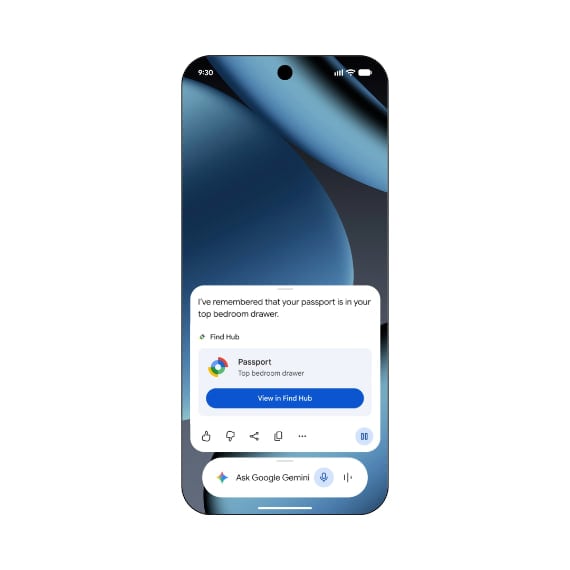
Image via Google
2.) Reduce Motion Sickness
Motion Assist can help reduce motion sickness when you use your phone while travelling in a car or other vehicle. It shows small bubbles on the screen that move with the vehicle. This may help your eyes and body adjust better to the movement. You can also change the bubbles’ color, shape, and transparency.
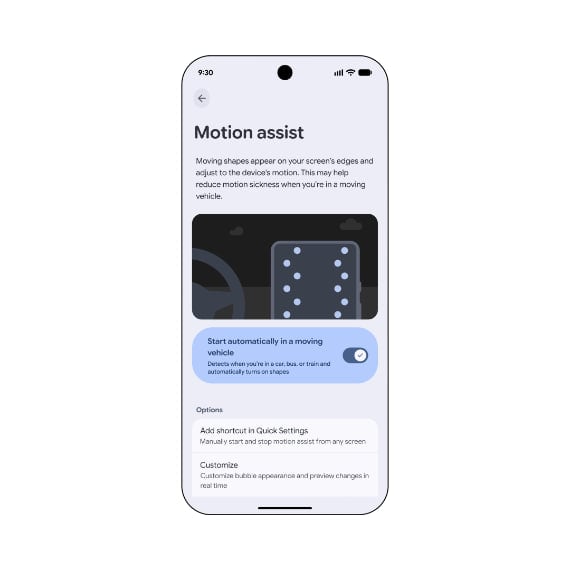
Image via Google
3.) Understand Your Surroundings
The Guided Vision feature helps blind and low-vision users. Through Gemini Live, users can share their phone camera and get information about what is around them. It can help read small text, identify objects, and describe things. It can also give voice instructions to help users point the camera in the right direction.
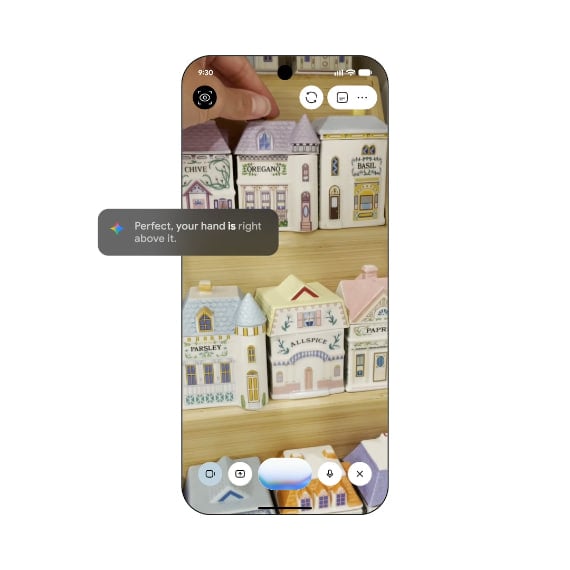
Image via Google
4.) Use Google Keep in Messages
The latest update brings Google Keep to Google Messages. Users can create and edit shared notes and lists without leaving a chat. This can be useful for making shopping lists, planning trips, or sharing ideas with friends and family.
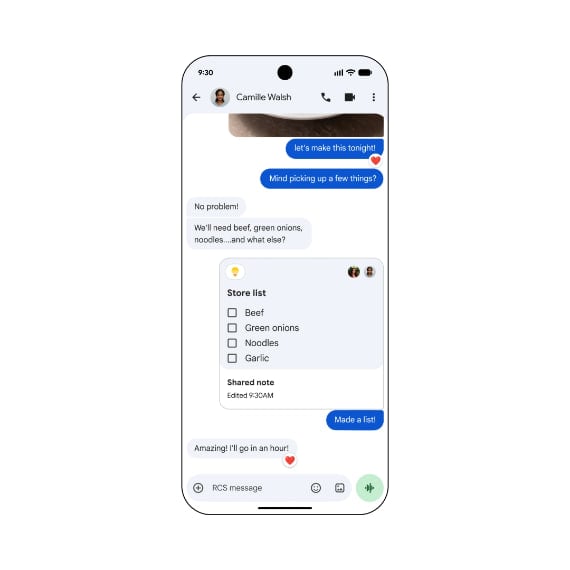
Image via Google
5.) Customize your chats
Chat themes in Google Messages let users change the background and colors of individual chats. They can choose a wallpaper or use their own photo to make each conversation look different.
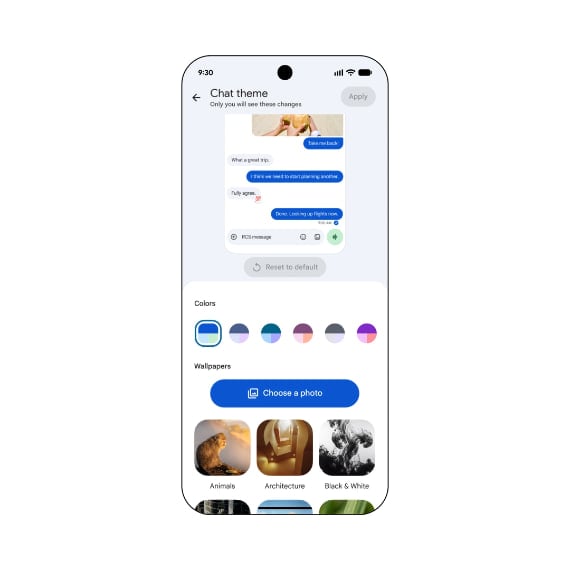
Image via Google


Android 17 QPR2 Beta 4 update has arrived, introducing new features and several changes. The update arrives only around two weeks after Beta 3 and is more focused on polishing the experience, although there are a few visible interface changes worth checking out.
Android 17 QPR2 Beta 4 reaches Platform Stability
The biggest milestone with this release is that Android 17 QPR2 has now reached Platform Stability.
This means the APIs and app-facing behaviors for the quarterly release have reached a stage where developers can increasingly prepare their applications for the final version.
One of the more useful additions is a dedicated Status bar section under Settings > System. Users can now control which notification icons appear, including options for all notifications, priority notifications only or no notification icons. System icon preferences also provide additional control over indicators such as mute, vibration and battery percentage.
The update also introduces a new Notification intelligence menu that brings related notification features together. Google is additionally making smaller visual adjustments across Wallpaper & style and other parts of the interface.
Android 17 QPR2 Beta 4 – Bug fixes
Google has addressed problems involving thermal management, gesture navigation, external USB-C XR glasses, the 80% battery limit, Pixel Launcher search, Bluetooth call audio and the Recents interface.
There are also fixes for screen-recording audio conflicts, notification shade behavior, dark-mode visibility, smart-glasses 3D mode, WebGL crashes and Face Unlock failures in low-light conditions.
Google has prepared a separate build for the Pixel 11 lineup, but says it will be available soon.
With Platform Stability now achieved, the Android 17 QPR2 Beta cycle is entering its final stretch. Future builds should increasingly focus on fixing remaining issues and polishing the software before Google pushes the stable update in December.
Google is preparing to make memory management more consistent as Android 17 spreads over time, and Samsung phones could be among the devices to benefit from the change.
Android 17 debuted Google’s new per-app memory limits to prevent a single application from consuming excessive amounts of RAM and affecting the wider system.
Android 17 will stop memory-hungry apps from taking over
Google initially enabled the per-app memory limits feature on Pixel devices. In a new blog post, Google said more manufacturers are expected to adopt it over the next year across phones with memory ranging from 4GB to 16GB or more.
This could translate into a more stable experience when several apps are running at the same time. Samsung already provides memory management through Device Care, which can identify apps consuming RAM and close background processes when necessary.
Android 17 takes a different approach by placing limits on individual apps at the system level.
When an application reaches its assigned memory limit, Android can first move some of its memory pages into compressed RAM, known as zRAM. This keeps the process alive, although the additional compression and decompression work can introduce performance overhead.
If memory consumption continues to rise, Android can eventually terminate the offending process.
Google designed the system specifically to prevent one poorly optimized or memory-hungry app from forcing the operating system to close other background apps and damage the multitasking experience.
Samsung has not confirmed when or how it will implement Android 17’s broader memory limits across Galaxy devices. However, Google says manufacturers will increasingly use the feature over the coming year.

Google has started rolling out a new system that makes it harder to install apps from unverified developers. The new feature, Advanced Flow, adds extra steps before users can install such apps. Google says the change is designed to protect users from scams and harmful apps.
Under the new system, users must open Developer Options and allow apps from unverified developers. They must unlock their phone and confirm that nobody is forcing them to change the setting. After this, they must restart their phone and wait 24 hours before they can continue.
After the waiting period, users can return to the setting and choose to allow unverified apps for seven days or permanently. A warning will still appear when they try to install an app. Google says the extra delay is meant to stop scammers from quickly guiding victims through the installation process.
The new rule will also affect updates to apps from unverified developers. If users turn off the advanced flow, updates for these apps may stop working. However, users will get 10 minutes to turn the feature back on without having to wait another 24 hours.
Google says ADB will not be affected by these rules. This means users who know how to use ADB can still install or update apps without following the advanced flow.
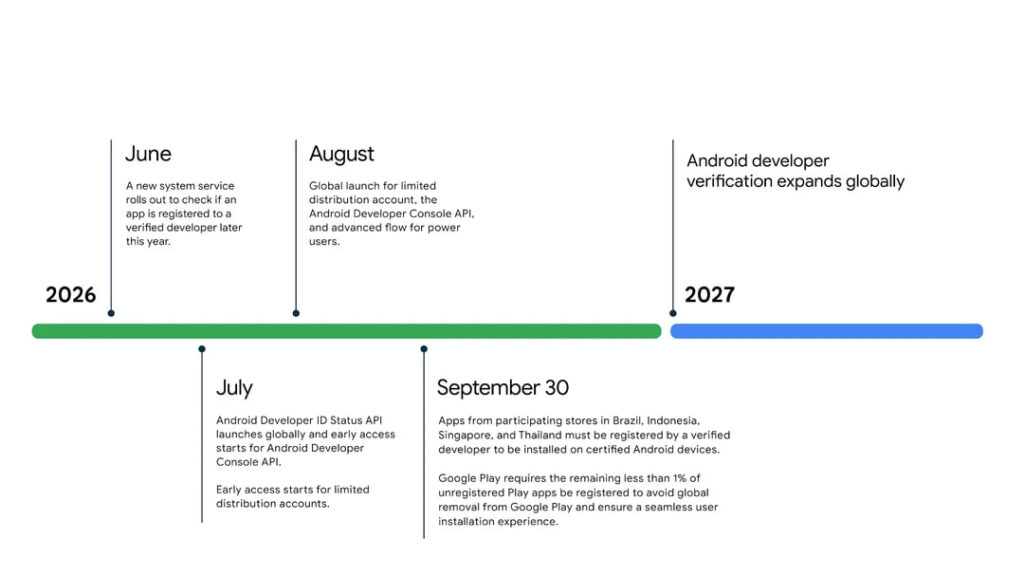
The changes are being rolled out before developer verification starts on September 30 in Brazil, Indonesia, Singapore, and Thailand. Google plans to expand the system to more regions in 2027. The move has worried many Android users who fear that Android could become less open and flexible.
-

 One UI2 days ago
Samsung Galaxy A55 gets One UI 9 Beta and September 2026 patch
-
 One UI3 days ago
One UI 9 makes Galaxy displays smarter with new refresh rates
-

 One UI3 days ago
Samsung releases One UI 9 Beta for Galaxy Watch 6 and Classic – How to sign up and install
-
 Samsung2 days ago
Samsung updates One UI software rollout roadmap – September 2026