
One UI
One UI 9 Beta 1 now live for Samsung Galaxy S24 FE users

Samsung is regularly working to make One UI 9 beta available for more Galaxy devices. After the Galaxy S25 FE and some A-series devices, the company has begun rolling out the One UI 9 Beta 1 update for the Galaxy S24 FE. This means Galaxy S24 FE users can now test the new software before Samsung releases the final stable version.
One UI 9 Beta 1 update for the Galaxy S24 FE is live with firmware version ending with ZZHL. It is currently live for users in India and Korea. It could soon expand to more beta-eligible countries. The update is large, with a download size of about 3.4 GB.
Galaxy S24 FE users who want to try One UI 9 can join the beta program. To participate, users can open the Samsung Members app and check if the One UI 9 beta registration is available for their device. After joining the program, the update can be downloaded from the phone’s software update section.
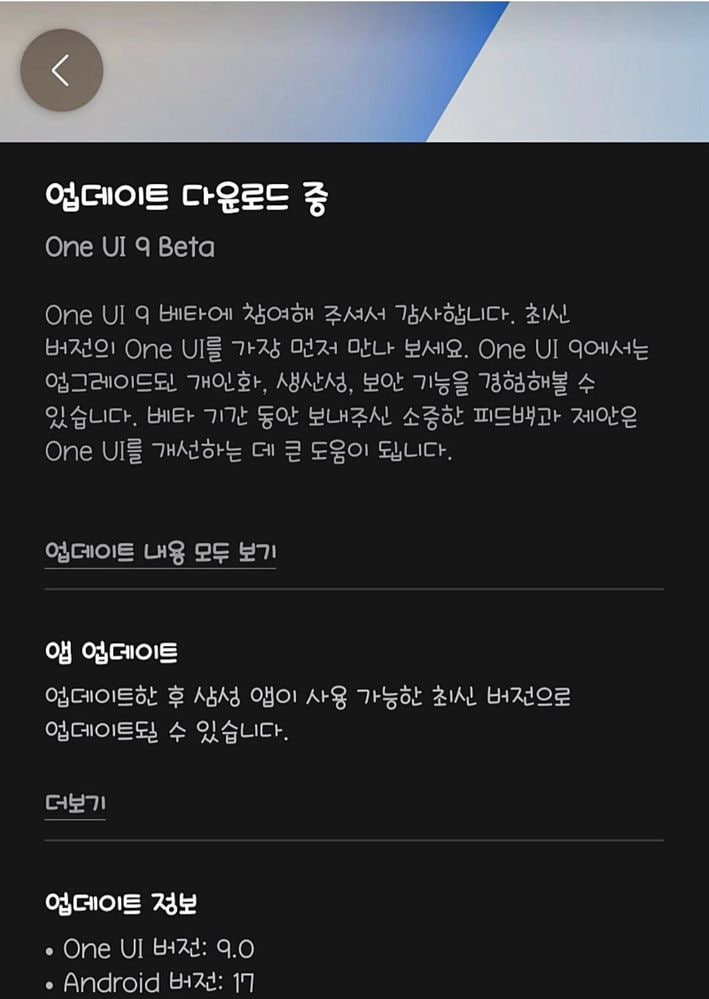
The beta version gives users an early look at Samsung’s upcoming software. It includes new features, design changes, performance improvements, and other updates. However, as this is a beta version, users may also face some bugs or other problems.
After testing is completed, the company will release the stable One UI 9 update to eligible devices. Stay tuned for more information.




Samsung may bring back its Galaxy Edge series with the Galaxy S27 Edge. The company launched the Galaxy S25 Edge in 2025 but reportedly canceled the Galaxy S26 Edge. Now, a new report says Samsung could launch another Edge phone in 2027 with a thin design, a small display, and a good-sized battery.
According to tipster Kro, the Galaxy S27 Edge could have a 5.8-inch display and a battery of around 4,300mAh. The phone could be just over 4mm thick. This would make it much thinner than the Galaxy S25 Edge, which was 5.8mm thick. The thin design could be the phone’s biggest feature.
Samsung may use new battery technology to fit a 4,300mAh battery inside such a thin phone. One possibility is silicon-carbon battery technology, which can help provide more battery capacity in less space.
The Galaxy S27 Edge could reportedly launch around mid-2027. It may not launch with the regular Galaxy S27 phones, which are expected earlier in the year.
There is no confirmed information about the phone’s cameras or other features yet. Its processor is also unknown. Samsung could use the Snapdragon 8 Elite Gen 6 or Exynos 2700 chip.
The Galaxy S25 Edge reportedly did not sell very well, which may have led Samsung to cancel the Galaxy S26 Edge. However, Samsung could still see demand for very thin phones. For now, the Galaxy S27 Edge is only a rumor. More information could appear before its possible 2027 launch.

Samsung’s One UI 9 Beta 1 update is now live for the Galaxy A36 5G. This update lets users try out new features ahead of the official release. The update is now live for users in India.
Users can verify the One UI 9 Beta update for Galaxy A36 via A366EXXUCZZHI. The installation package size of the update is around 2.3GB.
Initial Article
Samsung has started the One UI 9 Beta Program for the Galaxy A56. This comes after the company launched the beta program for the Galaxy A57. Now, Galaxy A56 users can also try the new One UI 9 software before its official release.
One UI 9 Beta 1 is now available for eligible Galaxy A56 users. This means users can install the new software and experience some of the features and changes that Samsung is preparing for the future.
One UI 9.0 brings several improvements to Galaxy phones. It includes design changes, better performance, new features, and improvements to Samsung apps. However, users should remember that this is a beta version. Some features may not work properly, and users could face bugs or other problems.
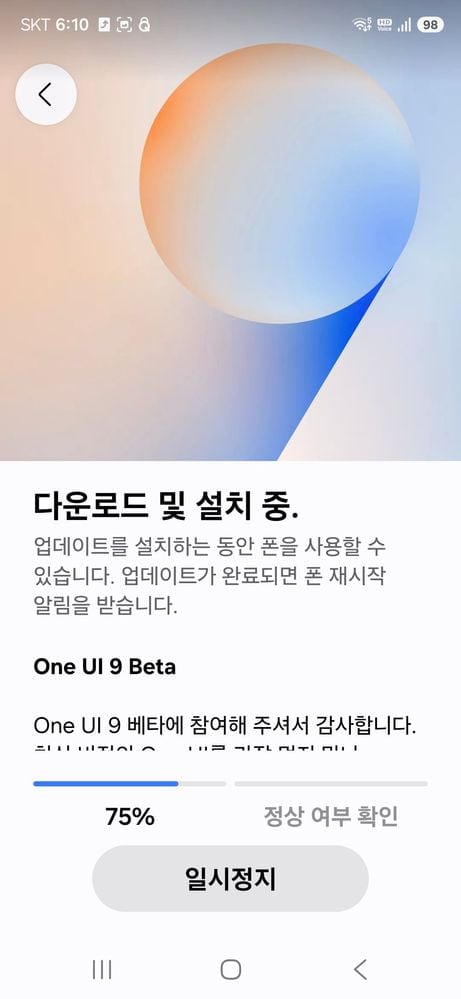
The beta program is made for people who want to try new software early. Their feedback can also help Samsung find and fix problems before the final version is released to everyone.
Galaxy A56 users can check the Samsung Members app to see if the One UI 9 Beta Program is available for their phone. The update will not be available in every country or for every Galaxy A56 model.
Samsung is expected to continue improving One UI 9 during the beta testing period. More updates may arrive before the company releases the final stable version for Galaxy devices.

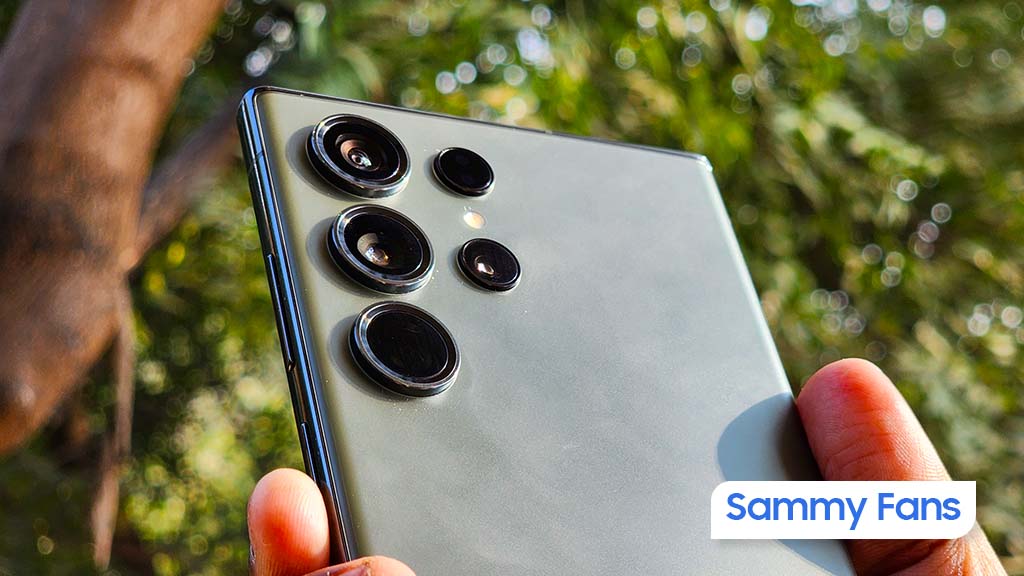
Samsung just opened the Android 17-based One UI 9 Beta Program for the Galaxy S23 series. Starting in India, the Beta testing activity is set to expand in South Korea, the UK, and the US.
The Galaxy S23 series is an important addition because these phones launched with Android 13 and are covered by Samsung’s extended software support commitment. One UI 9 will therefore represent another major Android upgrade for the 2023 flagships.
One UI 9 Beta is expanding
Earlier, Samsung released the One UI 9 Beta for the Galaxy S25 series and Galaxy S24 series. The company also invited the Galaxy Z Fold 7, Z Flip 7, Z Fold 6, and Z Flip 6 to the early access program through the Members app.
Galaxy S23 series users can join the One UI 9 Beta Program using the Samsung Members app. This opportunity allows you to access the latest software advancements ahead of their public rollout.
To join the One UI Beta Program, open Samsung Members > One UI Beta banner > Enroll. Successful enrollment awards you an OTA update, which you have to download and install through system Settings.
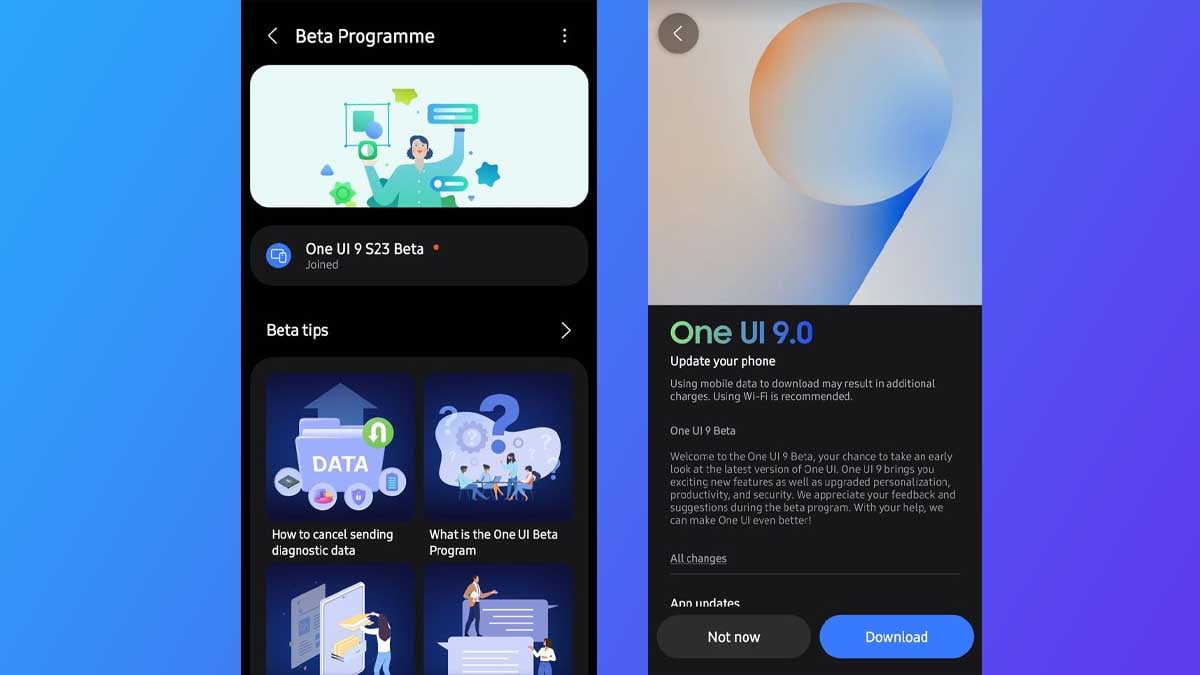
One UI 9 is based on Android 17 and focuses on refining the Galaxy experience with new customization, creative, accessibility, security, and AI-related improvements.
As with any beta software, users should expect bugs and occasional stability issues. Samsung is likely to release additional test builds before the stable One UI 9 update reaches the Galaxy S23 lineup.
Samsung initially opened the One UI 9 Beta for the Galaxy S26 series in May, followed by newer flagship devices. The company officially confirmed a broader September expansion covering the Galaxy S25 series, Galaxy S25 FE, Galaxy Z Fold 7, and Galaxy Z Flip 7.
One UI
Samsung August 2026 update released for Galaxy S22, S23, S24, S25, S26, FE, foldables and more

Samsung is rolling out the August 2026 security update to various Galaxy phones. Starting with the Galaxy S26 series, the update has been expanded to several models.
The update also expanded to the Galaxy S25 series, Galaxy S24 series, Galaxy S23 series, and Galaxy S22 series as well as FE models and foldable devices. The update improves system security and stability to provide a better experience.
August 2026 update has been rolled out to these models:
- Galaxy S25 series – CZH2
- Galaxy S25 FE – BZH2
- Galaxy S24 – DZH2
- Galaxy S24 FE – DZH3
- Galaxy S23 series – FZH2
- Galaxy S23 FE – EZH2
- Galaxy S22 series – GZH3
- Galaxy Z TriFold – BZH3
- Galaxy Z Fold 7 – BZH3
- Galaxy Z Flip 7 – BZH3
- Galaxy Z Fold 6 – DZH5
- Galaxy Z Flip 6 – DZH5
- Galaxy XCover 7 – EZH2
- Galaxy M55 – DZH1
The latest update includes the August 2026 security patch. The August update has patches for 58 vulnerabilities. Samsung detailed its August patch, which brings 38 CVE items from Google and an additional 18 SVEs from Samsung.
Additionally, the update will also clean up internal storage by removing unnecessary files and cache. It will improve your device’s performance and efficiency; however, initial experience might be a bit buggy until full optimization.
To download the update, head to Settings > Software update > Download and install.
Initial Article
Samsung has finally begun rolling out the August 2026 security update for the Galaxy S26, Galaxy S26+, and Galaxy S26 Ultra. The rollout appears to have started in South Korea and should reach more countries in the coming hours or days.
The new update comes with a firmware version ending in AZHA. It is around 460MB in size, so users should make sure their phone has enough free storage and a stable Wi-Fi connection before downloading it.
The update is currently rolling out to Galaxy S26 series phones running the stable version of One UI 8.5. Also, One UI 9 beta users already received the update with the latest beta update.


Samsung has released the first One UI 9.0 beta update for the Galaxy S24, Galaxy S24+, and Galaxy S24 Ultra. The update brings several new features and changes to provide a next-level experience.
One UI 9.0 beta adds more Quick Panel customization, allowing users to resize brightness, volume, and media controls. Samsung DeX also gets easier desktop switching, while Samsung Notes adds the new Tape feature and more pen styles.
The update also brings better location privacy with a blue indicator when apps access location. Accessibility features include Text Spotlight, Select to Speak, Mouse Keys improvements, keyboard shortcuts, easier single-tap controls, and simpler TalkBack updates through the Play Store. Let’s check the full changelog:

Samsung Galaxy S24 Ultra
One UI 9 Beta Changelog for Galaxy S24 series
More customizable quick panel
You can now rearrange and customize the controls in your quick panel even more than before. You can change the size of the brightness and volume sliders as well as the media player. You can also separate the sound mode button from the volume slider.
Samsung DeX enhancements
It’s easier to move an app window from one desktop to another using the menu at the top of the window. Desktop previews are now available at the top of the Recents screen, making it easier to switch with a single tap.
Do more with notes
The new Tape feature in Samsung Notes let’s you cover parts of your note with tape and reveal them when needed. A variety of new pen styles have also been added, giving you even more options for writing and drawing.
Location access transparency
Stay on top of your location privacy. A blue indicator will appear at the top of the screen when an app accesses your location. Tap the indicator in the quick panel to see which app it is.
Discover new Accessibility features
Check the What’s new menu in Accessibility settings to learn about and try the latest Accessibility features for your Galaxy.
Text spotlight for easier reading
Need a closer look? Tap any text on the screen to show it enlarged and highlighted in its own window. You can also customize the font size, colors, and other settings to match your preferences.
Physical keyboard shortcuts
Use shortcuts on your physical keyboard to access the Accessibility settings you need without touching the screen.
Mouse keys enhancements
New options are available when using your keyboard for mouse interactions including speed and acceleration control. You can also use the keyboard’s number pad to point and click.
Replace swipe with single tap
The Replace swipe with single tap option is now located on Dexterity and interaction menu instead of the Assistant menu for easier access.
Select to speak
Get quick audio readouts without turning on full TalkBack. With the new Select to speak feature, you can select an item on your screen, like text or an image, and hear it read or described out loud.
Improved TalkBack updates
Through continuous collaboration, Samsung and Google’s TalkBack features have been unified. TalkBack updates can now be applied with a simple app update from the Play Store.
-
One UI14 hours ago
Samsung August 2026 update released for Galaxy S22, S23, S24, S25, S26, FE, foldables and more
-
 Updates2 days ago
Samsung releases August 2026 update in more regions for Galaxy S26, S25, S24, and more
-
 One UI2 days ago
Samsung releases One UI 9.0 Beta for Galaxy S25 series and S25 FE; join and download Beta 1 now
-
 One UI2 days ago
Samsung mod says Stable One UI 9.0 update will release soon