
One UI
Samsung One UI 8.5 official rollout lasted merely a month

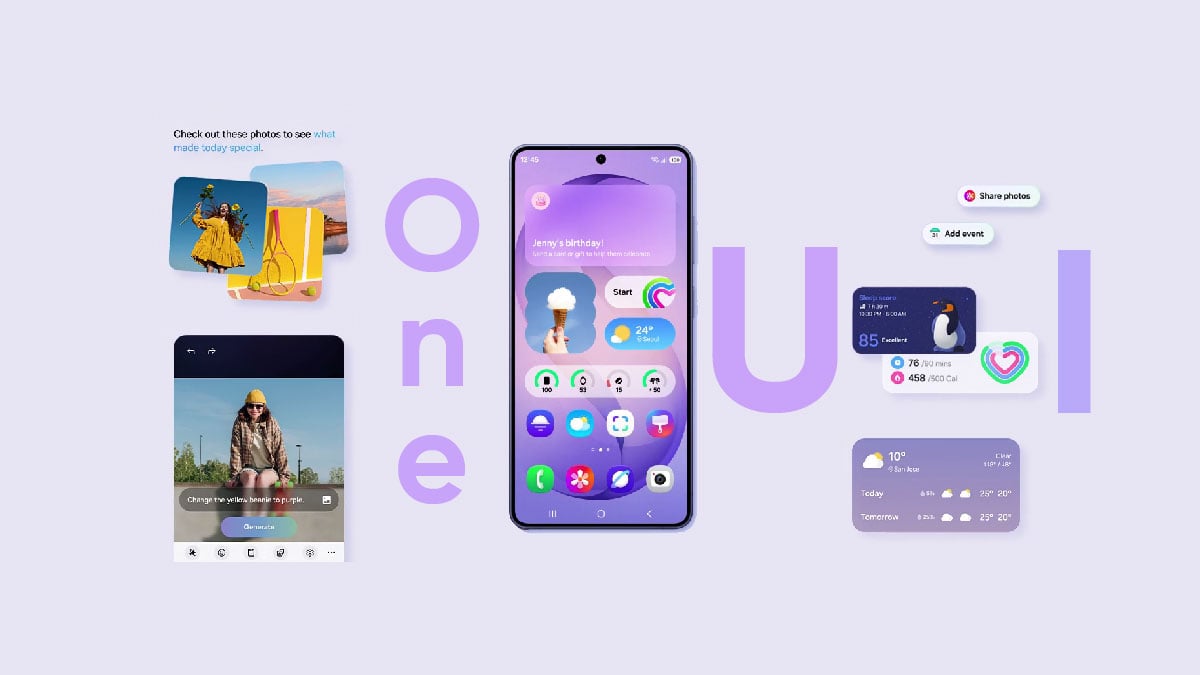
Samsung began the One UI 8.5 official rollout in mid-May in the Global market, after initially starting it in South Korea. Android 17-based One UI 9 Beta entered headlines quickly after the Stable release of One UI 8.5 started.
The Korean tech giant officially listed 44 Galaxy devices for the One UI 8.5 update. It included thirteen Galaxy S phones, nine Galaxy Z foldable phones, eleven Galaxy A mid-range and entry-level phones, and 11 Galaxy tablets.
Beyond the forty-four, several Samsung devices received the One UI 8.5 update. Device availability varies by market, which is the key reason Samsung doesn’t usually share a complete device list on its Global newsroom pages.
Longest Beta, quickest deployment
One UI 8.5 is one of the longest-running Beta Programs in Samsung’s history. It started in early December 2025 and wrapped in early May 2026. The company ran a Beta Program for about five months on the Galaxy S25 series.
Samsung shipped the Galaxy S26 series in mid-March, preinstalled with One UI 8.5. Even after the official debut, the software remained exclusive to the latest flagship phones for almost two months and helped retain sales momentum.
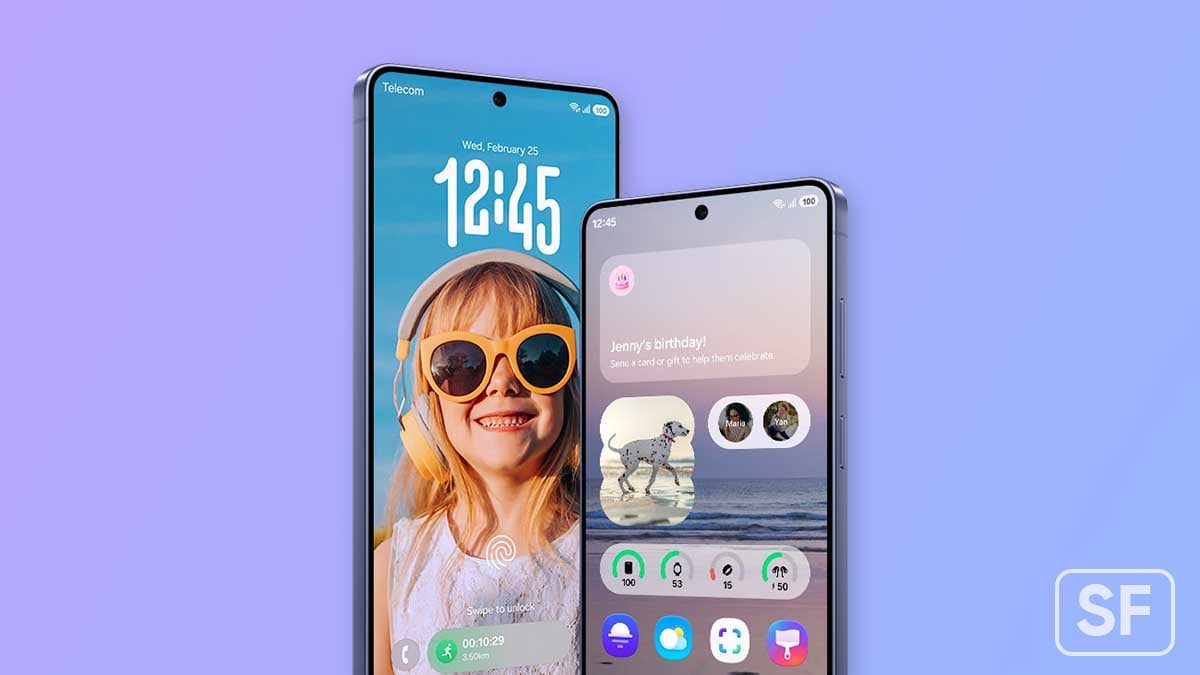
In early May, Samsung announced the Stable One UI 8.5 release, starting in Korea, which expanded to the global market on May 11. Millions of Galaxy users benefited from the new features and the quicker yet consistent expansion.
As of June 13, 2026, Samsung has completed the One UI 8.5 rollout for all the devices confirmed on the day of the official announcement.
Galaxy S Series
- Galaxy S25
- Galaxy S25+
- Galaxy S25 Ultra
- Galaxy S25 Edge
- Galaxy S25 FE
- Galaxy S24
- Galaxy S24+
- Galaxy S24 Ultra
- Galaxy S24 FE
- Galaxy S23
- Galaxy S23+
- Galaxy S23 Ultra
- Galaxy S23 FE
Galaxy Z Series
- Galaxy Z Fold 7
- Galaxy Z Flip 7
- Galaxy Z Flip 7 FE
- Galaxy Z TriFold
- Galaxy Z Fold 6
- Galaxy Z Flip 6
- Galaxy Z Fold 5
- Galaxy Z Flip 5
- Galaxy Z Fold Special Edition
Galaxy A Series
- Galaxy A56
- Galaxy A55
- Galaxy A54
- Galaxy A36
- Galaxy A35
- Galaxy A34
- Galaxy A26
- Galaxy A25
- Galaxy A17
- Galaxy A16
- Galaxy A15
Galaxy Tab Series
- Galaxy Tab S11
- Galaxy Tab S11 Ultra
- Galaxy Tab S10+
- Galaxy Tab S10 Ultra
- Galaxy Tab S10 FE
- Galaxy Tab S10 FE+
- Galaxy Tab S9
- Galaxy Tab S9+
- Galaxy Tab S9 Ultra
- Galaxy Tab S9 FE
- Galaxy Tab S9 FE+
One UI 8.5 rollout is still going for the remaining models (and countries). Samsung’s every eligible device for the new software is expected to receive it (everywhere) by the end of June 2026.

After receiving One UI 8.5, you may have been waiting for the Android 17-based One UI 9, but you shouldn’t miss trying an epic feature on your Samsung Galaxy. The feature is an AI-powered Photo Assist that upgraded the Creative Studio.
Samsung pushed One UI 9 Beta to Galaxy S26 series in six countries. The Beta Program will likely stay exclusive to the 2026 flagships for now. The company might expand its availability, probably after the official reveal in July.
AI Creative Studio
Samsung’s AI-powered Creative Studio feature is now even easier to use in One UI 8.5. The new software has made a minor change that makes a big impact. The accessibility has been improved through the Apps screen listing.
Once tied to Photo Assist, the Creative Studio is now available like a standalone app. Launch the Apps screen on your Galaxy and open the Creative Studio.
Samsung describes Creative Studio in One UI 8.5 as:
Creative Studio is now available on the Apps screen for easier access. You can use creative studio to create custom wallpapers, unique stickers, and personalized profile images that you can use throughout on your phone.
Samsung’s next-gen Creative Studio lets you create stunning images, transform photos, design stickers, and make wallpapers using AI-powered tools.
4 things you can do with Creative Studio:
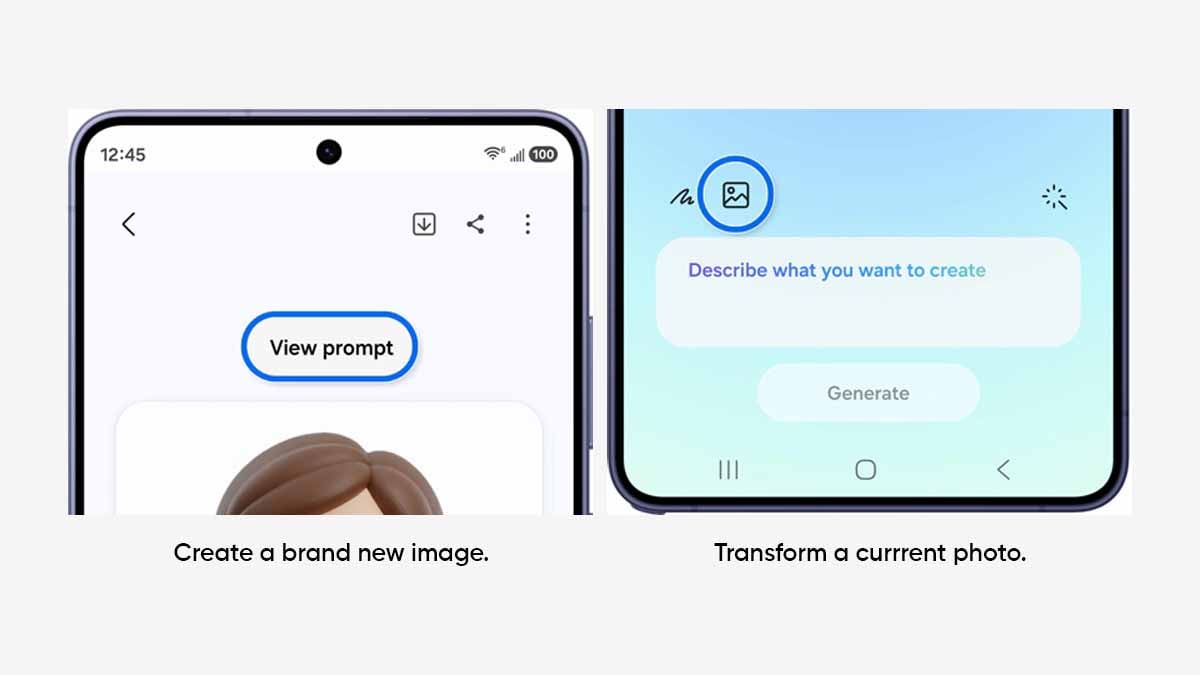
- Create a brand new image
- Transform a current photo
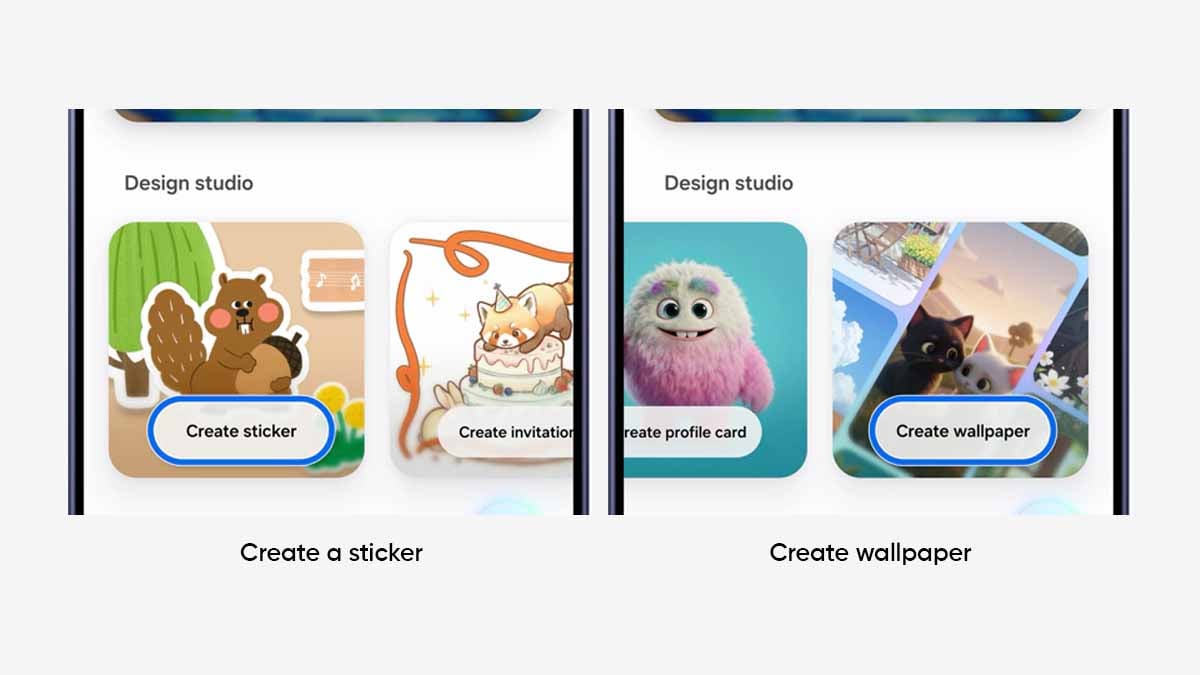
- Create a Sticker
- Create wallpaper
Follow these steps to explore its full potential:
Create image and Transform a current photo
- Open Creative Studio and choose a style, then type a description > Generate.
- Inside Creative Studio, tap Add image, add style or image description > Generate.
Create a sticker or wallpaper
You will find a dedicated Design studio within Creative Studio, which lets you create stickers and wallpapers.
- Create sticker: Add image or Add sketch > type Description and choose Style theme > Generate.
- Tap Add sketch or image > Type description > Generate.
Since the feature works on artificial intelligence, results may not be up to the mark. However, Samsung has made editing image creation simpler in One UI 8.5. You can view edits made during the creation and re-edit the entire creation.


Samsung Korea community has confirmed that One UI 9.0 beta 3 could drop by next week. A screenshot of the Samsung Members app notice shows that the information “The 3rd beta version is scheduled to be released next week.”
The beta program was initially launched in early May for the Galaxy S26, S26+, and S26 Ultra in limited markets. Following the signups, users received the first beta through OTA update.
However, the upgrades remained mediocre in the first release. For example, Samsung paid attention to refinements in this new release rather than major changes.
Based on our findings, the media player has been overhauled with new visuals during playback. The Settings menu has new elements and graphics for different features.

One UI 9.0 beta 3 notice
The software has organized the settings options into a less distracting layout by removing unnecessary descriptions for various features.
On the customization side, users can now move the volume slider anywhere in the quick panel independently. The beta has increased the status bar icons and text size to improve visibility.
Taking the progress further, the second beta has fixed the bugs and issues found in the first beta. In that case, the One UI 9.0 beta 3 may have more bug fixes with a possibility of adding new features, since the current version has failed to impress the testers.
The Galaxy S25 series is the next to enter the test program, and we have to see whether it happens by the time of this rollout, or users will have to wait a little longer to get the test firmware.
You should know that Samsung will release the One UI 9’s official version with the Galaxy Z Fold 8 and Flip 8 foldables at the next Unpacked event. Following the release, it will be distributed for previous-gen devices.

Samsung has reinvented the Alarm screen in One UI 9, and it makes the design literally better. The app is getting a major upgrade over the One UI 8.5, and it seems Samsung actually thought “we can do better here.”
One UI 9 Alarm screen brings three changes
Samsung has repositioned the Alarm label at the top. The label is now placed where it should have been years ago. It’s a minor change, but it makes a significant impact on the overall visual approach of the function.
You won’t be confused between Timer and Alarm.
The next major change was applied at the bottom. The button to dismiss the alarm has removed the dual border design in favor of a cleaner design button, which is a little better and simpler.
The double-button system to adjust snooze delay has also been tweaked. Rather than separate buttons accompanied by a prominent pill, the buttons have joined the pill to turn a single hub.

Image – Alarm Screen | Left – One UI 8.5 / Right – One UI 9
Samsung’s decision to bring the Alarm label to the top has increased space among the three central components, including the label itself, clock, and day plus date.
The One UI 9 Alarm screen has increased padding compared to One UI 8.5. This difference offers an even better appearance to the alarm screen, which you wake up to every morning.
Note that you can’t bring back the Alarm label to the bottom. All three available redesigns staple the label on the top, and it’s something Samsung has nailed with.
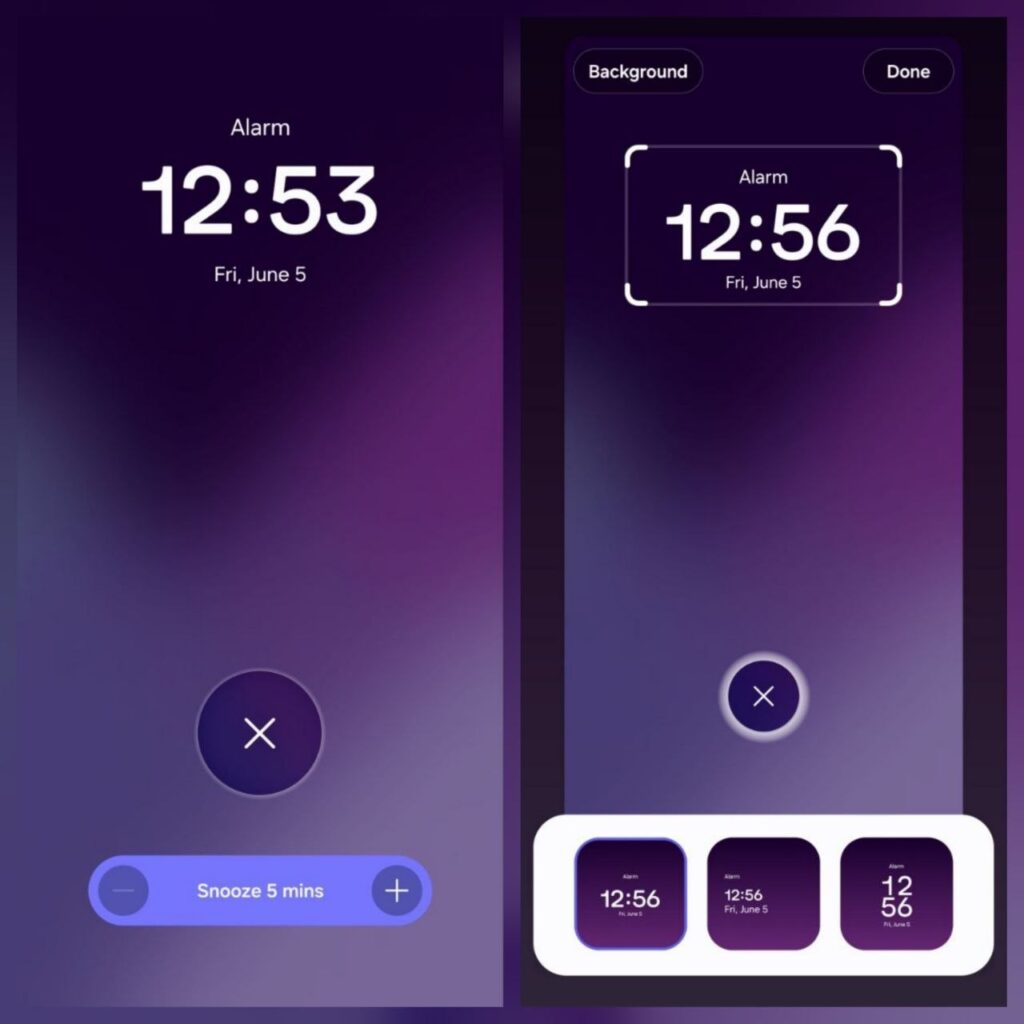
Image – One UI 9 Alarm Screens
Samsung has made plenty of minor changes across the user interface in One UI 9. These changes collectively improve the overall visibility and aesthetics of the software. Do you like the new Alarm screen redesign? Let us know through X at @thesammyfans.
Call Screening, which debuted with the Galaxy S26 series, has expanded to plenty of Samsung devices with One UI 8.5. Now, Samsung is bringing Hindi language support to the AI-powered Call Screening feature in India.
Hindi, a prominent language in India, is also one of the most spoken languages worldwide. Samsung has a huge Galaxy user base in the market. People have their conversations in Hindi, and Call screening is now supported.
X user HarshRaj confirmed that his Galaxy S25 Ultra has added Hindi as a supported language inside Call Screening menu. It happened after the recent update for Samsung’s language pack delivered through Galaxy Store.
If your Samsung phone’s running One UI 8.5, update the language packs from Galaxy Store. Once done, check the Call screening settings to alter the language. It might also be a server-side rollout, so wait a little for broad availability.
Samsung’s Call Screening feature relies on artificial intelligence to assist Galaxy users with phone calls. Using this feature, you allow the call assistant to answer calls and ask the caller who they are and why they are calling.
The conversation continues further between the caller and AI, while a transcript is displayed in real-time. You are not attending the phone call; AI is handling everything, yet you are getting a real-time overview of the discussion.
The system allows you to answer the call mid-screening or switch to Text call. The feature entitled Text call is available on various Samsung devices and allows you to talk to the caller through text-based inputs that AI speak aloud.

Credit – Harsh Raj / X

One UI 9 Beta Program is currently limited to the Galaxy S26 series, but Samsung could soon expand it to the Galaxy S25 series. After news of internal testing, it turns out that Samsung could soon expand the Beta Program.
The One UI 9 official version will launch with the Galaxy Z8 series next month. It’s based on Android 17 and introduces major changes to crucial aspects of the user interface, such as Quick Panel, Status bar, and animations.
Samsung hasn’t revealed its One UI 9 Beta expansion plans for Galaxy users. However, the first internal firmware has surfaced on the server. It signals the Samsung Galaxy S25 series is next in line for the One UI 9 Beta update.
If true, that’s going to be a significant development for last year’s lineup. However, the actual release depends purely on Samsung’s release strategy.
Samsung will continue to test the Beta build internally. Galaxy S26 users have already received two Beta builds so far, with the third probably coming next week. Samsung may push the fourth Beta as well by the end of June 2026.
Galaxy S25 series has just come out of the One UI Beta Program. The Korean tech giant has started rolling out the One UI 8.5 stable update in early May 2026. It seems the One UI 9 Beta may arrive by the end of June or early July.
Galaxy S26’s Beta is limited to Germany, India, Poland, Korea, the UK, and the US. That said, the activity’s scope would be similar for the S25 series as well.
-

 Updates1 day ago
Samsung gives two retired Galaxy S phones and a Note a fresh life, now in the US
-

 Updates1 day ago
Samsung Galaxy Watch 7, 8 and Ultra get new Wear OS update with security improvements [U: Live in USA]
-
 Samsung3 days ago
16 big Samsung Clock app changes in One UI 8.5
-
 News2 days ago
Galaxy Z Fold 8 Ultra looks massive next to the Z Fold 8 and Flip 8 in leak