
AI
Gmail Live may soon get seven new voices from Gemini


Google may soon add seven new voices to Gmail Live. This update will allow users to choose different voices while using Google’s AI feature in Gmail. Currently, Gmail Live offers only one voice, Orbit.
Gmail Live helps users find information in their emails by asking questions. For example, users can ask about meeting dates, upcoming events, or important messages. The AI searches their inbox and provides the information they need.
The seven new voices are Pegasus, Capella, Dipper, Orion, Ursa, Vega, and Eclipse. These voices are already available in Gemini Live, Google’s AI assistant. Google may bring them to Gmail Live to give users more choices.
However, two Gemini voices, Glow and Flare, are missing from the current list. Google may add them later, but there is no official confirmation yet.
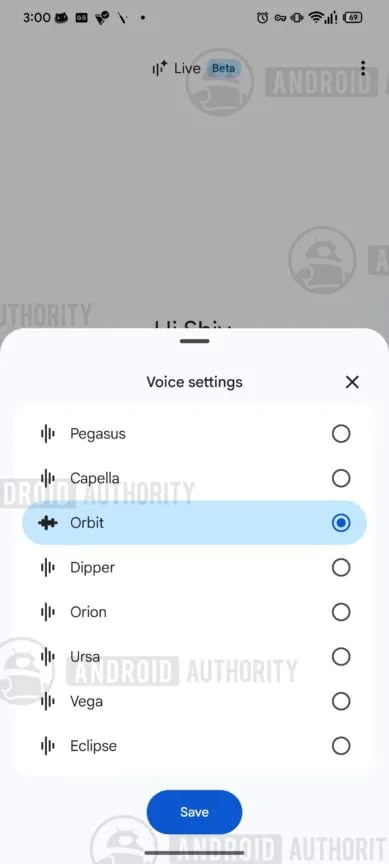
Image via Android Authority
The new feature may include a three-dot menu in the top-right corner of the Gmail Live screen. Users could tap it and select the Voice settings option to see the available voices. Orbit is expected to remain the default voice.
However, changing the voice may restart the conversation. This means users could lose their ongoing chat. Gmail Live may show a warning before users change the voice.
Google has not announced when the new voices will be available. Similar voice-changing features are also being developed for Google Keep and Google Docs. If released, these updates could give users more ways to customize their experience with Google’s AI tools.




Google is replacing Google Assistant with Gemini on Android Auto. Gemini is supposed to be smarter and give better answers. But some drivers are facing a strange problem: Gemini hears their questions but does not answer them.
Some users have reported the problem on Reddit. They say Gemini listens to a command and starts processing it. After waiting for a few seconds, Gemini stops without giving any answer.
The problem does not seem to be caused by a poor internet connection. Users have faced it while asking different questions. It also appears to affect different phones. People using Pixel, Samsung, and Motorola phones have reported the same issue. The problem has also been noticed on the Galaxy Z Fold 8.
This is not the only problem users have faced with Gemini on Android Auto. Since Gemini started appearing on Android Auto, some drivers have reported problems with voice commands and missing features.
Another reported issue is that Gemini sometimes keeps talking or waits for a reply even after the user has already completed a task using the Android Auto touchscreen.
These problems can be frustrating for drivers. Voice assistants are meant to make driving easier by allowing people to control things without touching their phones. When Gemini does not answer, drivers may have to repeat their questions or use the touchscreen.
Google has not officially confirmed this latest problem so far. It is also unclear how many users are affected. Gemini could make Android Auto more useful, but these issues show that the move from Google Assistant to Gemini has not been smooth for everyone.
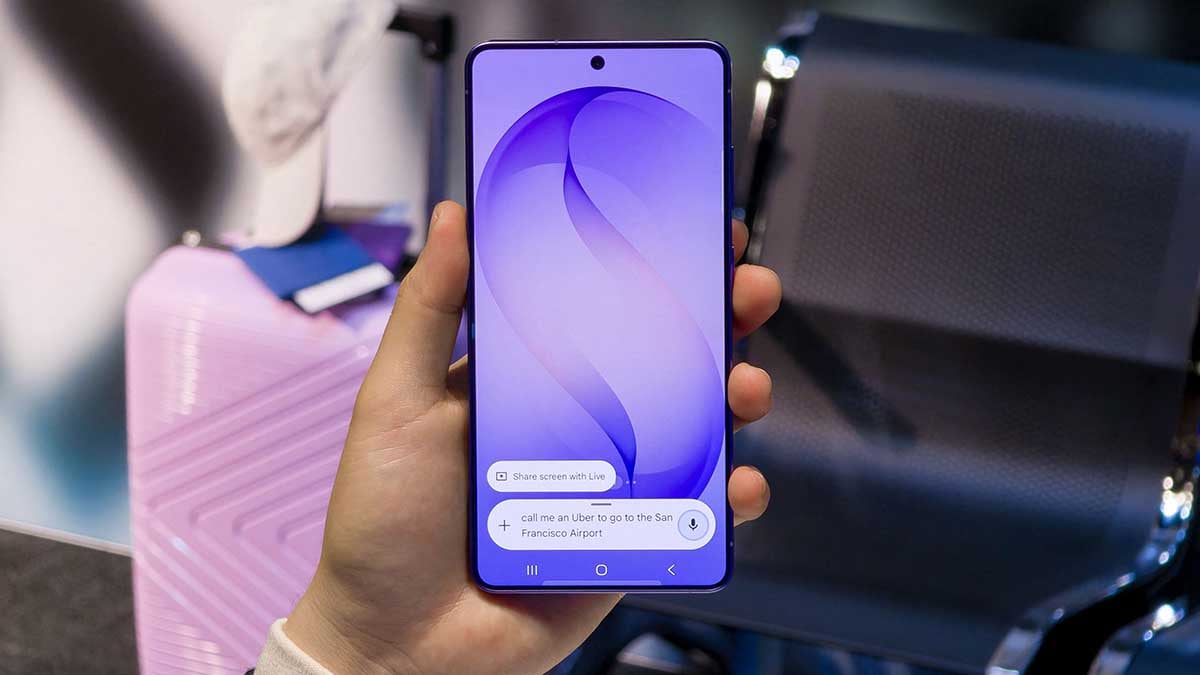
Google is adding two new features to the Gemini app. One is a new Map tool, and the other changes how users access Gemini’s skills.
The new Map tool is available on Android and iPhone. It is not available on the web yet. Users can find the Map option in the tool menu, next to features like Photos, Camera, Files, Drive and Notebooks.
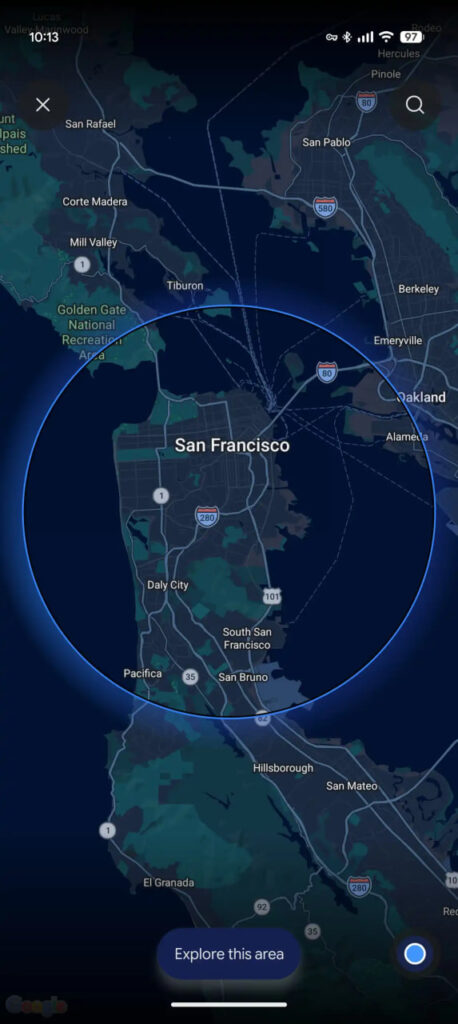
When users tap Map, Gemini opens a live map. It shows the user’s current area. Users can move the map and zoom in or out to choose a place. They can also use the search button to find another location.
After choosing a place, users can tap “Explore this area.” Gemini then adds “Map Area” to the prompt box. Users can type their questions along with the selected location. This makes it easier to ask Gemini about a specific area or place.
-
- Image via 9to5Google
-
- Image via 9to5Google
Also, Google is changing the shortcut for using Gemini skills. In the latest Google app beta, version 17.63, the forward slash (/) is being replaced by the @ symbol.
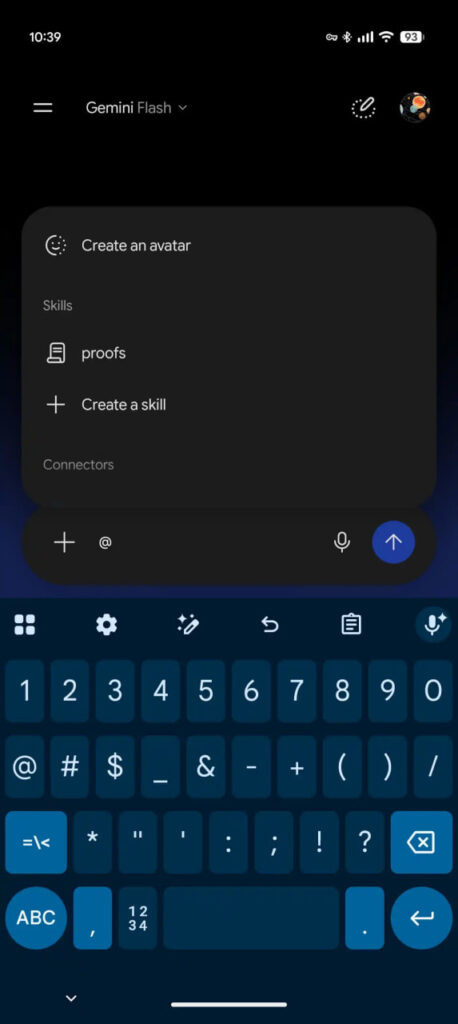
Google says users will be able to use @ to access skills, connectors and other features from one place. Connected Apps will also soon be called Connectors.
Google recently announced that Skills will replace Gems in Gemini. The new @ shortcut is still being tested and is not available to everyone yet. These changes are designed to make Gemini easier to use and give users quicker access to its different tools.

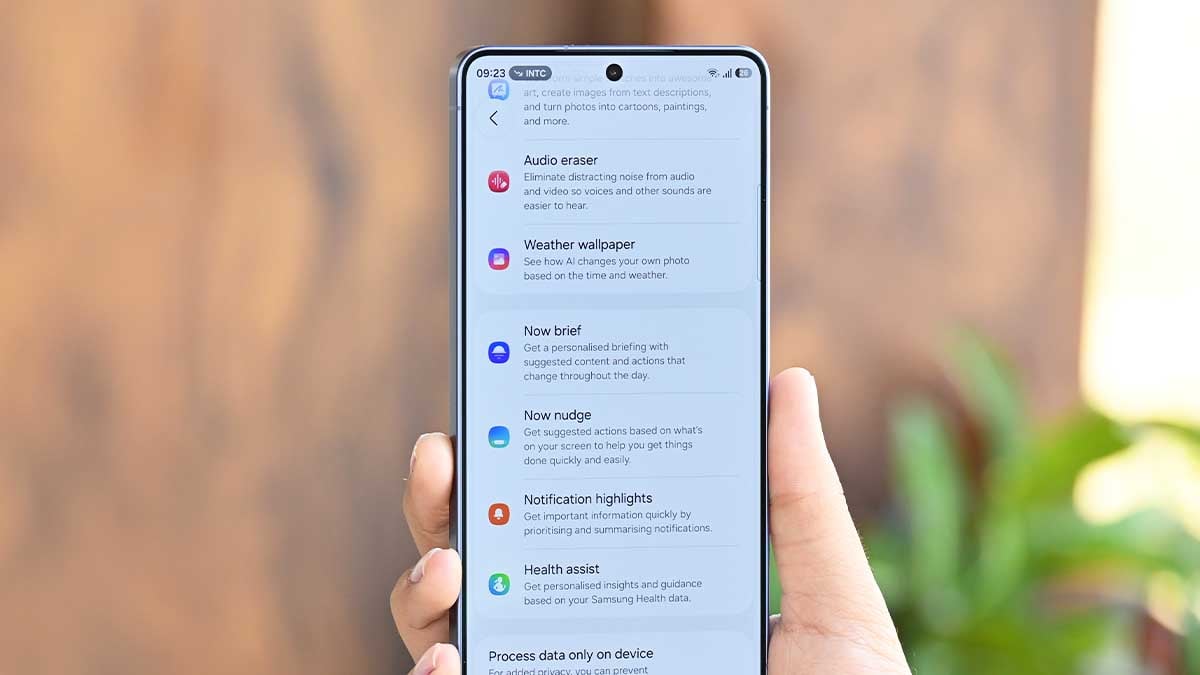
At AI Forum 2026, Samsung outlined how future AI experiences could become more efficient by using computing resources selectively, with this approach already reflected in Galaxy AI and its combination of on-device and cloud processing.
Samsung wants AI to think smarter
During the AI Technology track at the event, Samsung Electronics MX Business Corporate EVP Hwang In-chul discussed the idea of achieving more human-like efficiency in AI.
The company’s argument is that increasing model size and computational power indefinitely can raise the resources, energy and cost required for both training and inference.
Instead, Samsung is exploring systems that can determine what information and processing power are actually necessary for a particular task.
More demanding requests could receive additional computation, while simpler tasks would avoid wasting resources on unnecessary processing.
This approach is particularly relevant to smartphones, where processing power, battery capacity and thermal limits remain important constraints.
Samsung’s AI Forum 2026 officially included “Efficient AI” as one of its key AI Technology sessions, alongside Physical AI and Continual Learning.

Galaxy AI already follows this hybrid approach
Galaxy AI strategy provides a practical example of this philosophy. Rather than forcing every AI feature to run entirely on the phone or sending everything to remote servers, Samsung combines on-device and cloud-based processing.
On-device processing can handle tasks where speed, offline functionality, or privacy are important. Cloud processing can take over when a feature requires substantially more computing power or a larger AI model.
Samsung is also looking at improving the way AI itself is developed, including more automated processes for training, testing and deploying models.
As Galaxy AI becomes more deeply integrated into Samsung’s devices, this efficiency-first approach could become just as important as raw AI performance.
Google is working on some new features for its Gemini AI assistant. These features could make Gemini easier and faster to use from the overlay.
According to findings in version 17.62.9 of the Google app via AssembleDebug, Gemini’s overlay could soon feature a dedicated Chat/Task selector. Users may soon be able to choose between Chat and Task directly from the Gemini overlay.
Chat will show “Ask Gemini,” while Task will show “Describe a task.” The Task option appears to be linked to Gemini Spark, a feature that can help Gemini complete tasks for users.
The overlay may also get a new recent chats button. This will allow users to quickly see their recent Gemini conversations. Earlier, this option was available inside the plus menu. Now, Google appears to be moving it directly to the main overlay.
There’s a new button added for Proactive Assistance. However, this feature does not appear to work yet and may still be under development.
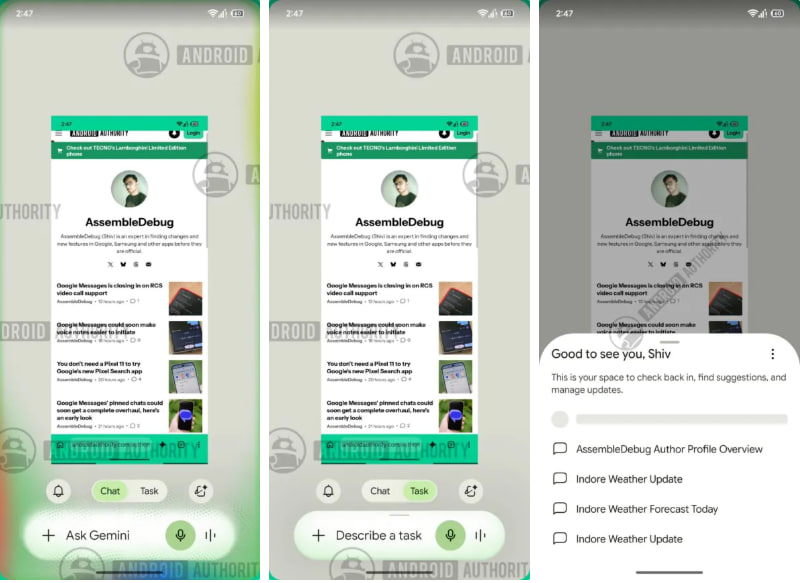
Image via Android Authority
Google is also testing a new Browser setting. It may give users two choices: Chrome on my devices and Remote browser. Chrome on the device works when the phone or other device is awake. The remote browser can work even when the user is away.
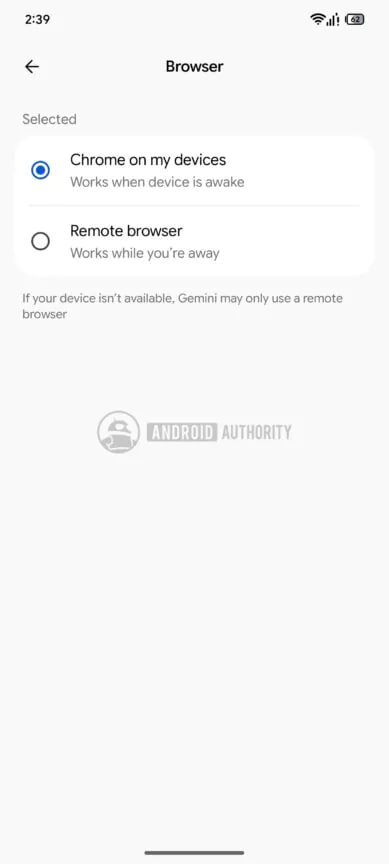
Image via Android Authority
These settings are mainly connected to Gemini Spark. Currently, Spark can automatically use a remote browser if the local browser is disconnected. The new options could let users decide which browser Gemini should use.
The updated overlay may look a little more crowded, but it could make important Gemini features easier to find. Google has not yet announced when these features will be available to everyone.
Google has announced a new feature, Gemini Live Avatar. It is designed to make AI customer support feel more natural and human. The feature is part of Gemini 3.8 Live and is mainly made for businesses.
Live Avatar gives an AI assistant a digital face that can talk to people in real time. Instead of only reading messages, users can see the avatar speaking, moving its lips, and showing facial expressions.
Another useful feature is its support for 97 languages. The avatar can change its lip movements and expressions when switching between languages. Google says the video quality stays good even when the language changes.
Live Avatar can also perform tasks while continuing a conversation. It can use tools and collect information in the background without making the user wait.
For example, a person could talk to a hotel’s AI assistant and ask it to check them into a hotel. While the AI works on the check-in, the person can continue talking about another topic.
Businesses could use Live Avatars for customer service, product demonstrations, training, and interactive guides. The goal is to make AI support more engaging and easier to use.
Google has started rolling out Gemini 3.8 Live with Live Avatar for Gemini Enterprise customers. The new technology shows how AI is becoming more interactive, moving beyond simple text and voice conversations.
-
 One UI2 days ago
One UI 9.0 official update now rolling out to these Samsung phones
-

 One UI2 days ago
Galaxy Watch 7 and Watch 6 receive One UI 9 Beta 3 update fixes
-
 News3 days ago
Samsung updates One UI software rollout roadmap – October 2026
-

 One UI2 days ago
Samsung Galaxy A54 receives One UI 9 Beta 2 with October 2026 patch