
Apps
All about Google Pics: AI image creation and editing tool

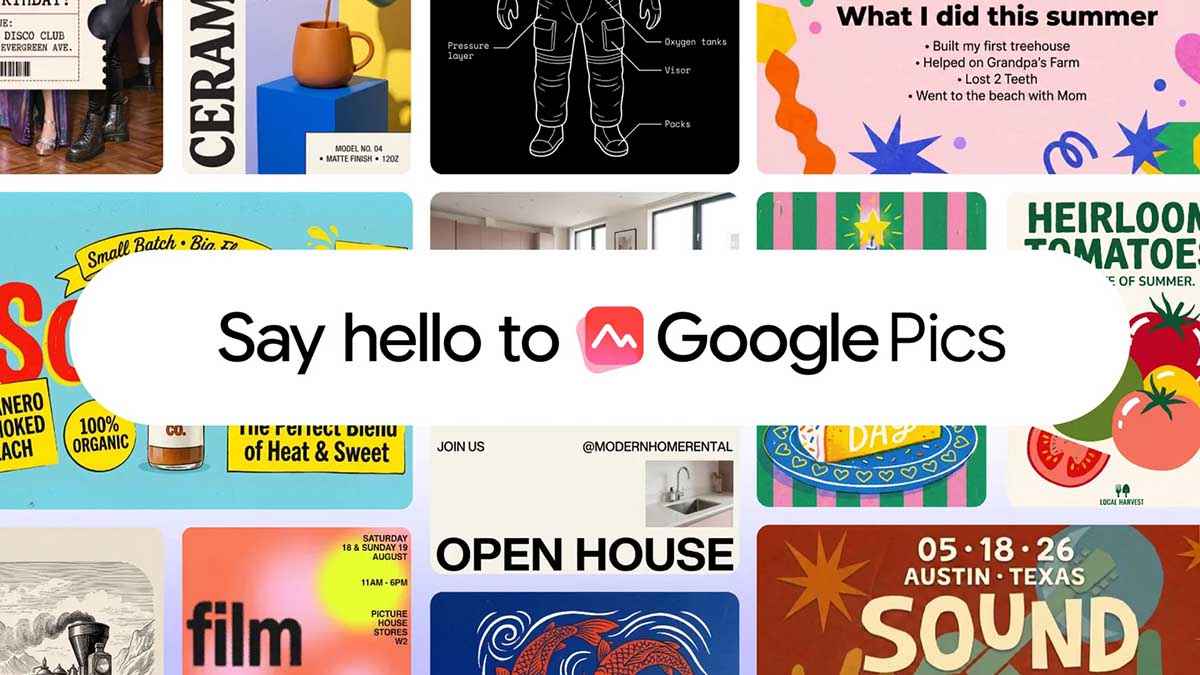
Google has officially taken the wraps off Google Pics, a highly capable new AI image creation and editing tool built directly into the Workspace ecosystem.
If you’ve been relying on third-party software to generate, refine, and co-create images, Google wants to bring all of that functionality right to where you already work.
Google Pics brings AI image creation
Rolling out over the coming weeks to all Google AI Pro and Ultra subscribers, alongside most Workspace business customers, Google Pics is powered by the company’s new “Nano Banana” image generation and editing model.
As showcased in Google’s introductory video, the tool provides a blank canvas where simple text prompts turn into high-quality visuals.
That makes Pics useful for everything from presentation graphics and promotional material to social media artwork and simple illustrations. Google has also built it as both a standalone experience and a feature that can appear inside Workspace app.
The standalone experience is available through pics.new, while deeper Workspace integration means users can create or modify images without constantly moving between different applications.
Google is rolling out Pics to Google AI Pro and Ultra subscribers, as well as most eligible Workspace business customers.
Editing is where Google Pics gets interesting
Generating an image is increasingly easy, but making precise changes without ruining the rest of the image remains one of the bigger challenges with generative AI. Google Pics attempts to solve that with more targeted editing controls.
Users can isolate individual objects or areas of an image and then describe what should change. This means you can potentially add, remove or transform a particular element while preserving the surrounding composition.
In-Image Text Editing and Translation
Historically, handling text inside generative AI images has been a nightmare, but Google is addressing that head-on.
You can now modify or translate text directly inside an image without disrupting the surrounding design or the original font.
A demonstration showed a user tweaking a generated corporate gift box, effortlessly changing the embedded text from “Thanks for being a valued customer” to a more concise “Thank you.”
Pics generates several options from a single prompt, allowing you to choose your favorite from a variety of iterations. Google has made it easy to share your Pics creations with teammates, allowing multiple users to collaborate and edit the exact same image together.
Pics is coming to Google Docs and Slides
Google Docs and Google Slides are getting the feature first, with Google Drive integration planned for a later rollout.
In Slides, for example, users can take an existing image and use an AI prompt to change its setting or appearance without leaving the presentation.


Some users of Samsung Galaxy foldable phones have reported a problem with the Favorites section on the home screen. They say that when they use the phone with only the Home Screen, Favorites cannot be completely disabled. Even after turning off the related setting, the Favorites section still remains visible.
This issue can be confusing because users expect Favorites to disappear after they turn off the “Show Favorites” option. However, the setting does not work in the same way for every home-screen setup. The behavior depends on how the Fold phone is configured.
In response to this, a community moderator explained that the “Show Favorites” feature is available when the phone is set to “Use Home and Apps screen.” In this setup, users can use the option to control whether Favorites are shown on the device.
However, there is an important limitation. The moderator said that the “Show Favorites” option does not apply when the phone is set to “Use Home Screen Only.” This means users who choose the Home Screen Only layout cannot use this setting to remove Favorites.
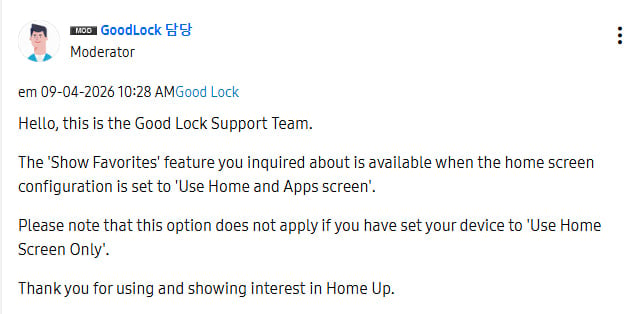
The problem does not appear to be a fault with the phone or the setting itself. Instead, it is related to how the Home Screen Only mode is designed to work. Users who want more control over the Favorites section may need to switch to “Use Home and Apps screen.”
WhatsApp is working on a new feature that will let users pin up to four messages in chats and groups. Earlier, users could pin only three messages at the top of a conversation.
Pinned messages are useful because they help users keep important information easy to find. For example, people can pin an event detail, important announcement, address, phone number, or useful link.
Using the new feature is simple. Users need to tap and hold a message, choose the Pin option, and select how long they want the message to stay pinned. The fourth message will then appear with the other three pinned messages at the top of the chat. Users can tap the pinned-message bar to see all four messages.
The feature will work in both individual chats and group chats. It could be more useful in busy groups where important messages can quickly get buried under new conversations.
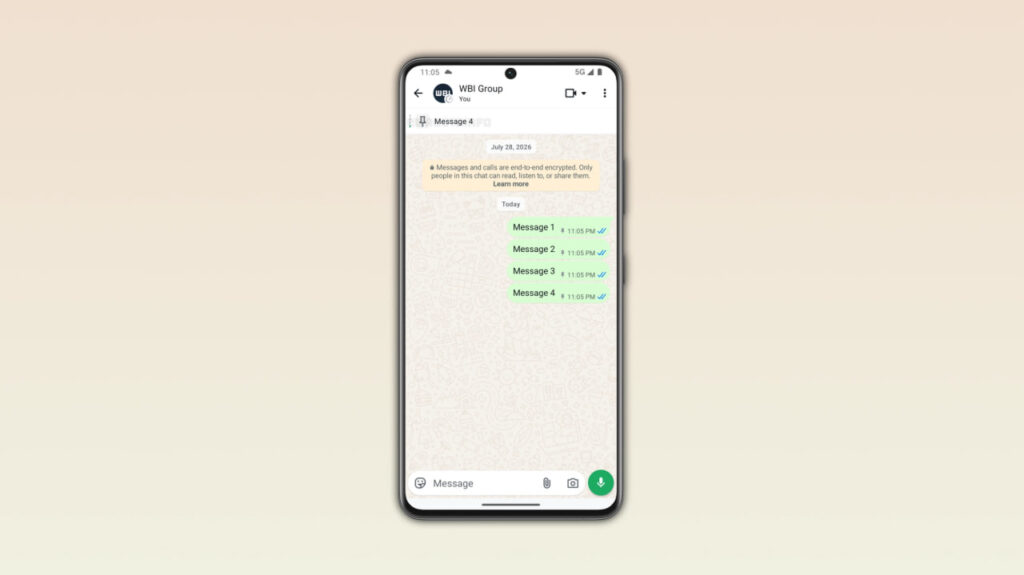
Image via WABetaInfo
WhatsApp has also recently introduced notifications for pinned messages. Users can receive a notification when someone pins a message. However, these notifications will not appear if the chat is muted.
The new feature has been found in WhatsApp beta for Android version 2.26.35.8. It is currently available to some beta testers through the Google Play Store. WhatsApp is releasing the feature slowly, so some beta users may not see it yet.
For now, the four-message pinning feature is available only to some Android beta testers. WhatsApp has not yet announced when it will reach the stable version. The company is expected to roll out the feature to more users in the coming weeks.

Google Messages has recently added a new feature: chat themes. It allows users to change the background of their chats. This gives users an easy way to make their conversations look different and more personal.
Google tested the feature for several months. In August 2026, the company started giving it to more users. But soon after the rollout, some users started reporting problems.
Some users say the chat theme option has disappeared from the Messages app. For some people, it disappears and then comes back later. This makes it difficult for users to use the feature normally.

Image – SammyFans
A Google representative replied to a user on Reddit and suggested checking the Google Play Store for an update. A new update may already be available to fix the problem. Users should make sure they are using the latest version of Google Messages.
Some users are also seeing a delay when opening chats. The wallpaper may take one or two seconds to appear. This can make the app feel slow. There are also reports that Google Messages sometimes freezes when users try to choose a theme or leave the theme selection screen.
These problems do not appear to affect everyone. They may only happen on some phones or app versions. Google has not yet shared a full explanation. Android Authority has contacted Google for more information. For now, users can check the Play Store and update Google Messages.
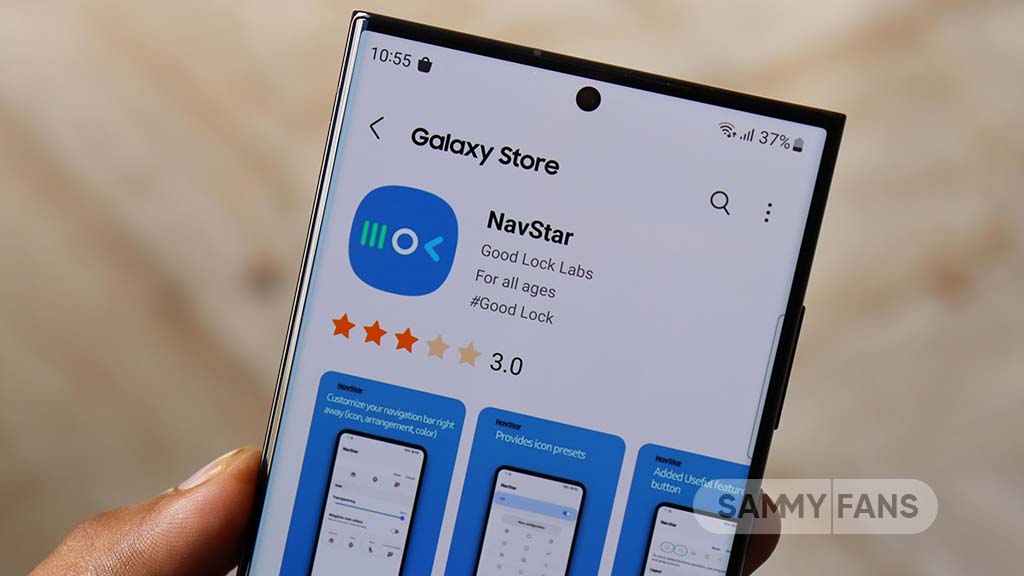
Samsung is rolling out a new update for its NavStar Good Lock module. The new update comes with version 9.0.00.16 and brings several fixes and improvements for Galaxy users.
NavStar is a part of Samsung’s Good Lock app. It allows users to change and customize the navigation bar on their Galaxy phones and tablets. The latest update mainly focuses on fixing problems and making NavStar easier to use.
The main change in this update is to fix navigation bar button placement and spacing issues. Some users may have noticed that the navigation buttons were not placed correctly or had uneven gaps between them. Samsung has now fixed these problems to provide a better navigation experience.
The update also brings UI improvements for foldable phones and tablets. Samsung has made changes to make the NavStar interface work better on larger screens and foldable devices. This should make the module easier and more comfortable to use on these devices.
Along with these changes, Samsung has also improved the usability and stability of the NavStar module. This means the module should work more smoothly and provide a more reliable experience for users.
The new version may not bring any major new features, but the fixes can improve the overall experience. Galaxy users who use NavStar to customize their navigation bar should get a smoother and more stable experience after installing version 9.0.00.16.
This is a useful maintenance update that focuses on fixing issues and improving NavStar for smartphones, foldable devices, and tablets.

Samsung is rolling out another Home Up update, with the latest release focused on bringing three improvements to elevate Galaxy customization. The update is currently available through Good Lock in South Korea and arrives as version 18.0.00.36.
Samsung Home Up gets three improvements
Samsung is addressing three specific bugs that could interfere with parts of the Home Up experience.
Home Up v18.0.00.36
- Fixed navigation bar button placement and spacing errors.
- UI improvements for foldable and tablet devices.
- Improved app usability and stability.
One fix targets the integrated Edge panel, where information about recently used apps could fail to appear. This should make the recent-app section behave more reliably for users who use the panel alongside Home Up.
Samsung has also resolved an intermittent problem affecting DIY Home. Some custom home screen elements could disappear or fail to show up correctly, making it difficult to maintain a personalized layout.
The third fix concerns the Favorites blur setting. Samsung has corrected an issue with the condition that determines when the blur effect is activated, so the option should now work according to its intended behavior.
Previous updates
Home Up v18.0.00.32
- Fix DIY Home Screen Layout Position Errors
Home Up v18.0.00.30
- Fix DIY Home Screen Configuration Errors During Smart Switch Restoration
- Improved DIY sort mode operation
- Fixed error displaying Integrated Panel app shortcut
- Apply detailed leveling to favorites background adjustment steps
- Bug fixes and user feedback incorporated
The Home Up 18.0.00.36 update is currently rolling out (via TarunVats) in Korea, with wider availability expected to depend on Samsung’s regional rollout.
-
 One UI21 hours ago
One UI 9.0 Beta and Stable testing on these Samsung devices
-
 Issues3 days ago
Galaxy Z Fold 8 owners report unusual flexibility along screen edges
-
 Good Lock2 days ago
Samsung NavStar becomes more stable and easier to use on Galaxy devices
-

 News2 days ago
Samsung plans a major push for affordable phones in the second half of 2026