
Samsung
Samsung launches new Network Speed Indicator for Galaxy devices

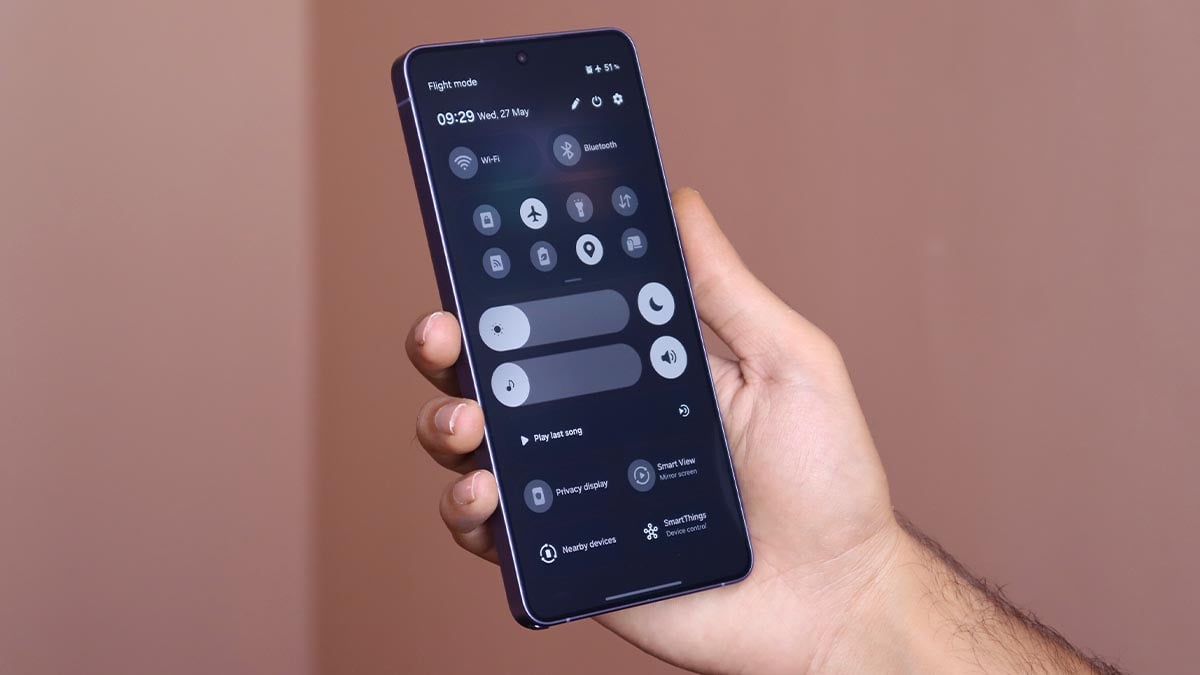
Samsung just dropped a One UI 9-compatible QuickStar update, which revives the Network Speed Indicator for Galaxy’s Status bar. That’s a massive upgrade for Galaxy smartphone users who have been waiting for years.
A network speed indicator in Status bar keeps users updated with the network quality. This allows users to monitor the surfing/download speed in real-time. This is not just a visibility upgrade, but a tool that’s helpful in everyday usage.
Samsung brings Network Speed Indicator
Network speed is disabled by default in the QuickStar app. You need to switch the toggle on to add a network speed monitor to the Status bar. Once enabled, it will appear along with other icons at the right side of the Status bar.
We tested the feature on your Galaxy S26 Ultra running One UI 9 Beta. The indicator shows speed for both WiFi and mobile data connections. Based on speed, the indicator should alter the unit across KB/s, MB/s, and GB/s.
You may like: One UI 9.0 Status bar icons are bigger, bolder, and clearer
The new feature has been reflected in the QuickStar app’s 11.0.03.15 version. The APK file of the app has been provided by X user Kailash (thanks!).

Your Samsung phone will also receive the feature to add a native Network Speed Indicator to the Status bar. The current requirement is One UI 9, based on Android 17, which is presently available in Beta for the Galaxy S26 series.
After the OS version, you will need to install Good Lock and its QuickStar plugin. A little bit of manual effort will let you optimize the Status bar. The newly added option in the “Indicator Icons” section is “Network speed.”


Samsung is officially bringing AI-powered Notification highlights to the Galaxy S25 series, namely Prioritise and Summarise features. The rollout has already started in Korea, and the AI tools will soon land on your Galaxy device.
Apple iPhone users are familiar with smart notification features. iOS has had similar features for a while now, which smartly handle notification overload. Samsung has brought two big AI features to the Galaxy S26 series at launch.
One UI 8.5 development version included AI-powered Prioritise and Summarise features for the Galaxy S25 series, which Samsung didn’t carry forward in the official version.
The Stable One UI 8.5 update, rolled out in May 2026, didn’t bring the two AI notification tools to the Galaxy S25 series. However, Samsung is now delivering those tricks to its 2025 flagships as part of the June 2026 firmware update.
Samsung AI can Prioritise and Summarise notifications
Samsung installed the “Notification highlights” section within Galaxy Settings, which carries these AI tools. The company says that these features are designed to categorise and summarise notifications to handle overload.
Prioritize Notifications
- Displays important notifications first to ensure you never miss what matters most.
- Only prioritizes notifications in your phone’s system language.
- Analyzes importance based on user information and notification content, with all data processed securely on the device.
Summarize Notifications
- Offers summaries of conversational notifications, saving you the effort of opening each one individually.
- Allows you to quickly understand essential details without sifting through extensive messages.
How to activate Notification highlights
Follow the steps below to activate Prioritise notifications and Summarise notifications:
- Step 1. Tap Settings
- Step 2. Select Notifications
- Step 3. Select Notification highlights

- Step 4. You can activate Prioritise notifications and/or Summarise notifications
- Step 5. Activate Prioritise notifications
- Step 6. Activate Summarise notifications

Pro tip: Samsung’s official landing page says that Galaxy users are allowed to enable or disable Prioritise notifications and Summarise notifications for each app individually in its settings.
Not all apps are compatible with Notification highlights
Samsung shared a long list of apps that work with Notification highlights. The list includes WhatsApp, Facebook Messenger, Google Messages, WhatsApp Business, Snapchat, Telegram, Samsung Messages, Zalo, Rakuten Viber Messenger, imo, Discord, MAX, KakaoTalk, WeChat, Signal, imo HD, Zangi, Plus Messenger, imo beta, aka, imo Lite, MiChat, Telegram X, Zello PTT Walkie Talkie, Messenger Kids, Graph Messenger, VK Messenger, Bip, GroupMe, Azar, Teams, TikTok, Facebook, Instagram, QQ, and Visual Voicemail.


A Galaxy S25 user recently reported losing data while saving a 205-page PDF scanned through the Document scan feature, and Samsung has confirmed that a fix for this issue is in development.
The user says that after reaching a certain number of scans, the mobile automatically switches to camera without saving the PDF. Therefore, interrupting the scan and save process. Additionally, the issue remained the same on a second test. However, there aren’t any issues in scanning and saving a small number of scans.
In that regard, a moderator acknowledged the issue and replied with the following statement:
“Regarding your inquiry about PDF saving errors when scanning documents, we have conducted internal tests and confirmed that certain errors occur in specific situations. We have forwarded this to the relevant department, and an analysis is currently underway.”
Solution
Samsung devs have started working on a solution to improve this feature with a future software update. The moderator suggests that users back up important data before upgrading to the latest version and keep the phone updated with new releases.
Still, the moderator hasn’t revealed anything about the release date, which will be based on the development time and final validation.
However, the Samsung team gave a temporary solution to fix the document scan issue. Users should know that the high resolution can scan and save 100 pages at a time. The medium resolution can save 200 pages, and the low resolution can save 300 pages at a time.
Document scan on Galaxy S25
The document scan was first introduced with the Galaxy S26 series. The feature made its way to the Galaxy S25 series with the One UI 8.5 update.
You can set the scan mode to ‘Auto’ or ‘Manual’ to scan accordingly. Once scanned, the scanner will polish the color and text in the images. Later on, you can tap on the ‘Next’ to retake, remove, or edit the scanned images. Eventually, you can output the scanned images as a PDF. Similarly, you can document images from the gallery to form a PDF.

Samsung has been launching good yet affordable phones under its Galaxy A-Series, but they might no longer be good at pricing. After launching Galaxy A17, Galaxy A37, and Galaxy A57, the company has Galaxy A27 in the pipeline for 2026.
Galaxy A27 5G would join the almost-complete lineup of Samsung’s A-series phones for 2026. The smartphone would be close to the Galaxy A37 from an overall experience perspective, while keeping the price lower.
Rising costs of hardware components are making it difficult for phone makers to keep prices lower. Samsung has already ramped up prices of some existing products, and the new devices are coming with a substantial hike.
Galaxy A27 5G is yet to go official, but a leaker has now revealed its potential pricing. The device could start at €349 in Europe, while the 8GB RAM version with 256GB storage may cost around €439 in select markets.
Galaxy A-Series prices
- Galaxy A17 – $199
- Galaxy A27 – €349 (~ $400) – Unconfirmed
- Galaxy A37 – $449
- Galaxy A57 – $549
Galaxy A57, despite being a Galaxy A-series phone, costs as much as the Galaxy S25 FE flagship. The A phone has edges in certain aspects over the FE model, but the natural gap persists: a flagship phone is a flagship phone.
The Galaxy S25 FE starts at $649 in the US for its 128GB storage variant. There’s a 256GB storage model as well, which is $100 pricier than the base model. Samsung offers up to a $100 discount during seasonal sales nationwide.
That said, getting a good and affordable phone in 2026 isn’t easy. Samsung has many options, and they are great, but the price increases have made things worse.

Even though Samsung has made significant improvements in Galaxy’s software optimization, the battery life aspect remains one of the most criticized. As we start to discuss the Galaxy S27 Ultra, I want Samsung to add extra battery life to the flagship phone.
Samsung is behind in battery capacity in flagships, as compared to its Chinese rivals. Competitor brands like Xiaomi, Honor, and OnePlus shipped their devices with massive battery sizes, even though they are still irrelevant.
Galaxy S27 Ultra should improve battery life
Rumor has it that the Galaxy S27 Ultra might get big structural changes inside and out. The vertical camera setup would be replaced with a horizontal module. The aim is to vacate space inside and use better sensors and probably a bigger battery.
Samsung might not be jumping to silicon-carbon battery anytime soon. Meanwhile, an mAh bump in the current capacity isn’t impossible. If rumors are accurate, the Galaxy S27 Ultra may have more mAh than the S26 Ultra.
If Galaxy S27 Ultra gets a battery of 5200mAh or 5300mAh, this would make a big impact on the overall battery life. The current 5000mAh still survives moderate usage all day long, but it starts worrying users when they are out.
Battery bump alone can’t make it happen
As AI continues to increase resource consumption, system-level changes have become necessary. We see phones with 6000mAh and 7000mAh batteries dying before Galaxy and iPhone.
Samsung has to work on multiple fronts, including chip optimization, software, and battery capacity. An expansive AI feature set is going to be more power hungry, and the next-gen chip could also require more power.
Snapdragon 8 Elite Gen 6 or 6 Pro could power the Galaxy S27 Ultra. It will be manufactured using TSMC’s 2nm process node. This technological upgrade will also improve power efficiency apart from upscaling performance.
Preinstalled One UI version is considered the most stable and reliable firmware. Users start to face battery life issues after installing major updates. Samsung should address that problem at the earliest before the situation worsens.
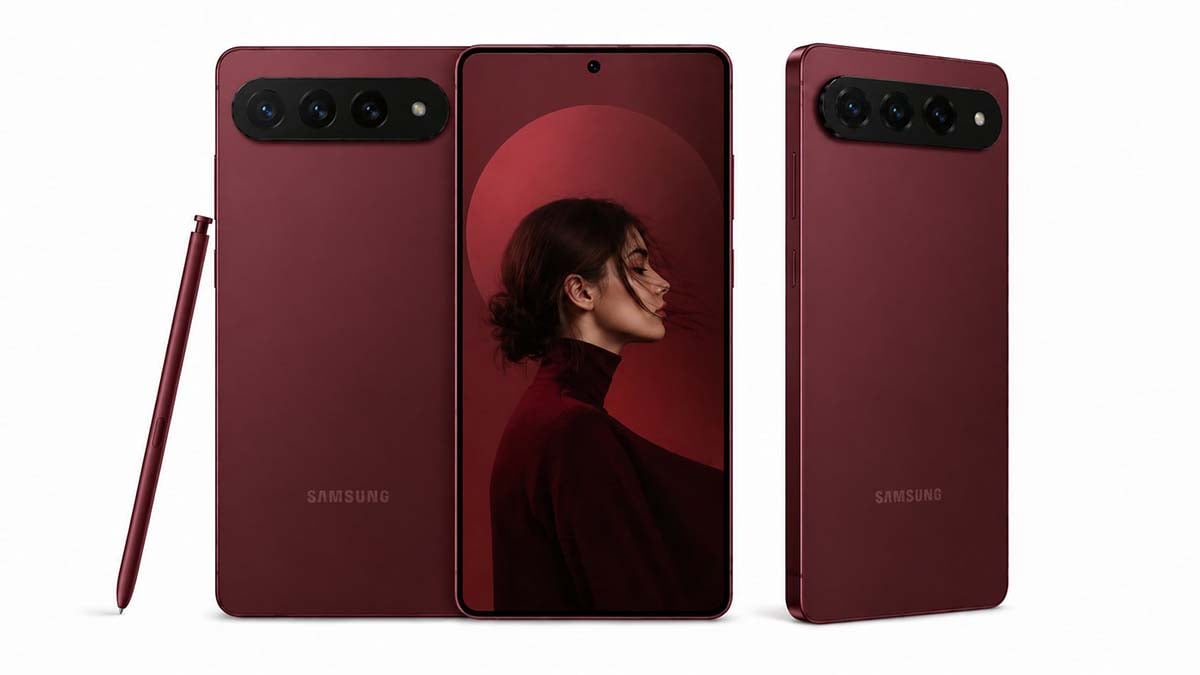
Image – Samsung Galaxy S27 Ultra AI Render | Source – Ice Universe (X)

Galaxy S26 Ultra introduces Samsung’s Ultra AI features that help it stand out in 2026. The company’s latest press release highlights the features that make the device an ideal companion for Summer travel in the US.
The headline feature is something no other phone has pulled off: a built-in Privacy Display. Camera-wise, the Galaxy S26 Ultra ships with Generative Edit, Super Steady video with Horizontal Lock, and Nightography video designed for low-light shooting.
Samsung highlights in its latest press release:
Galaxy S26 Ultra features the world’s first built-in Privacy Display, along with AI-powered camera enhancements like Generative Edit, Super Steady video with horizontal lock, and Nightography video for clear and vibrant footage.
It’s Samsung’s first device to support APV, a professional-grade video codec. Additionally, the chipset is customized, and the thermal management is upgraded for sustained AI workloads.
Plus, Galaxy S26 Ultra is Samsung’s first-ever device to support APV, a new professional-grade video codec. S26 Ultra also has a customized chipset and upgraded thermal management for more powerful AI experiences, wrapped up in the slimmest Ultra yet.
Galaxy S26 Ultra topped US Consumer Reports’ ranking:
Samsung Galaxy delivered in the premium smartphone category with the latest Ultra model, underscoring the tech leader’s competitive edge when Galaxy S26 Ultra emerged as Consumer Reports’ top-rated phone.
Samsung is offering up to $720 off with an eligible trade-in through the official website. Carrier and retailer deals are also running for the summer. If you’ve been sitting on an older Galaxy, this is the window.
-

 One UI2 days ago
These Samsung Galaxy devices received One UI 8.5 official update
-

 Updates3 days ago
iOS 27 supports iPhones from 2019, Samsung’s 2022 flagship denied One UI 8.5
-
Samsung3 days ago
7 Galaxy S26 Ultra features worth exploring, plus up to $720 off
-
 Issues2 days ago
Samsung One UI 8.5 had a 5-month Beta, but battery life seems a mess