
Apps
Android Auto may finally let you switch music apps without reopening them

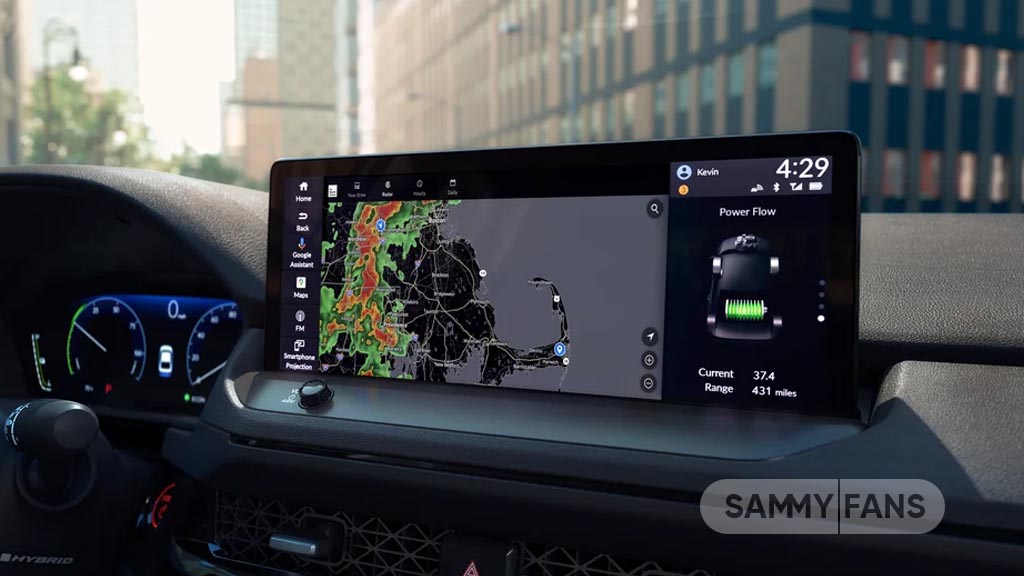
Google is planning a new feature for Android Auto that music and audio fans will love. Soon, users will be able to see multiple media cards on the dashboard and switch between apps without having to reopen them every time.
Right now, Android Auto shows only one music or audio card at a time. If you are listening to Spotify and then want to switch to YouTube Music, the Spotify card disappears. To go back to Spotify, you have to open the app again and start playing music. This can be frustrating, especially while driving.
The upcoming update will change that. According to the latest beta version of Android Auto (via Android Authority), the dashboard will show more than one media card at the same time. Users can swipe through these cards and quickly switch between apps like Spotify, YouTube Music, Audible, or other audio apps.
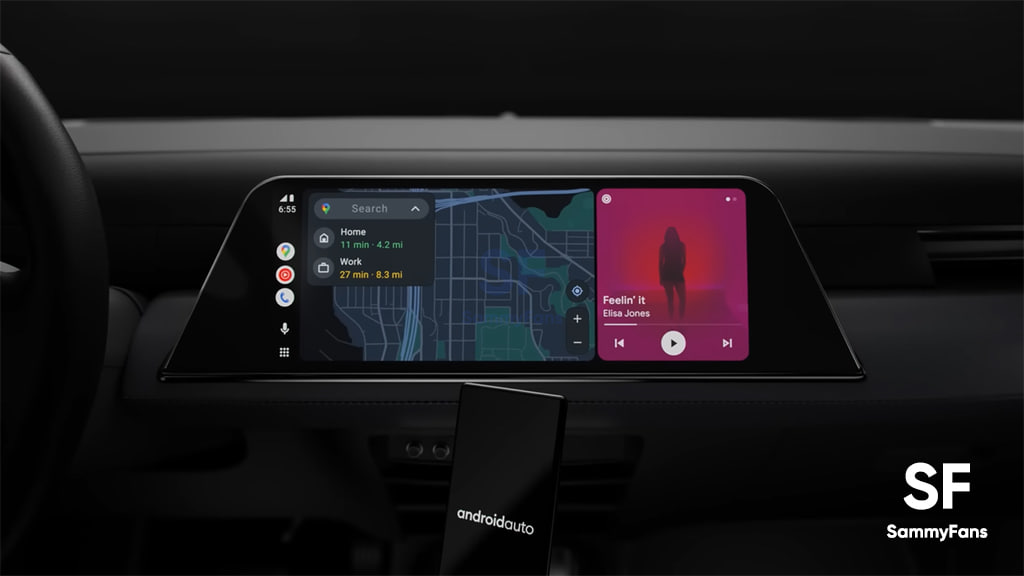
This feature is especially useful for people who listen to music, podcasts, and audiobooks during the same trip. For example, you might want to listen to music while driving on the highway and then switch to an audiobook in the city. With the new multi-card system, switching will be as simple as a swipe, without having to reopen apps.
Although the feature isn’t available to everyone yet, its presence in the beta version shows that it will likely arrive in a future Android Auto update. Along with other recent features, including Call Screening, Call Notes, and home screen widgets, Google continues to make Android Auto more helpful and easier to use.
This small change will make a big difference for anyone who uses multiple audio apps while driving. It gives them a smoother, more convenient experience on the road.





Samsung Theme Park has gained One UI 9 compatibility with its previous update, but an editing issue started haunting other versions. Something crushed the icon editing of the Good Lock plugin, which made some icons disappear.
With the Theme Park version 1.1.02.2, Samsung has addressed the icon editing issue that appeared on One UI versions older than One UI 9.
Unlike smartphone updates, Samsung defined what the latest Theme Park update does.
Samsung has fixed the Theme Park issue, which was rendering the Clock and Calendar icons invisible on the per-app editing page. Users on One UI 9 had no complaints, but all the other versions were impacted.
“Fixed an issue where the clock and calendar icons were not visible when entering per-app icon editing on devices running a version other than One UI 9.”
Thanks to the Samsung update, the Theme Park app will now offer a better editing experience on Galaxy devices. Icons won’t disappear on the editing page, letting users make customizations with ease and proper control.
The new app is available on Galaxy Store with wider availability. You can update the app right from the Good Lock app or search “Theme Park” in Galaxy Store.
Related article:


Samsung Music app is getting a fresh update at the start of this week, bringing two design changes to its Widgets. While the update is available for everyone, the changes are applied to the latest One UI versions (8.5 and 9.0).
Galaxy users must have the Samsung Music app on their devices. It’s available on Galaxy Store and boosts the media player experience. The application actively receives new updates with bug fixes and UI enhancements.
Samsung Music Widgets are getting better
With the latest update, Samsung Music has improved the visibility of interactive elements. The widget itself has gone a little bigger in the latest version. The size increase offers more space for the elements to brace the padding.
Additionally, the 3×1 layout has been replaced with a 4×1 style. The previous version allowed both 3×1 and 4×1 designs on the home screen, but the newer iteration restricts the customization, making 2×2 and 4×1 the only layouts.

3×1 was indeed an option, but it never looked good on the homescreen. The 4×1 design is actually better, but Samsung shouldn’t have removed the 3×1 option as it was indeed a choice of many who want this anyway.
Instead of dumping 3×1, Samsung should have renamed the 3×1 to 4×1 in the Widgets Gallery. The 4×1 layout has been available on Galaxy devices for a long time.
The overall appearance remains the same on the latest version as well. Samsung has only made changes to the layout and sizing of the horizontal widget. The boxy option is almost the same as the one already available on the device.

June 20, 2026 | WhatsApp is rolling out a minor visual upgrade that makes a great positive impact on the user experience. WhatsApp is testing a new online indicator for Android devices, which is a familiar Green Dot.
As discovered by WABetaInfo, WhatsApp will show a Green Dot on profile icons when the contact is online on the messaging app. Instagram and Telegram users are familiar with the online indicator, which is being prepared for WhatsApp.

June 19, 2026 | WhatsApp Beta in iOS brings back smoother message animations. The app’s Android Beta has recently adopted new animations, which are now expanding to Apple users after a brief pause in previous Beta builds.
Recently, WhatsApp Android Beta added smoother message sending animations. Apple users who are testing WhatsApp Beta are now getting (via WABetaInfo) this visual improvement as well.
WhatsApp Beta for iOS 26.24.10.70 carries the visual changes for Apple devices. They appeared on Android as part of WhatsApp Beta for Android 2.26.23.11 last week.
The new animations ensure a more lively chatting experience on the page. Tapping the send button will no longer immediately surface the message bubble.
Rather, the message bubble will carry a smooth animation to appear alive by fading smoothly. WhatsApp is also bringing controls, so you don’t have to end up dealing with the animations as a necessity.
The animations will also be in effect when you receive a new message. The iOS version, which replaced the previous one, is something different from Android.
Unlike the previous animation effect, the message bubble now fades in while slightly scaling up as it settles into the conversation, which feels noticeably smoother.
The option is available within WhatsApp Settings > Chats > Animations, where users can control animations for emojis, stickers, and GIFs.

The changes are currently limited to the Beta version of the application. Users will receive the new animations once developers verify the stability of these visual improvements.
Related article:

At VivaTech 2026 in Paris, Samsung laid out a blueprint to turn the average household into a proactive hub for preventive medicine. Through an open network of connected devices and specialized healthcare partnerships, Samsung is positioning itself to shift medical/doctor screening out of clinics and directly into the home.
According to Hon Pak, Head of the Digital Health Team at Samsung Mobile eXperience, daily wellness is entering a brand-new era.
Rather than relying on single standalone gadgets, Samsung is tapping into its enormous global footprint, which currently supports 77 million monthly active users on Samsung Health and 460 million users on SmartThings.
By integrating home appliances, TVs, and wearables, the system sets up personalized automation routines to quietly manage family well-being.
Adding the Missing Diagnostic Layer
The core of this ambitious push relies on open collaboration with specialized health innovators to bridge the historic gap between hospital settings and domestic life:
SiPhox Health: Contributes a clinical-grade diagnostic layer, allowing households to track continuous biomarker data alongside wearable metrics through at-home blood testing.
Generation Lab: Supplies targeted solutions that allow users to measure biological age and manage aging right from the living room.
Xealth: Works directly with the ecosystem to seamlessly bridge daily home data back to traditional hospital clinical care.
Samsung envisions an AI-driven “daily companion” that understands individual biological needs to smoothly automate lifestyle improvements where people spend most of their time.
Looking at the next five years of healthcare in the context of the AI era, Pak concluded, “A daily companion that knows who I am, as well as what I need and when, will help me achieve my health goals seamlessly through lifestyle behaviors and connected innovative partner services.”

3 big changes coming to WhatsApp: Home screen widgets, group overhauls, and feature retirements


WhatsApp is testing a series of UI changes and feature adjustments. Recent beta releases reveal that the messaging giant is focusing heavily on home screen accessibility, streamlined group management, and cleaning up underutilized features.
Here is a breakdown of the three major changes currently rolling out or under development.
Widget for voice messages
WhatsApp is expanding its Android home screen shortcuts to streamline daily interactions.
A new resizable 3×1 widget allows users to record voice notes with a single tap directly from their home screen, bypassing the need to open the app and locate specific chats.
Once recorded, the audio can be sent to individual contacts, multiple recipients at once, or shared as a status update.
Redesigned group chat info screen
WhatsApp is reorganizing the group chat info interface by introducing two dedicated hubs at the very top of the screen:
- Preferences: Consolidates personal choices like Chat Themes, Media Visibility, and storage management tools.
- Privacy: Houses security configurations, including Chat Lock settings and end-to-end encryption details.
You may like: WhatsApp is redesigning its About section with a live preview screen
Privacy setting for avatar stickers
WhatsApp is discontinuing its avatar feature due to low user engagement. Users can no longer create, edit, or send new custom avatar stickers from the keyboard.
The application is also removing the associated privacy settings that controlled collaborative sticker pairing. Notably, past avatar stickers remain saved in old chats or personal favorites.
Related articles:
-

 One UI2 days ago
These Samsung Galaxy devices received One UI 8.5 official update
-
 Phones14 hours ago
Samsung Galaxy Z Fold 8 release date allegedly revealed; Flip 8 to get Snapdragon chip in the US
-
 One UI1 day ago
Samsung is testing One UI 9.0 (Android 17) for these 22 Galaxy devices
-

 One UI3 days ago
Samsung Galaxy Watch 9, Ultra 2 new design, colors, buttons and UI leaked