
Issues
Are you still facing battery draining issues on One UI 7 devices?

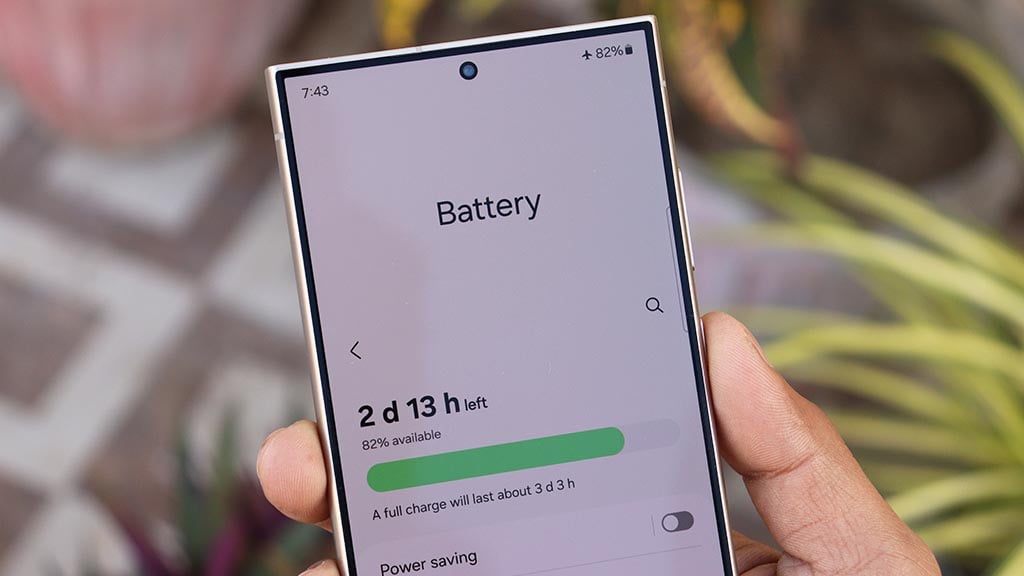
One UI 7 introduced major changes and new features to Galaxy devices, including a sleek new design, an upgraded quick settings panel, and some exciting AI features for a next-level Galaxy experience. However, there’s one major issue that many One UI 7 users of Galaxy devices are facing – battery drain.
Usually, after a major update, you might notice a minor drop in battery life as your phone adjusts. But for some users, this problem has persisted for months. Earlier, flagship devices like the Galaxy S24 series, Z Fold 5, and others running One UI 7 reported about battery drain issue. Still, some users are seeing their batteries drain much faster.
Some users found that installing the latest security patches helped, but many are still facing the issue. Others have tried temporary solutions, but nothing seems to stop the battery from draining so fast. This can be really frustrating, especially when you’re using a premium Galaxy phone that’s supposed to last longer.

Many battery-saving tips are surfacing online, but they often require turning off important features. While these tips may help save battery, they can also limit the full experience of your phone.
Although One UI 7 has brought a lot of great changes, the battery issues are a major downside for many users. Right now, most Galaxy phones are running One UI 7, while Samsung’s One UI 8 is only available on the latest foldable devices and as a beta for the Galaxy S25 series.
So, if you are using a Galaxy smartphone running One UI 7 and facing a battery drain issue, share your experience in the comments, along with your device model.
Here are some official tips to fix Samsung One UI 7 battery drain issues





Samsung Galaxy users are reporting a new problem with Google Photos. The app is no longer showing the normal Save option for some users running One UI 9. Instead, it only allows them to save edited pictures as new copies.
This means that even a small change, such as cropping a photo, creates a separate image. Users who edit several pictures may end up with many unwanted copies in their photo library. They then have to delete these extra images manually.
Earlier, Google Photos allowed users to make simple changes and save them directly to the original picture. This feature also worked with advanced editing tools such as Magic Eraser and Unblur. So, the sudden removal of the normal Save option has left many users confused.
Several Galaxy users have shared their complaints on Reddit and Google’s Support forum. The problem has been reported on devices such as the Galaxy A35, Galaxy Z Fold 8 Ultra, and Galaxy S26.
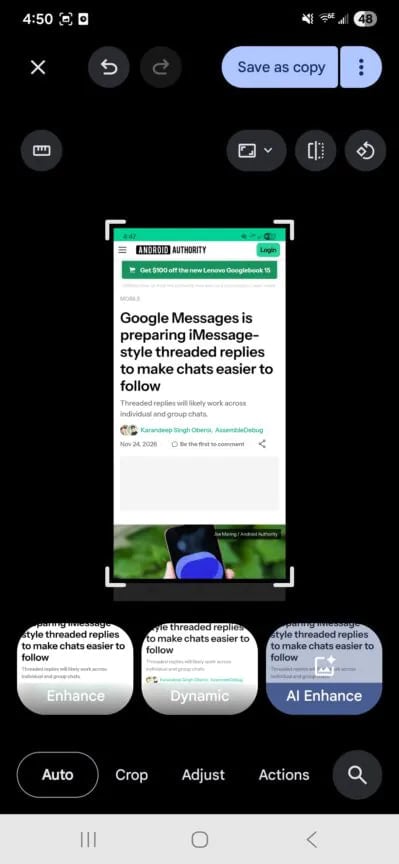
Image via Android Authority
The issue does not appear to be limited to photos taken with the phone’s camera. Users have also reported the same problem when editing screenshots and pictures downloaded from the internet.
Google Photos on a Samsung Galaxy S23 FE also found the same issue. After making a small change to a picture, the app showed only the Save as copy option. The normal Save option was missing from the editing screen and the three-dot menu.
At the moment, nobody knows whether this is a software bug or a change made intentionally by Google. However, one user has reportedly contacted Samsung about the problem, and the company has forwarded the complaint to its engineering team.
Neither Samsung nor Google has shared a clear explanation yet. Users will have to wait for an official response or software update to see when the issue gets fixed.


One UI 9.5 Beta 1 brings several welcome improvements to Samsung’s Galaxy ecosystem, but its first release has also exposed some frustrating bugs. Early feedback suggests that Samsung still has work to do before the software feels ready for everyday use.
The most notable complaints come from early adopters, who have highlighted three issues affecting the Quick Panel, screen recording, and Quick Share.
1. Quick Panel animations feel unfinished
The Quick Panel is one of the most frequently accessed parts of One UI, making its animation quality particularly important. According to Ice Universe, Samsung has almost entirely removed its usual animations in Beta 1.
Pulling down the notification shade reportedly feels abrupt rather than smooth and natural. This could be a temporary implementation issue, but it takes away some of the visual polish Galaxy users expect.
2. Screen recording is limited to 60fps
Samsung has reportedly restricted screen recording to 60fps, whereas previous software versions allowed recording at 120fps.
This is particularly inconvenient for creators, developers and technology enthusiasts who capture high-refresh-rate gameplay or examine system animations frame by frame.
3. Quick Share doesn’t work with VPN enabled
This is arguably the most frustrating issue for everyday users.
Galaxy S26 users also report that Quick Share stops working when a VPN connection is active. Users must reportedly disconnect their VPN before transferring files.
Quick Share is supposed to make sharing files between devices convenient. Adding an extra step to disable a VPN makes that experience unnecessarily complicated.
Yes, the quick panel lag is still present in one UI 9.5 beta for now
byu/teneman inoneui
These problems highlight an important distinction between introducing new features and delivering a polished software experience.
Samsung has introduced meaningful additions, including App Lock, improved Pro camera controls, Mindful Note, and expanded accessibility options.
However, everyday reliability matters just as much as new functionality.
There are also community reports of Quick Panel lag and layout glitches, although experiences vary between devices and configurations.
For now, these reports should be treated as early beta feedback rather than evidence of widespread problems.
Samsung should prioritize restoring smooth Quick Panel animations, reviewing the 120fps screen recording limitation, and fixing Quick Share compatibility with VPN connections.
One UI 9.5 has promising additions, but its everyday experience needs further refinement.

Samsung One Hand Operation + is a useful app that makes it easier to use a phone with one hand. However, some users are facing an issue with the widget pop-up size. The problem has been reported on the Samsung Community, and users are waiting for a proper solution.
According to the user, there is a noticeable size difference between the external and internal widget pop-ups on Galaxy foldable phones. Although Samsung previously said that this change was intentional, the user feels that the difference is too big.
Another issue is that when opening the widget pop-up, its size sometimes changes for a moment. The screen blinks once, and then the pop-up returns to its original position. This makes the opening experience look a little unstable. The user also hopes Samsung will provide a bigger widget pop-up size for a better viewing experience.

In response, the One Hand Operation+ Development Team apologized for the inconvenience. The team confirmed that the widget popup looked smaller than intended in the shared screenshot.
However, developers could not reproduce the same issue under similar conditions. Therefore, they requested the user to record a video showing the problem on the main screen and submit it along with system logs through the Error Report option in the Samsung Members app. The team also confirmed that it would review the submitted information internally and consider possible improvements.
For now, users will have to wait for further investigation and a possible fix. Hopefully, Samsung will identify the reason behind the size difference and occasional flickering and improve the widget pop-up in a future update. Stay tuned for more information.

Android Auto users are facing a frustrating problem when making calls or sending messages using voice commands. Some Google Pixel and Samsung Galaxy users say Android Auto keeps asking them who they want to contact, even after they have clearly said the person’s name.
Sometimes, Gemini understands the contact’s name and even shows it on the screen. However, it still asks users to repeat the name instead of making the call or sending the message.
Some users say that giving a phone number directly works, but asking Android Auto to call someone by their saved contact name does not. This suggests there may be a problem with how Android Auto finds saved contacts. The problem has been reported since early October. Affected devices include the Pixel 10, Pixel 10 Pro, Galaxy S24, Galaxy S25 Ultra, and Galaxy S26.
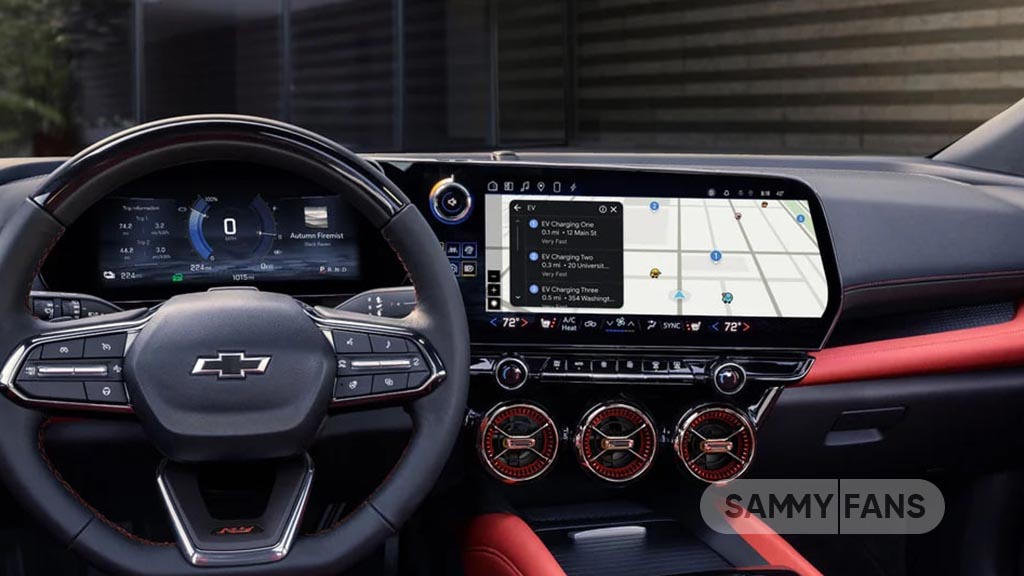
Google’s Android Auto support team is aware of the complaints and is collecting information from affected users. The company is asking for phone details, software versions, vehicle information, and whether users connect through a USB cable or wirelessly.
However, Google has not confirmed the reason behind the problem or announced a fix yet. This is not the first time Gemini has faced issues with Android Auto. Google has fixed other calling and voice assistant problems in recent months.
The issue is frustrating for drivers because Android Auto is designed to make calls and send messages easier without touching a phone. For now, affected Pixel and Samsung users will have to wait for Google to fix the problem.

One UI 9 update reportedly triggers widespread network (Wi-Fi and cellular) drops and SIM card issues on Samsung devices. A growing wave of reports across community forums and Reddit points to deep-seated baseband and Wi-Fi subsystem instabilities.
Affected devices, ranging from mid-range Galaxy A-series models like the A56 and A52s to premium handsets including the Galaxy S24 Plus and Galaxy Z Fold 7, are experiencing random Wi-Fi drops, broken 5GHz band handoffs, and localized failures in IMS services like Wi-Fi calling.
More critically, several users report (via Android Authority) complete physical SIM detection failure post-update, with embedded diagnostic utilities returning no detected card. Standard remediation steps, including network settings resets and full factory restores, are failing to clear the fault state, strongly indicating a corrupted radio interface layer (RIL) build or power-management firmware regression tied to the update’s base image.
While some power users have isolated a temporary mitigation by disabling Wi-Fi 7 mode via hidden Connectivity Labs menus in Developer Options, this path is unavailable on non-flagship chipsets that lack the explicit toggle.
The widespread occurrence across both Exynos and Snapdragon platforms suggests the fault lies within Samsung’s overarching One UI 9 platform framework or updated modem firmware binaries rather than vendor-specific silicon drivers.
Samsung community moderators have advised booting into Safe Mode, but without an emergency hotfix build, affected users are left with severely compromised devices.

Apart from this, Samsung’s One UI 9.0 update is causing battery drain issues on certain models. The power consumption has been increased significantly, requiring more charging than before for a similar usage period and pattern.
You may like:
-

 News2 days ago
[Update: Jensen Huang returns] Nvidia appoints Colette Kress interim CEO
-

 Updates3 days ago
Battery life should improve on Galaxy S24 Ultra as its November update arrives globally
-

 One UI2 days ago
Samsung One UI 9.5: 10 new features worth trying
-
 Phones3 days ago
Three Galaxy S27 models spot-checked on India’s BIS amid S27 Pro chip decision