
Samsung
More Samsung Galaxy A33 users getting One UI 6.0 (Android 14) update

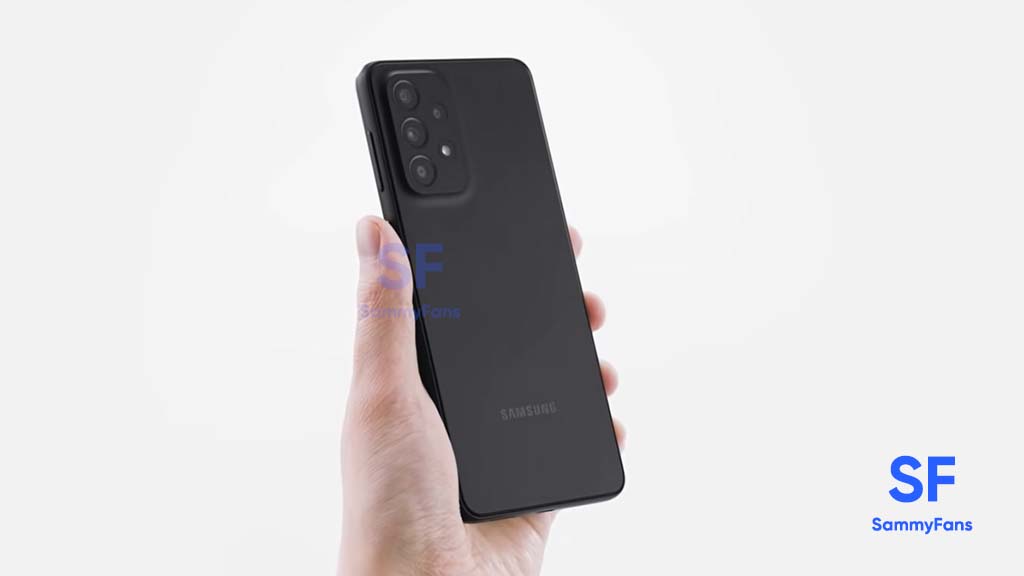
Samsung is expanding an Android 14-based One UI 6.0 update for the Galaxy A33 smartphone in Korea. The update is already for users in Russia and the company is regularly working to make it available in more countries.
Users of Samsung Galaxy A33 are getting One UI 6.0 update with One UI build version A336NKSU5DWL1 in Korea. The installation package size of this update is around 2.2GB and users can connect their smartphone to WiFi as the size is too large.
Follow our socials → Google News | Telegram | X/Twitter | Facebook | WhatsApp
Based on Android 14, One UI 6 comes with a revamped quick settings panel to provide easier access to the features you use most, enhanced Home screen widgets, a fresh design for emojis, and other improvements to take your Galaxy experience to the next level.
The latest update brings the December 2023 security patch to improve system security and stability by fixing several issues. Moreover, it updates several stock apps to the latest available version.
Users can check and install the update through Settings >> Software Update >> Download and install.
Samsung Galaxy A33 One UI 6.0 update – Korea #Samsung #GalaxyA33 pic.twitter.com/lHUA1JSI82
— Samsung Software Updates (@SamsungSWUpdate) January 4, 2024







Samsung Galaxy Z Fold 8 is officially on sale, and it’s already running the latest One UI 9 out of the box, based on Android 17.
If you just picked one up, or you’re still setting up your unit, there are a handful of settings buried in the menus that make a real difference to daily use.
Here are the five Settings worth changing right away:
1. Configure Battery Protection
One UI 9 gives you far more control over long-term battery health than before. Head to Settings, then Battery, then Battery protection. You’ll find three modes here:
- Basic: It stops charging at 100 percent and only resumes once you drop to 95 percent
- Maximum: This mode now lets you pick a hard cap of 80, 85, 90, or 95 percent
- Sleep time protection: It holds your charge around 80 percent overnight and tops off right before your alarm goes off.
2. Disable “Customization Service” to improve Battery Life
Samsung runs a background service that personalizes ads and app suggestions, and it quietly drains standby battery in the process.
Go to Settings, then Security and privacy, then More privacy settings, and find Customization Service. Turn it off.
3. Automate OTA and app updates
With Android 17 security patches rolling out regularly, you don’t want to be the person still on last month’s build. Under Settings, then Software update, turn on Auto download over Wi-Fi so you’re never far behind.
Then open the Galaxy Store, tap the menu icon, go into Settings, and set Auto update apps to Using Wi-Fi only.
4. Enable auto-backup for the new Lockout Policy
One UI 9 introduces a stricter lockout policy this time: 13 failed PIN or password attempts and the phone wipes itself automatically. It’s a smart anti-theft measure, but it also means an accidental pocket dial or a curious toddler could trigger a full reset.
Go to Settings, then Accounts and backup, then Samsung Cloud, and tap Back up data. Toggle on everything that matters to you: contacts, messages, your home screen layout, and make sure Auto backup stays active.

5. Add the built-in Google Search Bar
Long-press an empty spot on your home screen, tap the settings gear, and switch on Show search on home screen to pin a Google search bar just above your dock, a small addition but one you’ll use constantly.

Related article:

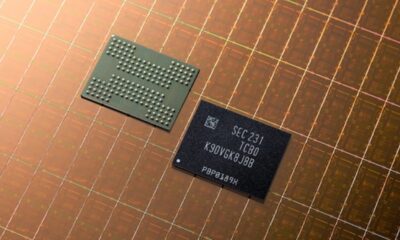
At Future of Memory and Storage (FMS) 2026 in Santa Clara, Samsung showcased a fresh batch of AI memory innovations, including zHBM and zNAND-O.
The company has once again reminded the industry why it sits at the top of the memory game. The showcase included two concept models, zHBM and zNAND-O, along with the industry-first V10 BV-NAND, a NAND architecture that pushes past 400 layers.
Samsung zHMB AI memory
The standout reveal was zHBM, a concept that flips the traditional HBM layout on its head.
Instead of placing HBM beside the AI accelerator, Samsung’s new architecture stacks it directly on top. It reduces the physical distance data has to travel, offering faster processing and better power efficiency for AI training and inference workloads.
Samsung claims a next-gen interface built around zHBM could hit roughly eight times the performance of HBM5, while memory density climbs past 10 times thanks to new wafer bonding tech. Energy efficiency reportedly triples too, and thermal resistance drops by more than half.
Samsung zNAND-O AI memory
Alongside zHBM, Samsung introduced zNAND-O, a NAND solution aimed squarely at edge AI. Built on the company’s existing V-NAND foundation, it’s being developed in four- and eight-layer configurations, focusing on space efficiency, quicker I/O, and low latency.
Samsung V10 BV-NAND
Then there’s V10 BV-NAND, which arrives 13 years after Samsung first introduced V-NAND back in 2013. This new generation uses Bonding V-NAND architecture and packs in more than 400 layers.
Wafer bonding technology plays a key role here too, letting Samsung stack cells more efficiently while also improving read, write, and I/O performance.
Additionally, Samsung used the event to lay out a broader roadmap covering everything from HBM and LPDDR to enterprise storage, all built around the idea of keeping AI infrastructure fast, efficient, and ready to scale.


Samsung revised its One UI software rollout roadmap and made it public along with the August 2026 security patch details. This is an important update for Galaxy users that lets them verify their device’s software lifespan.
Interestingly, Samsung has made no significant changes to its August 2026 software rollout roadmap. Nearly all devices that were listed in the July 2026 chart are carried over to the August 2026 chart.
Samsung classifies its roadmap in two parts: Monthly and Quarterly. Flagship phones receive the latest patches every month, while others get them once a quarter.
Based on device eligibility and age, the company places them in the appropriate category, then moves them once before permanently dropping them from software updates.
Here’s the latest update frequency schedule released on August 4, 2026.
Samsung Monthly Devices
This is the top tier of Samsung Galaxy updates. All the flagship phones enter the “Monthly” category for up to 6 years. The last year of their software lifecycle spends on a “Quarterly” rollout plan.
Galaxy Foldable Series
- Galaxy Z TriFold
- Galaxy Z Fold4, Galaxy Z Fold5, Galaxy Z Fold6, Galaxy Z Fold7, Galaxy Z Fold Special Edition, Galaxy Z Fold8, Galaxy Z Fold8 Ultra
- Galaxy Z Flip4, Galaxy Z Flip5, Galaxy Z Flip6, Galaxy Z Flip7, Galaxy Z Flip7 FE, Galaxy Z Flip8
- W23, W23 Flip, W24, W24 Flip, W25, W25 Flip, W26
Galaxy S Series
- Galaxy S26, Galaxy S26+, Galaxy S26 Ultra
- Galaxy S25, Galaxy S25+, Galaxy S25 Ultra, Galaxy S25 Edge, Galaxy S25 FE
- Galaxy S24, Galaxy S24+, Galaxy S24 Ultra, Galaxy S24 FE
- Galaxy S23, Galaxy S23+, Galaxy S23 Ultra, Galaxy S23 FE
Enterprise Models
- Galaxy A54 5G, Galaxy A55 5G, Galaxy A56 5G, Galaxy A57 5G
- Galaxy Tab Active5 Pro
- Galaxy XCover7, Galaxy XCover7 Pro
Samsung Quarterly Devices
All non-flagship Samsung phones and tablets receive “Quarterly” updates. They get listed in this expansive batch right after their debut. Flagship phones you see in this section are transferred from Monthly frequency.
Galaxy Foldable Series
- Galaxy Z Fold3 5G
- Galaxy Z Flip3 5G
Galaxy S Series
- Galaxy S22, Galaxy S22+, Galaxy S22 Ultra
- Galaxy S21 FE 5G
Galaxy A Series
- Galaxy A04, Galaxy A04s, Galaxy A04e, Galaxy A05, Galaxy A05s, Galaxy A06, Galaxy A06 5G, Galaxy A07, Galaxy A07 5G
- Galaxy A14, Galaxy A14 5G, Galaxy A15, Galaxy A15 5G, Galaxy A16, Galaxy A16 5G, Galaxy A17, Galaxy A17 5G
- Galaxy A23 5G, Galaxy A24, Galaxy A25 5G, Galaxy A26 5G, Galaxy A27 5G
- Galaxy A33 5G, Galaxy A34 5G, Galaxy A35 5G, Galaxy A36 5G, Galaxy A37 5G
- Galaxy A73 5G
Galaxy C Series
- Galaxy C55 5G
Galaxy M Series
- Galaxy M04, Galaxy M05, Galaxy M06 5G, Galaxy M07
- Galaxy M13 5G, Galaxy M14, Galaxy M14 5G, Galaxy M15 5G, Galaxy M16 5G,
- Galaxy M17 5G, Galaxy M17e 5G
- Galaxy M34 5G, Galaxy M35 5G, Galaxy M36 5G
- Galaxy M44 5G, Galaxy M47 5G
- Galaxy M54 5G, Galaxy M55 5G, Galaxy M55s 5G, Galaxy M56 5G
Galaxy F Series
- Galaxy F04, Galaxy F05, Galaxy F06 5G, Galaxy F07, Galaxy F70e 5G
- Galaxy F13, Galaxy F14, Galaxy F14 5G, Galaxy F15 5G, Galaxy F16 5G, Galaxy F17 5G
- Galaxy F34 5G, Galaxy F36 5G
- Galaxy F54 5G, Galaxy F55 5G, Galaxy F56 5G
Galaxy Tab S Series
- Galaxy Tab S11, Galaxy Tab S11 Ultra
- Galaxy Tab S10+, Galaxy Tab S10 Ultra, Galaxy Tab S10 FE, Galaxy Tab S10 FE+, Galaxy Tab S10 Lite
- Galaxy Tab S9, Galaxy Tab S9+, Galaxy Tab S9 Ultra, Galaxy Tab S9 FE, Galaxy Tab S9 FE+
- Galaxy Tab S8, Galaxy Tab S8+, Galaxy Tab S8 Ultra
- Galaxy Tab S6 Lite (2024)
Galaxy Tab A Series
- Galaxy Tab A11, Galaxy Tab A11+
- Galaxy Tab A9, Galaxy Tab A9+, Galaxy Tab A9+(2025)
Enterprise Models
- Galaxy A53 5G
- Galaxy Tab Active4 Pro, Galaxy Tab Active5
- Galaxy XCover5, Galaxy XCover6 Pro

Samsung has launched its first credit card, the Samsung Galaxy Card, in the US. It is made for people who want to earn cash rewards while shopping, especially when buying Samsung products. The card also gives rewards for everyday spending.
New cardholders can get a special welcome bonus. If you spend $2,000 within the first 90 days after opening your account, you will receive $200 in bonus cash rewards.
Samsung Galaxy Card offers different reward rates depending on where you shop. You earn 5% cash rewards when you buy directly from Samsung. This includes phones, tablets, TVs, accessories, and even preorders for new Samsung devices.
If you use the card through Samsung Wallet with Samsung Pay, you earn 3% cash rewards on your purchases. You also earn 2% cash rewards when paying for eligible streaming services like Netflix, Disney+, and Spotify. All other purchases earn 1% cash rewards, so you can still earn rewards on your everyday spending.
The card also comes with extra benefits. Cardholders get 20% off Samsung VIP Advantage memberships. You can also earn 5% cash rewards when you buy or renew a Samsung VIP Advantage membership.
The card works with Samsung Wallet, and Samsung Knox helps protect your personal and payment information with strong encryption. After your application is approved, you can start using the digital card in Samsung Wallet right away.
Samsung Galaxy Card is available for qualifying adults who are 18 years or older and live in the United States. The card is issued by Barclays US Consumer Bank and runs on the Visa network.

Samsung’s camera engineers clearly aren’t slowing down, and the next year’s flagship phone is shaping up to be another proof point. Galaxy S27 Ultra camera may retain Samsung’s advanced inkjet lens process technology.
According to industry sources, Samsung Electronics and Samsung Electro-Mechanics are extending the inkjet lens printing process, first rolled out on the Galaxy S26 Ultra, to next year’s Galaxy S27 Ultra camera as well.
Recently, an industry report revealed the camera specifications of the 2027 flagships.
Samsung’s upcoming Galaxy S27 Pro and S27 Ultra will feature 200MP main, 50MP ultrawide, and 16MP selfie cameras, whereas the Pro gets 12MP 3x telephoto and the Ultra adopts a single 50MP 5x telephoto sensor.
Samsung’s advanced inkjet lens technology
Inkjet lens process replaces anti-reflective film with matte ink applied via inkjet printing. Film has handled this job, but it has a thickness problem; matte ink applied through inkjet printing does the same job while taking up less space.
Samsung plans to bring this process to three rear camera modules on the S27 Ultra, mirroring what it did with the S26 Ultra this year. The lenses in question are reportedly the L3 Tele, L3 Wide, and L6 Wide. As before, only one lens layer per module gets the ink treatment, while the rest continue using conventional film.

The Ultra model continues to dominate Samsung’s Galaxy S lineup, accounting for roughly 40 to 50 percent of total shipments. It’s a clear signal of where Samsung’s priorities, and its most advanced camera tech, will keep landing first.
You may like: Industry report says Galaxy S27 Ultra loses 3x telephoto, S27 Pro adopts a new 12MP camera
-
 One UI7 hours ago
One UI 9.0 (Android 17) testing on these 50 Samsung devices
-
 One UI2 days ago
One UI 9 Watch is here but what about older Samsung Galaxy Watch users?
-
 One UI2 days ago
Official Samsung One UI 9.0 and One UI 9 Watch release in the market starting today
-

 One UI2 days ago
Samsung could start Galaxy S25 One UI 9 Beta Program next week