
Samsung
ISOCELL HW: Samsung preps whopping 432MP camera in 1-inch size

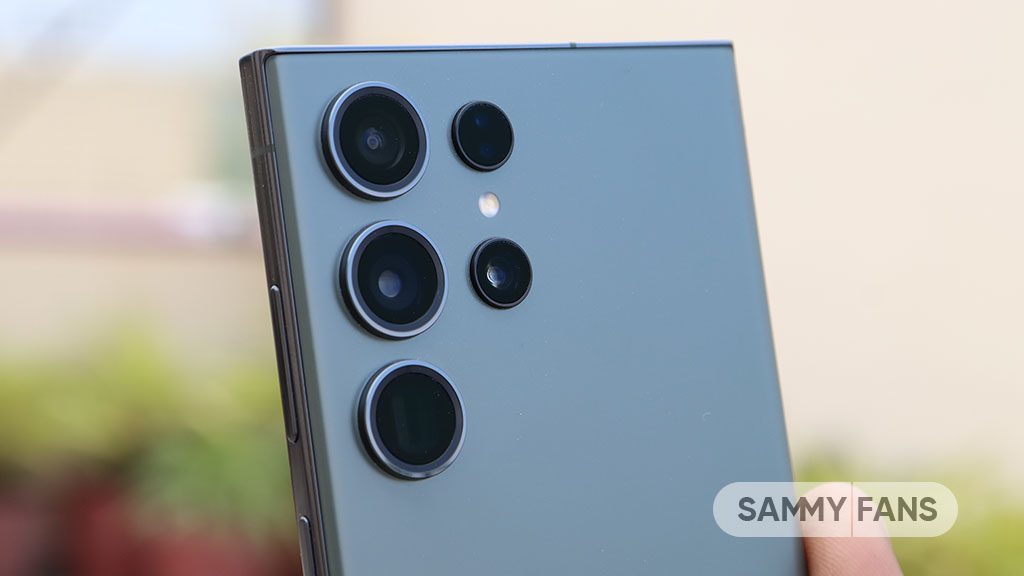
Samsung has its own range of imaging sensors, which falls under the ISOCELL portfolio. The company continues to develop new sensors to meet the evolving tech world. Now, a new leak suggests that Samsung is preparing a new ISOCELL HW series to introduce 1-inch camera with 432MP resolution.
According to @Tech_Reve, Samsung is preparing a 1-inch image sensor, which will debut under the new HW series. The tipster revealed that the ISOCELL HW1 will have a 1/1.05″ optical format, 0.56µm pixel size and a whopping 432MP resolution.
Follow our socials → Google News | Telegram | X/Twitter | Facebook | WhatsApp
In addition, the ISOCELL HP2 is rumored to bring a 1/1.07″ optical format and 0.5µm pixel size with the same 432MP resolution. Apart from possible details, the source didn’t reveal anything about the expected arrival timeline of these new imaging products.
It is expected that Samsung will continue to use GN3 for the Fold 6, and it is anticipated that starting from Fold 7, they will use S5KHP5.
And Samsung is preparing a 1-inch sensor, the "HW" series.
HW1 : 1/1.05" , 0.56µm , 432MP
HW2 : 1/1.07" , 0.5µm , 432MP https://t.co/2LC2se9TqU— Revegnus (@Tech_Reve) October 6, 2023


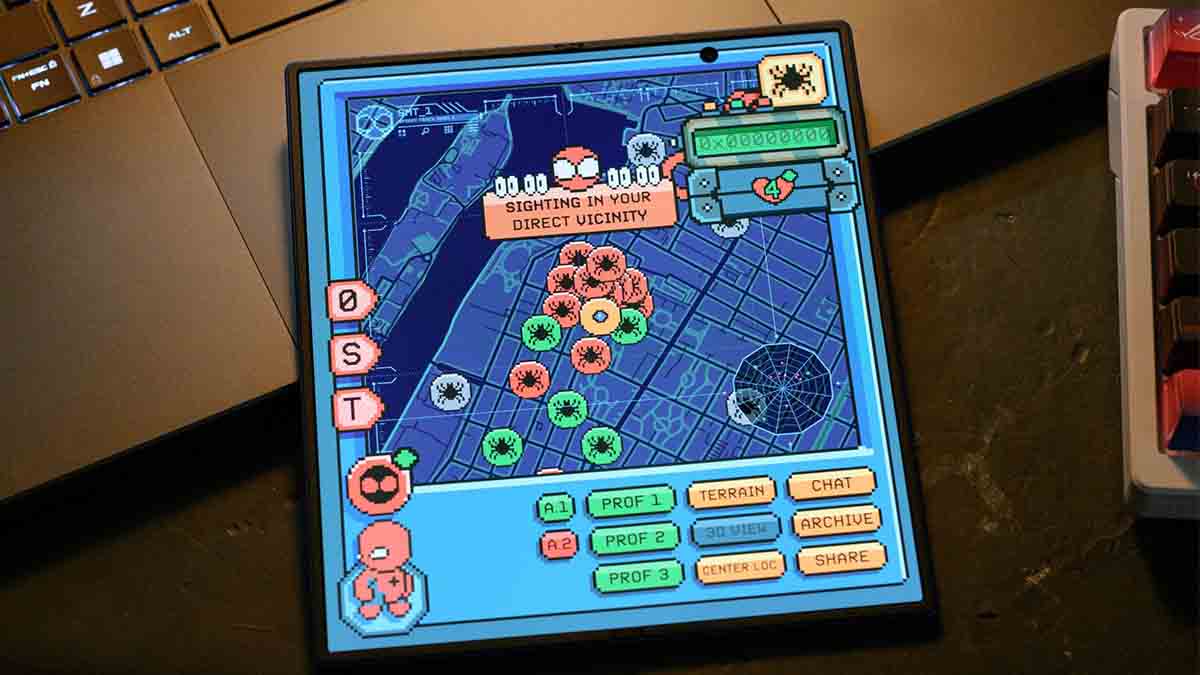


Samsung just launched the UFS 5.0 storage solution, which is expected to debut with the Galaxy S27 smartphones next year. The new memory chip offers several upgrades over the UFS 4.1, potentially elevating the S27 experience.
Galaxy S26 Ultra features a UFS 4.1 solution, which is mighty enough. Next year’s flagships would go even further with UFS 5.0 memory paired with LPDDR6 DRAM. On-device AI will land on a whole new level, thanks to these core upgrades.
5 ways UFS 5.0 could improve the Galaxy S27 experience
UFS 5.0 unlocks several key improvements, including faster data speeds, improved efficiency, and a smaller design. With read speeds of up to 10.8GB/s and write speeds reaching 9.5GB/s, it delivers over twice the performance of UFS 4.1.
The new memory standard also reduces power consumption by more than 40%, helping devices manage workloads more efficiently. Its compact 7.5mm x 13mm x 0.9mm package allows more design flexibility.
Additionally, support for capacities up to 1TB makes it suitable for future smartphones, wearables, and other connected devices. Other options could include 256GB and 512GB, paired with next-gen DRAM semiconductor.
Samsung is placing a lot of emphasis on Agentic AI on Galaxy flagships. Galaxy S26 series marked the start, and the Agentic AI would expand further next year. That said, the UFS upgrade in the Galaxy S27 series will improve that aspect.
Software optimization is another way to improve the experience. Samsung’s One UI 9.5 optimization with Galaxy S27’s LPDDR6 and UFS 5.0 hardware would bring practical enhancements to the UX.
Samsung hasn’t officially confirmed UFS 5.0 for the Galaxy S27 series. However, the timeline of mass production aligns with the next-gen flagships. 2027 would witness the official debut of new premium phones with modern hardware.

Samsung’s One UI 9.0 Beta is already running on the Galaxy S26, and most of the coverage has gone to the creative tools and accessibility changes. The security upgrades have been quieter, but they’re worth understanding.
New security features of One UI 9 are inspired by Android 17. Google has long been focused on security and privacy aspects, and version 17 is no exception. One UI 9 has three big improvements for security.
One UI 9.0 on Galaxy S26 enhances security
Android 17’s contacts picker limits what data apps can see in the first place. Auto Blocker’s high-risk detection stops dangerous apps from running even after they’ve landed on the device.
The Security Report gives you visibility over what’s been blocked. Maximum Restrictions closes the physical attack surface for users who need that level of control.
Proactive high-risk app detection
Previous versions of Auto Blocker were largely preventive; they stopped you from installing apps from unauthorized sources. In One UI 9, the Auto Blocker can detect a high-risk app that’s already on your device and stop it from running.
When something trips the detection, you get a warning, the app is blocked from executing or installing further components, and the system recommends deletion.
A companion feature called Manage Unknown Apps handles the discovery side of this. It gathers every app installed from outside the Play Store or Galaxy Store into one place.

Auto Blocker’s new Security Report
Auto Blocker has been part of One UI since version 6, but it’s always worked silently. However, Samsung’s new One UI 9 changes that with a Security Report section inside Auto Blocker.
It logs every time the system blocks an app from an unknown source. The last seven days show up as a list; switch to the Month tab, and you get a graph. It’s a small UX addition, but it makes the feature visible in a way it never has been before.
Full USB connection blocking
Auto Blocker’s Maximum Restrictions mode is the strictest setting. In One UI 8.5, that mode blocked USB commands but left the physical connection open. In One UI 9, Maximum Restrictions cuts off the USB connection entirely.
This prevents unexpected attacks where a compromised public charging port attempts to push data or software to your phone, and physical data-extraction attempts that work at the hardware level rather than through software.
Well, it’s an opt-in mode, not a default.

Travel is exciting, but unexpected difficulties can quickly affect the overall experience. Well, the Samsung Galaxy S26 series comes with an incredible set of AI features that turn your phone into a travel companion. From struggling with foreign languages to finding the right route in an unfamiliar city, many travelers deal with small but frustrating problems during their trips.
According to a survey shared by Samsung Japan, these common travel challenges continue to impact people before and during their journeys. Samsung believes the Galaxy S26 series can help solve many of these issues with smarter AI-powered features.
Samsung Japan has conducted a “Survey on Smartphone Utilization in Travel” targeting 1,097 men and women aged 18 to 59 who possess a smartphone and have traveled within the past year. This comes at a time when smartphones are evolving into partners that enhance the experiential value of travel.
Samsung reveals 7 common travel problems
- Language barriers when communicating abroad
- Difficulty navigating unfamiliar locations
- Understanding foreign menus, signs, and information
- Managing travel schedules and important details
- Capturing and organizing travel memories
- Finding useful information quickly
- Battery and connectivity concerns during long trips
Galaxy S26 AI solutions aim to become a travel companion
Easier communication
Samsung’s Galaxy S26 series helps travelers overcome language issues with translation tools, making conversations and understanding foreign text much easier.
Finding places
Navigation features can help users explore unfamiliar areas, find locations, and get directions without relying on multiple apps.
Understanding foreign content
Travelers can use AI tools to read signs, menus, and other information in different languages, making everyday situations simpler.
Keeping travel plans organized
Galaxy AI can help manage important details like schedules, bookings, and reminders, helping travelers stay on track during their trips.
Travel photos and memories
The Galaxy S26 camera experience makes it easier to capture, improve, and organize photos from memorable journeys.

Quick access to useful info
Instead of searching through multiple sources, users can get helpful answers and travel details faster while exploring new places.
Longer battery life
Smart power management helps the Galaxy S26 handle heavy travel use, including maps, cameras, and communication throughout the day.

Samsung will launch its next clamshell-style foldable phone, the Galaxy Z Flip 8, at its Summer Unpacked next month. Leaks and rumors suggest the device would bring modest upgrades over the Galaxy Z Flip 7, and could be the last Flip phone from Samsung.
| Samsung Galaxy Z Flip 8 – Rumored Specifications | |
| Processor | |
| CPU Speed | Exynos 2600 (Europe/Korea) / Snapdragon 8 Elite Gen 5 for Galaxy (other regions) |
| CPU Type | Deca-Core (Samsung’s 2nm node) / Octa-core (TSMC’s 3nm process) |
| Display | |
| Size (Main Display) | 6.9-inch |
| Resolution (Main Display) | 2520 x 1080 (FHD+) |
| Technology (Main Display) | Dynamic AMOLED 2X, HDR10+, up to 2,600 nits peak brightness |
| Colour Depth (Main Display) | 16M |
| Max Refresh Rate (Main Display) | 120 Hz |
| Panel Structure (Main Display) | UTG 3.0 (Ultra-Thin Glass) – reduced crease visibility |
| Size (Cover Display) | 4.1-inch FlexWindow |
| Resolution (Sub Display) | 1048 x 948 |
| Technology (Sub Display) | Dynamic AMOLED, up to 2,600 nits peak brightness |
| Colour Depth (Sub Display) | 16M |
| Max Refresh Rate (Sub Display) | 120 Hz |
| Camera | |
| Rear Camera – Resolution (Multiple) | 50 MP + 12 MP |
| Rear Camera – F Number (Multiple) | F1.8, F2.2 |
| Rear Camera – Auto Focus | Yes |
| Rear Camera – OIS | Yes |
| Rear Camera – Zoom | Optical quality Zoom 2x (Enabled by Adaptive Pixel sensor), Digital Zoom up to 10x |
| Rear Camera – AI Processing | Galaxy AI 3.0 – Enhanced Nightography, ProVisual Engine |
| Front Camera – Resolution | 10.0 MP |
| Front Camera – F Number | F2.2 |
| Front Camera – Auto Focus | No |
| Rear Camera – Flash | Yes |
| Video Recording Resolution | UHD 4K (3840 x 2160)@60fps |
| Slow Motion | 240fps @FHD, 120fps @FHD |
| Storage/Memory | |
| Memory (GB) | 12 |
| Storage (GB) | 256 / 512 |
| Available Storage (GB) | 223.8 (256GB variant) |
| Network/Bearer | |
| Number of SIM | Dual-SIM |
| SIM size | Nano-SIM (4FF), Embedded-SIM |
| SIM Slot Type | SIM 1 + eSIM / Dual eSIM |
| Infra | 2G GSM, 3G WCDMA, 4G LTE FDD, 4G LTE TDD, 5G Sub6 FDD, 5G Sub6 TDD |
| 2G GSM | GSM850, GSM900, DCS1800, PCS1900 |
| 3G UMTS | B1(2100), B2(1900), B4(AWS), B5(850), B8(900) |
| 4G FDD LTE | B1(2100), B2(1900), B3(1800), B4(AWS), B5(850), B7(2600), B8(900), B12(700), B13(700), B17(700), B18(800), B19(800), B20(800), B25(1900), B26(850), B28(700), B66(AWS-3) |
| 4G TDD LTE | B38(2600), B39(1900), B40(2300), B41(2500) |
| 5G* FDD Sub6 | N1(2100), N2(1900), N3(1800), N5(850), N7(2600), N8(900), N12(700), N20(800), N25(1900), N26(850), N28(700), N66(AWS-3), N71(600) |
| 5G* TDD Sub6 | N38(2600), N40(2300), N41(2500), N77(3700), N78(3500) |
| Connectivity | |
| USB Interface | USB Type-C |
| USB Version | USB 3.2 Gen 1 |
| Location Technology | GPS, Glonass, Beidou, Galileo, QZSS |
| Earjack | USB Type-C |
| MHL | No |
| Wi-Fi | 802.11a/b/g/n/ac/ax/be 2.4GHz+5GHz+6GHz, EHT320, MIMO, 4096-QAM |
| Wi-Fi Direct | Yes |
| Bluetooth Version | Bluetooth v6.0 |
| NFC | Yes |
| OS | |
| Android | Android 16, One UI 8 |
| General Information | |
| Form Factor | Flip |
| Sensors | Accelerometer, Barometer, Fingerprint Sensor, Gyro Sensor, Geomagnetic Sensor, Hall Sensor, Light Sensor, Proximity Sensor |
| Physical specification | |
| Dimension (HxWxD, mm) | 166.8 x 75.4 x 6.6 mm |
| Dimension when folded (HxWxD, mm) | ~85.4 x 75.4 x 13.2 mm |
| Weight (g) | ~180 |
| Frame Material | Armour Aluminium 2 |
| Inner Glass | UTG 3.0 (Ultra-Thin Glass) |
| Water Resistance | IPX8 |
| Hinge Rating | 500,000 folds |
| Battery | |
| Battery Capacity (mAh, Typical) | 4300 |
| Wired Charging | 25W |
| Wireless Charging | 15W Qi2-ready |
| Video Playback Time (Hours, Wireless) | Better than Flip 7 |
| Removable | No |
| Audio and Video | |
| Stereo Support | Yes |
| Video Playing Format | MP4, M4V, 3GP, 3G2, AVI, FLV, MKV, WEBM |
| Video Playing Resolution | UHD 8K (7680 x 4320)@60fps |
| Audio Playing Format | MP3, M4A, 3GA, AAC, OGG, OGA, WAV, AMR, AWB, FLAC, MID, MIDI, XMF, MXMF, IMY, RTTTL, RTX, OTA, DFF, DSF, APE |
| Services and Applications | |
| Gear Support | Galaxy Ring, Galaxy Buds Core, Galaxy Buds3 Pro, Galaxy Buds2 Pro, Galaxy Buds Pro, Galaxy Buds Live, Galaxy Buds+, Galaxy Buds3, Galaxy Buds2, Galaxy Buds, Galaxy Buds FE, Galaxy Fit3, Galaxy Fit2, Galaxy Fit e, Galaxy Fit, Galaxy Watch FE, Galaxy Watch Ultra 2, Galaxy Watch Ultra, Galaxy Watch9, Galaxy Watch8, Galaxy Watch7, Galaxy Watch6, Galaxy Watch5, Galaxy Watch4, Galaxy Watch3, Galaxy Watch, Galaxy Watch Active2, Galaxy Watch Active |
| Samsung DeX Support | Yes |
| Bluetooth Hearing Aid Support | Android Audio Streaming for Hearing Aid (ASHA) |
| SmartThings Support | Yes |
| Mobile TV | No |
| Software Support | |
| Security Update Period (Valid until) | July 2033 |


Your Samsung phone gets new One UI updates, Play system updates, and app updates. After installing the latest versions of the three, you might think everything is up to date. You might be wrong, as Google has three new updates for every Samsung phone that elevate the user experience behind the scenes.
Google is rolling out three updates, Android System SafetyCore, Android System WebView, and Google Play Services, to every Samsung phone. The availability of these updates may vary by region or carrier, but their arrival is certain.
System SafetyCore, System WebView, and Play Services are getting updated. You need to install them manually as they could stay outdated until your Samsung Galaxy smartphone receives a new One UI update.
Here are the latest versions:
- Android System SafetyCore (version 1.0.925574157)
- Android System WebView (version 149.0.7827.91)
- Google Play Services (version 26.22.33)
Patch/release notes are not available for these apps for now. Google may specify changes in a different way or medium, but the rollout is underway. You should install the latest versions to ensure the optimal state on your device.
Avoiding crucial updates may end up risking your phone with vulnerabilities, bugs, performance issues, and security problems. That said, ensuring their timely update should be your routine task after every One UI release.
Google’s System SafetyCore and WebView functions back various functionalities on Android. Certain features rely on these core apps, which you may think never existed, given their indirect backing rather than visibility.
How to update
The method to update these apps is something different and tricky. To do so, open your phone’s Settings, then Apps, and search for the apps by their names.
The searched app will be listed there, and you need to expand the page. Now, tap “App details in store” to get redirected to their listing page on Google Play Store, where you need to tap Update key.
-

 One UI14 hours ago
These Samsung Galaxy devices received One UI 8.5 official update
-
 One UI18 minutes ago
Samsung is testing One UI 9.0 (Android 17) for these 22 Galaxy devices
-
 One UI3 days ago
Samsung Media player gets 5 new changes in One UI 9.0
-
 Android3 days ago
Android 17 appears less exciting for Samsung Galaxy S-series