
Apps
Samsung fixed several Voice Recorder issues for Android 11 phones with new update


Samsung Voice Recorder is the official recording application from Samsung, designed to provide users with a simple and amazing recording experience and high-quality sound as well as playback and editing functions.
As per the information, the Korean tech giant has started to roll out a new software update for the Samsung Voice Recorder app. The update brings several bug fixes which optimize the stability and performance of the system.
In addition to this, after updating this new update some Android 11 devices users cannot rename, delete, and move call recordings to trash. Below you can check the version and official changelog of this update.
Updated Version:
- Version: 21.3.31.04
- Package Size: 8.53 MB
Changelog:
Bug fixes:
- cannot rename/delete/move Call recordings to trash (on some Android 11 devices)
Read more: One UI 4.1 Eligible Devices: Next Samsung Android 12 update after One UI 4.0
Other than the regular software update, Samsung is also working on its new operating system One UI 4 based on Android 12. Recently, the Galaxy Z Fold 3 and Galaxy Z Flip 3 foldable smartphones are experiencing the latest features and changes of upcoming OS in select regions, Thanks to the One UI 4 beta program.
Available recording modes on Samsung Voice Recorder:
[STANDARD]
- It provides a pleasantly simple recording interface.
[INTERVIEW]
- Two microphones located on the top and bottom of your device will be activated to capture your and your interviewer’s (or interviewee)’s voices, it also displays dual waveform accordingly.
[VOICE MEMO]
- Records your voice and then convert it to on-screen text, so-called STT.
Aside from SammyFans’ official Twitter and Facebook page, you can also join our Telegram channel and subscribe to our YouTube channel to get notified of every latest development in Samsung and One UI ecosystem. Also, you can follow us on Google News for regular updates.





Samsung users are facing an issue with the white blur effect in the Quick Panel. They want Samsung to fix this problem instead of adding more colors to the blur effect.
The main request is simple. Users want the existing blur effect to work properly without changing its original look. They believe Samsung should focus on fixing the white blur issue rather than introducing extra color options.
In response to this complaint, a community moderator explained that the image shared by the user shows the settings for changing the Quick Panel background color. These settings allow users to adjust saturation and transparency. However, the moderator also made it clear that Theme Park does not offer any option to change the color of the Quick Panel blur effect.
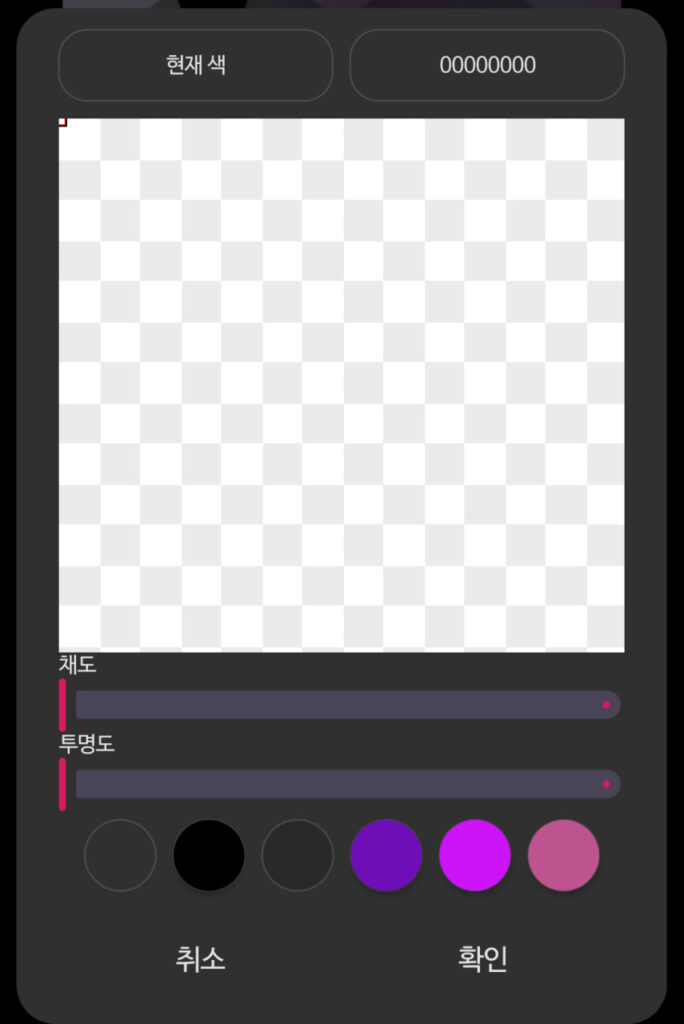
According to the moderator, the blur effect is a default feature provided by the device. This means users cannot change its color or customize it through the Theme Park app.
Although the moderator explained how this feature works, the user’s main concern is still not solved. Users simply want a better blur effect without having to add extra colors or change the overall appearance.
Many users would like Samsung to provide more control over the Quick Panel in future updates. A simple option to adjust the blur effect would make customization better and give users more freedom.
For now, users have to use the default blur effect. Hopefully, Samsung will consider this feedback and provide a proper solution in a future update.

Google Messages is working on a new feature, threaded replies, that will make conversations easier to follow. The feature is similar to Apple’s iMessage and will help users keep track of different discussions in individual and group chats.
Currently, when someone replies to a message in Google Messages, the app shows a small preview of the original message above the reply. This works well for simple conversations, but it can become confusing when several people are discussing different topics in the same chat.
With threaded replies, Google wants to make these conversations more organised. The new feature was spotted in an early version of Google Messages. It will use vertical lines to connect messages that belong to the same discussion.
If there is only one reply, a simple line will connect the messages. If there are multiple replies, the line will show a small loop to make the thread easier to identify. Users will also be able to reply to images and emojis through threads, not just text messages.
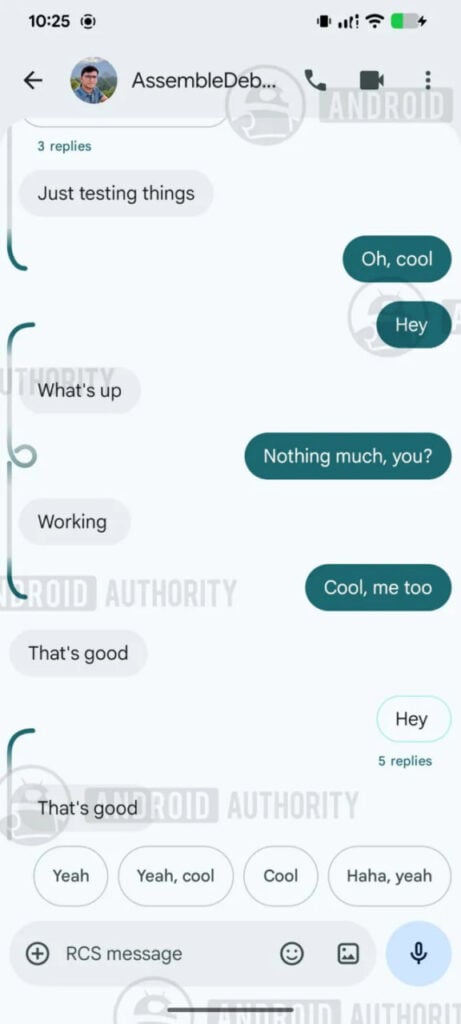
Image via Android Authority
Another useful feature is a separate thread view. When a message gets replies, Google Messages will show a reply counter below the original message. Users can tap this counter to open the full discussion. This view will show only messages related to that particular thread, while the rest of the conversation will appear blurred in the background.
The thread view will also include a Reply in thread box, allowing users to continue the discussion directly. An X button will let them return to the main conversation. During testing, threaded replies were found to work in both individual chats and RCS group conversations.
However, the feature is still under development and is not available to the public yet. Google has also not announced when it plans to release it.

Samsung Galaxy users are facing a problem after the latest software update. The update has reportedly stopped the side button shortcut that allowed users to start voice recording by double-pressing the button using Samsung’s RegiStar app. This issue has been spotted on the Galaxy Z Flip 5.
Earlier, users could quickly start recording by pressing the side button twice, even when the phone was locked. However, this feature is no longer working properly after the update. This has frustrated users who regularly use it for quick voice recordings.
Users have also questioned why Samsung has broken a useful feature, mainly since the Galaxy Z Flip5 is said to be getting its final major software update. Some users have also asked Samsung to provide an option to return to an older software version.

In response to the complaint, a Samsung community moderator apologized and confirmed that the company is aware of the issue. The moderator said that side button actions are not working properly on the lock screen in some situations.
Samsung has promised to fix the problem through an upcoming software update. Meanwhile, the company has shared a temporary solution for affected users.
Users need to go to Settings >> Lock screen and AOD >> Screen lock and biometrics and change the screen lock method to Drag or None. After that, restart the phone and set the previous screen lock method again.
According to Samsung, this should help bring back normal side button functions. If the problem continues, users should send an error report with system logs through the Samsung Members app. For now, users will have to wait for Samsung to release the promised fix.
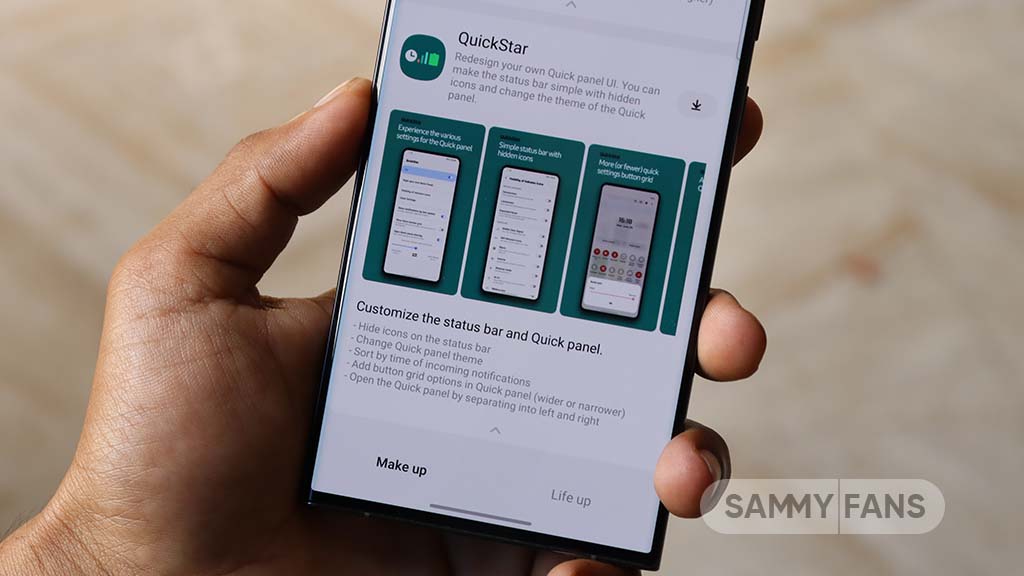
Samsung QuickStar has received support for One UI 9.5, bringing several new features and improvements. The latest update makes customization easier and provides a better experience for users running One UI 9.5 or higher.
The main addition in this update is the full image editing feature. With this feature, users get more options to edit images and customize their experience. It gives users better control over their edits and makes the overall process more convenient. Samsung has also improved the app’s layout to make it easier to use and navigate.
Samsung has also added Edit Screen Preview support. This feature allows users to preview their changes directly on the editing screen. This means users can see how their selected changes will look before applying them. It makes the editing process easier and helps users make changes without unnecessary steps.
The latest update also introduces a new Icon Activation option. This gives users another way to manage icon-related settings and improves the overall customization experience. These small additions can make QuickStar more useful for people who like to personalize their Samsung Galaxy devices.
For those who don’t know, QuickStar is part of Samsung’s Good Lock customization suite. It allows users to customize different parts of their phone’s interface and adjust the appearance according to their preferences.
The latest QuickStar update is good news for Samsung Galaxy users. With full image editing, Edit Screen Preview support, a new Icon Activation option, and an improved layout, QuickStar offers a better customization experience. Users running One UI 9.5 or higher can enjoy these new improvements and make their Galaxy devices more personal.


Samsung is celebrating a major milestone in Spain; its Wallet (debuted as Pay) has surpassed 500 million transactions. Spain is a significant market for Samsung Wallet as it was the first European country to welcome the native Galaxy payments and wallet application, over a decade ago on June 2, 2016.
Now, with over 10 years of presence, Samsung Wallet transactions have exceeded 500 million in Spain. To mark the milestone, the company is celebrating in the country, and consumers are benefiting from promotional perks.
Entering Spain and the journey from Pay to Wallet
Way back in 2016, Samsung Pay made its entry to Europe, starting in Spain. At that time, Samsung partnered with CaixaBank to offer payments, with the partnership expanding to Banco Santander, BBVA, Bankinter, and Banc Sabadell.
Samsung merged its Pay and Pass, two separate services, into one hybrid platform, and what came out was Samsung Wallet. This app doubled down on usability, thanks to its secure wallet nature and digital payments handler.
Samsung Wallet’s debut also expanded the service’s reach beyond payments and incorporated digital credentials, passwords, loyalty cards, event and building passes, boarding passes, and digital keys for the home and car.

Image source: Samsung Electronics
For Samsung, Spain continues to be one of the benchmark European markets for Samsung Wallet, thanks to the evolution of its features, the addition of new financial institutions, and collaboration with partners across different sectors, beyond payments, that expand its possibilities and take it far beyond being just a digital wallet.
To mark the anniversary, Samsung Spain offered attendees various experiences and demonstrations of Samsung Wallet’s features, ranging from mobile payments and loyalty programs to digital keys and smart access systems.
Additionally, Samsung Wallet has recently received a major redesign. The app’s user interface has adopted some new UI changes in line with One UI 9.5. The new software is already available in Beta on the Galaxy S26 series in select markets.
You may like:
-

 News2 days ago
[Update: Jensen Huang returns] Nvidia appoints Colette Kress interim CEO
-

 Updates3 days ago
Battery life should improve on Galaxy S24 Ultra as its November update arrives globally
-

 One UI2 days ago
Samsung One UI 9.5: 10 new features worth trying
-

 One UI1 day ago
Samsung vows to fix One UI 9.0 battery drain in One UI 9.5 update