
One UI
One UI 9.5 October builds surface for Galaxy S26, Z Fold 8 and Flip 8


Samsung is speeding up One UI 9.5 testing on the Galaxy S26 series, Z Fold 8, Z Flip 8, and Z Fold 8 Ultra as the latest October 2026 builds surface.
Stable One UI 9.0 has just started rolling out to the Galaxy S26 series. The company has also pushed a new firmware, built on Android 17-based One UI 9, which installs the latest October 2026 security patches.
Now, Samsung is testing the new One UI 9.5 October builds for the Galaxy S26 series, Z Fold 8 series, and Z Flip 8. As discovered by Fahad Ali Javed, the builds are internal stable packages, with no indication of the Beta Program.
- Galaxy Z8 series – BZJ1
- Galaxy S26 series – CZJ1
One UI 9.5 will launch alongside the Galaxy S27 flagship series next year. Samsung is already working on the next big firmware upgrade. A Beta Program is likely to open for select flagship models by the end of the year.
Like One UI 9.0, the upcoming One UI 9.5 will also be based on Android 17. However, it’s expected to introduce some notable design changes and UI improvements.
Samsung will also bring advanced new Galaxy AI features for users. The new flagships will focus more on the Agentic AI era, with AI assisting in your tasks in real time.

Notably, Samsung officially launched the One UI 8.5 Beta Program last year on December 8. At that time, the Galaxy S25 series was prioritized for Beta access.
As per tradition, it’s now the Galaxy S26 lineup’s turn to gain priority access. Samsung would later invite foldable phones and older flagships to the Beta Program, sometime in 2027.


Samsung has started working on its next software update, One UI 9.5. The company has not shared all the details about the new version yet, but some early signs are already appearing. The first Samsung app to receive One UI 9.5 support is Nearby Device Scanning. The app has now been updated to version 11.1.24.8.
According to the available information, the new version of Nearby Device Scanning adds One UI 9.5 support. It also brings support for a Quick Pair pop-up for new devices. This feature can make it easier for users to connect new and nearby devices with their Galaxy phones.
With Quick Pair, users can get a popup on the screen when a supported device is detected nearby. This can make the pairing process faster and simpler, mainly when connecting accessories.
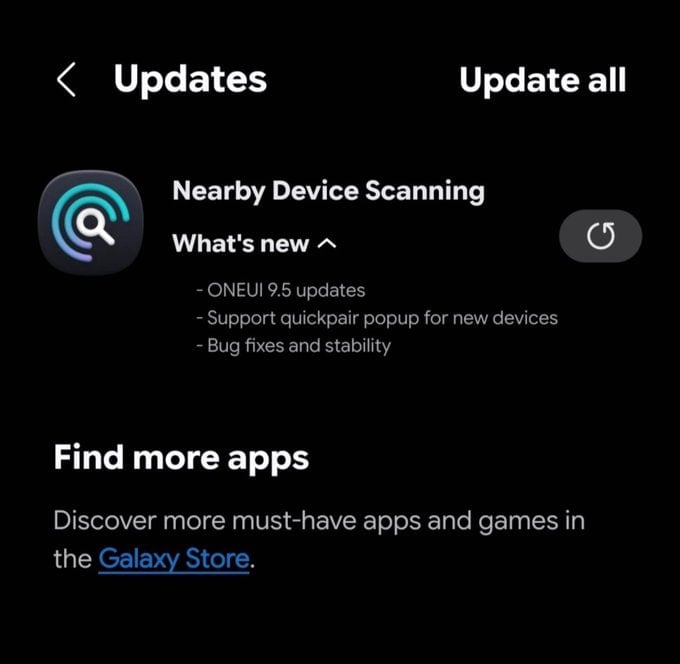
Image via @Kailash0729
The latest Nearby Device Scanning update also includes bug fixes and stability improvements. These changes should help the app work more smoothly and reliably.
Another interesting change is the new logo for Nearby Device Scanning. Samsung has redesigned the app’s logo, which could be an early hint of the design direction the company is taking with One UI 9.5.
The update does not reveal the complete list of features coming with One UI 9.5. It also does not confirm when Samsung will officially release the new software. However, the arrival of One UI 9.5 support in one of Samsung’s system apps suggests that development is already moving forward.
Galaxy users can expect more information about One UI 9.5 as Samsung continues its development. More apps may also receive updates with One UI 9.5 support in the coming months. Stay tuned.
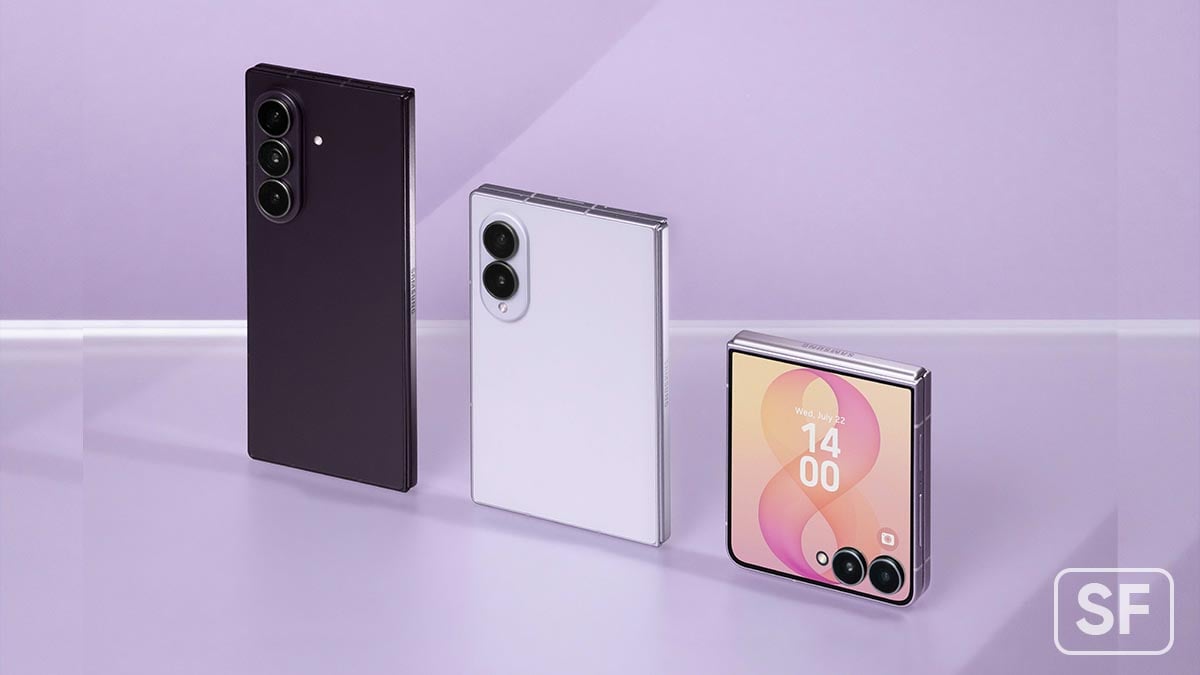
Samsung has started releasing a new software update for its latest foldable phones in South Korea. The update brings the October 2026 security patch and is based on One UI 9. The new update is available for the Galaxy Z Fold 8, Galaxy Z Fold 8 Ultra, and Galaxy Z Flip 8.
The company is releasing the October 2026 update to improve the security and stability of these devices. This update can be identified by a version ending with AZIJ. The installation package is around 530MB. It is based on One UI 9 and Android 17.
October 2026 security update mainly focuses on fixing security problems and improving the overall reliability of the phones. Samsung may also include small system improvements and bug fixes as part of the update.
The update is currently being released in South Korea, Samsung’s home market. The company may expand the rollout to other countries and regions in the coming days or weeks.
Galaxy users in South Korea can check for the update by going to Settings >> Software update >> Download and install. If the update is available for their device, they can download it directly from there.
Owners of the Galaxy Z Fold 8, Z Fold 8 Ultra, and Z Flip 8 are advised to check their software update section regularly. Installing the latest security update helps keep the device safer and running smoothly.

Verizon begins releasing One UI 9.0 official update to the Galaxy S26 series in the US. The major upgrade introduces various new features and improvements, while the carrier highlights some of the best new additions.
Samsung initially released the Stable One UI 9.0 update in South Korea. The company then expanded the software to the US. Stateside rollout expanded sequentially, with Verizon now joining the streak with One UI 9.0 in the US.
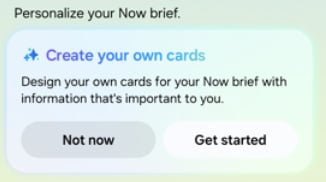
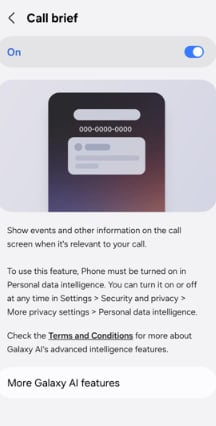
Verizon highlights Samsung’s new My FanCam, Now Brief’s Generative and Editable Cards, Call Brief, and improved Creative Assist features.
These are some of the biggest upgrades, derived from the Galaxy Z Fold 8 series. Samsung is sharing them with older flagship models as well, such as the Galaxy S25 series and Z7 foldables.
Software versions:
- S942USQU4BZID – Galaxy S26
- S947USQU4BZID – Galaxy S26+
- S948USQU4BZID – Galaxy S26 Ultra
What’s changing:
The current software update brings Android OS 17, One UI 9.0, and the latest features and performance improvements.
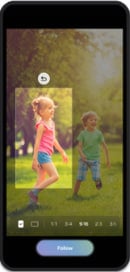
My FanCam
My FanCam automatically tracks a selected person in a recorded video and keeps them centered, intelligently reframing the footage as the scene moves.
Go to Gallery > Select the video > Select Galaxy AI > Select My FanCam
Now Brief
The Generative and Editable Cards on Now Brief help users choose what appears in their daily summaries.
Call brief
Turn on Call brief to see relevant events and other information related to your current call. Information will be displayed as cards right on your call screen, so you never have to leave the call to check another app.
Call > Settings > Call brief > toggle on
Creative Studio
Creative Studio now suggests image-generation ideas based on relevant upcoming events. For example, when a friend’s birthday is approaching, users may see a prompt to create a themed image or greeting, allowing them to quickly create something meaningful for the occasion.

Samsung has started rolling out One UI 9.0 update and Galaxy users should look at optimizing their phone’s power settings to extend battery life.
Android 17-based One UI 9.0 update brings a refined interface and smoother animations, but learning how to manage the system’s power consumption is the key to getting through a heavy day without reaching for a charger.
Whether you want to stretch your daily screen-on time or protect the physical health of the battery over the next few years, the new settings menu has you covered.
Here are the top three battery settings you need to tweak right after updating to One UI 9.0:
1. Configure the New Battery Protection Modes
One UI 9 gives you much more granular control over your phone’s long-term battery health. Instead of a simple on/off toggle that limits charging to 85%, Samsung now offers three distinct tiers to prevent battery degradation over time.
Where to find it: Go to Settings > Battery > Battery protection
Choose between Basic (stops at 100% and waits until it drops to 95% to resume), Adaptive (pauses at 80% while you sleep and finishes charging right before you wake up), or Maximum (hard caps the charge at 80%).
Samsung Battery Protection (Source – Sammyfans)
2. Switch to the “Light” Performance Profile
Standard Power Saving mode is great for emergencies, but it disables your 120Hz refresh rate and limits background data. If you want to save battery without making your phone feel sluggish, the Light Performance Profile should be your pick.
Where to find it: Go to Settings > Device Care > Performance profile | Switch the profile from Standard to Light

3. Aggressively manage background usage limits
One UI 9 is excellent at managing background power usage, but manually moving unused apps into “Deep Sleep” guarantees they won’t sip power when you aren’t looking.
Where to find it: Go to Settings > Battery > Background usage limits
Tap on Deep sleeping apps, hit the + icon, and add any apps that you rarely use or don’t need real-time notifications from (like airline apps, fast food apps, or older games).
Keep visiting SammyFans for such tips!

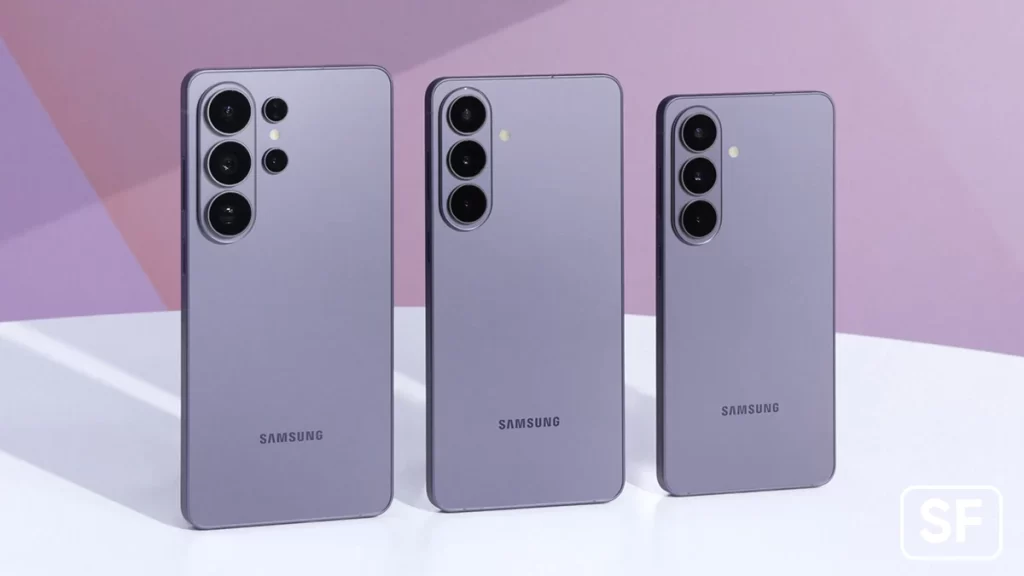
Samsung has reportedly started testing its next software update, One UI 9.5, for the Galaxy S26 series. It shows that Samsung is working regularly to get ready for the next One UI version.
The first internal test build for the Korean Galaxy S26 series has reportedly been spotted online via a reliable tipster, TarunVats. It comes with the version number S948NKSU4CZIG. This confirms that Samsung has started working on the new One UI version for its latest flagship phones.
At this stage, the test build does not reveal many details about the update. Samsung is likely testing the software to find and fix bugs, improve performance, and make sure everything works properly before the update reaches users.
Samsung has also reportedly started developing One UI 9.5 for its upcoming foldable phones. These include the Galaxy Z Flip 8, Galaxy Z Fold 8, and Galaxy Z Fold 8 Ultra.
Source – Samsung
The early testing shows that Samsung is already working on One UI 9.5 for some of its upcoming devices. However, this does not mean that the update will be released soon. Internal test builds are normally used by Samsung before a public release.
The company is expected to continue testing One UI 9.5 and make improvements before releasing it to Galaxy users. More information about the update, including new features and supported devices, could appear as development continues.
For now, the build is an early sign that Samsung has started One UI 9.5 testing for the Galaxy S26 series in Korea. More details should become available as Samsung moves forward with development.
-
 Updates2 days ago
Galaxy S26 getting October 2026 update on One UI 9.0 in Europe, India
-

 Updates3 days ago
Samsung Galaxy S24 series gets ready for One UI 9 with September 2026 patch
-
 One UI2 days ago
Samsung Galaxy A15 5G is now getting One UI 9 Beta 2
-
 One UI3 days ago
Samsung expands on-device AI Scam Detection with One UI 9 stable update