
One UI
Samsung Galaxy Watch 6 gets One UI 9 Beta 5 with major battery fix

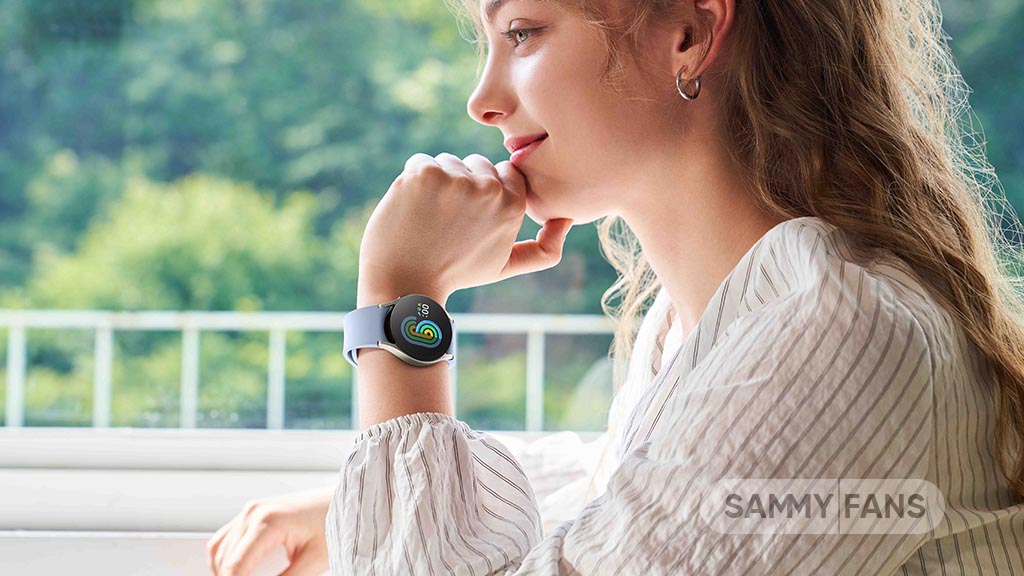
Samsung has pushed the One UI 9 Beta 5 update for the Galaxy Watch 6 in South Korea. The latest update brings some important fixes and improvements to make the smartwatch work better and provide a smoother user experience.
One UI 9 Beta 5 update for the Samsung Galaxy Watch 6 mainly improves system stability, fixes battery consumption issues, and corrects a problem with the Alarm app. Although it does not bring any major new features, Samsung has fixed some existing issues to improve the overall experience for Galaxy Watch 6 users.
The latest update comes with firmware version R950XXU2ZZK3 and has a download size of approximately 259.98MB. It also includes the October 2026 security patch, which brings security improvements to the smartwatch.
According to the update changelog, Samsung has applied stabilization code related to device operation. This should help make the Galaxy Watch 6 more stable and reliable during daily use. The company has also fixed a current consumption issue, which could help improve battery performance and reduce unnecessary power usage.
Apart from this, Samsung has corrected an error related to the Alarm app. This fix is expected to improve the app’s functionality and provide a better experience for users who regularly use alarms on their smartwatches.
With the latest One UI 9 Beta 5 update, Samsung is focusing on fixing existing problems and improving the overall performance of the Galaxy Watch 6. The battery consumption fix is one of the most important improvements in this release.
Currently, the update is rolling out to Galaxy Watch 6 beta users in South Korea. Samsung will soon make stable update available for these Galaxy Watch devices.






Samsung One UI 9.5 upgrades that matter most may not be the headline features. They are the ones you feel in the first second of using a Galaxy phone: how a folder opens, how the home screen settles after a swipe, how a floating control fades in over your content.
Leaks since August, plus a fresh Beta build for the Galaxy S26 Ultra that surfaced on 12 November, suggest Samsung is finally putting real engineering time into motion, well, none of it is official yet.
One UI 9.5: What the leaked upgrades actually are
One UI 9.5 makes home screen animations smoother, and the change is built into the software rather than something users need to add through Good Lock’s Home Up module. Samsung enthusiast FahadAliJaved specifically described a refreshed in-display fingerprint indicator and camera sub-menus that open as overlays above the viewfinder.
Separate screenshots point to a glass-style look, with blurred elements over content, subtle backdrop shading for depth, and the Phone app’s search icon moving into a floating bottom bar. Ice Universe described the new animations as “almost unrecognizable.”
Samsung's One UI 9.5 animations feel almost unrecognizable to me. They've finally decided to bring some life and personality into their animations. pic.twitter.com/ULT37cnFOl
— Ice Universe (@UniverseIce) November 13, 2026
Other items, including a Samsung Memory feature, native App Lock and call recording for third-party apps, come from leaked APKs and internal builds. Treat them as work in progress until Samsung says otherwise.
Why animation is the real gap
Samsung’s software has rarely been short on features. Where it has trailed iOS, in the view of many enthusiasts, is the physics of interaction. Apple’s transitions tend to respond to the speed and direction of a gesture and can be interrupted midway without a visible stutter. One UI has often felt more like a sequence of canned animations that play out in full, whatever your finger is doing.
Motion tells the user what the system is doing, and consistent motion makes a phone feel faster than its benchmark scores suggest. If One UI 9.5 delivers fluid, interruptible animation natively, it would remove the main reason many Galaxy owners install Good Lock tweaks in the first place.
One UI 9.0 showed the problem
The case for caution is One UI 9.0 itself; based on Android 17, it launched on 22 July 2026 with the Galaxy Z Fold 8, Z Fold 8 Ultra and Z Flip 8.
Its main additions were an AI activity dashboard, privacy alerts, a QR-based Smart Switch route from iPhone, and a warranty and care hub. Those are sensible, even overdue, but look at the list: it is mostly administration, oversight and onboarding.
Samsung has built a strong reputation on long update commitments and a steady cadence of Galaxy AI features, and it deserves credit for both. Interface craft and motion design, though, have too often been treated as polish to be added later. An update schedule is a promise about delivery. It says nothing about quality of experience.
Smoother home screen motion, a more coherent depth model and thumb-friendly bottom controls are the kind of investments that raise the floor for every Galaxy owner, not just buyers of a flagship.
We hope the Galaxy S26 Beta Program opens within days, which would be about three weeks earlier than the One UI 8.5 Beta, which opened on 8 December 2025.

Image via Kailash (X)
The stable release is widely expected around the Galaxy S27 launch early next year, though there are also rumors of an April or May 2027 debut, so the timing is unsettled. Phones from the Galaxy S24 onward are expected to qualify.
The upcoming Beta update will answer the questions leaks cannot. Does the smoothness hold on mid-range A-series hardware? Do the glass effects cost battery life? Does the polish extend beyond Samsung’s own apps? If the answers are yes, One UI 9.5 could be the update that finally closes the feel gap.
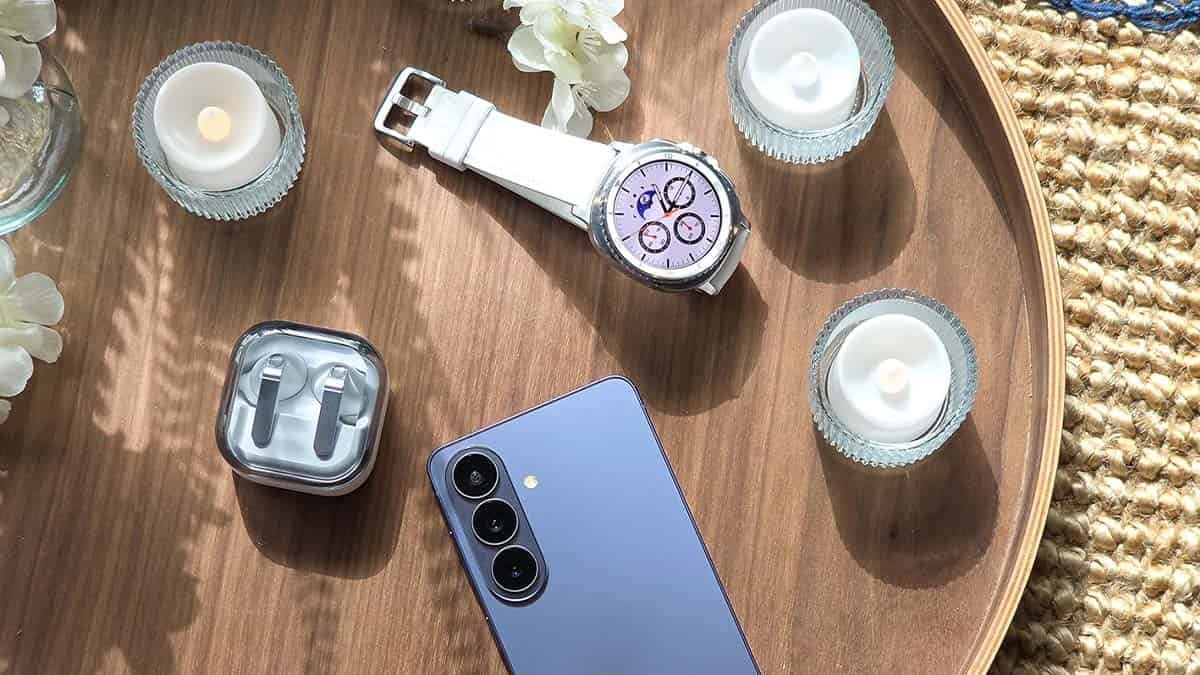
On November 17, Samsung initiated the global rollout of the Wear OS 7-based One UI 9 Watch software upgrade. The first wave of the official release is hitting the Galaxy Watch 8 and Watch 8 Classic models, paving the way for a broader expansion.
Samsung first dropped One UI 9 Watch update on November 8 in South Korea. Two days later, the company expanded the update to US consumers. Now, the firmware has started rolling out the BZJ7 build in Europe, pushing a global rollout.
The Korean tech giant is bringing 16 major changes and feature improvements. The update focuses on health tracking, workout experiences, watch face customization, and usability, while also introducing new outdoor navigation and camera controls.
One UI 9 Watch also refreshes the Galaxy Wearable app and Samsung Health experience, making it easier for users to manage their watches and understand their health data.
Category and number of updates
- Galaxy Wearable App: 4
- Samsung Health: 9
- Other Enhanced Features: 3
Overall, One UI 9 Watch is a substantial usability and health-focused upgrade, giving Galaxy smartwatch users more ways to monitor their well-being, customize their experience, and control connected devices.
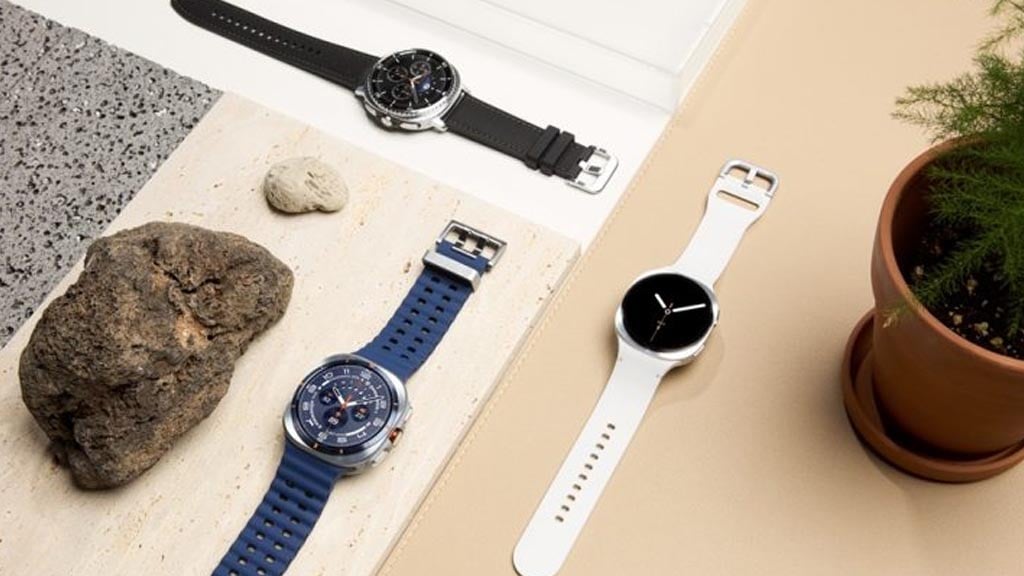
One UI 9 Watch Complete Changelog
Galaxy Wearable App
Refreshed Design and Layout
The watch settings screen in the Galaxy Wearable app has been completely redesigned, making it easier to access frequently used features. It also displays your current watch face as a high-resolution image of your watch.
New Ways to Find Watch Faces
Easily find the watch face you want. Watch faces are organized into categories with detailed descriptions to help you better understand the features and design of each one. Additionally, the watch face gallery has been redesigned. You can preview watch faces using large thumbnail images without having to tap into them. To view different colors and styles, simply swipe left or right directly on the thumbnail image.
Smart Watch Face Recommendations
When viewing a specific watch face, similar watch faces are recommended at the bottom of the screen. You can also select a fashion photo that matches your style to find a watch face that complements it, or get recommendations for designs similar to the watch face you are currently using.
Easier Watch Face Customization
The watch face editing screen has been simplified into two tabs. You can change the watch style in the Style tab and adjust additional features in the Complications tab. View all customizable elements on the watch face at once and quickly apply the perfect look.
Samsung Health
Improved Health Metric Design
Key health metric screens, such as Sleep and Heart Health, have been updated with easy-to-read circular charts and designs tailored specifically for your watch. Check your health metrics more easily on a cleaner, more unified screen.
Color-Coded Health Status
Color standards for displaying health statuses have been unified. Check your current health condition and changes at a glance with status-specific color coding.
Refreshed Mobile App
The Samsung Health mobile app has been improved to be easier and more intuitive. Not only can you customize the home screen by freely resizing cards, but you can also check categories such as Activity, Sleep, Mindfulness, and Food Management to better understand your health. Additionally, improved charts allow you to zoom in or overlay multiple data sets to track health changes more easily.
More Vivid Measurement Experience
Rich graphics and dynamic animations have been added when measuring key health metrics like heart rate, stress, and body composition, making the measurement process more lively and intuitive.
Enhanced Workout Experience
Pause or end your workout using the Back button without needing to touch the screen. Thanks to large text and intuitive heart rate zone indicators, you can read key workout data at a glance even in dynamic environments.
Daily Cardio Load Tracking
See the strain that workouts and physical activities place on your heart. It shows you the optimal target load for effective training while reducing the risk of injury, and lets you know when you need rest. Your target load range updates daily based on your recent activity levels and fitness goals.
Check Vital Sign Changes During Sleep
Measure your heart rate, heart rate variability (HRV), respiratory rate, skin temperature, and blood oxygen levels while you sleep using your watch. Once an initial baseline is established, your watch continuously monitors your health and notifies you immediately if significant changes are detected.
Systematic Heart Health Management
Track health metrics and lifestyle habits that affect your heart health. By analyzing your sleep, workouts, body mass index (BMI), and vascular stress, it provides a daily Heart Health score. This score helps you easily check and understand your current cardiovascular condition.
New Shortcuts Added
The Shortcuts tile now supports a wider variety of health features for quick access to the health information you want. Newly added shortcuts include Daily Activity, Sleep Coaching, and Daily Cardio Load.
Other Enhanced Features
Compass for Safe Outdoor Activities
Return safely from your outdoor adventures with help from your watch. Mark important locations—such as where you parked or pitched your tent—as waypoints. If you have trouble finding your way back, your watch will guide you in the right direction. You can also use the Track Back feature to record the route you’ve taken and easily navigate back to your starting point.
Additional Camera Controller Features
Control your shots effortlessly right from your wrist. Food, Portrait Video, Slow Motion, and Hyperlapse modes have been newly added to the Camera Controller. Swipe up from the bottom of the screen to open settings, where you can switch between the front and rear cameras and customize Motion Photo and flash settings as desired.
Customize Font Size on Tiles
Adjusting the font size on your watch now applies to tiles as well. Tile layouts automatically adapt to fit your selected text size.

Samsung is preparing to release the One UI 9.5 Beta update for Galaxy devices soon, allowing users to try new features ahead of the official release. According to references found in an early software build, the update could bring improvements to Call Screening, Direct Voicemail, and phone security.
These changes could make calling more convenient, personal, and secure for Galaxy users. Currently, these features are spotted in early testing software.
Custom Greetings for Call Screening
Samsung introduced Call Screening with the Galaxy S26 series. It allows the phone to answer incoming calls on the user’s behalf and show a live text transcript of the conversation. Currently, users can change the voice, language, and speaking speed, but they cannot change the default greeting.
One UI 9.5 could fix this limitation by allowing users to type their own greeting message. However, Samsung may restrict certain sensitive words. The feature could also require an internet connection and a review process before saving a greeting.

Image – SammyFans
Better Protection Against Fake Calls
Samsung could also introduce a new feature: Caller device check. This feature may use RCS technology to check whether an incoming call is genuinely coming from a saved contact’s device.
If the phone cannot verify the caller, it could show a warning that the call may be harmful. The feature is expected to work with saved contacts rather than unknown numbers. It may also require an active internet connection. Notably, the spotted code suggests that contact information will not be uploaded to Samsung’s servers.
Custom Greetings for Direct Voicemail
Samsung launched Direct Voicemail with One UI 8.5. However, callers currently hear a default system-generated message. With One UI 9.5, users may finally be able to record their own voicemail greetings.
The new feature could include options to record, play, pause, stop, and save voice messages. Samsung may also introduce a minimum recording duration. However, it is unclear whether users will be able to save multiple greetings.
Samsung is expected to introduce One UI 9.5 with the Galaxy S27 series early next year. A beta release could arrive earlier, although no official date has been announced.
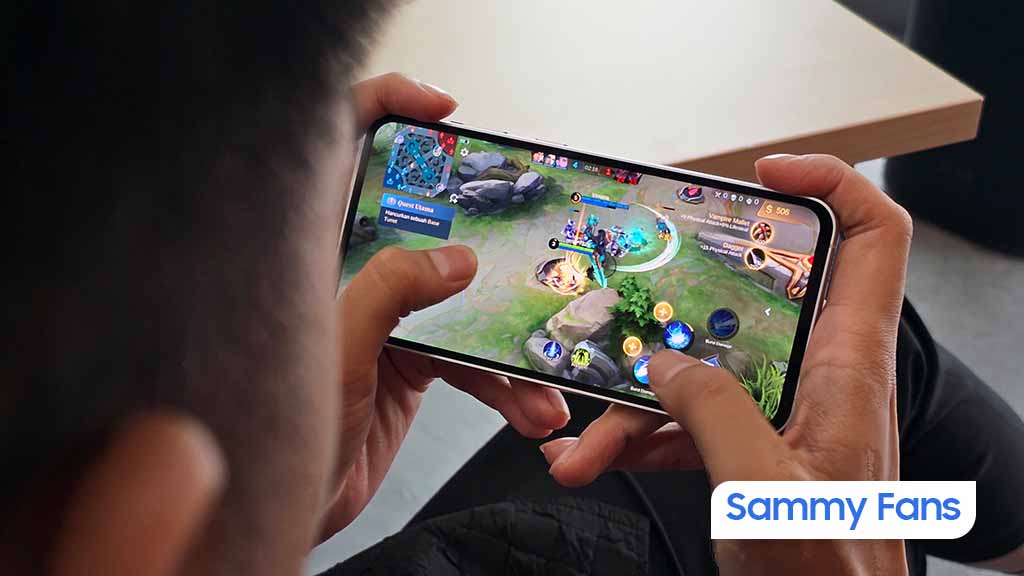
Samsung Game Booster has received a new update with version 2.0.00.37. This update brings some bug fixes to make the app work better. If you use Game Booster for gaming, you should know about the latest changes.
The latest version fixes two important issues. The touch mapping menu sometimes stopped responding while playing a game. Now, this problem has been fixed, and users can use the touch mapping menu more easily during gameplay.
The crosshair sometimes appeared on the screen even when no game was running. This was annoying for users. The latest update fixes this issue, so the crosshair should no longer appear when you are not playing a game.
Game Booster helps users access useful gaming features on their devices. The new version does not bring any major new features, but it fixes some problems from the previous version. These changes make the app easier and more comfortable to use. If you are already using Game Booster, this update is worth trying.
To get the latest Game Booster version 2.0.00.37, you can check for updates through the Galaxy Store app. Download the latest version and follow the installation steps on your device.
If you use Game Booster on your device, you can update to the latest version to get these fixes and enjoy a better gaming experience.

Samsung is reportedly working on One UI 9.5, which could bring several new features to Galaxy smartphones. The upcoming update is expected to improve AI features, make phone storage management easier, and offer a better camera experience. Some of these features could debut with the Galaxy S27 series.
Let’s explore what’s new coming with Samsung One UI 9.5.
Daily Brief could Summarize Emails and Notifications
Samsung may introduce a new feature, Daily Brief, inside its existing Now Brief service. It could collect important information from emails and notifications and show everything in one place.
The feature may support apps such as WhatsApp, Telegram, LINE, KakaoTalk, and SMS/RCS messaging. It could organize information into three categories: Finance and Payments, Bookings and Appointments, and Work Emails.
Daily Brief is also expected to provide a summary at a fixed time every day, helping users check important updates without opening different apps.
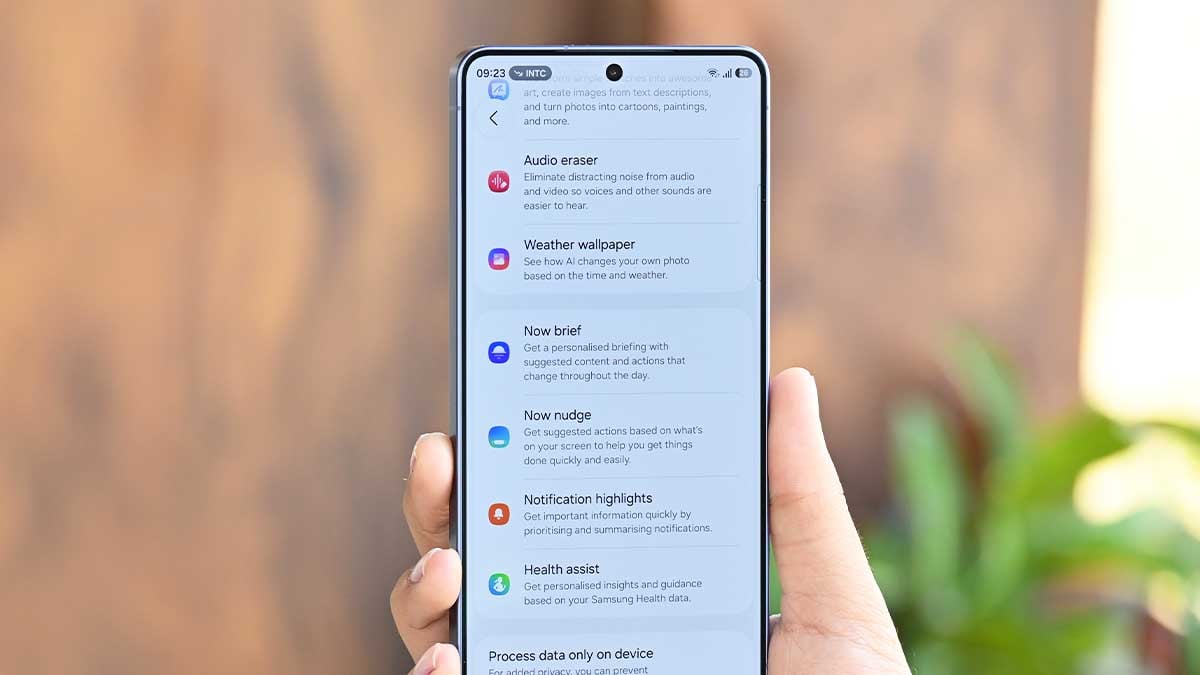
Galaxy Claw could bring an AI Device Cleaner
Samsung is reportedly working on a new Device Cleaner feature powered by Galaxy Claw. It could help users free up phone storage using simple text or voice commands. For example, users could ask Galaxy AI to find duplicate files, remove old downloads, or identify large files taking up storage space.
The feature is expected to work with Samsung’s My Files app. Before deleting anything, it will reportedly show which files are selected and how much storage they occupy. Users will also need to confirm before files are permanently deleted.
Advanced Expert RAW
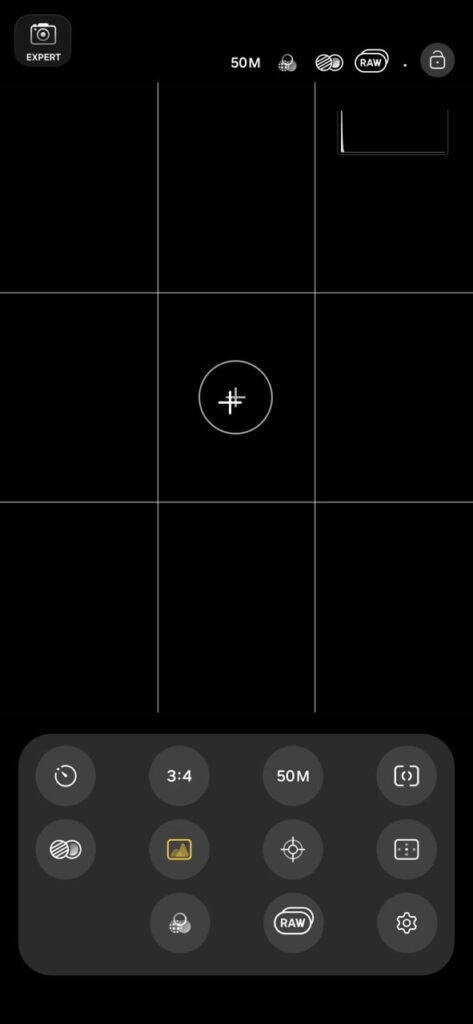
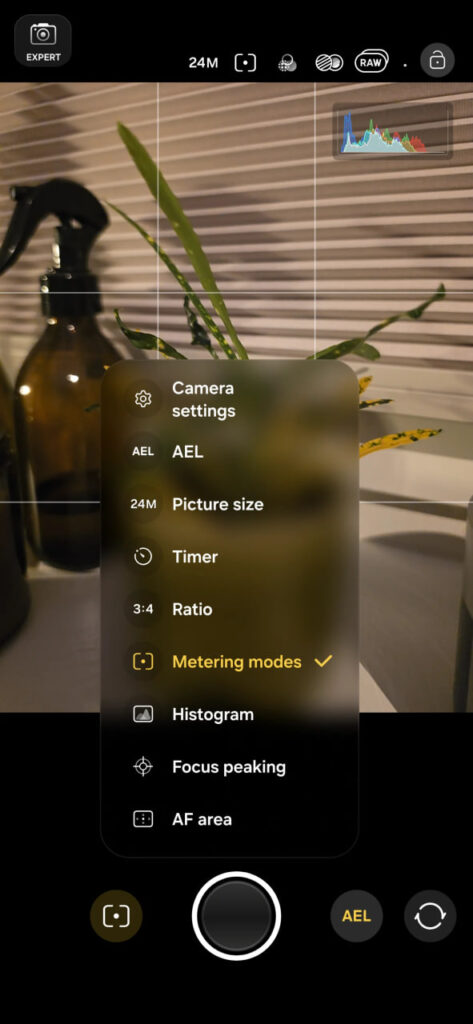
Samsung is also preparing a redesigned Expert RAW camera app for the Galaxy S27 series. The updated app could bring a cleaner design, larger controls, customizable shortcut buttons, and an improved histogram.
It may also introduce a new Burst mode that can capture up to 30 RAW photos in one session. Other additions include Virtual Aperture settings from f/1.4 to f/22, a new Tint control, and more photo aspect ratio options. Early findings also suggest that Samsung may be preparing video recording features for the app.
-
- Image via Sammobile
-
- Image via Sammobile
Samsung has not officially announced the One UI 9.5 release date or confirmed these features. However, the update is expected to arrive alongside the Galaxy S27 series. More details are expected to emerge as Samsung gets closer to its next Galaxy launch.
-
 One UI1 day ago
One UI 9.0 official update now rolling out to these Samsung phones
-
 Updates2 days ago
Samsung Software Update Schedule: November 2026
-
 Phones3 days ago
Galaxy S27 Pro’s Korean variant may have a big hardware advantage
-
 Phones2 days ago
Samsung insider’s real Galaxy S27 Pro and Ultra design leak has a major twist