
Android
Android 18 can save 2027 phones when brands slash RAM

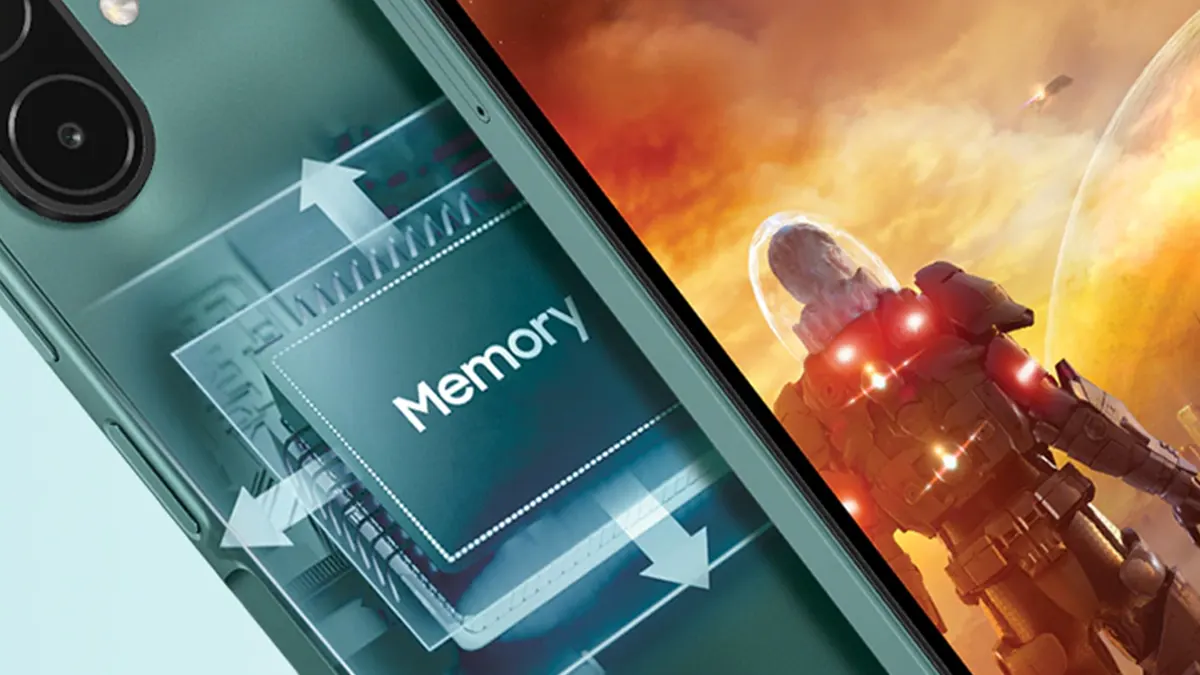
Google has not announced a single Android 18 feature aimed at low-memory phones. But memory prices, shrinking spec sheets and Google’s own policy deadlines are pushing in one direction, and Android 18 is the release that will have to answer them.
What Google has actually confirmed
The groundwork belongs to Android 17. In an August 19 blog post, Google said per-app memory limits began on Pixel phones and will spread to more manufacturers over the coming year, across configurations from 4GB to 16GB and above.
The same post acknowledged that new devices are keeping or reducing physical memory because of price increases, while users still expect a smooth experience. An app that exceeds its limit is pushed into compressed RAM (zRAM) and then killed.
Google Play adds a second lever. From February 2027, apps must meet thresholds for dynamic memory, bitmap memory and code optimization, or risk reduced visibility and publishing capabilities.

Pixel VP Shakil Barkat has also described a “dedicated effort” to cut memory requirements across Android and its app ecosystem so devices can run on less RAM without a worse experience. He gave no Android version or date, via 9to5Google.
Why the RAM pressure is real
Barkat cited Morgan Stanley data putting 1GB of RAM at $12 in 2026, against $2.80 in 2025. TrendForce expects DRAM price increases to accelerate in Q1 2027, and TeamGroup’s chairman reportedly sees no relief before the second half of 2028. IDC has cut its 2026 smartphone shipment forecast to a 16.7% decline.
A Weibo post from Fixed Focus Digital on October 20 described budget phones starting at 4GB and mid-range phones at 8GB, naming no brands or regions. Separately, the leaker @kro_roe says the Galaxy S27 and S27+ may start at 8GB instead of 12GB.
Where the timing gets awkward
Android 18’s stable release is widely expected around June 2027. The Galaxy S27 line may launch as early as January, and most budget phones ship on older Android versions. By the time Android 18 arrives, many of 2027’s lower-memory phones will already be on shelves.
Meanwhile, Android 17’s limiter is also not guaranteed everywhere. Google describes it as applying to some Android devices and not mandatory for every manufacturer, and Samsung has not said when it will adopt it.
The tension with AI
Gemini Intelligence requires at least 12GB, and AI features reserve memory that apps would otherwise use. Industry watchers have argued that 8GB is the baseline for a good experience and that 4GB phones are unlikely to feel smooth. Google’s own policy effectively sets a 6GB floor for full Android.
If phone makers cut RAM while Google asks for more on-device AI, something has to give. The per-app limits and Play thresholds manage the problem, rather than removing it. A phone with 8GB that has to hold an AI model, a dozen apps and a compositor still needs a leaner platform underneath.
Three developments will show whether Android 18 delivers:
- Whether future Canary and beta builds add memory-related changes
- Whether Samsung and other manufacturers commit to the per-app limits
- How Google handles low-end hardware in its Play enforcement after February 2027
Until one of those appears, “Android 18 will run well on less RAM” remains an expectation, not a feature.


Google has started rolling out Android Auto 18.2 to beta testers, and little will change on your car’s display. A teardown of the app does show more than 100 updated assets, mostly button graphics, that appear to be groundwork for light mode, a feature Android Auto users have wanted for years.
The changed files are mainly button designs, with names such as ic_mr_button_connected_14_dark.xml and ic_mr_button_connected_15_dark.xml. Updated assets do not confirm a launch, via 9to5Google.
Google has not announced light mode or a release window, and the link between these files and light mode is the teardown’s interpretation. Read it as a sign of continuing development, not a countdown.
Version 18.2 arrives a little over a week after 18.1 began reaching stable users. Android Auto 18.1 was reported to be shipping through the Google Play Store after only a few days of beta testing. Point releases like this mostly fix bugs.
Recent trouble spots include Gemini behavior, foldable phones, odd interface glitches, connection drops, and songs skipping twice. Google has not published detailed notes for 18.2, and the 18.1 beta also arrived without a changelog.
Notably, Android Auto 18.2 can still run on phones as old as Android 9. Google’s Android Auto support page now lists Android 11 as the minimum for wired connections, replacing Android 9.
Light mode is separate from the larger interface overhaul. The 18.0 beta contained a “cielo_launcher” asset, believed to be tied to a redesigned app launcher codenamed Cielo, according to an APK teardown by Android Sage.
Autoevolution expects the new experience to reach production devices in the first quarter of 2027, with beta users possibly seeing it sooner. Nothing confirms that light mode will ship alongside Cielo.

On November 10, Google started rolling out the Android 17 QPR2-based November 2026 Pixel Feature Drop, bringing more than 12 new features to phones and watches.
The update focuses heavily on Gemini Intelligence, smarter automation, home-screen customization, and improved connectivity across Google’s device ecosystem.
The biggest addition is Gemini Intelligence support on the Pixel 10 series. Google is introducing Rambler, an upgraded voice-typing experience that automatically removes filler words such as “um” and organizes spoken thoughts into cleaner, more readable text.

Gemini can also handle multi-step activities, including ordering food, booking rides, shopping for groceries and finding restaurant reservations. The feature is now available in India, the UK and Japan, making this a particularly interesting expansion.
Google is also introducing personalized widgets that users can create around their specific needs. Examples include monthly spending trackers, sports widgets and travel countdowns that automatically incorporate flight and reservation information.
These capabilities are also coming to Pixel Watch 4 and Pixel Watch 5.

Another notable addition is the ability to summarize lengthy conversations. The feature supports German, French, Spanish, Italian, Hindi and Traditional Chinese, with smartwatch support arriving later.
Pixel 11 series owners are getting an upgraded Call Screen experience. Gemini can engage unknown callers in a more conversational exchange while displaying a live transcript, allowing users to decide when to answer.
Google is also expanding its custom app icon styles and Pixel Search capabilities, with the latter reaching Pixel 6 and newer devices, subject to eligibility.

The November Pixel Drop brings several improvements beyond AI. HiLight now supports Google Messages, allowing the phone to glow when messages arrive from favorite contacts while the device is face down.
Pixel Watches will also gain automatic unlocking when the wearer has unlocked their nearby phone. Step-by-step workouts are rolling out to Pixel Watch 3 and newer models, supporting exercise instructions, repetition logging, weight tracking, and workout metrics.
Google says the November Pixel Drop is rolling out gradually and will reach eligible devices over the coming weeks.
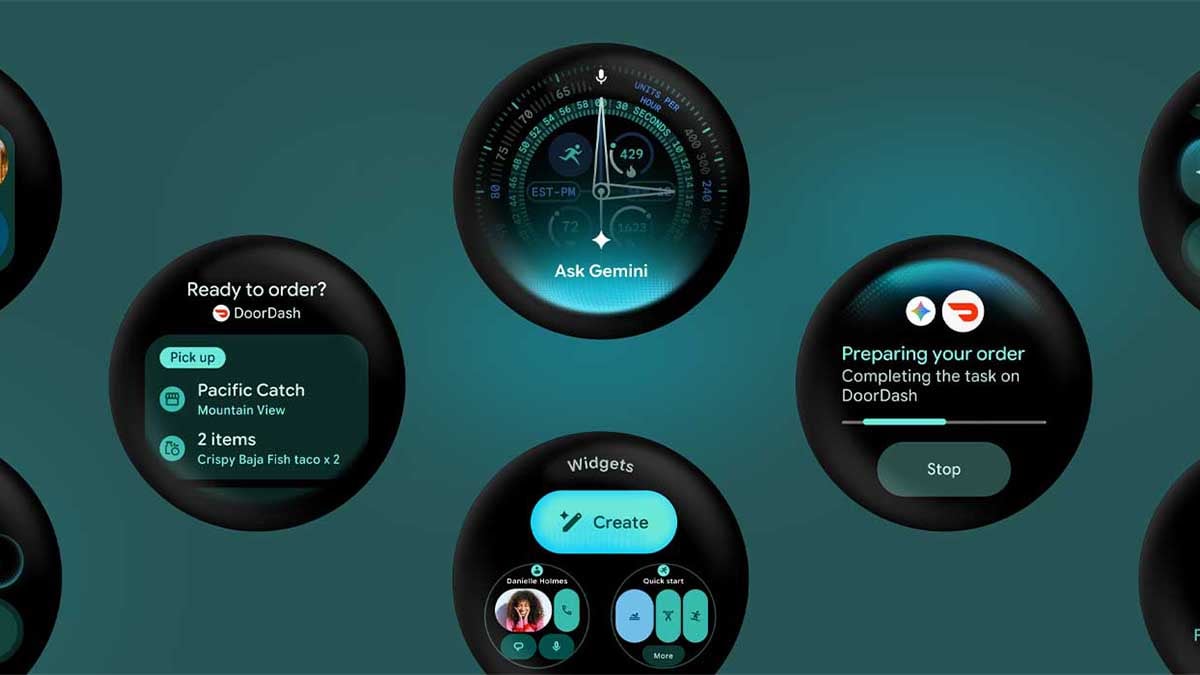
Google has quietly revealed Wear OS 7.1 through its latest developer emulator, offering an early look at the next iteration of its smartwatch platform.
The software is based on Android 17 and introduces changes to the development environment, including an early implementation of a system-level status bar that could eventually change how information appears inside smartwatch apps.
The discovery (via 9to5Google) comes from Google’s October 26 release of the Wear OS Canary emulator through Android Studio. Identified as Wear OS 7.1 (API level 37.2-beta1), the build allows developers to test the upcoming platform.
To prepare for an upcoming platform release of Wear OS, this canary emulator renders a persistent system status bar over Wear OS app windows at the top position of the circular display. The system status bar displays the current time and system status indicators. These indicators use standardized clock typography, placement, and backplate across the platform and different apps, including your app.
The most notable change is a persistent system status bar positioned at the top. It is designed to show the current time and system status indicators using consistent typography, positioning and background treatment across different applications.
The system status bar is included exclusively in this canary emulator to support early testing and feedback. It won’t be included in the upcoming Wear OS 7.1 stable emulator.
The implementation also introduces some interesting interface behaviour. The clock reappears after approximately two seconds of user inactivity, while scrolling can hide the status bar to preserve screen space.
Full-screen interfaces, including date and time pickers and dialogs, automatically suppress it to avoid interfering with app content. The current emulator still displays a placeholder star instead of the final system indicators.
Google says the status bar is exclusive to the Canary emulator and will not appear in the upcoming stable Wear OS 7.1 emulator. Its developer documentation instead identifies Wear OS 8 as the platform release that will bring the feature to physical devices.
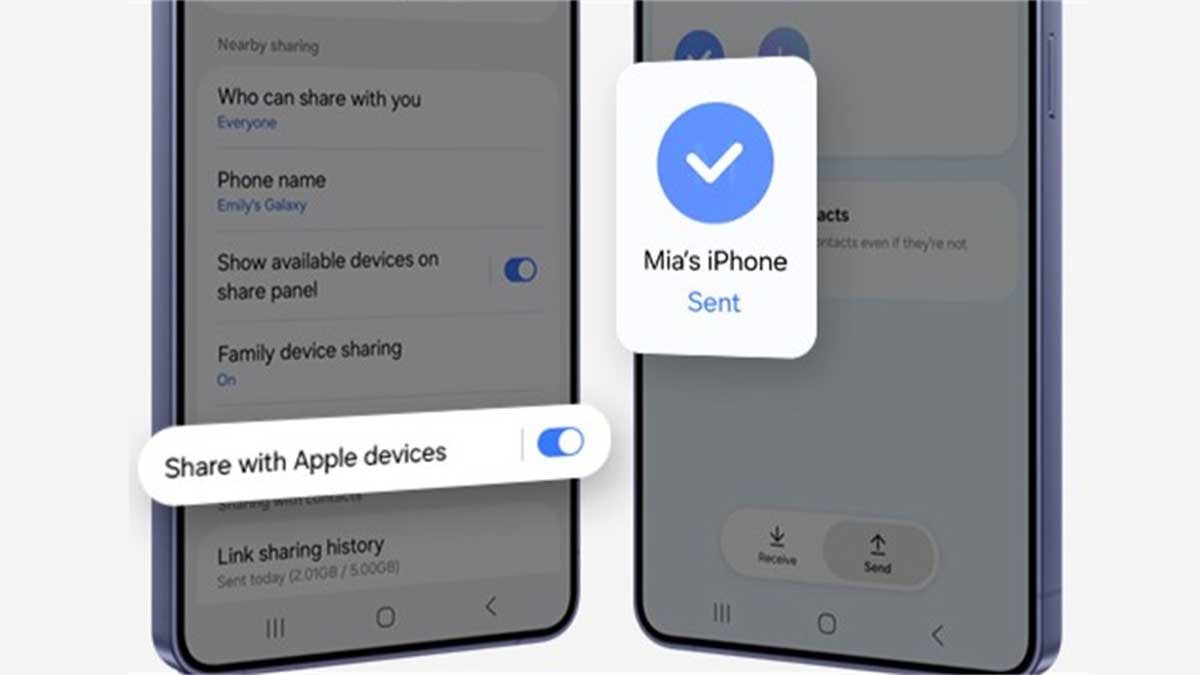
Samsung Quick Share’s “Share with Apple devices” feature remained exclusive to flagship Galaxy devices. Well, the One UI 9.0 update is quietly expanding Quick Share AirDrop support to Samsung Galaxy A series phones this October.
Google discovered a clever way to bring cross-platform sharing to Android devices. It started with Google’s own Pixel lineup and then expanded to select flagship Samsung Galaxy smartphones, including the S26 series.
You don’t need to install any third-party app for cross-platform sharing. The native Quick Share app adds a new toggle called “Share with Apple devices” to introduce an Android-to-iOS and iOS-to-Android sharing experience.
After several premium devices, Samsung brought AirDrop support to the Galaxy S25 FE and Galaxy S24 FE phones. Now, Samsung’s low-tier Galaxy A series phones are getting Quick Share AirDrop support with the One UI 9.0 update.
Galaxy A55 is now compatible
Samsung Galaxy A55 is getting AirDrop support with the stable One UI 9 update. This feature will make it easier for users to share photos, videos, and files with supported Apple devices without needing extra apps.
With this update, sharing files between Samsung phones and Apple devices could become simpler and faster. Galaxy A55 users will have a more convenient way to transfer files.
Galaxy A57 and A56 are compatible
A Galaxy A57 user confirmed last week the availability of AirDrop sharing after the One UI 9.0 update. As the update expanded to the Galaxy A56, users found that AirDrop has landed on last year’s premium Galaxy A line smartphone.
This is the strongest attempt to bring premium Apple features to affordable Android phones. Samsung paved the way so other Android vendors could follow, potentially connecting millions of iOS users with Android users.
Notably, the changelog doesn’t mention anything about Quick Share AirDrop compatibility. Yet, the two Galaxy A phones confirmed to have gained access. User findings may reveal if AirDrop has arrived on even more Galaxy A devices.
The first setup requires the “Share with Apple devices” toggle to be enabled. To do so, open Quick Share Settings and activate the switch. If it’s available, you will be able to send and receive files from Apple iPhone, iPad, and Mac devices.
If you find the new feature upon checking, do share screenshots and model name with the Samsung fans, while tagging @thesammyfans on X.

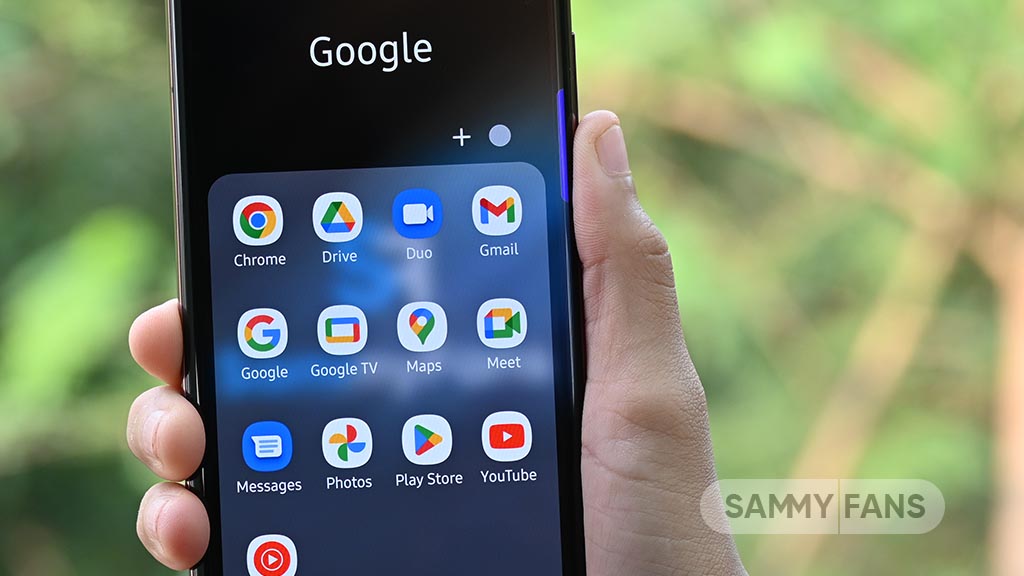
Google has updated its privacy policy to explain how information shared through its AI features may be used to show more relevant advertisements. This has raised concerns about the privacy of personal information stored in Gmail, Google Drive and Google Photos.
Google’s Personal Intelligence feature helps tools like Gemini and Google Search give better answers by using information from connected apps. For example, if you ask Google to suggest restaurants near a hotel you have booked, it may use your Gmail reservation details to recommend nearby places.
Google says it does not use Gmail, Drive and Photos content for personalized ads by default. However, information shared with certain Google services may be used for ads if those services support personalized advertising. This depends on the services connected and the permissions users give. It does not mean Google automatically reads every email and photo to show ads.

Image via Android Authority
Users can protect their privacy by reviewing their Google Account settings. Go to Data & privacy, select Personalization settings, and open Manage Personalized Recommendations under Search Services. You can then disconnect Google Workspace and Google Photos under Connected Content apps or turn off Personalized Recommendations completely.
However, disconnecting an app may not delete information Google has already saved in Search Services History.
Google’s AI tools can make everyday tasks easier, but users should understand how their personal information may be used. Checking privacy settings regularly can help users keep better control over their data.
-
 One UI2 days ago
One UI 9.0 official update now rolling out to these Samsung phones
-
 One UI2 days ago
One UI 9.5 Eligible Devices: These Samsung devices could receive the next major update
-

 Updates3 days ago
Samsung Galaxy Z Fold 7 and Z Flip 7 grabbing November 2026 security update
-
 One UI3 days ago
Samsung Galaxy S25 joins the One UI 9.5 development party