
WhatsApp group chats just got smarter with these 4 new features


WhatsApp has introduced four new features to make group chats easier to use. These updates will help users find important messages, follow conversations, and share updates with group members. The new features are rolling out gradually for Android and iOS users.
Pin Messages Without a Time Limit
WhatsApp now allows users to pin important messages without a time limit. Earlier, users could pin messages for 24 hours, seven days, or 30 days.
With the new update, they can keep messages pinned for as long as they want. This will help group members find important information easily.
Share Message History With New Members
WhatsApp is making it easier to share recent messages with new group members. Users can share previous messages with someone who has just joined a group. This will help new members understand earlier conversations without asking others to explain everything. WhatsApp also protects these messages with end-to-end encryption.

Image via WhatsApp
Share Status Updates in Groups
Users can now share status updates directly with a specific group. This means they do not have to share every update with all their contacts.
Group members can view and react to these updates. They can also share their own statuses. Like regular WhatsApp statuses, group status updates disappear after 24 hours.
Find Mentions and Replies Easily
WhatsApp is adding a new filter to help users find unread group chats where someone has mentioned them or replied to their messages. It also shows messages where someone has mentioned everyone in a group. The filter works with community chats and can be removed if users do not need it.
WhatsApp is rolling out these four features gradually for Android and iOS users. Some users may have to wait a few weeks to receive them. Keeping the app updated can help users get the latest features when they become available.





WhatsApp is working on a new feature that will help Android users move their followed channels to the Chats tab. The feature will suggest where each channel should go, making it easier for users to organize their chats.
According to information found in WhatsApp beta for Android version 2.26.43.2, WhatsApp will suggest keeping frequently viewed channels in the main chat list. Channels that users rarely check will be suggested for the archive. These suggestions will appear on the migration screen.
Users will have three options for each channel. They can keep it in the main chat list, move it to the archive, or unfollow it. Users can also change any suggestion before confirming their choices. If they agree with all the suggestions, they can tap the “Move now” button to complete the process.
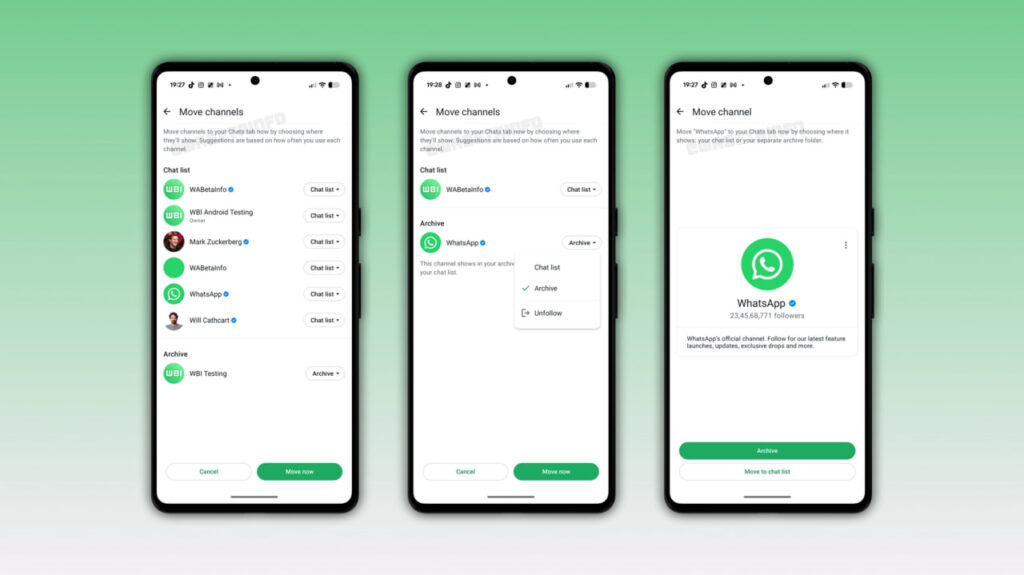
Image via WABetaInfo
This feature will be helpful for people who follow many channels and want to keep their chat list organized. Instead of deciding where every channel should go themselves, users can follow WhatsApp’s suggestions and make changes whenever needed.
WhatsApp may also replace the Updates tab after channels move to the Chats tab. Status updates already appear at the top of the Chats tab for some users. The company is also planning to introduce a new Contacts tab, where users can see who is online and find their contacts more easily.
The improved channel migration tool is still under development for Android. It is not available to users yet, and WhatsApp has not announced an official release date. The feature is expected to arrive in a future update.

WhatsApp is rolling out a new feature for Android beta users: Mentions and replies. It helps users quickly find group chats where someone has mentioned them or replied to their messages. This makes it easier to find important conversations without searching through the entire chat list.
The new filter appears at the top of the Chats tab, alongside options such as Unread, Favorites, and Groups. When users tap it, WhatsApp shows only chats with mentions and replies. A small badge also shows the number of conversations that need attention.
The feature works with both group chats and community groups. It can be useful for people who are part of many groups and often miss important messages in busy conversations.

Image via WABetaInfo
WhatsApp already sends notifications when someone mentions a user or replies to their message. However, these notifications can be missed or cleared. The new filter allows users to find these conversations later, even after the notifications disappear.
The feature is optional. Users can disable it in the app settings or move it to the separate “More” section to keep their main chat list organized.
WhatsApp is gradually rolling out the feature to some Android beta users with version 2.26.42.12, available through the Google Play Store. Not every beta user will see it immediately. WhatsApp has not yet announced when the feature will be available to everyone.


WhatsApp is making it easier to share Instagram Reels directly in chats with a dedicated button shortcut in the attachment menu.
The feature, spotted in WhatsApp Beta for Android version 2.26.42.9, gives users a more direct way to access Reels without navigating through the app’s existing media picker. The new button opens a dedicated interface with three tabs: Recents, Saved, and Liked.
As per WABetaInfo, these sections let users find recently watched Reels, bookmarked videos, and content they have liked on Instagram, respectively. Users can then select content to share in a WhatsApp conversation.
The change builds on WhatsApp’s existing integration with Instagram and Facebook media through Meta’s Accounts Center.
Meta introduced a way for users to access their linked social media content from WhatsApp’s media picker, including posts, stories, and Reels. Previously, users had to navigate the picker’s source list and select Instagram to find that content.

Source: WABetaInfo
The dedicated shortcut makes the existing functionality more visible and reduces the steps needed to share a Reel. However, it comes with a requirement: users must link their WhatsApp account through Accounts Center.
Those who prefer keeping their accounts separate can continue using WhatsApp without linking them, but they will not see the new button.
WhatsApp is rolling out the shortcut to select Android beta testers through the Google Play Store. Availability is gradual, so installing the latest beta does not guarantee immediate access. Meta has yet to announce a wider release date.
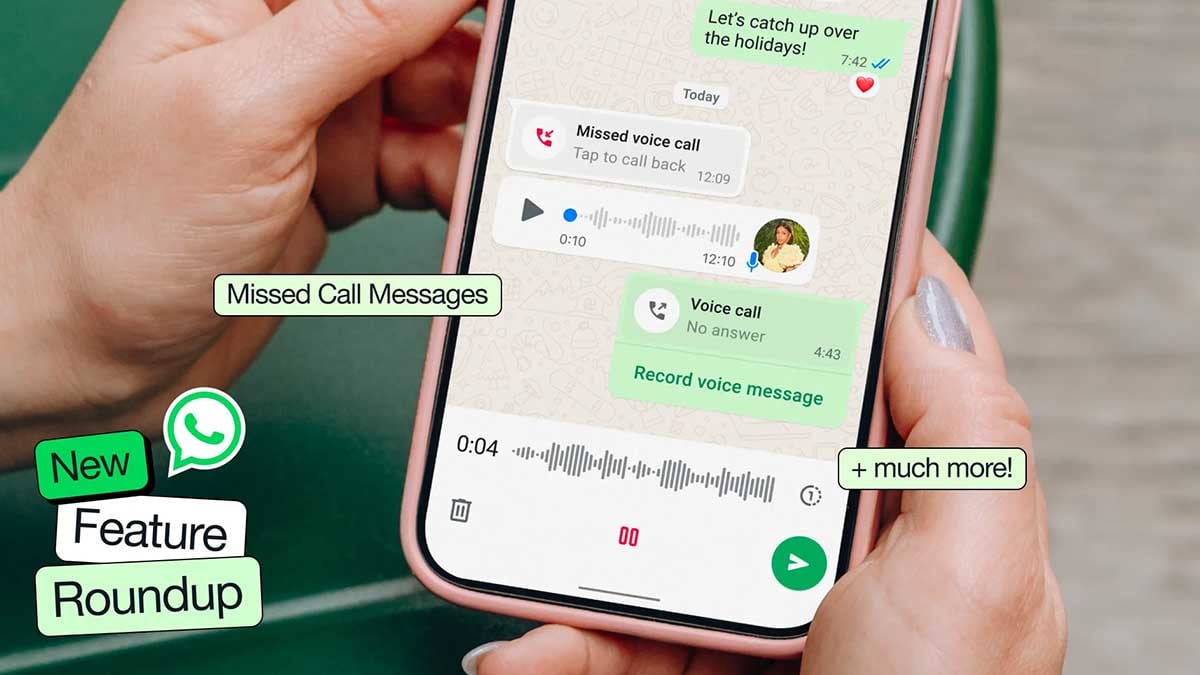
WhatsApp is once again tweaking how Android users navigate the app, this time focusing on navigation bar UI behavior rather than static visual tweaks.
In the latest Beta build (version 2.26.41.6), Meta’s messaging platform WhatsApp is testing a dynamic bottom navigation bar that dynamically resizes based on screen scrolling direction.
When you scroll down through your chat feed, the full-width navigation bar gradually shrinks into a compact floating pill, freeing up vertical screen space. Scrolling back up restores the bar to its default expanded layout, as per WABetaInfo.
While it might sound like a minor refinement, it addresses a genuine UX pain point: maximizing screen real estate when browsing through long conversation threads without forcing users to lose immediate access to tab shortcuts.

This dynamic response mirrors design choices Meta previously rolled out on Instagram, pointing toward a broader effort to unify interaction patterns across its application ecosystem.
Over the last few beta builds, WhatsApp has swapped text labels, experimented with floating rounded edges, and tested circular tab selectors.
This latest scrolling behavior reinforces that Meta isn’t finished refining the interface just yet, though there is no confirmed timeline for a stable public release.
WhatsApp is working on a new chat bar design for its Android app. The new design aims to make the chat screen look simple and modern. The company is testing two different designs before deciding which one will be available to users.
The main change is the position of the text box and send button. In the new design, the text box will appear at the top of the chat bar, above the emoji button. The send button will also become part of the chat bar instead of staying outside it.
WhatsApp is testing two layouts. In the first design, the emoji button will appear on the right side, while the attachment and camera buttons will be placed on the left, next to the send button. This design will look similar to the current layout but with a few changes.
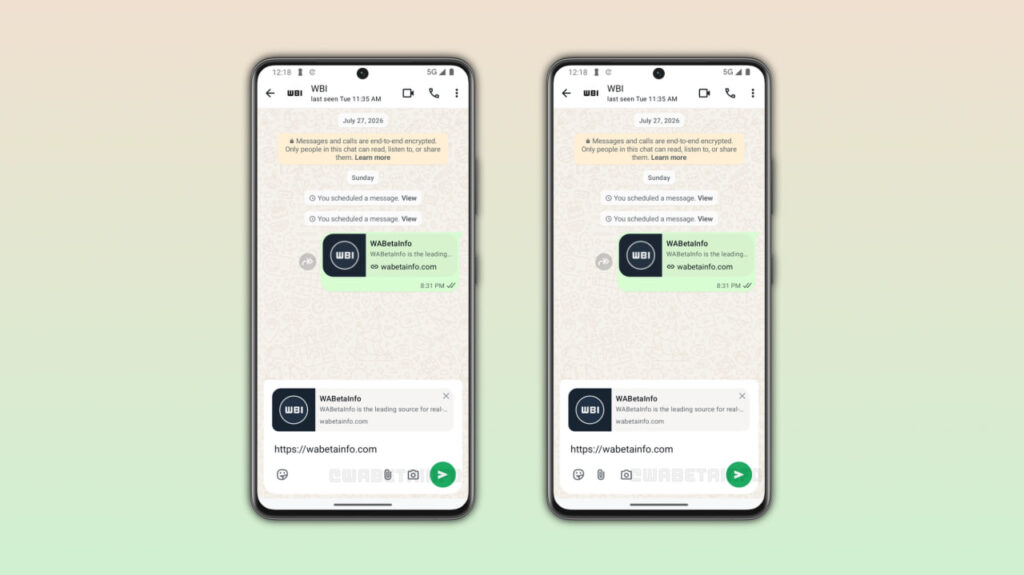
Image via WABetaInfo
In the second design, the emoji, attachment, and camera buttons will all appear on the left side. The send button will be placed alone on the right side, giving the chat bar a cleaner look.
Along with the chat bar, WhatsApp is also working on improving its bottom navigation bar. The company may replace the pill-shaped indicator that shows the selected tab with a circular one.
WhatsApp has not confirmed which chat bar design it will choose or when the new feature will be released. The company may make more changes before bringing it to Android users in a future update.
The new chat bar has been spotted in the WhatsApp beta for Android 2.26.41.11 update, available on the Google Play Store. However, the feature is still under development and is not yet available to beta testers.
-

 Updates15 hours ago
Samsung offers Galaxy S26 users a brand-new One UI 9 update in Europe, India
-
 Samsung3 days ago
Samsung Galaxy S27 Release Date: A 5-year trend analysis
-
 Phones2 days ago
Samsung W27 Red Edition leaks ahead of China launch
-

 One UI2 days ago
Samsung soft-launched One UI 9 Watch (Wear OS 7) release date