
One UI
Galaxy A54 receives One UI 9.0 official update, completing a striking OS support


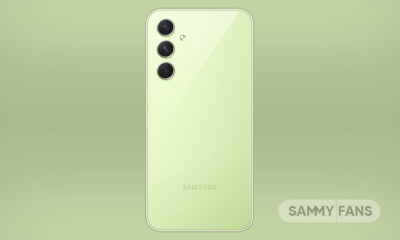
Samsung began the official rollout of its Android 17-based One UI 9.0 update to the Galaxy A54 5G. The distribution has started in Korea, following the conclusion of the Beta Program that was running for a few weeks in the market.
Galaxy A54 users on One UI 9.0 Beta are getting GZJ5 update in South Korea. This is a small update, weighing under 300 megabytes. It carries the October 2026 security patch, targeting 79 vulnerabilities across Android and One UI.
Samsung launched the Galaxy A54 with the Android 13 operating system. The smartphone was promised to receive four major OS upgrades and five years of security patches.
Android 17 arrives as the final major OS upgrade, with no adventures left in the journey. A handful of security patches will arrive to tackle vulnerabilities in the Android ecosystem and One UI software system.
If you stayed on One UI 8.5, the update should be there soon. The rollout is prioritizing Beta participants for a reliable switch. Also, users outside Korea may need to wait a few days as the distribution is sequential.

Samsung’s One UI 9.0 introduces a clean and dynamic Quick Panel. Toggles are now bigger, and volume/brightness sliders are easier to adjust. The personalization experience has been elevated, thanks to Home Up-linked tools.
Warranty and care page is another notable addition inside Settings. It’s rolling out across Galaxy devices, regardless of the product lineup. It makes tracking warranty simpler and raising claims effortless through a dedicated page.
If you’re rocking a Galaxy A54, consider keeping it until it dies itself. Memory crunch, as significantly raised smartphone prices. You would need to spend around $600 to get the latest Galaxy A57 smartphone in the US.










Samsung has released the One UI 9 stable update for the Galaxy M56, Galaxy A35, Galaxy F17, and Galaxy M17 in India. Users of these smartphones can now check for the latest update on their devices. The new update brings software improvements and the October 2026 security patch. Galaxy M56 users will also get Android 17 with this update.
The Galaxy M56 has received the One UI 9 stable update with firmware version M566BXXU7DZJ1. The update size is 2210.32 MB, and it includes the October 2026 security patch. The update is based on Android 17.
The Galaxy A35 has also received the One UI 9 stable update in India. This update is available for users who are not part of the beta program. The firmware version is A356EXXUBEZJ2, and the download size is 2754.94 MB. It includes the October 2026 security patch.
The Galaxy M17 has also started receiving the One UI 9 update in India. The new firmware version is M176BXXU8DZJ5, and the package size is around 2.4GB. It also includes the October 2026 security patch. The Galaxy F17 is getting the update with version E176BXXU8DZJ5.

One UI 9 update brings the latest Samsung software to these Galaxy devices. It includes software improvements and security updates to help keep phones protected. Users should note that the available features may differ depending on the device.
All these smartphones have received the October 2026 security patch. This update helps fix known security issues and improves phone protection. Samsung is rolling out the update in phases, so it may not be available to everyone at the same time.
To download the update, open Settings on your phone and tap Software update. Then select Download and install. If the update is available, follow the instructions on the screen.

Samsung’s Android 17-based One UI 9.0 stable update has begun rolling out to the Galaxy M54 and Galaxy F70 Pro. The latest software updates follow the ongoing distribution to the Galaxy M36 and Galaxy M47 in various markets.
One UI 9.0 rollout for Galaxy M54 and Galaxy F70 Pro suggests that Samsung is randomly picking models rather than following a series. Users of the Galaxy M56 and Galaxy M55 are still waiting for the upgrade, but it landed on a past model.
Software build versions:
- M546BXXUFGZJ3: Galaxy M54 5G
- E476BXXU3BZJ1: Galaxy F70 Pro
Samsung is distributing the update sequentially, meaning you may not immediately see the OTA build. Meanwhile, you can trigger the installation through Settings > Software update > Download and install.
What’s new in One UI 9.0?
One UI 9.0 is built on Android 17, bringing the latest enhancements to Samsung devices. Galaxy M and F series phones, like the Galaxy A lineup, skip the adoption of AI-powered tools, but that doesn’t mean One UI 9 has nothing impressive.
Quick Panel is now heavily customizable, letting you alter the sliders. You can also tweak cards just like your friends rocking Pixel phones do. Samsung also worked on offering a clean user interface while expanding personalization.

Image – Samsung One UI 9 Quick Panel | Source – SammyFans
Your Galaxy phone is getting a dedicated Warranty and care menu in Settings. This page allows you to check your warranty information and access diagnostic checks and useful information for keeping your device in top condition.
Samsung Health, in particular, is getting at least ten major improvements. If you own a Galaxy device ecosystem, built with a smartwatch and Galaxy Ring, your health monitoring and tracking experience is going up significantly.
The default clock on your Lock screen has been redesigned with a cleaner and more modern look that adapts to match your wallpaper. You may find even more tools and solutions to tailor the One UI as per your own preference.
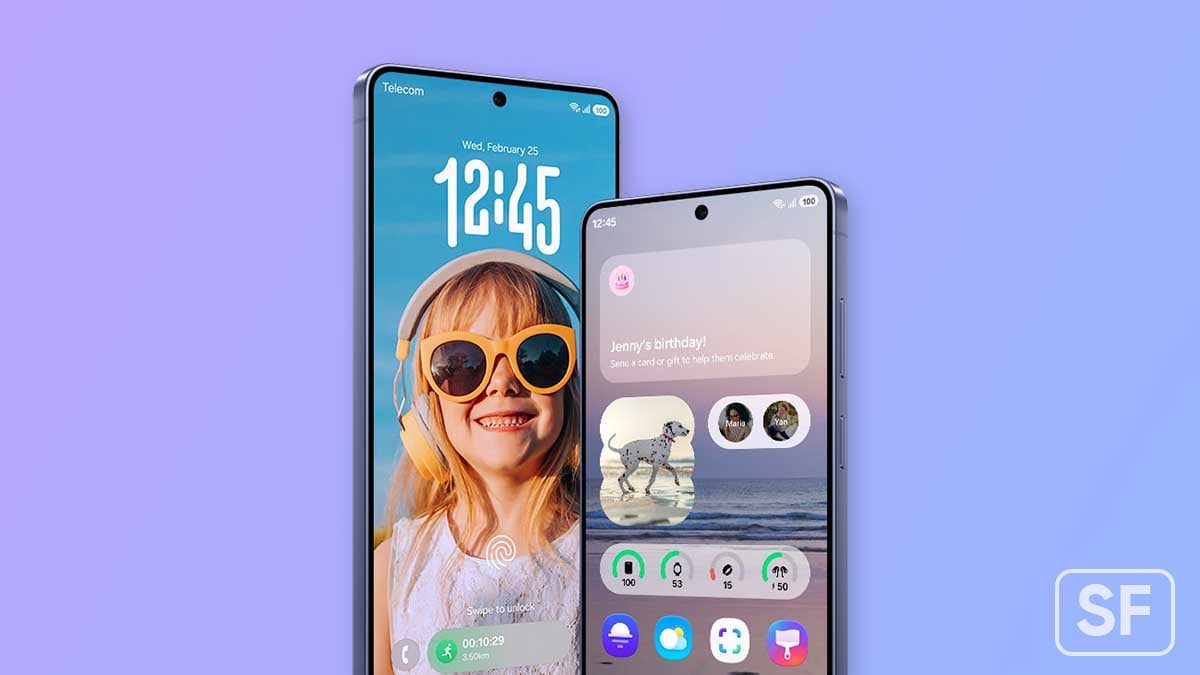
Samsung is currently working on One UI 9.5 for Galaxy devices. While the company continues rolling out the One UI 9 stable update to more devices in more countries, work on its next software version appears to have already started.
Although Samsung has not officially announced the One UI 9.5 Beta Program, several signs suggest that its launch could be getting closer. Based on previous release dates, the beta program is expected to begin soon.
Here is everything you need to know about the expected One UI 9.5 Beta release date and the latest developments.
One UI 9.5 Expected Release
Samsung has followed a similar schedule for its recent One UI beta programs. Looking at the previous two years, the company started its beta programs in early December.
The company officially launched the One UI 7 Beta Program on December 5, 2024, for the Galaxy S24 series in selected markets. Similarly, the One UI 8.5 Beta Program started on December 8, 2025, for the Galaxy S25 series.
Looking at these dates, Samsung could follow the same pattern for One UI 9.5. The beta program is therefore expected to begin in the first or second week of December 2026.
However, Samsung has not confirmed the launch date yet. The actual release schedule may change depending on the progress of software development and testing.

One UI 9.5 Development
Reports suggest that internal One UI 9.5 test builds have already appeared for several Galaxy devices. This indicates that Samsung has started testing its upcoming software internally.
Before releasing a beta update to users, Samsung usually tests the software to find bugs and improve its performance. If everything goes according to plan, the company could open the beta program earlier than expected.
However, the appearance of internal builds does not confirm an immediate public release. Samsung may need more time to test and improve the software before making it available to users.
One UI 9.5 internal test builds have reportedly been spotted on several Galaxy devices. These include the Galaxy S26 series, Galaxy Z Fold 8, Galaxy Z Flip 8, Galaxy A57, and Galaxy A17. The appearance of these builds suggests that Samsung is preparing its next software update for different Galaxy device categories.

However, this does not mean that all these devices will receive the beta update at the same time. Samsung may initially limit the beta program to selected flagship smartphones and markets, as it has done with previous releases. More details about supported devices should become available when Samsung announces the program.
Samsung Members app hints at Beta Program
Samsung has increased expectations for the One UI 9.5 Beta Program with an app update. Reports suggest that Samsung has updated its beta banner in the Samsung Members app.
Samsung Members is the app where eligible users can find information about beta programs and register when enrollment opens in their region. The reported banner change could suggest that Samsung is preparing for the next beta program. However, it does not confirm the official release date.
One UI 9.5 support appears in a Samsung app
Samsung has also reportedly introduced One UI 9.5 support in an update to its Nearby Device Scanning app. This is another sign that development of the new software is moving forward. However, the update does not reveal the complete list of new features or confirm when the beta will become available.
One UI 9.5 Stable Update
The stable version of One UI 9.5 could arrive alongside Samsung’s next Galaxy S series flagship smartphones in January or February 2027. If Samsung follows its usual schedule, the update may first reach eligible flagship devices before expanding to other supported Galaxy phones and tablets.
Samsung One UI 9.5 development appears to be moving forward, with reported internal builds and system app updates suggesting that preparations are underway. Based on previous beta release dates, the One UI 9.5 Beta Program could begin in early December 2026.
Galaxy users should wait for Samsung’s announcement to learn the exact release date, supported devices, and new features. Until then, December 2026 remains the expected launch window for the One UI 9.5 Beta Program.
What do you think about the upcoming One UI 9.5 update? Let us know your thoughts in the comments section!
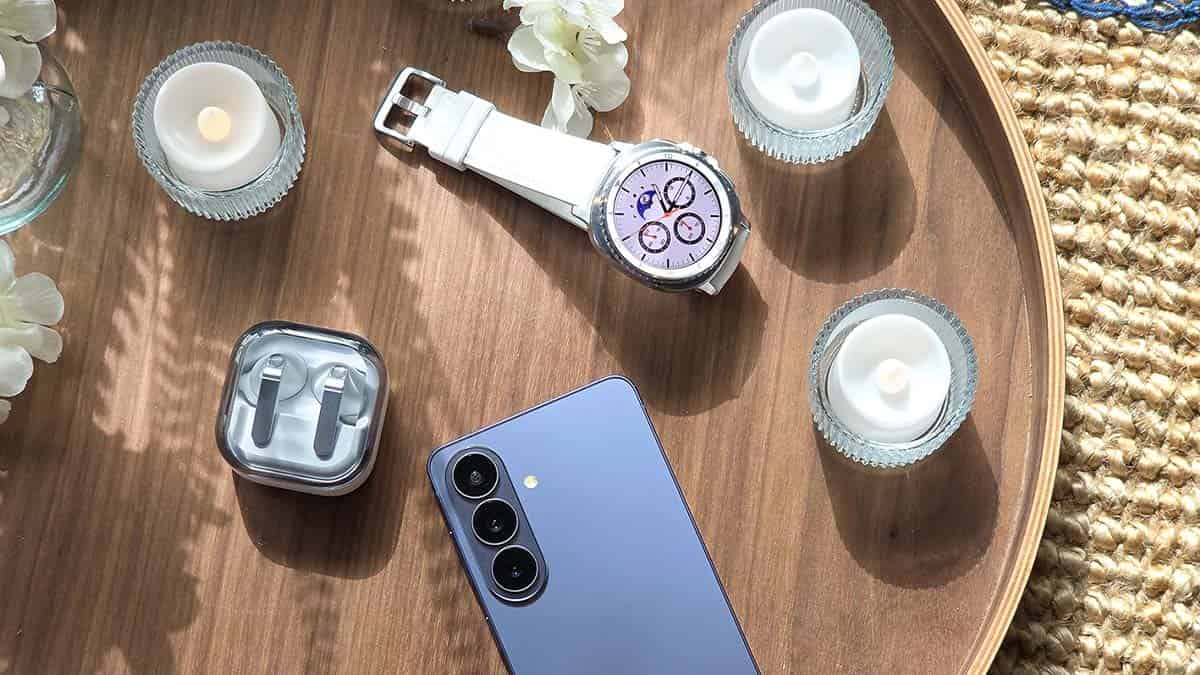
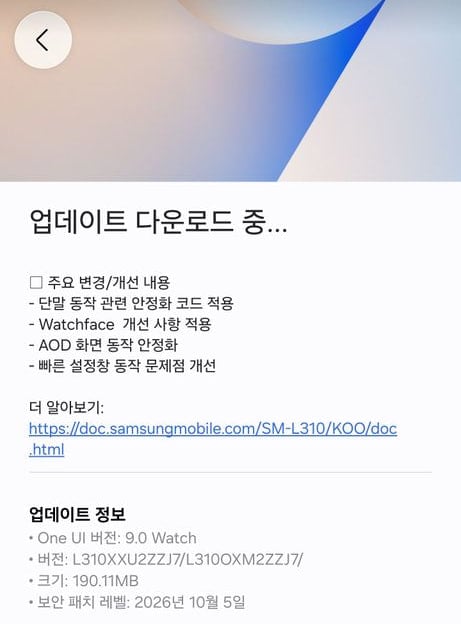
Samsung nears releasing the stable One UI 9 Watch update for its flagship smartwatch line. The company appears to have entered the final stretch of One UI 9 Watch deployment as the Galaxy Watch 7 and Watch 8 receive fifth and sixth Beta.
On October 23, Galaxy Watch 7, Watch Ultra, Watch 8 and Watch 8 Classic started receiving the fifth and sixth One UI 9 Watch Beta update. The rollout is underway in South Korea, with the overseas expansion following within a few hours or days.
With the Galaxy Watch 7 and 8 starting to receive the new Beta, more models, including the Galaxy Watch 6 and Watch 8 Classic, are highly likely to receive their final Betas. Samsung may also impress users by opening the public rollout soon.
One UI 9 Watch Beta 5/6 release notes bring four changes/improvements to the table.
First, the update includes the latest Android-based Wear OS patches released in October 2026 to improve the security and stability of the wearable devices.
Second, the Watch 7 and Watch 8 are getting watch face improvements. Third, the always-on display operation has been stabilized so users have a better overall functional experience. Lastly, the Quick Settings panel is also having enhancements.
These improvements suggest that Samsung is done installing new features and addressing bugs. The fifth Beta is all about polishing the user interface, which signals an imminent start of the official One UI 9 Watch firmware update.
Key changes/improvements
- Applied stability code related to device operation
- Applied Watchface improvements
- Stabilized AOD screen operation
- Improved Quick Settings panel operation issues
Download the latest ZZJ7 update through Galaxy Wearable app today.

Samsung is offering new One UI 9.0 features to its mid-range Galaxy M47 and Galaxy A26 smartphones this week. The two Galaxy models have started getting the major software upgrade, built on the new Android 17 OS.
One UI 9.0 has started rolling out to the Galaxy M47 in India, whereas it is rolling out to the Galaxy A26 in the Philippines. This is an initial debut, and the software update should be hitting a broader audience soon.
In the previous wave, Samsung dropped the major update for Galaxy A17, A35, A55, A16, M16, and A07. The list of updating devices is growing fast and the company is accelerating the pace to deploy the update earlier than planned.
All flagship Galaxy S and Galaxy Z devices have already received the One UI 9.0 update. Samsung is updating them with the October 2026 security patches. Recently, the flagship Galaxy S24 series has started receiving the October patches.
Software version numbers:
- M476BXXU3BZJ1: Galaxy M47
- A266BXXUCDZJ6: Galaxy A26
How to update software
You can manually check for the latest software updates through SETTINGS > SOFTWARE UPDATE > DOWNLOAD AND INSTALL.
If available, the OTA will be downloaded on the device. Tapping Install/Restart Now will initiate the installation process, which typically completes in around 15 minutes.
Here’s the complete One UI 9.0 changelog
Productivity and multitasking
More customizable quick panel
You can now rearrange and customize the controls in your quick panel even more than before. You can change the size of the brightness and volume sliders as well as the media player. You can also separate the sound mode button from the volume slider.

Image – Samsung One UI 9 Quick Panel | Source – SammyFans
Privacy, security, and device protection
Warranty and care
The new Warranty and care menu in settings lets you check your warranty information and access diagnostic checks and useful information for keeping your Galaxy in top condition.
Lock down your phone quickly
It’s now easier to securely lock your phone in a hurry. Just press and hold the Volume down and Side buttons at the same time or tap the Power button in the quick panel. This prevents biometrics from being used the next time you unlock your phone.
Location access transparency
Stay on top of your location privacy. A blue indicator will appear at the top of the screen when an app accesses your location. Tap the indicator in the quick panel to see which app it is.
Samsung Health
New look for Samsung Health
Samsung Health has been redesigned to make your health data easier to understand. Enjoy clearer visuals, improved charts, and a more engaging experience to help you reach your health goals.
Customize your Health home screen
Resize cards and organize them by category, like Activity, Sleep, Mindfulness, and Nutrition, so your top priorities are easy to access.
Log health data quickly
It’s now easier to add your health information right from the Samsung Health home screen. You can log your mood, meals, and more. You can even use the camera for faster input.
Advanced trend analysis
Track your progress with improved trend charts in Samsung Health. View data in hourly, daily, or weekly intervals, pinch to zoom in for a closer look, and overlay multiple charts to compare your performance across different periods.
Monitor changes in your sleep vitals
Samsung Health helps you notice meaningful changes in your sleep health data. Use Galaxy Watch or Ring measurements to better understand your daily health patterns.
Manage your heart health
Track key health metrics and lifestyle factors that affect your heart. A daily score based on your sleep, exercise, BMI, and vascular load helps you better understand your current heart health trends.
Track your cardio load
See how your workouts and activity impact your heart so you’ll know when to push harder and when to rest. Your target cardio load range adjusts daily based on your recent activity and training focus.
Check your fitness index
Your Fitness Index is an overall score calculated using five key fitness metrics: body composition, cardio, strength, flexibility, and endurance. Set a goal and unlock personalized insights tailored to your results.
Keep your ears safe
The new Hearing tracker monitors sound levels detected by your Galaxy Watch and headphone audio levels to help you manage your exposure to loud sounds.
View your cycle and body rhythm
Get a more personalized view of your cycle and body rhythm with new cycle tracking options. You can view your cycle information in your calendar and better understand your health patterns.
Accessibility
Discover new Accessibility features
Check the What’s new menu in Accessibility settings to learn about and try the latest Accessibility features for your Galaxy.
Text spotlight for easier reading
Need a closer look? Tap any text on the screen to show it enlarged and highlighted in its own window. You can also customize the font size, colors, and other settings to match your preferences.
Physical keyboard shortcuts
Use shortcuts on your physical keyboard to access the Accessibility settings you need without touching the screen.
Mouse keys enhancements
New options are available when using your keyboard for mouse interactions including speed and acceleration control. You can also use the keyboard’s number pad to point and click.
Replace swipe with single tap
The Replace swipe with single tap option is now located in the Dexterity and interaction menu instead of the Assistant menu for easier access.
Select to speak
Get quick audio readouts without turning on full TalkBack. With the new Select to speak feature, you can select an item on your screen, like text or an image, and hear it read or described out loud.
Improved TalkBack updates
TalkBack updates can now be applied with a simple app update from the Play Store, helping you get the latest accessibility features and enhancements.
-
 Updates3 days ago
October 2026 update now available on these Samsung devices
-

 Updates2 days ago
Samsung offers Galaxy S26 users a brand-new One UI 9 update, addressing freezing issue
-
 Android2 days ago
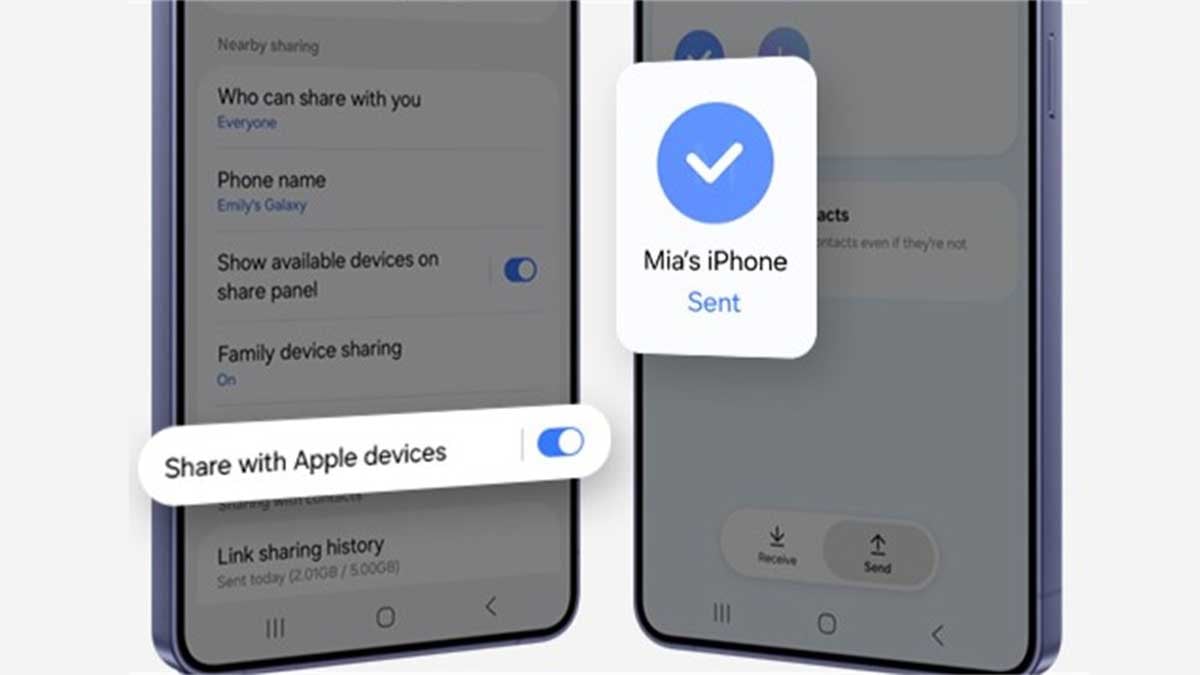
Samsung expands Quick Share AirDrop support to low-cost Galaxy A lineup
-
 Updates2 days ago
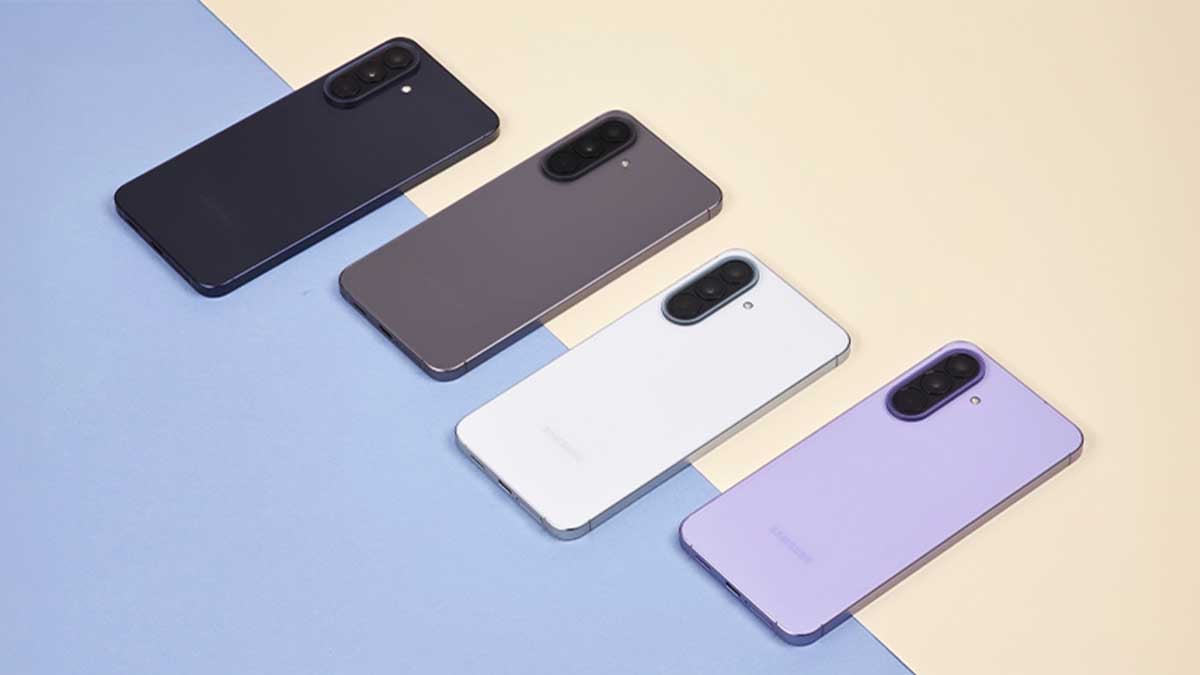
Samsung Galaxy A57 receives One UI 9 based October 2026 security update