
Apps
iPhone Duo can’t run this retro Walkman app like the Galaxy Z Fold 8


Built specifically for Samsung’s latest foldable, the open-source Foldman (retro Walkman) app transforms the Galaxy Z Fold 8 into a miniature, software-driven portable cassette player with a startling attention to physical detail.
When closed, the app utilizes the device’s cover screen by aligning a miniature cassette tape behind a narrow window, accompanied by playback keys and a volume slider running cleanly down a silver edge-to-edge strip.
It looks remarkably convincing in the hand, recalling the tactile satisfaction of an old Sony device before digital compression stripped our music of its physical weight. But the real engineering trick happens the moment you unfold the phone.
The interface pivots into a full horizontal deck layout, positioning vintage VU meters and a mechanical tape counter alongside your music library and custom album art printed right onto the cassette label.
Prop the phone half-open on a desk, and the deck occupies the top half of the screen like a retro radio sitting. What sets this project apart from standard skin-deep novelty apps is the sheer fidelity of its simulation.
The cassette reels do not just spin at a uniform clip; they rotate according to actual tape physics, accelerating as the virtual spool empties just like a real magnetic ribbon winding across a metal head, as shown by u/Time_Concert_1751/Reddit (via 9to5Google).
Source: u/Time_Concert_1751/Reddit
The playback keys latch physically into position, fast-forwarding blurs the spinning spools, and stopping the track lets them coast to a natural halt before a satisfying mechanical auto-stop thunks at the end of the side.
Foldman app supports local file formats including MP3, FLAC, and M4A, handles direct Apple Music streaming within the interface, and integrates with YouTube Music by functioning as a remote control for the native app.
Anyone holding an iPhone Duo foldable is going to miss out on one of the cleverest software releases. The first Apple foldable is on sale, but strict sideloading hurdles mean such apps will remain exclusive to Android for the foreseeable future.
If you are daily-driving a Fold 8, grab the APK, drop in your favorite lossless files, and enjoy a brilliantly crafted slice of pocket-sized retro engineering.


The rise of Quick Share might push Samsung to abandon the Dropship app. The company launched this nifty app in 2022, which offered the ease of sharing files across operating systems, including Android to iOS. Meanwhile, the Dropship app is facing an error with its sharing functionality, and Samsung has started preparing a fix.
Samsung Dropship can no longer share files across Android and iOS versions due to an error. The company has acknowledged the bug and stated “it’s working on a fix,” which could be provided to users in November 2026.
Over the past weeks, several reports emerged, claiming the Dropship is displaying an error every time when sharing files. The flood of complaints in Members community has forced Samsung to go quick with reinstating the app.
One affected user (via AndroidAuthority) claims that sending photo files is failing on six out of seven iPhones. The user reportedly receives a message that says, “The coordinates you entered are incorrect, or the item has expired.”
Samsung’s Good Lock moderator surfaced with a response, revealing that the team is aware of the bug as well as confirming that a fix is in the works and it will be part of a future update; however, an exact date was not shared.

Samsung Dropship
Samsung Dropship lets Galaxy users send up to 5GB worth of files per day to other devices, including iPhones. It was released as a Korea-exclusive app through Good Lock, but Samsung hasn’t banned its functionality when sideloaded.
Users can download the app’s APK and install it on their Galaxy device. Note that it only works if your Galaxy phone supports the Good Lock suite.
The sharing error seems temporary, probably caused by the major OS switch. The new Android 17 upgrade may have left some codes unable to work seamlessly with Good Lock’s Dropship plugin.
You may like:

Samsung is celebrating the 1st anniversary of the Samsung Wallet Money and Points service, which topped 3 million subscribers. The company is also giving users reasons to join the celebration through some virtual perks.
Launched last October, Samsung Wallet Money and Points reached 1 million subscribers in just two months. Thanks to the rapid growth, the subscriber count has surpassed the 3 million milestone on the 1st anniversary.
Samsung Wallet’s Money and Points rechargeable simple payment service. It allows users to charge money to make payments and earn points. Notably, the Korean tech giant cited key growth drivers including:
- Points can be earned without previous month’s spending requirements or earning limits.
- It can be used at all Korean merchants.
- Points earned during a payment can be used immediately like cash for the next payment without restrictions.
Consumers acknowledged the practical benefits of this Samsung Wallet service, which come with no complex conditions. This has become the key reason for the great response from consumers in the Korean payments market.
Additionally, Samsung revealed it is rolling out Samsung Wallet updates this week, bringing new features such as a point tier system and support for overseas payments.
The point tier system was introduced to provide more benefits to users who closely use the service in their daily lives. Based on annual accumulated points, it is divided into four tiers:
- Solar (the highest tier)
- Lunar
- Sky (basic)
- Young
Customers in the Young tier (targeted at ages 14 to 29) can receive an additional 3% point earning benefit when making payments. Solar and Lunar tier customers are provided with various benefits depending on their tier, such as gifting discount coupons and additional entries for instant-win sweepstakes when paying with Money.
Adding to this, 14 mini-games will be newly added to the “Benefits tab” within the Samsung Wallet app. Users can earn points while playing games, offering a variety of entertainment.
Meanwhile, Samsung is also hosting various events starting next week to celebrate the 1st anniversary of Samsung Wallet Money & Points. Key events include
- First Payment Event: 5,000 points and a chance to win prizes like the Galaxy Z Fold 8 through a raffle.
- Overseas Payment Earning Event: An additional 2.5% in points on overseas payments
Apps
Samsung Wallet targets 1 million wallet users in Thailand with expanded Bangkok transit integration

Samsung Wallet is making a massive play for South East Asia’s transit sector, setting its sights on 1 million Thailand users with a deeply integrated transit feature in Bangkok.
The Korean tech giant is aggressively expanding its mobile ecosystem in Southeast Asia, with Thai Samsung Electronics bringing Rabbit Virtual Card integration directly to Samsung Wallet.
The feature, rolling out across compatible Galaxy devices, allows Bangkok commuters to tap and ride the BTS Skytrain, BRT express buses, and Chao Phraya Express Boats without unlocking their devices or waking the screen.
By embedding the Rabbit ecosystem into Samsung Wallet, the company is positioning its smartphones as an all-in-one daily driver, using NFC and Knox-backed encryption to bypass physical cards altogether.
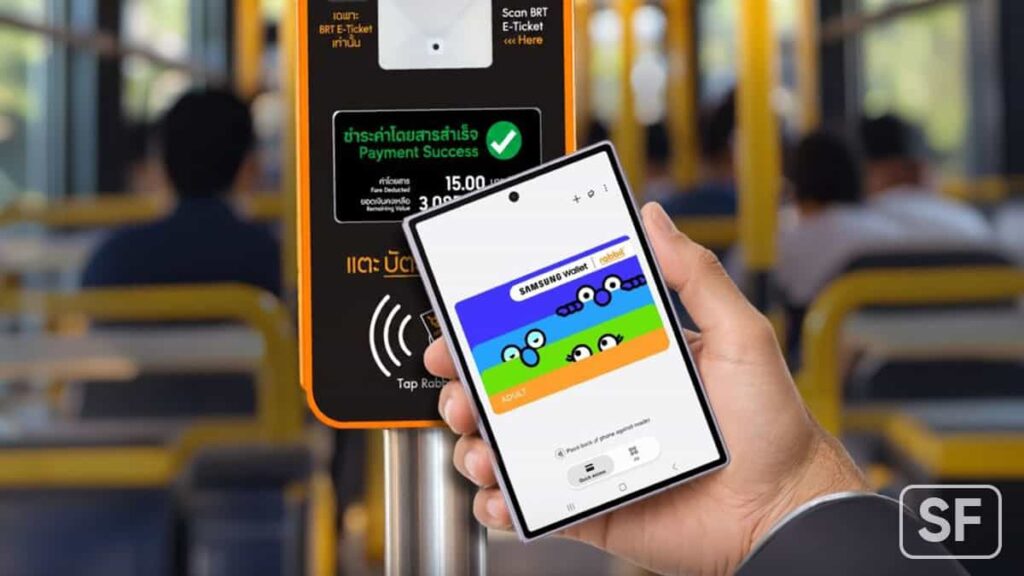
Samsung currently counts around 460,000 wallet accounts in Thailand, with 300,000 active users representing a 2.5x year-over-year jump. Samsung targets 1 million wallet users in Thailand while aiming to push active account engagement to 80%.
Samsung x Bangkok Smartcard System
Samsung teamed up with Bangkok Smartcard System to subsidize travel costs. Commuters can score a 20-Baht flat rate per trip across supported BTS and MRT lines through November and December 2026, receiving cashbacks directly into their linked Rabbit Wallet.
While unified single-ticketing across municipal transit remains a distant goal for many Asian metropolises, Samsung isn’t waiting for local infrastructure to catch up.
With support for additional MRT lines, the Airport Rail Link, and BMTA buses planned before the year ends, the South Korean tech giant is quietly establishing its wallet as the default digital key for everyday life in Bangkok.


Google Messages is testing a new feature that could make location sharing easier and more useful. The update may allow users to change map styles and check live traffic conditions directly inside their chats without opening Google Maps separately.
At present, Google Messages only shows the default map when someone shares their live location. Users cannot change the map style directly inside the app. However, Google is now testing a feature that could bring more options to the map.
The new feature has been spotted in Google Messages beta version 20261013. It adds a button to the top-right corner of the map, allowing users to choose between Default, Satellite, and Terrain views.
Each option offers a different way to view a location. The Default view shows a regular map, Satellite displays real images of places, and Terrain shows the shape of the land. These options could help users find buildings, roads, and landmarks more easily.

Image via Android Authority
Google is also testing a live traffic option under the Map details menu. This feature could show current traffic conditions directly on the map.
With these changes, Google Messages could make location sharing simpler and more convenient. Users may no longer need to switch to another app to get more details about a shared location. However, the feature is still being tested. Google has not confirmed when it will be available to all users.
WhatsApp is working on a new chat bar design for its Android app. The new design aims to make the chat screen look simple and modern. The company is testing two different designs before deciding which one will be available to users.
The main change is the position of the text box and send button. In the new design, the text box will appear at the top of the chat bar, above the emoji button. The send button will also become part of the chat bar instead of staying outside it.
WhatsApp is testing two layouts. In the first design, the emoji button will appear on the right side, while the attachment and camera buttons will be placed on the left, next to the send button. This design will look similar to the current layout but with a few changes.
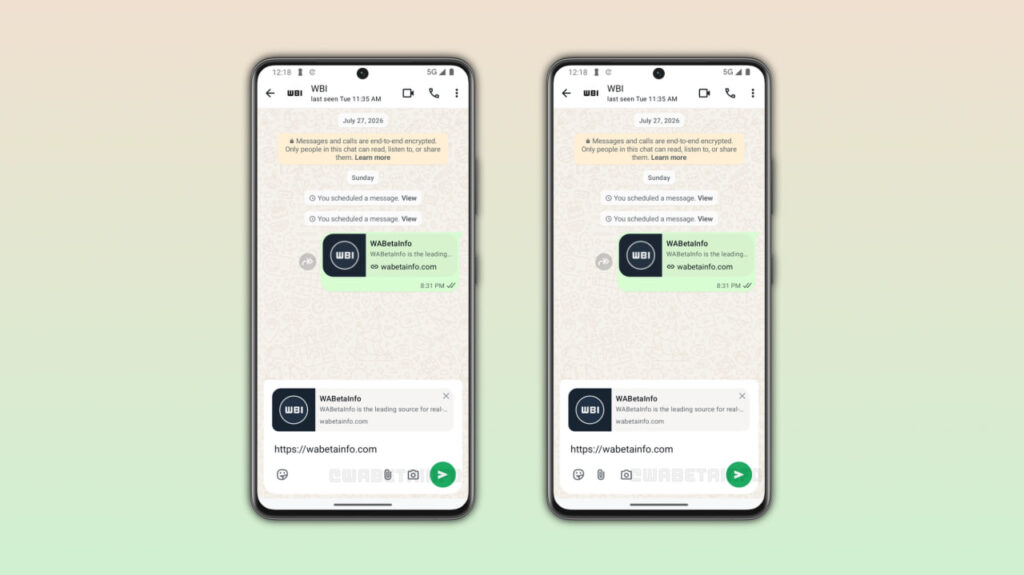
Image via WABetaInfo
In the second design, the emoji, attachment, and camera buttons will all appear on the left side. The send button will be placed alone on the right side, giving the chat bar a cleaner look.
Along with the chat bar, WhatsApp is also working on improving its bottom navigation bar. The company may replace the pill-shaped indicator that shows the selected tab with a circular one.
WhatsApp has not confirmed which chat bar design it will choose or when the new feature will be released. The company may make more changes before bringing it to Android users in a future update.
The new chat bar has been spotted in the WhatsApp beta for Android 2.26.41.11 update, available on the Google Play Store. However, the feature is still under development and is not yet available to beta testers.
-
 One UI1 day ago
One UI 9.0 official update now rolling out to these Samsung phones
-
 Updates2 days ago
October 2026 Google Play system update: Here’s what’s new
-
 One UI3 days ago
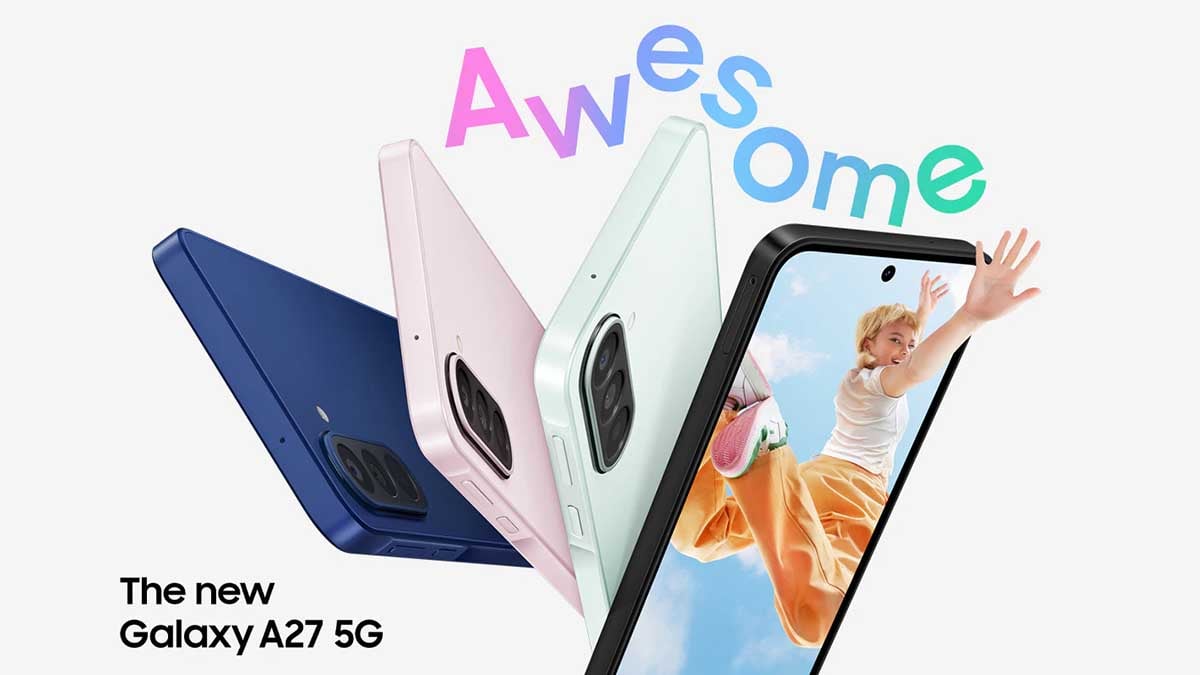
Stable One UI 9.0 update rolling out to the Galaxy A27 phone
-

 One UI1 day ago
Samsung Galaxy S23 family’s One UI 9.0 official update expanding globally: Europe, India