
One UI
Samsung internally testing One UI 9.5 on these Galaxy devices


A handful of Galaxy phones have already jumped to One UI 9.5 internal testing shortly after Samsung commenced the stable One UI 9.0 rollout. The next big update will arrive next year, and preparations are in full swing.
We expect Samsung to release One UI 9.5 Beta for select devices, including the Galaxy S26 series. An official announcement might come by the end of the year, as there is currently no sign of a Beta build on the test servers.
Galaxy S26 series is the primary candidate for the One UI 9.5 Beta Program. Samsung would also expand the testing activity to the latest foldable phones. We’ve also seen a glimpse of the potential changes through leaked One UI 9.5 builds.
As of the first week of October, Samsung firmware detectives have spotted early One UI 9.5 builds for a handful of Galaxy devices. The list includes flagship phones, foldable devices, a mid-range handset, and a budget phone.
Samsung testing One UI 9.5 on Galaxy devices
- Galaxy S26 series
- Galaxy Z Fold 8
- Galaxy Z Flip 8
- Galaxy A57
- Galaxy A17
This is not the complete list, as dozens of Galaxy devices will receive the One UI 9.5 update next year. The list includes the models that have been spotted on the firmware server with the upcoming One UI 9.5 version.
Internal testing will continue till Samsung determines the stability. Once the early job is done, the firmware will appear among real users through the Beta Program. However, that would not be available on a broad scale like One UI 9.
One UI 9.5 may not arrive on the Galaxy S23 series. 2023’s flagship lineup could receive One UI 9 next week as its last major upgrade. Meanwhile, the Galaxy S24 series and later models will have even longer software support.


Ads can be annoying when using free apps on Android phones. Some apps show too many ads, including full-screen pop-ups that interrupt users. But Samsung Galaxy users can reduce these ads with a hidden feature, AI Network Guard, in One UI 9.
AI Network Guard is a feature that lets users block internet access for selected apps. Many apps need the internet to show ads. When their internet access is blocked, they cannot download new ads.
This feature works best with apps and games that can run without the internet. However, some apps need an internet connection to work properly. Blocking their internet access may stop them from working, so users should check before using this feature.
How to Use AI Network Guard
Follow these simple steps to turn on AI Network Guard on your Samsung Galaxy phone.
- Open Settings and go to Connections >> Wi-Fi.
- Tap the three-dot menu and select Intelligent Wi-Fi.
- Scroll down and tap Intelligent Wi-Fi seven times.
- Open Connectivity Labs when it appears.
- Find and select AI Network Guard.
- Tap Set up a Guardian PIN and create a PIN.
- Open Manage restriction and enter your PIN.
- Select Restrict apps, choose the apps you want to block, and tap Confirm.
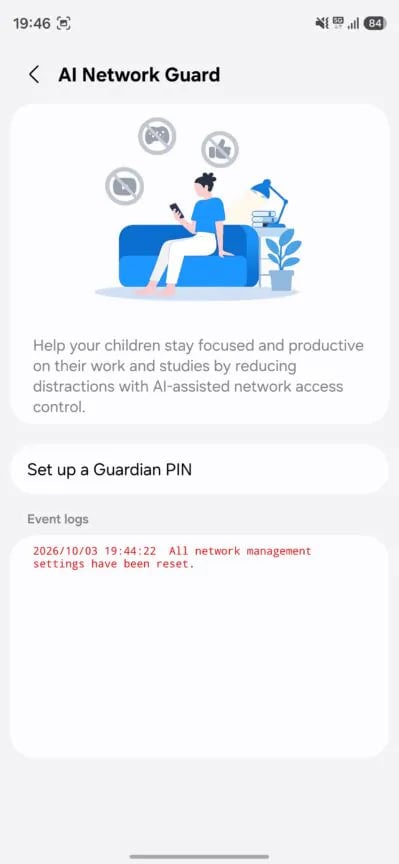
Image via Android Authority
If ads still appear, they may have been saved on your phone earlier. To remove them, open the app’s information page, select Storage, and tap Clear cache.
AI Network Guard can do more than block ads. It can help users spend less time on distracting apps by blocking their internet access. Its Downtime feature can also schedule when selected apps can access the internet.
The feature may also improve privacy by stopping apps from sending unnecessary information to their servers.
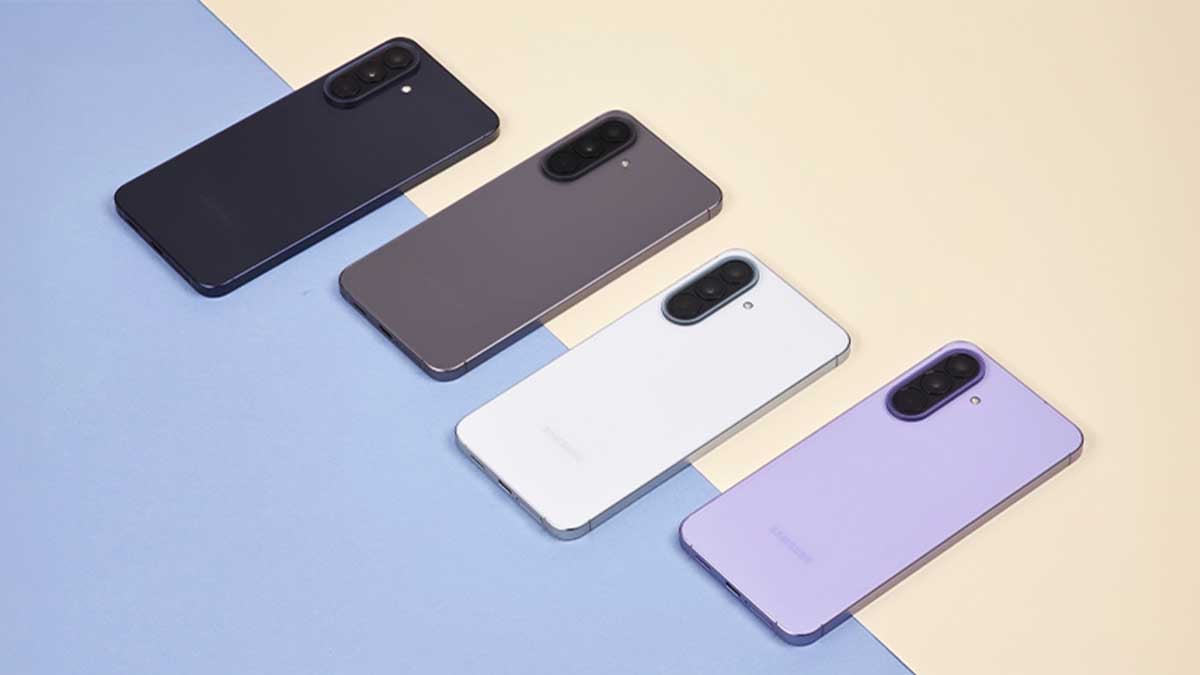
Samsung has reportedly started developing One UI 9 software for the Galaxy A58. The first software build for the smartphone has been spotted, which suggests that Samsung has started working on the software for this upcoming phone.
Samsung Galaxy A58 has the model number SM-A586B, and the first reported One UI 9 build (via tipster Kailash) comes with the version number A586BXXU0AZI5. The appearance of this build is an early sign that Samsung has started working on One UI 9 for the Galaxy A58.
However, this does not mean that the device is ready for users. Samsung usually tests new software internally before releasing. The company may make several changes during development before the final version is ready.
Aside from this, the Galaxy A58 smartphone already appeared in the GSMA IMEI database with the model number SM-A5860. However, the listing does not reveal many details about the Galaxy A58. Samsung normally launches its Galaxy A5x series phones early in the year. Due to this, the Galaxy A58 could arrive in the first few months of next year.
More details about One UI 9 for the Galaxy A58 may appear in the coming weeks or months as Samsung continues its development work. Users will need to wait for more information about the upcoming device.

Samsung has released the One UI 9 Beta 3 update for the Galaxy A55 in India. The new update is mainly on fixing problems and making the phone more stable.
One UI 9 Beta 3 comes with the software version A556EXXUIZZI9. It is around 339.17 MB in size. Users should connect their phone to a stable Wi-Fi network before downloading the update.
Samsung says the latest beta version comes with several bug fixes. These fixes are designed to solve some of the problems users may have faced in the earlier One UI 9 beta versions.
The main improvement in this update is better Wi-Fi stability. After installing the update, users should get a more stable Wi-Fi connection while browsing the internet, watching videos, downloading files, or using online apps.
The update also brings the October 2026 security patch. This patch includes security improvements that help protect the Galaxy A55 from known security issues.
However, it is important to remember that this is still a beta update. This means users may find some new bugs or other issues while using the software. Samsung will continue testing the update and making improvements based on feedback from beta testers.
Galaxy A55 users who are part of the One UI 9 beta program can check for the update by going to Settings >> Software update >> Download and install.
Samsung’s One UI 9.5 development is moving forward. New internal test builds have been spotted for the Galaxy S26 series and the latest foldable phones. These new builds show that Samsung is actively working on its next One UI version.
A new One UI 9.5 test build has been spotted for the Galaxy S26 series. The build has moved from U4CZJ1 to U5CZJ5. The full software version is S94xBXXU5CZJ5. The new build is currently an internal test version. Samsung is likely using it to test the software, fix bugs, and improve the overall performance before the update reaches users.
Samsung is also testing One UI 9.5 on its latest foldable phones. New One UI 9.5 internal builds have been spotted for the Galaxy Z Fold 8, Galaxy Z Fold 8 Ultra, and Galaxy Z Flip 8. For these foldable devices, the build has reportedly moved from U2BZJ1 to U3BZJ5. This shows that Samsung is also working on One UI 9.5 for its foldable lineup.
These new test builds are a sign that One UI 9.5 development is active. Samsung is testing the software on different flagship devices and making changes before the final version is ready. However, these are internal builds, so the features and changes can still be modified before the public release.
Samsung has not yet officially announced the public release date for One UI 9.5. More test builds may appear in the coming months, giving us more information about the update. For now, the latest builds confirm that Samsung is continuing its work on One UI 9.5.
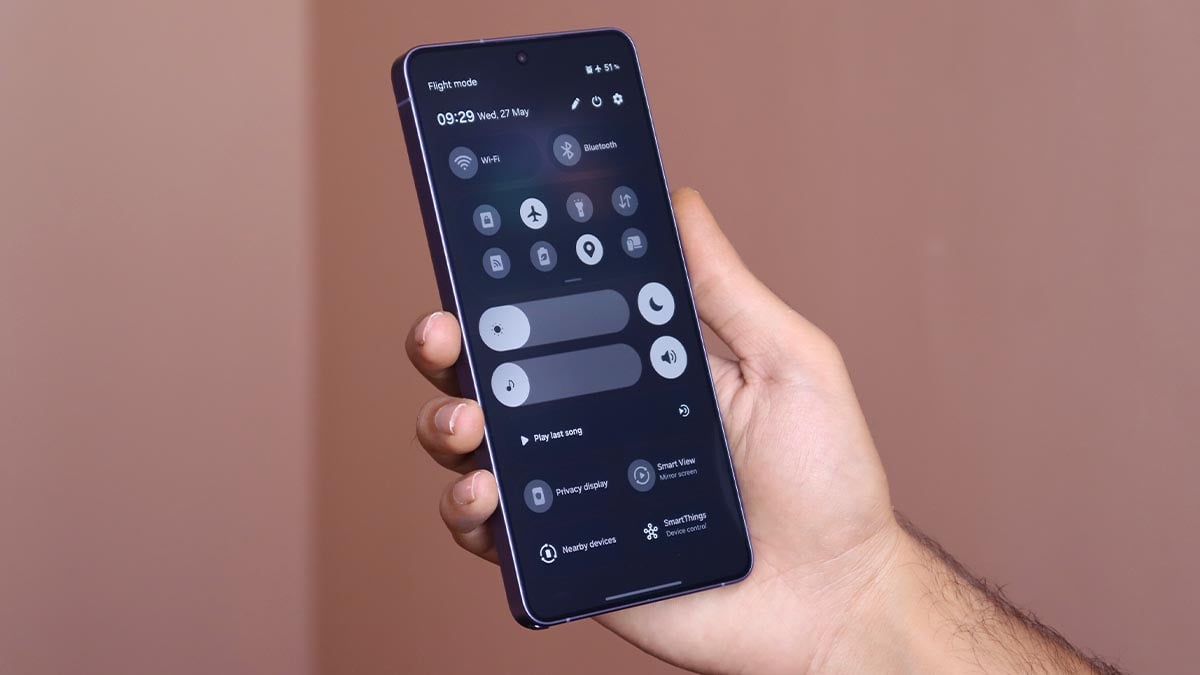
Samsung One UI 9.0 update introduces a brand-new Quick Panel for all Galaxy devices, which features fresh design and customization tools. This is a significant visual upgrade over One UI 8.5, which is coming your way this year.
Quick Panel, known as Control Center on Apple devices, is a dedicated home for crucial settings. This page consists of various tiles and toggles, along with page redirection keys to offer quick access to various functions and settings.
Samsung has been revamping Quick Panel since One UI 7.0. It was the first big redesign years after the company shipped familiar Quick Panel versions.
One UI 7.0 initiated the era of separated Quick Settings and Notification Panel. Since then, the company has been evolving this aspect with design changes and customization upgrades.
New Quick Panel in One UI 9.0
Samsung’s new Quick Panel removes the traditional brightness and sound sliders. Fresh sliders replace the old designs, which don’t feature a thick border surrounding the entire UI.
This is a big cleanup step, which makes the sliders look like large tiles. Fatter sliders are even easier to access and operate, offering ease of quick navigation.
Additionally, their supporting toggles can now be kept or removed as you want. They no longer stick to the sliders all the time, which is another big upgrade in the design language.

Image – Samsung One UI 9 Quick Panel | Source – SammyFans
Customization comes next.
Your Galaxy’s Quick Panel has gotten some insane customization tricks. There are no limitations on toggle, tile, or card personalization on the page.
You are free to resize, replace, and revamp everything you want. This is something derived right from the stock Android experience with the Expressive Design approach.

Image – Samsung One UI 9 Quick Panel | Source – SammyFans
Samsung has already rolled out One UI 9.0 update to various Galaxy devices. The expansion has also begun for non-premium Galaxy phones, starting with the A57. You can check for the update through Settings > Software update > Download and install.
-
 One UI2 days ago
One UI 9.0 official update now rolling out to these Samsung phones
-
One UI2 days ago
One UI 9.0 has this new Quick Panel for all Samsung phones
-

 One UI3 days ago
Samsung Galaxy A54 receives One UI 9 Beta 2 with October 2026 patch
-
 WhatsApp2 days ago
WhatsApp brings contacts, birthdays and invites into one new tab