
Apps
Samsung Galaxy phones get an important AOD fix through Galaxy Store


Samsung has released a new update for its Always On Display (AOD) app. The update is now available through the Galaxy Store and comes with version 8.9.66.1.
This is a minor update, but it fixes an important problem with the Always On Display feature. According to the update details (via tipster Kailash), Samsung has fixed an issue where AOD did not work correctly under certain conditions.
The Always On Display is a useful feature on Samsung Galaxy devices. It allows users to see basic information such as the time, date, battery level, and notifications without turning on the full phone screen. This makes it easier to check important information quickly.
Before this update, some users may have faced problems where the Always On Display did not work as expected in certain situations. With version 8.9.66.1, Samsung has fixed this issue to make the feature more reliable.

Image via Kailash
The latest update does not bring any major new features. Instead, Samsung has focused on fixing the existing problem and improving the overall performance of the AOD app.
Users with compatible Samsung Galaxy devices can check the Galaxy Store for the new AOD update. If the update is available, users can download and install it to get the latest improvements.
The new Always On Display version 8.9.66.1 is a simple maintenance update. While it does not add new features, the fix should improve the AOD experience for users who were facing problems with the feature.






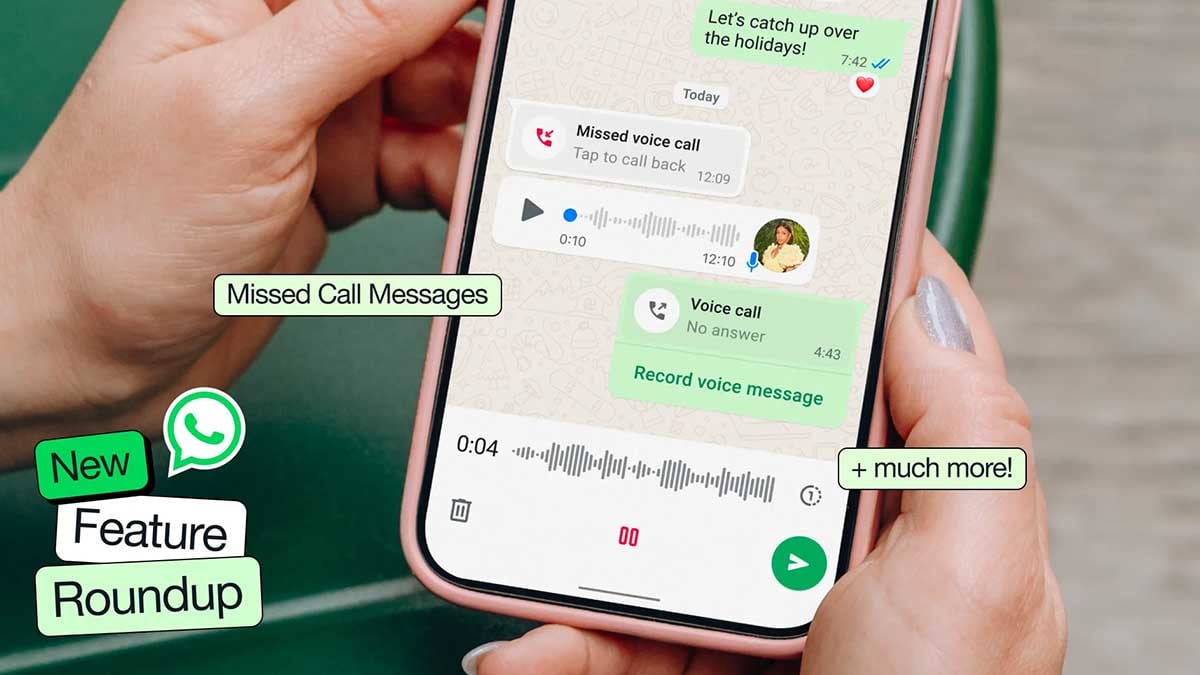
WhatsApp is rolling out a new warning that can prevent some users from logging in until they install the latest available software update on their Android or iPhone.
WhatsApp can identify accounts running on an operating system it considers too outdated and display a dedicated screen during login. The message directs users to their phone’s Settings app to install the latest available OS update.
According to WABetaInfo, the change is being applied server-side, so users do not necessarily need to download a new WhatsApp update to encounter it.
There is no announced list of Android or iOS versions that trigger the restriction yet. WhatsApp also appears to be enabling the requirement for selected accounts rather than switching it on for everyone at once.

End-to-end encryption protects WhatsApp conversations while they are being transmitted, but it cannot fully protect information on a compromised phone.
Older operating systems can contain publicly known security flaws that attackers may exploit to gain access to data before an app can protect it.
This is also separate from a WhatsApp vulnerability.
The company is effectively treating the operating system as part of its security boundary. If the underlying platform no longer receives important security protections, WhatsApp has less confidence in the environment where its app and user data are running.
For affected users, there is no workaround in the new login flow. Updating Android or iOS is required before WhatsApp allows access again.

Google has rolled out five Android Auto media changes that make in-car audio easier to control. Drivers can now access phone-based media apps from the dashboard, switch active media sessions with a swipe, use a redesigned player, get smarter autoplay behavior, and track songs more easily with a new seekbar.
The biggest change is broader media support.
Android Auto can now display album art and playback controls for phone media apps that do not have their own Android Auto experience.
That means background audio from YouTube Premium, browser streams and smaller apps can finally appear on the car display instead of remaining invisible.
Google has also redesigned the media player across different screen sizes, moving commonly used controls onto the main interface and scaling album artwork more effectively.
Spotify, YouTube Music and other services already benefit, while Google says additional apps will gain more customized player designs over the coming months.

Switching between multiple active media sessions is also quicker. A left or right swipe on the player now lets drivers jump between them without returning to the launcher.
Autoplay received less flashy but arguably more useful fixes. Android Auto should avoid choosing apps you rarely use, offer a quick way to disable autoplay when you repeatedly reject it, and stop sending unwanted playback commands when autoplay is disabled.
The new squiggly seekbar rounds things out, giving users a more glanceable indication of their position in a track. The seekbar could remain the most debated part of this redesign, while the expanded media support could have the biggest practical impact.
Most of these changes are broadly available with Android Auto 17.3 or newer on Android 9 and above.

Samsung has started rolling out a new design for its SmartThings app on Galaxy smartphones and tablets. The redesigned app first arrived on iPhone and is now reaching some Android users.
The new SmartThings app has a cleaner and more modern look. Samsung has used lighter colors and made the app easier to use. A new floating menu is placed at the bottom of the screen, helping users quickly move between different sections.
At the top, users can find shortcuts for the location QR code, location selection, map view, adding new devices, and the options menu. A large card below these buttons shows useful suggestions and important updates.

Image via
EngrGlitch
Also, the Home tab has been improved. It now shows favorite devices and routines in smaller cards, allowing users to see more items at once. Users can make a card bigger by pressing and holding it. Tapping the device icon can quickly turn a device on or off, while tapping the rest of the card opens more controls.
The Devices tab shows all connected smart home devices and organizes them by room. Users can also change their home layout and view it in 2D or 3D.
Another useful feature lets users add items such as sofas, wardrobes, lights, and other smart devices to their rooms. This makes it easier to create a digital version of their home.
The new SmartThings app looks much cleaner and more modern. However, the Android version does not yet have the Liquid Glass-style design available on iPhone. The update is rolling out slowly, so it may take some time to reach all Galaxy devices.
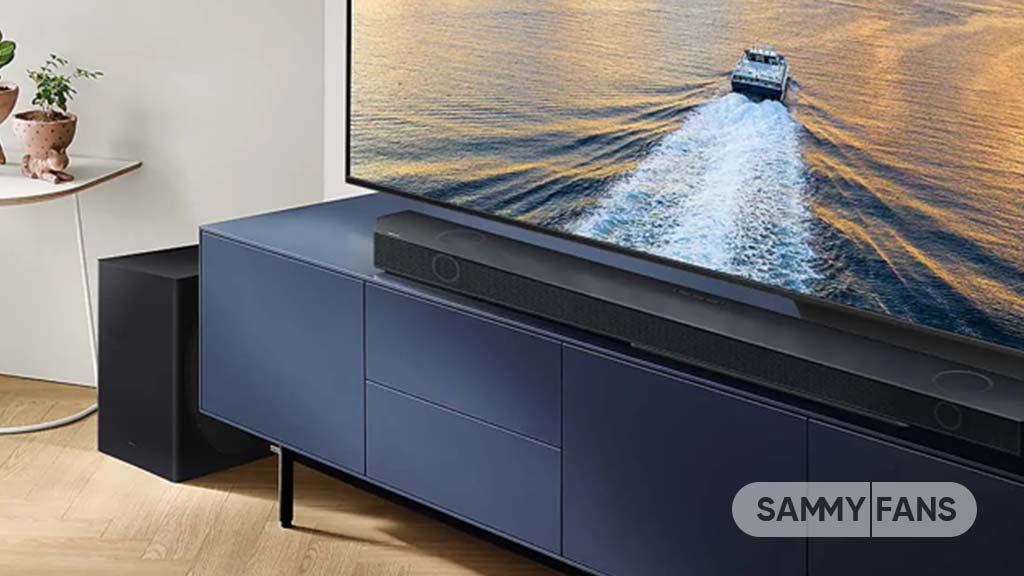
Samsung is ending another stock app, the Samsung Sound app. It is giving users another reason to move back to its SmartThings platform.
The company has informed users that Samsung Sound will be discontinued on March 31, 2027. Until then, the app will continue to be available, but Samsung wants users to start using SmartThings for managing their compatible audio devices.
Samsung introduced the Sound app less than a year ago. It was created for newer Samsung soundbars and wireless speakers, including models launched in 2024 and later. Users could use the app to connect and control devices through Bluetooth or Wi-Fi.
However, this dedicated app did not provide all the features available through SmartThings. With SmartThings already supporting a wide range of Samsung products, the company has now decided to bring its audio controls back to the platform.

Image via TarunVats
This means users will not need to find another replacement app. Instead, they can download or continue using SmartThings to control their supported Samsung soundbars and speakers.
The shutdown is still several months away, so current Samsung Sound users have enough time to make the switch. Samsung has not said that users need to stop using the app immediately.
The decision also appears to be part of Samsung’s effort to simplify its app ecosystem. Rather than maintaining a separate application for audio products, the company is putting those controls back into its larger SmartThings platform.
For Samsung Sound users, the main message is simple: the app is going away, but their compatible devices can still be managed through SmartThings after March 31, 2027.

Google Messages users are facing problems when sending photos, GIFs, stickers, and Photomoji through RCS. The problem seems to affect messages sent from one Android phone to another Android phone.
Several users have reported the issue on Reddit. They say that media files do not send when RCS is turned on. However, some users say they can still send photos and other media to iPhones using RCS without any problem. This suggests that the problem may be related to RCS messages between Android phones.
Users have tried different ways to fix the problem. These include restarting their phones, clearing the Google Messages cache, force-stopping the app, resetting network settings, and turning RCS off and on again. However, these steps have not worked for everyone.
One user said that clearing the app’s storage fixed the problem. But this also caused another problem. The user lost the Photomoji section and could no longer create new Photomoji.

Samsung Galaxy S25 Ultra and One UI 7 App Icons, Home Screen
It is still not clear what is causing the issue or how many people are affected. Google has also not provided a clear explanation or confirmed a permanent fix.
The problem comes as Google is working on more RCS features, including video calling. However, the company may need to fix the current media-sending problem before adding more features.
For now, users who cannot send media through RCS can try switching to SMS/MMS. This may allow them to send their photos and other files until the RCS problem is fixed.
-
 Updates3 days ago
Samsung’s October 2026 patch already released for these Galaxy phones
-
 News3 days ago
AMD wants to do to NVIDIA what Samsung did to Apple
-
 One UI2 days ago
One UI 9.0 has these 5 Privacy, security and protection features
-
 Updates2 days ago
October 2026 Google Play system update: Here’s what’s new