
One UI
4 new Samsung AI features Galaxy S26 users should pay attention to

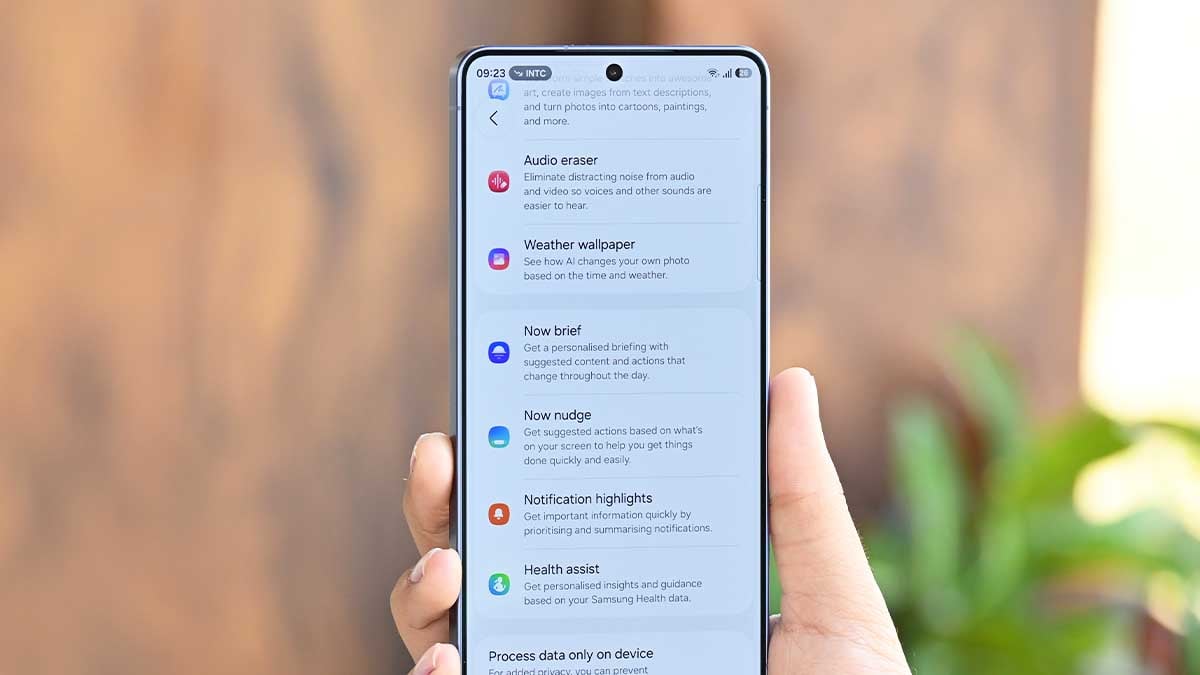
With the latest One UI 9 update, Galaxy AI is moving from a reactive set of new features into a proactive system assistant on Samsung’s Galaxy S26 flagship phones.
After reviewing the latest One UI 9.0 changelog and evaluating how these tools operate in real-world scenarios, here are the four standout AI additions that will genuinely change how you interact with your Galaxy S26.
1. Enhanced Now Nudge
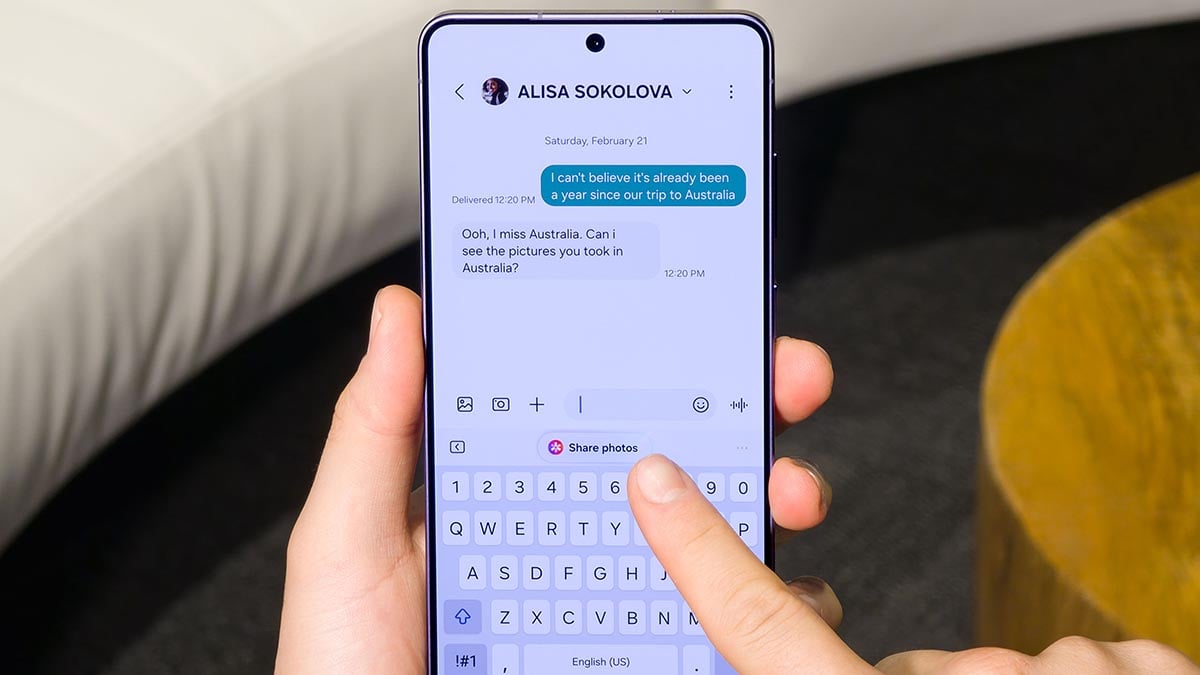
Previously, Samsung’s AI text suggestions were largely confined to the Samsung Keyboard. With this update, “Now Nudge” breaks out of the keyboard and becomes a system-wide companion.
How it works in practice:
- You will now spot Now Nudge suggestions directly inside conversation notifications, as well as via a new floating button in the bottom right corner of your screen.
2. My FanCam
If you have ever tried to film one specific person in a chaotic, moving environment, you know how difficult it is to keep them framed correctly. “My FanCam” leverages AI to take over the heavy lifting.
How it works in practice:
- When recording a video, you can select a specific person on your screen. The AI will lock onto them, automatically tracking their movements and cropping out the surrounding distractions to keep them front and center.

3. Scrollable Interpreter Mode
Samsung’s Interpreter app has been a brilliant travel companion, but earlier iterations had a frustrating limitation: once a translation passed off the screen, you lost the context of the conversation.
How it works in practice:
- In the updated Conversation Mode, you can now seamlessly scroll back through the entire transcription history while you are still actively talking.
4. Context-aware call screens
Phone calls are finally getting a smart, contextual upgrade that bridges the gap between your dialer and your daily planner.
How it works in practice:
- When you are actively on a call, the Galaxy S26 call screen will surface relevant information tied to the person on the other end of the line, such as upcoming calendar events or shared appointments.
Which of these new Galaxy AI features do you think you’ll use the most? Let us know through social media | @thesammyfans/X.


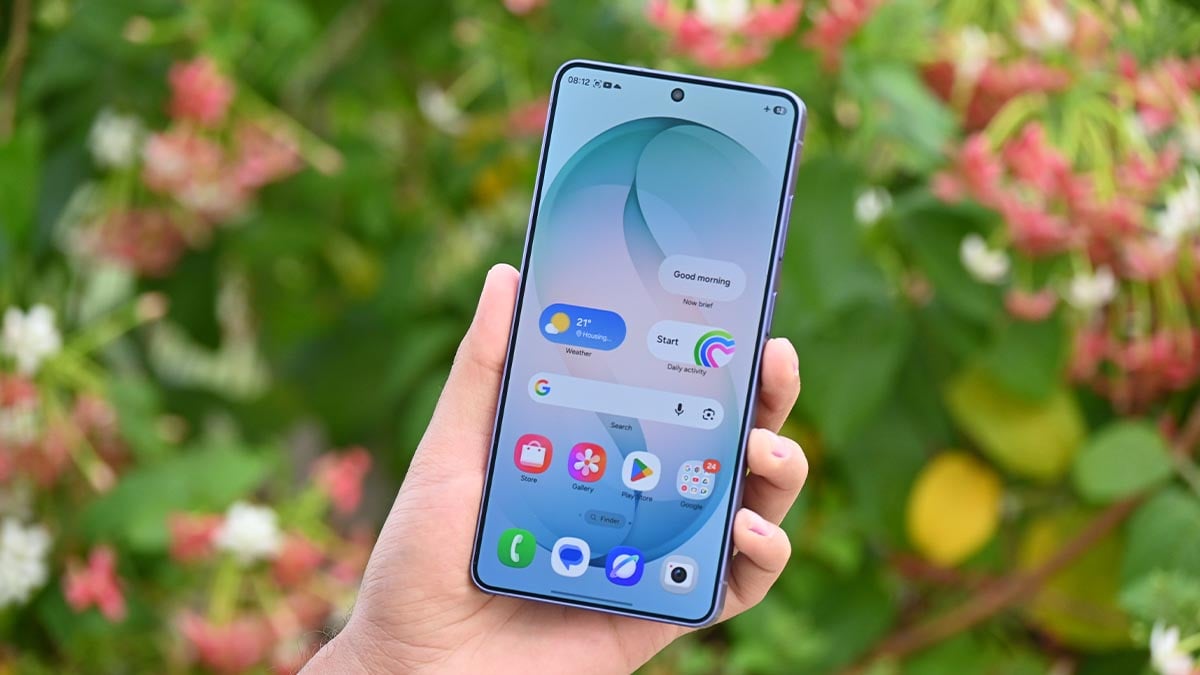

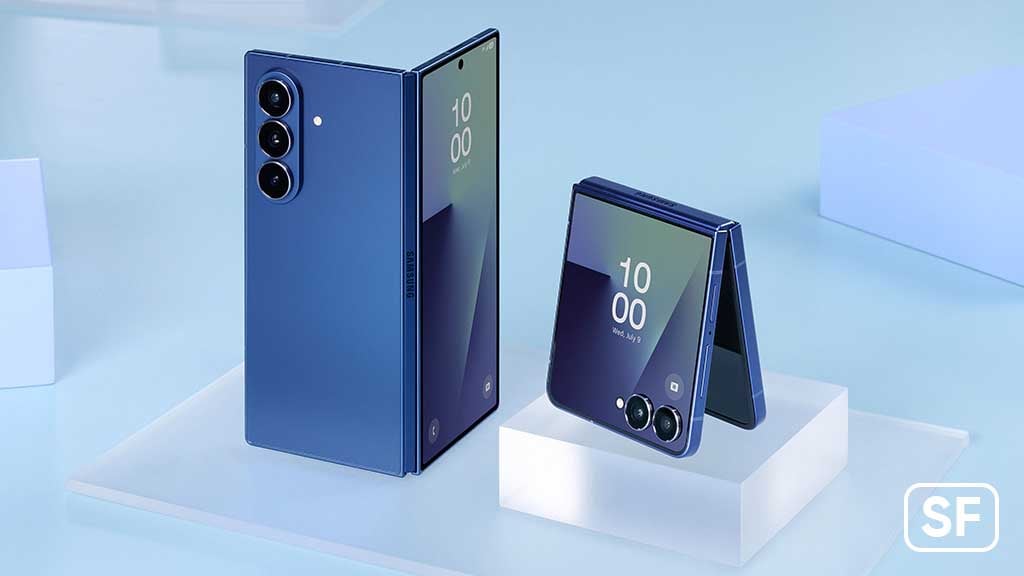
Samsung has begun a wider rollout of One UI 9.0 update to the Galaxy Z Fold 7 and Galaxy Z Flip 7 in the US. The update was initially landed in South Korea, which is marking its first expansion outside the market, starting in the United States.
One UI 9.0 official update is available for Galaxy Z Fold 7 and Galaxy Z Flip 7 users on AT&T, T-Mobile, and Verizon models in the US. It is making its way gradually to unlocked models as well, so keep patience if you don’t see it immediately.
How to download One UI 9.0 update?
Samsung offers One UI 9.0 as a free upgrade to compatible Galaxy devices. As for the foldable phones, it bring the latest advancements from the new Galaxy Z Fold 8 and Galaxy Z Flip 8, which were released in September 2026.
US residents can grab the OTA now through Settings > Software update > Download and install. If your device fetches the OTA, press Restart/Install now once the software completes installation on the device over a stable internet connection.
Source – Samsung Mobile Press
Samsung’s One UI 9.0 introduces My FanCam camera feature to Galaxy devices. It tracks a selected person in a recorded video and keeps them centered, intelligently reframing the footage as the scene moves.
Now Brief is getting enhanced with new Generative and Editable Cards, which help you choose what appears in your daily summaries. Besides, Warranty and Care brings device support and protection directly into the Settings menu.
Now Nudge is also being added so you can surface timely, context-aware suggestions across more moments in the Galaxy experience, helping you take the next step without breaking your flow.
Creative Studio now suggests image-generation ideas based on relevant upcoming events. Interpreter introduces a new History View, allowing you to better follow translated conversations by quickly referencing earlier exchanges.
You may like:

Samsung is giving privacy and security a more visible role in One UI 9.0. Instead of leaving protection tools buried inside Settings, the latest Galaxy software makes several safeguards easier to access and brings security warnings closer to where users can act on them.
Here are five privacy, security, and device protection features worth knowing about in One UI 9.0.
1. A new Warranty and care hub
The new Warranty and care section brings warranty details, device diagnostics, and maintenance-related information together in one place.
It gives Galaxy owners a more direct way to check their device’s coverage and identify potential problems without hunting through multiple settings.

2. Quickly lock down your Galaxy
One UI 9.0 adds a faster way to disable biometric unlocking when you need additional protection. Press and hold the Volume Down and Side buttons together, or tap the Power button from the Quick Panel.
After that, your next unlock requires your PIN, password, or pattern instead of your fingerprint or face.
3. Clearer location access indicators
Samsung is also making app location access easier to spot. A blue indicator appears at the top of the display when an app accesses your location.
You can tap the indicator from the Quick Panel to identify the app responsible, giving you a quick way to understand when location data is being accessed.

4. More proactive security warnings
One UI 9.0 can surface security and privacy risks through Now Brief, including warnings involving malware, apps installed from unknown sources, unnecessary permissions, and other potential threats.
Samsung says apps identified as malicious or vulnerable can also be blocked from opening until you decide what to do with them.
5. AI-powered privacy alerts
The most notable addition is an AI-based layer designed to monitor how apps use permissions. If an app appears to have unnecessary access to personal data, One UI 9.0 can notify you.
This shifts Samsung’s privacy approach from simply giving users permission controls to actively highlighting potentially unnecessary access.

Samsung is rolling out One UI 9.0 based on Android 17 to the Galaxy S25, S25+, S25 Ultra, Galaxy S25 Edge, Galaxy S25 FE, Galaxy Z Fold 7, and Galaxy Z Flip 7 in the US.
US network carrier Verizon pushed the Stable One UI 9.0 update to several Samsung phones released in 2025, including the Galaxy S25, S25+, S25 Ultra, Galaxy S25 Edge, Galaxy S25 FE, Galaxy Z Fold 7, and Galaxy Z Flip 7.
The update brings several Galaxy AI-powered features and user experience improvements, including:
My FanCam: Automatically tracks and keeps a selected person centered in recorded videos, making it easier to create social-ready footage without manual reframing.
Now Brief: Adds new generative and editable cards for health, weather, video, and other personalized daily information.
Call Brief: Displays relevant events and information as cards directly on the call screen, so users can access useful details without leaving the call.
Creative Studio: Suggests image-generation ideas based on upcoming events, such as creating themed images or greetings for a friend’s birthday.
Android 17 and One UI 9.0: Includes the latest OS features and broader user experience improvements, with Samsung directing users to the Tips app for detailed guides.
Here are the software build versions:
- S93xUSQUCDZIF: Galaxy S25, S25+, S25 Edge, and S25 Ultra
- S731USQU9CZIF: Galaxy S25 FE
- F966USQUCCZIH: Galaxy Z Fold 7
- F766USQUCCZIH: Galaxy Z Flip 7
To update your Samsung’s software, from the home screen, touch and swipe up or down to display all apps, tap Settings > System updates > Check for system updates.
What’s changing:
This software update provides the latest Android OS 17 and One UI 9.0 features including My FanCam, Now Brief, Call Brief, and improvements to user experience. For more information, open the Tips app and follow the user guides.
My FanCam
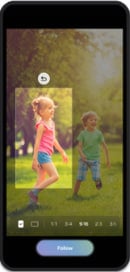
My FanCam automatically tracks a selected person in a recorded video and keeps them centered, intelligently reframing the footage as the scene moves. This allows you to turn dynamic moments into social-ready content with less manual editing.
Whether it’s a child’s performance, a friend on the dance floor, or an exciting moment during a sporting event, users can instantly put the focus on the person they want to see.
Go to Gallery > Select the video > Select Galaxy AI > Select My FanCam
Now Brief
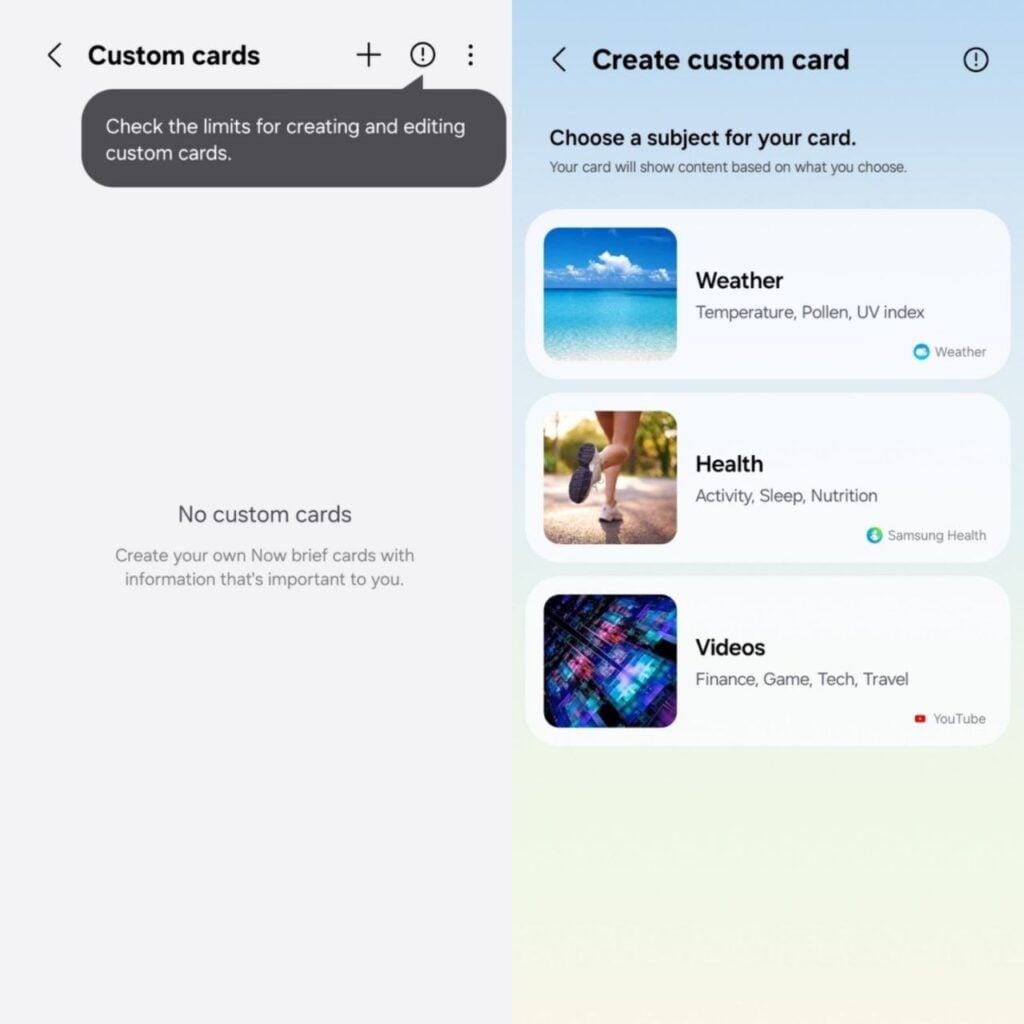
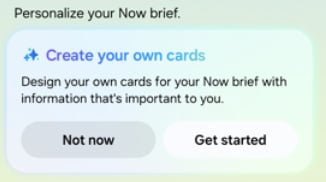
New Generative and Editable Cards on Now Brief help you choose what appears in your daily summaries. You can create cards across health, weather, and video so your daily brief reflects the information most relevant to you.
Call brief
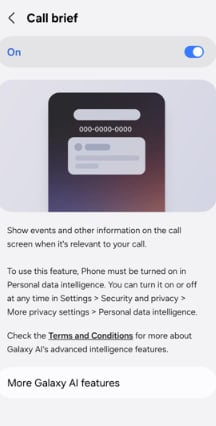
Turn on Call brief to see relevant events and other information related to your current call. Information will be displayed as cards right on your call screen, so you never have to leave the call to check another app.
Call > Settings > Call brief > toggle on
Creative Studio
Creative Studio now suggests image-generation ideas based on relevant upcoming events. For example, when a friend’s birthday is approaching, you may see a prompt to create a themed image or greeting, allowing you to quickly create something meaningful for the occasion.

Samsung is speeding up One UI 9.5 testing on the Galaxy S26 series, Z Fold 8, Z Flip 8, and Z Fold 8 Ultra as the latest October 2026 builds surface.
Stable One UI 9.0 has just started rolling out to the Galaxy S26 series. The company has also pushed a new firmware, built on Android 17-based One UI 9, which installs the latest October 2026 security patches.
Now, Samsung is testing the new One UI 9.5 October builds for the Galaxy S26 series, Z Fold 8 series, and Z Flip 8. As discovered by Fahad Ali Javed, the builds are internal stable packages, with no indication of the Beta Program.
- Galaxy Z8 series – BZJ1
- Galaxy S26 series – CZJ1
One UI 9.5 will launch alongside the Galaxy S27 flagship series next year. Samsung is already working on the next big firmware upgrade. A Beta Program is likely to open for select flagship models by the end of the year.
Like One UI 9.0, the upcoming One UI 9.5 will also be based on Android 17. However, it’s expected to introduce some notable design changes and UI improvements.
Samsung will also bring advanced new Galaxy AI features for users. The new flagships will focus more on the Agentic AI era, with AI assisting in your tasks in real time.

Notably, Samsung officially launched the One UI 8.5 Beta Program last year on December 8. At that time, the Galaxy S25 series was prioritized for Beta access.
As per tradition, it’s now the Galaxy S26 lineup’s turn to gain priority access. Samsung would later invite foldable phones and older flagships to the Beta Program, sometime in 2027.

Samsung has started working on its next software update, One UI 9.5. The company has not shared all the details about the new version yet, but some early signs are already appearing. The first Samsung app to receive One UI 9.5 support is Nearby Device Scanning. The app has now been updated to version 11.1.24.8.
According to the available information, the new version of Nearby Device Scanning adds One UI 9.5 support. It also brings support for a Quick Pair pop-up for new devices. This feature can make it easier for users to connect new and nearby devices with their Galaxy phones.
With Quick Pair, users can get a popup on the screen when a supported device is detected nearby. This can make the pairing process faster and simpler, mainly when connecting accessories.
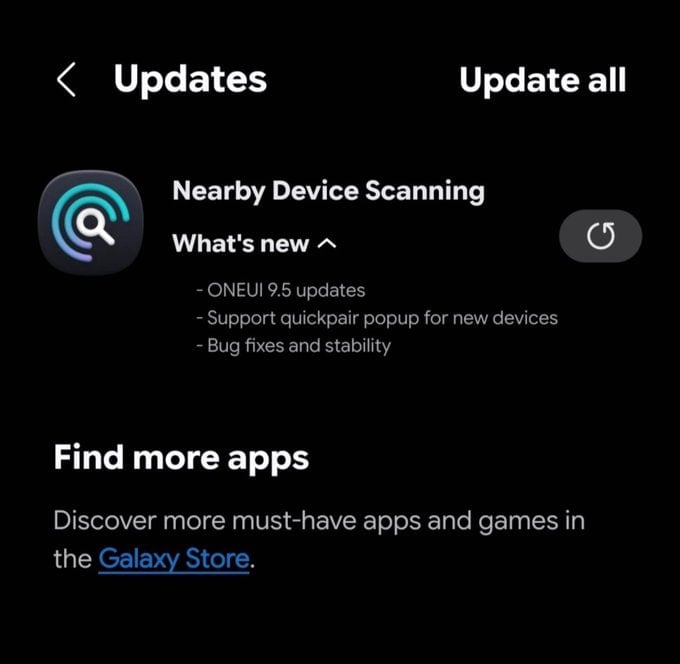
Image via @Kailash0729
The latest Nearby Device Scanning update also includes bug fixes and stability improvements. These changes should help the app work more smoothly and reliably.
Another interesting change is the new logo for Nearby Device Scanning. Samsung has redesigned the app’s logo, which could be an early hint of the design direction the company is taking with One UI 9.5.
The update does not reveal the complete list of features coming with One UI 9.5. It also does not confirm when Samsung will officially release the new software. However, the arrival of One UI 9.5 support in one of Samsung’s system apps suggests that development is already moving forward.
Galaxy users can expect more information about One UI 9.5 as Samsung continues its development. More apps may also receive updates with One UI 9.5 support in the coming months. Stay tuned.
-
One UI2 days ago
One UI 9.0 rolling out to Galaxy S25 Ultra, Edge, FE and Z Fold/Flip 7 in the US
-

 Android2 days ago
Google upgrades Android Auto with 5 media player changes
-
 Phones3 days ago
Galaxy Z Fold 8 gets an advantage over iPhone Duo on screen repair costs
-
 Updates2 days ago
Samsung’s October 2026 patch already released for these Galaxy phones