
Apps
Google Messages brings timestamp and reply gestures to more users


Google Messages is getting a new design that changes how users see information about their messages. Earlier, users could tap on a message to see details such as the time it was sent, delivery status, and encryption information. Now, Google is making these details easier to access with new swipe controls.
With the new design, users can swipe left on a message to see its timestamp and encryption details. The information can also appear for all messages in a conversation.
This means users do not have to tap on every message separately to check when it was sent. The change could make it easier to look through older conversations and find message times quickly.
Google has been working on this feature for a long time. The company first started testing swipe controls for timestamps in 2024. After testing the feature in beta, the new design is now slowly reaching more Google Messages users.
Image – SammyFans
There is another useful gesture in the update. Swiping right on a message lets users reply directly to it. This makes it easier and faster to respond to a specific message, mainly in long conversations. Tapping on a message will still work, but it will now mainly show the delivery status.
The new design has been spotted in Google Messages version 20260910_03_RC02. It is not clear if this exact version is required to get the update. If you cannot see the new features yet, check for the latest Google Messages update. Since the rollout is gradual, the new design may take some time to appear on your phone.


Google Messages is getting a new long-press menu that makes it easier to manage messages. The new feature is now reaching more users on the stable version of the app.
The new menu includes many common options. Users can quickly Reply, Forward, Copy, Star, Delete, Select more, or view Info about a message. When users long-press a photo, they may also see options such as Save and Remix.
The most useful new feature is the ability to copy only part of a message. Earlier, users usually had to copy the whole message. Now, they can press and hold the message and select only the words they need.

Image via Reddit
For example, if someone sends a long message containing an address, phone number, code, or important sentence, users can select just that part and copy it. This can save time and make copying information much easier.
Google first started testing these changes with beta users in August. The features are now slowly reaching people using the stable version of Google Messages. Some users have reported seeing the new menu on phones such as the Samsung Galaxy S23 Plus and Galaxy S25 Ultra.
However, the update is being released through Google’s servers. Due to this, it may not appear on every phone at the same time. The new menu is a small change, but it can make Google Messages easier and faster to use every day.


WhatsApp is preparing another small but useful addition to its upcoming Contacts tab. WhatsApp is testing birthday reminders that could make it easier to notice when someone in your address book has their birthday.
WABetaInfo spotted the feature in WhatsApp Beta for iOS version 26.38.10.18, currently available through TestFlight. Rather than asking users to maintain a separate birthday list inside WhatsApp, the app appears to pull this information from the iPhone’s Contacts app.
Birthday reminders will appear beside contacts
When a saved contact has a birthday, WhatsApp will highlight that person in the Contacts tab with a cake emoji and a “Birthday today” label. The indicator is expected to remain visible throughout the day, prompting users to start a conversation and send their wishes.
There is no need to manually add the birthday inside WhatsApp. If the date is already stored in the contact’s address-book information, WhatsApp can use it automatically. Users can also add or edit a birthday through the iPhone’s Contacts app.

The birthday feature is being developed alongside a broader overhaul of WhatsApp’s navigation. The company is working on moving Status updates and Channels into the Chats section, which would free up space for a dedicated Contacts tab.
The feature is still under development, so its final design and availability could change before release. WhatsApp has not announced a public rollout date, and beta availability is expected to come first.
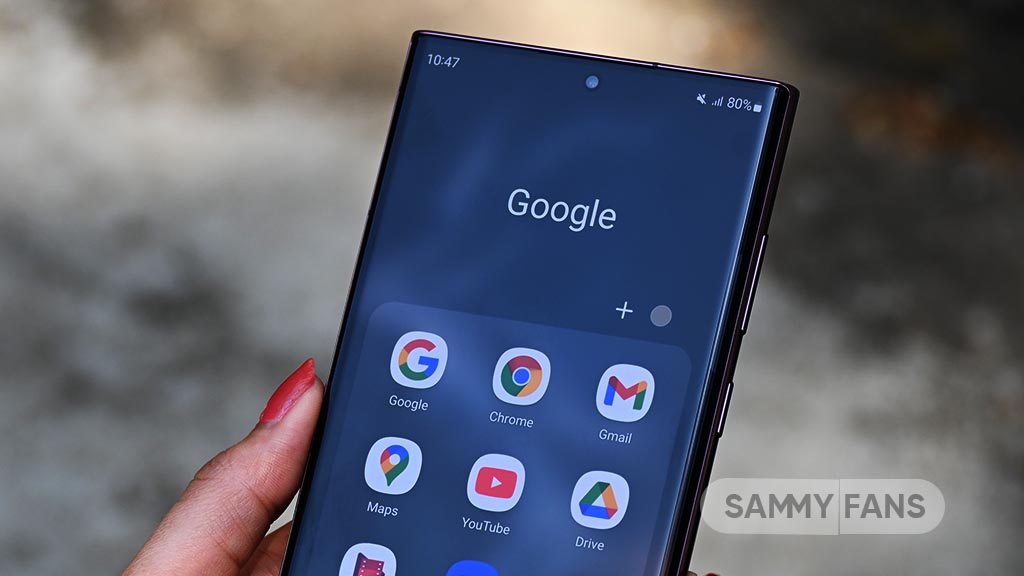
YouTube is bringing a new feature – Custom Feeds. It will give users more control over the videos they see on their Home page. Users will be able to create different feeds based on their interests, moods, or daily routines.
People can simply tell YouTube what they want to watch, like they can create a feed for relaxing videos, cooking, DIY projects, documentaries, or podcasts. Also, they can create and save different feeds for different needs.
YouTube will also keep these feeds updated with new video recommendations. This means users can continue to discover fresh content without having to create a new feed every time.

Image via Android Authority
The feature may also help with YouTube’s recommendation problem. Sometimes, watching one video can change the videos shown on the Home page. For example, watching one woodworking video may lead to many more woodworking recommendations. Custom Feeds can help keep different interests separate.
YouTube says Custom Feeds will soon be available to users in the US on mobile phones, computers, and TVs. The company is also improving Ask YouTube, which will let users ask shopping questions, compare products, ask follow-up questions, and use voice features on TVs.
These updates were announced at Made On YouTube 2026, along with new tools for creators. For viewers, Custom Feeds could make YouTube easier to use by giving them more control over what they want to watch.

Samsung Galaxy S26 Ultra users are facing a clock problem after updating their phones to One UI 9.0. The issue affects the lock screen and Always On Display.
Some users say the clock looks normal when they set it up in the LockStar app. The time and date appear in the correct places. But after applying the settings, the clock looks different on the actual lock screen.
The time can move very high on the screen and may almost touch the top. The date can also appear much farther away from the time. The same problem can happen on the Always On Display.
A Samsung Community moderator has confirmed that this is a known issue. According to the moderator, the problem happens when users use a clock style from Good Lock’s ClockFace.
Samsung’s development team is now checking the issue. Until it is fixed, Samsung recommends using the phone’s default clock instead of a ClockFace clock.

This is only a temporary solution. Users can switch back to their preferred ClockFace style after Samsung fixes the problem
Samsung also asked users to report the issue if it still happens with the default clock. Users should use the Send Error option and send the error logs immediately after the problem appears. The logs can help Samsung find the cause and fix the issue.
For now, Galaxy S26 Ultra users facing this problem can use the default clock and wait for a future update that may resolve the issue.

Some Samsung users are facing a new problem with the Home Up app. The issue is related to the app’s backup and recovery feature.
Users have reported that after backing up their home screen, they cannot restore it properly. When they try to recover the backup, the file may show an error saying that it is broken or damaged.
A Samsung Community moderator has confirmed that the company is aware of the problem. Samsung says its development team is currently investigating the issue.
According to Samsung, the problem can happen when users change the folder label colors in Home Up. These colors are used for the names shown under folders on the home screen.

Samsung says the issue needs changes to the platform software. The company plans to fix it in a future software update. However, Samsung has not given a specific date for the update yet.
Until the problem is fixed, Samsung recommends that users change the folder label colors back to the default colors before using the Home Up backup and recovery feature.
Samsung also asked users to report the problem if it happens even when they have not changed the folder label colors. Users can send an error report with logs to help Samsung find the cause of the problem.
For now, Home Up users should keep their folder label colors at the default setting when making or restoring backups. This is Samsung’s current recommended workaround while the company works on a permanent fix.
-
 One UI2 days ago
One UI 9 stable update has these 14 new features, 5 changes, and 10 improvements
-
 Phones2 days ago
iPhone 18 Pro early buyers demand refund over Face ID reboot issue
-
 One UI20 hours ago
Samsung India announces One UI 9.0, but where the update actually is?
-
 Android1 day ago
Android 17 QPR2 Beta 6 arrives with 5 key enhancements