
WhatsApp gets new message animations on Android and iOS


WhatsApp Beta in iOS brings back smoother message animations. The app’s Android Beta has recently adopted new animations, which are now expanding to Apple users after a brief pause in previous Beta builds.
Recently, WhatsApp Android Beta added smoother message sending animations. Apple users who are testing WhatsApp Beta are now getting (via WABetaInfo) this visual improvement as well.
WhatsApp Beta for iOS 26.24.10.70 carries the visual changes for Apple devices. They appeared on Android as part of WhatsApp Beta for Android 2.26.23.11 last week.
The new animations ensure a more lively chatting experience on the page. Tapping the send button will no longer immediately surface the message bubble.
Rather, the message bubble will carry a smooth animation to appear alive by fading smoothly. WhatsApp is also bringing controls, so you don’t have to end up dealing with the animations as a necessity.
The animations will also be in effect when you receive a new message. The iOS version, which replaced the previous one, is something different from Android.
Unlike the previous animation effect, the message bubble now fades in while slightly scaling up as it settles into the conversation, which feels noticeably smoother.
The option is available within WhatsApp Settings > Chats > Animations, where users can control animations for emojis, stickers, and GIFs.

The changes are currently limited to the Beta version of the application. Users will receive the new animations once developers verify the stability of these visual improvements.
Related article:




3 big changes coming to WhatsApp: Home screen widgets, group overhauls, and feature retirements

WhatsApp is testing a series of UI changes and feature adjustments. Recent beta releases reveal that the messaging giant is focusing heavily on home screen accessibility, streamlined group management, and cleaning up underutilized features.
Here is a breakdown of the three major changes currently rolling out or under development.
Widget for voice messages
WhatsApp is expanding its Android home screen shortcuts to streamline daily interactions.
A new resizable 3×1 widget allows users to record voice notes with a single tap directly from their home screen, bypassing the need to open the app and locate specific chats.
Once recorded, the audio can be sent to individual contacts, multiple recipients at once, or shared as a status update.
Redesigned group chat info screen
WhatsApp is reorganizing the group chat info interface by introducing two dedicated hubs at the very top of the screen:
- Preferences: Consolidates personal choices like Chat Themes, Media Visibility, and storage management tools.
- Privacy: Houses security configurations, including Chat Lock settings and end-to-end encryption details.
You may like: WhatsApp is redesigning its About section with a live preview screen
Privacy setting for avatar stickers
WhatsApp is discontinuing its avatar feature due to low user engagement. Users can no longer create, edit, or send new custom avatar stickers from the keyboard.
The application is also removing the associated privacy settings that controlled collaborative sticker pairing. Notably, past avatar stickers remain saved in old chats or personal favorites.
Related articles:


WhatsApp developers have begun open beta testing of a new About section, which carries a proper live preview screen. It shows exactly how your About text appears inside a chat before you save anything.
Before this update, you were basically guessing. You’d write something, save it, open a conversation, check how it looked, go back, edit it, repeat the whole cycle.
The redesign consolidates three previously separate steps into a single interface, well described by WABetaInfo. You write your About text in the field below the preview. You set an expiration time right beneath that, and a shortcut to privacy settings sits on the same screen.
The expiry options are preset: 1 hour, 8 hours, 1 day, 2 days, 1 week, with a custom setting stretching that up to one month. These durations aren’t new; they surfaced back in November 2025. The redesign just makes them accessible.
You can now toggle Privacy Settings between Everyone, My Contacts, My Contacts Except, and Nobody without leaving the About screen.
The redesigned About section is rolling out to beta testers running WhatsApp beta for Android 2.26.24.1, available through the Google Play Store.
Related article: New WhatsApp message menu UI design comes from iPhone

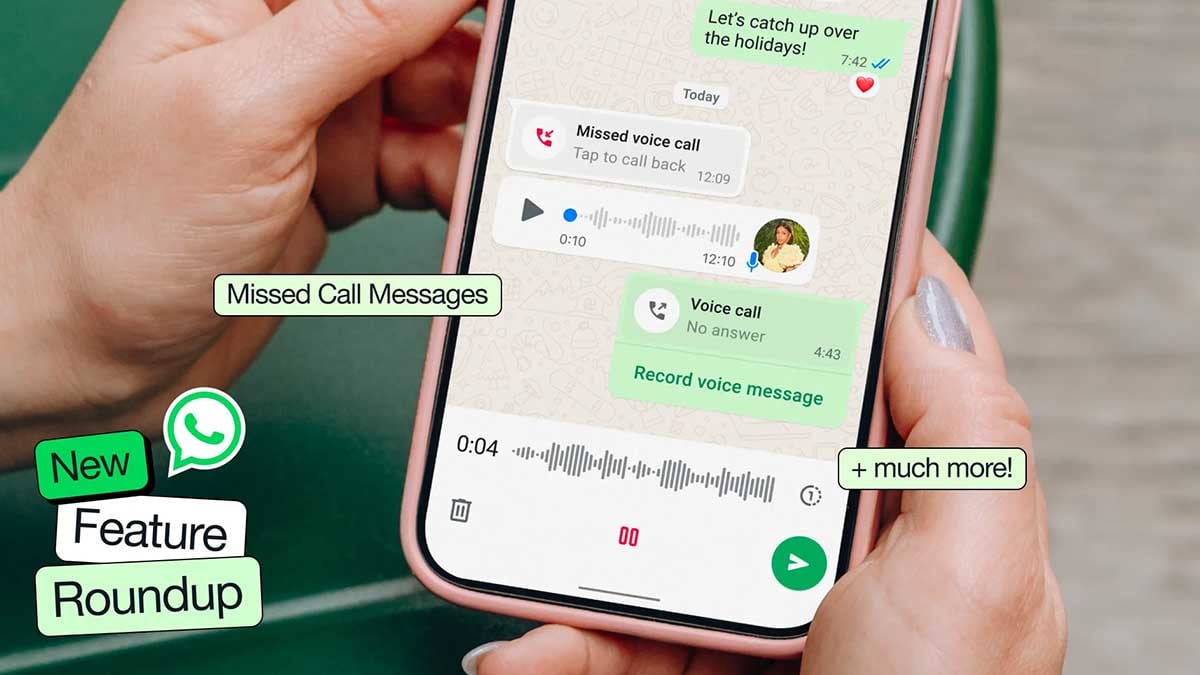
WhatsApp is rolling out a message bubble animation to Android Beta testers, and it’s the kind of polish that makes you wonder why it took this long.
When you fire off a message, the bubble doesn’t just pop into existence anymore; it slides in, settles, and breathes. WABetaInfo frames it as a short, fluid motion that makes the whole interaction feel more like a lively conversation.
The feature surfaced in WhatsApp Beta for Android 2.26.23.11, spotted by WABetaInfo. iOS users got it first, back in Beta 25.15.10.74, and now Android is catching up.
The animation triggers specifically when the last message sits close to the chat bar, which keeps the motion intentional, and it works for incoming messages too.
Animation controls
WhatsApp tucked the controls into Settings, under Accessibility. A toggle lets you kill the animation entirely if motion sensitivity is a concern.
Image source – WABetaInfo
This isn’t WhatsApp’s first swing at motion design. Photos already get a transition and stickers float from the keyboard into chat. The message animation is the missing piece, the one that covers the most basic thing you do in the app.
Certainly, it’s minor, but smooth animation is what separates an app that feels cheap from one that feels considered. WhatsApp has been quietly closing that gap.
You may like:
WhatsApp is finally bringing its chat message menu UI a seamless design it has been missing for years. The rollout has started for Android users in Beta, and the redesign looks incredibly good and offers a seamless experience.
WABetaInfo spotted the redesigned menu inside WhatsApp Beta for Android 2.26.23.8, now live on the Google Play Store. Three years, that’s how long Android users have waited for a WhatsApp seamless message menu.
The new interface surfaces in both individual chats and group conversations. Tap and hold any message, and the menu appears right there, anchored to the message itself.
Old vs New
The old setup scattered actions across two places: the overflow menu and the top app bar, which held shortcuts for forwarding and editing.
The redesign collapses everything into one contextual menu that floats near the selected message. Common actions sit front and center, while less-used options live one tap deeper under a dedicated “More” section.
iOS users have had something close to this for years.

Image source – WABetaInfo
Rollout is limited right now. Not every beta tester sees it yet, and there’s no confirmed timeline for a stable release.

WhatsApp is testing plenty of new features and changes in its Beta channel, but two of them are actually exciting. WhatsApp for Android would add a new Contacts tab along with a View Once option for text messages.
Dedicated WhatsApp news blog WABetaInfo discovered a new Contacts tab and View once option for text messages in the recent Beta builds. The features are currently being tested, while a rollout window is unknown.
Contacts tab
WhatsApp is preparing a major interface overhaul for the navigation bar with version 2.26.22.6. The app is testing a new Contacts tab, which will replace the Updates tab, offering easier access to your contacts within the app.
Status Updates will be shifted to the top, beside the app header. The appearance is becoming more like Instagram Story look. Presently, the app keeps Updates and Channels inside the Updates tab, with Updates in rectangular cards.

View Once text messages
WhatsApp Beta 2.26.22.7 version added a View once option for text messages for some users. Similar to photos and videos, the View once text feature will vanish the text message after the recipient views the content.
That’s going to be a great tool to keep your sensitive messages ultra private. Texts becoming inaccessible after viewing once will be a big deal. It will be useful in everyday conversations when you want to ensure secrecy.

WhatsApp continues to develop and test new features and UI tweaks. Changes are applied to the Stable channel once they are verified by the engineers. Future updates of WhatsApp would bring some of the upgrades to your device.
-

 One UI3 days ago
These Samsung Galaxy devices received One UI 8.5 official update
-
 Updates2 days ago
Samsung June 2026 security enhancements available on Galaxy S26, S25, S24, Fold 7, Flip 7 and more
-
 Phones2 days ago
Samsung may hike Galaxy Z Fold 8 and Fold 8 Ultra prices
-
 One UI3 days ago
Samsung’s One UI 9 Finder icon returns to One UI 8.5 design