
One UI
BREAKING: Samsung releases One UI 8 update for Galaxy Watch 4

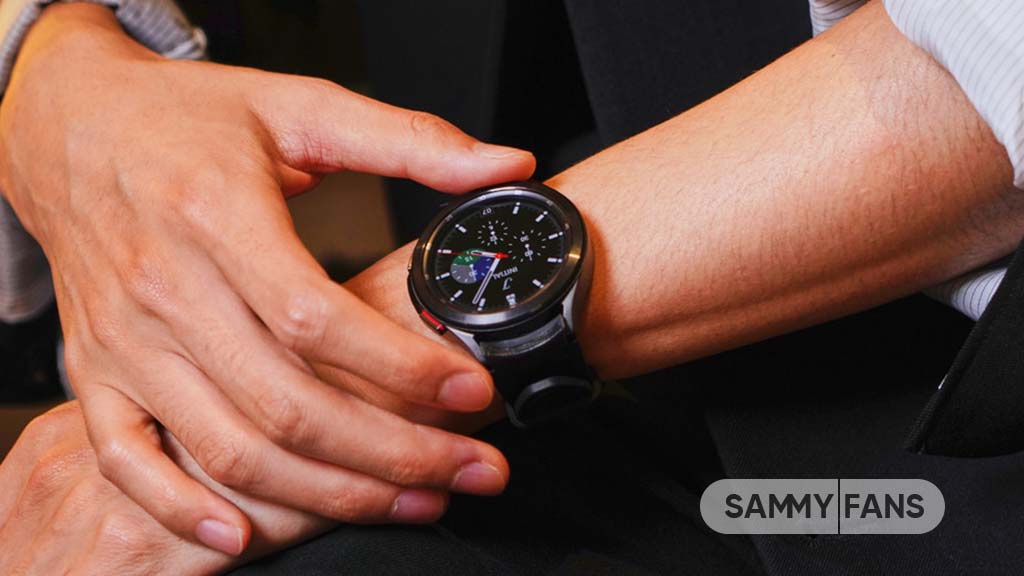
Samsung releases Wear OS 6-based One UI 8 Watch update for Galaxy Watch 4 and Watch 4 Classic. It’s the last major upgrade for the company’s first-generation Wear OS smartwatch lineup.
Wear OS 6 update’s arrival wasn’t anticipated for the Galaxy Watch 4 models. These smartwatches have already completed their software updates support in August 2025; however, Samsung hasn’t ousted the devices.
While releasing the One UI 8 Watch, Samsung officially confirmed to provide the update to the Galaxy Watch 4 and Watch 4 series. As promised, the rollout has begun in 2025 itself, but the expansion will take some time.
Users of the Watch 4 and Watch 4 Classic in South Korea can identify the latest update through the PDA version number JYK4. The firmware also brings newer security patches that elevate the reliability of the smartwatch.
The rollout has just started in Korea, with Global availability anticipated by the end of this month. As of December, Watch 4 series is still listed to receive new software updates, but it’s unlikely to last much longer after One UI 8 Watch.
With the One UI 8 Watch, Galaxy Watch 4 users receive Tile System, watchface enhancements, and Mindfulness as key features. Now Bar is also provided that Samsung hasn’t highlighted even though it’s a significant development.
One UI 8 Watch is based on Wear OS 6, which is another advantage. The new operating system improves support for third-party apps. You can expect a better experience and faster app launches due to core optimizations.
Samsung Wearable is the key to getting the latest update through your Galaxy phone. You can also trigger an update right from the watch. Swipe up and open Settings, followed by Software update and Download and install.
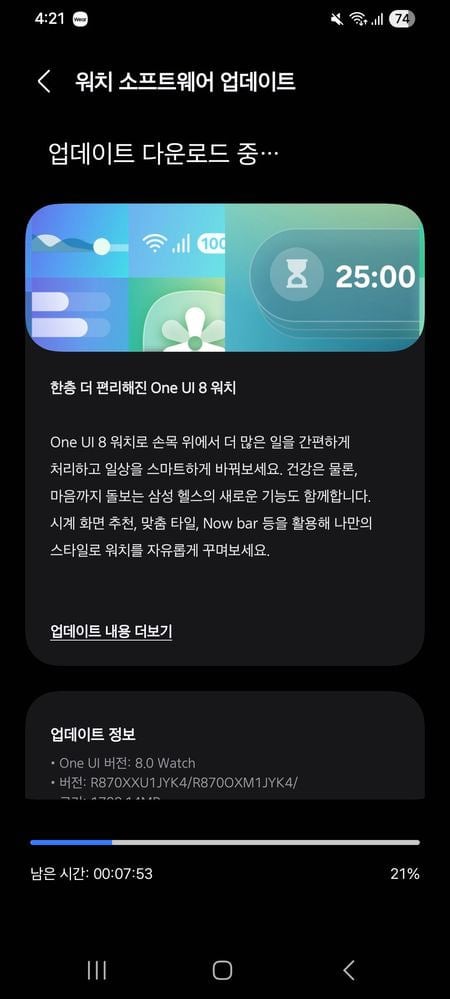
Source – Samsung Community Korea







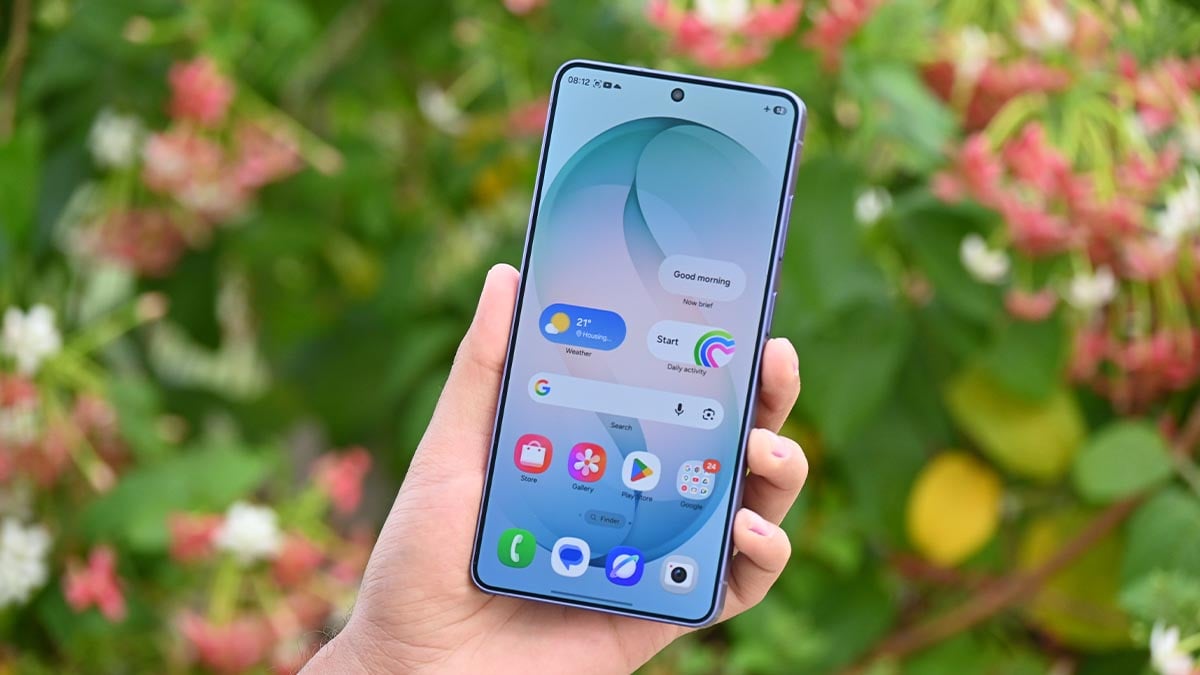
Samsung is continuing to work on its upcoming One UI 9.5 update. A new testing build with the CZHD firmware has reportedly been spotted for the Galaxy S26 series. The new build gives us an early look at some of the design changes Samsung may bring with the next version of One UI.
According to tipster @fahadalijaved, the new CZHD build has a redesigned bottom navigation bar along with new animations. The new navigation bar looks cleaner and more premium than the earlier CZH9 version.
The navigation bar has a pill-shaped design with a soft glass effect. It also has a small white border around it, making it look like the bar is floating on the screen. This gives the interface a more modern and polished look.
The background has also been improved. In the older testing build, a bright green glow could be seen above the navigation bar. In CZHD, the background looks darker and cleaner. This makes the navigation bar stand out more clearly.

Image via @fahadalijaved (X)
There is also an interesting change in the Gallery app. A new jiggle animation has reportedly appeared when using the app. However, the animation does not seem to be working perfectly yet. A bar can reportedly be seen appearing in the middle during the animation.
This could be a simple bug because One UI 9.5 is still under development. Samsung may fix or change the animation in future testing builds.
Breaking down S26 ONEUI 9.5 CZHD Build 3: Part 02 😁
This is something either broken or taken straight out of Chinese OS'es ! Jiggle animation in Gallery app.
It's definitely glitching out as it keeps showing a bar in the middle.
Are we going to see more of these or its just… pic.twitter.com/i36apgS0Wv
— Fahad Ali Javed (@fahadalijaved) August 19, 2026
The appearance of the new build suggests that Samsung is working on small but noticeable improvements to One UI 9.5. The final version could look different when it is officially released.

Samsung has reportedly started working on its next software update, One UI 9.5, for Galaxy smartphones. The company is currently preparing the stable One UI 9 update rollout for supported Galaxy devices, but development of the next version is already progressing.
According to reliable tipster TarunVats, Samsung is moving forward with One UI 9.5 internal testing for the Galaxy S26 series. A new testing build has been spotted on Samsung’s test server, which suggests that the company is actively working on the upcoming update.
The reported build number is S948BXXU4CZHD. The information indicates that development is still in progress.
The appearance of a test build does not mean that One UI 9.5 is ready for users. Samsung usually tests its software internally before releasing it publicly. More test builds are expected as development continues.
Samsung has not officially announced One UI 9.5 yet, so there is no confirmed information about its features. The update could bring performance improvements, new customization options, better system features, and possibly new Galaxy AI tools. However, these features have not been confirmed.
The discovery of new builds is still important because it gives us an early look at Samsung’s software plans. Samsung is expected to share more information about One UI 9.5 in the future. Until then, Galaxy users will need to wait for an official announcement and further details about the update. Stay tuned.

Samsung introduced a new Motion Photo feature for Galaxy wallpaper, and it’s most likely to be available across Galaxy devices with the One UI 9 update.
The new Galaxy Z Flip 8, Fold 8, and Fold 8 Ultra bring Motion Photo as a new option to the wallpaper setup screen. The feature is exclusively available on the official version and is presently missing on the Galaxy S26 Beta.
As spotted by SamMobile, Samsung brought Motion Photo to the lock screen and/or home screen wallpaper screen. The option will appear whenever you select a picture captured with Motion Photo enabled in the Samsung Gallery.
One UI 9.0 is not as big as its predecessor, the One UI 8.5, but Samsung has made various minor tweaks and usability upgrades. The official build has newer features than Beta firmware, which is available on the latest foldables.
To set a motion photo as your Galaxy’s wallpaper, open the Samsung Gallery app and select a motion picture. The wallpaper customization screen will display a “Motion photo” option so you can enable or disable it as your preference.

Setting Motion photo as a wallpaper will give your screen a more lively aesthetic. Samsung has brought several upgrades to this aspect so far. The company isn’t stopping at a benchmark, but continuing to ramp up the experience.
Samsung phones are always praised for their high-profile display experience. Adding Motion wallpaper gives the screen a more appealing appearance. However, it would consume a little more power due to extended animations.
You may like:

Samsung is quietly testing two features inside an internal One UI 9.5 build: a new Satellite SOS Hub and USB debugging features. Both point toward the kind of under-the-hood upgrades that don’t always make headlines but genuinely matter to users.
The discovery comes from internal test build CZH9, which is currently running on Galaxy S26, and was flagged by Samsung firmware specialist Fahad Ali Javed on X.
Satellite SOS Hub
The first addition is a Satellite Connectivity Hub, which appears to tie directly into Google’s native Satellite SOS framework rather than relying on a carrier-specific or Samsung-only implementation.
The feature includes a demo mode so users can preview how the system works before they actually need it, along with an on-screen alignment guide to help point the phone toward the sky for a stable connection.
Google has been steadily improving its native satellite support at the platform level, and having Samsung build a proper hub around it suggests this is finally becoming a first-class part of the Galaxy experience.
USB debugging features
The second change is smaller but developer-friendly: a new “Debugging only” USB mode showing up directly in the USB settings menu.
Right now, enabling ADB access on a Galaxy phone usually means digging through Developer Options and sometimes fighting with USB modes that also toggle file transfer or charging behavior.
This new option looks like it isolates debugging access on its own, which should make life easier for anyone flashing builds, testing apps, or troubleshooting connection issues.
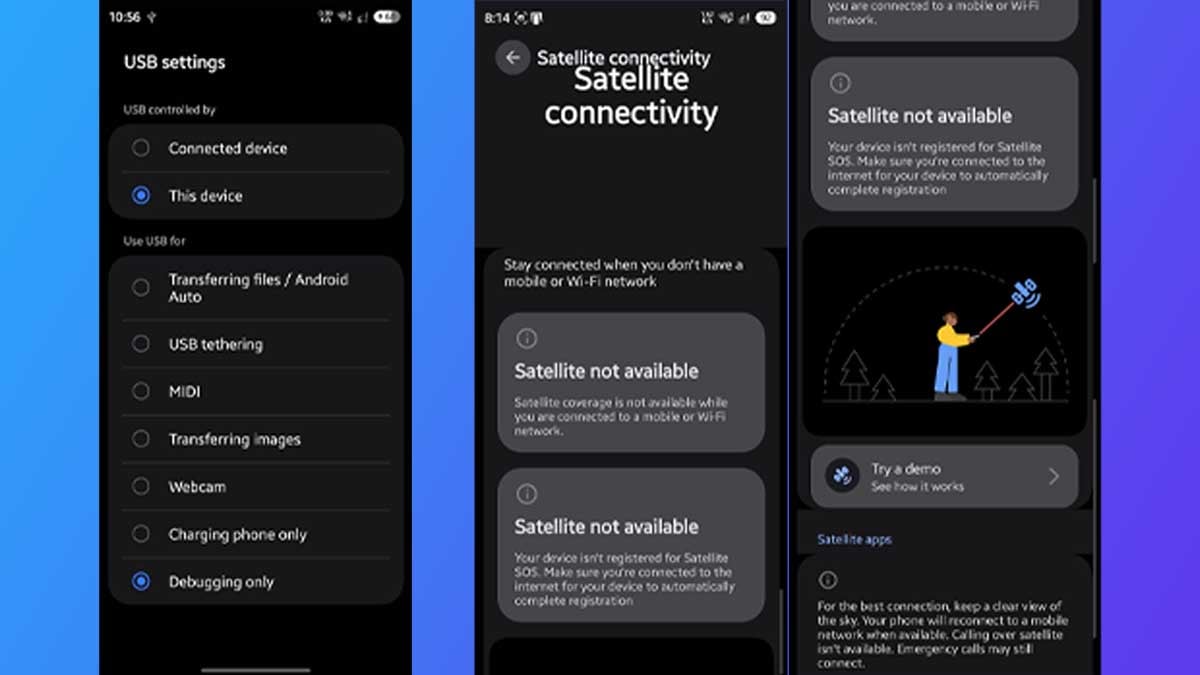
Both features are only showing up in an internal build for now, and Samsung hasn’t confirmed either publicly.
One UI 9.5 itself hasn’t reached a beta stage yet, with that expected later this year ahead of a stable rollout alongside the Galaxy S27 series in early 2026.

We found another big thing in One UI 9 Beta 5 as we continue to dig into the changes. With the latest One UI 9 Beta, Samsung brought a Now Brief-powered bill payment reminder feature to the Galaxy S26 series, straight from the official update.
Galaxy Z Flip 8, Fold 8, and Fold 8 Ultra come with the bill payment reminder feature in Now Brief. Samsung launched it as part of the One UI 9 full experience, which silently landed on the slab-style flagship phones on the Beta channel.
Now Brief bill reminders live on Galaxy S26 series
Samsung linked Now Brief with Samsung Wallet to make the bill reminders feature function on Galaxy devices. The feature’s setup menu has added a new toggle called “Pay Now” that lets you activate payment reminders.
Last month, Samsung revealed that this feature is specifically designed for Indian users in India. When enabled, it will reduce the notification burden that users have due to multiple alerts for the same bill payments from different apps.
You can now rely on your Galaxy device, as its Now Brief will now alert you about an upcoming payment. It will start to appear in your daily briefing almost three days before the payment deadline so you can make the payment in advance.

Samsung itself is encouraging users to give the new payment reminder feature a try. An in-app ad card notifies users of the newly added feature, and a button to dismiss the alert and set up through system Settings right away.
You need to enable “Pay now” within the Now Brief settings and allow it to read your text messages for bill payments. Once done, you will be prompted to make a bill payment approx three days before the deadline right from Now Brief.
-
 Updates2 days ago
Google Play System August 2026 update brings new features and improvements
-
 Updates3 days ago
Samsung users are asking where the August 2026 update is
-
 Samsung3 days ago
Samsung Galaxy S26 FE Leaks and Rumors Roundup
-
One UI2 days ago
Samsung will bring Motion Photo Wallpaper feature to Galaxy users