
One UI
Use this feature to protect your Samsung Galaxy S25 Ultra battery


Samsung Galaxy S25 Ultra has the largest battery among the S25 series devices, equipped with a large 5000mAh, this flagship has one feature that could help you protect the phone’s battery backup.
This feature spotlight is – Battery protection and it is off by default. Once enabled, you can cap your charging level to 80% each time you plug in the charger. However, it’s not the only capability that this specific setting has to offer.
Why is this important? By default, you can charge the Galaxy S25 Ultra at its max capacity but research showed that charging at 100% is not good for the battery’s health.
Continuously charging at 100% can decline the battery lifespan over time, as the constant high charge level puts stress on the battery cells, even when the phone shows you that the charging stopped.
This impact will not be visible in the short term but you may experience a sudden battery performance decline in the future if you aim to continue the device.
Therefore, it’s generally considered to charge the phone between 20% to 80% to retain the battery capacity lifespan.
Here’s how the Battery Protection feature works for Galaxy S25 Ultra.
Open Settings and scroll down to the battery section. Choose the Battery Protection setting and tap the on-screen slider.
This page will show you three options:
- Basic
- Adaptive
- Maximum
Samsung Battery Protection (Source – Sammyfans)
Basic
The first option will let you charge the battery at 100% but stop doing so until the battery declines to 95%. In action, the option notifies the phone that the battery is sufficiently charged, and to recharge 100%, the current battery level must be below 95%. This cycle resets each time the phone reaches this minimum battery level.
Adaptive
It stops charging at 80% when you are asleep and switch to Basic before you wake up. It uses your phone’s usage patterns to estimate the sleep time.
Maximum
Maximum will let you stop charging at 80%. Previously, this option used to have a fixed value but now you can set this between 80%, 85%, 90%, and 95%.
To be mentioned, this battery feature is also available on S25 and S25+.


Samsung is rolling out One UI 9.0 based on Android 17 to the Galaxy S25, S25+, S25 Ultra, Galaxy S25 Edge, Galaxy S25 FE, Galaxy Z Fold 7, and Galaxy Z Flip 7 in the US.
US network carrier Verizon pushed the Stable One UI 9.0 update to several Samsung phones released in 2025, including the Galaxy S25, S25+, S25 Ultra, Galaxy S25 Edge, Galaxy S25 FE, Galaxy Z Fold 7, and Galaxy Z Flip 7.
The update brings several Galaxy AI-powered features and user experience improvements, including:
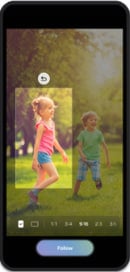
My FanCam: Automatically tracks and keeps a selected person centered in recorded videos, making it easier to create social-ready footage without manual reframing.
Now Brief: Adds new generative and editable cards for health, weather, video, and other personalized daily information.
Call Brief: Displays relevant events and information as cards directly on the call screen, so users can access useful details without leaving the call.
Creative Studio: Suggests image-generation ideas based on upcoming events, such as creating themed images or greetings for a friend’s birthday.
Android 17 and One UI 9.0: Includes the latest OS features and broader user experience improvements, with Samsung directing users to the Tips app for detailed guides.
Here are the software build versions:
- S93xUSQUCDZIF: Galaxy S25, S25+, S25 Edge, and S25 Ultra
- S731USQU9CZIF: Galaxy S25 FE
- F966USQUCCZIH: Galaxy Z Fold 7
- F766USQUCCZIH: Galaxy Z Flip 7
To update your Samsung’s software, from the home screen, touch and swipe up or down to display all apps, tap Settings > System updates > Check for system updates.
What’s changing:
This software update provides the latest Android OS 17 and One UI 9.0 features including My FanCam, Now Brief, Call Brief, and improvements to user experience. For more information, open the Tips app and follow the user guides.
My FanCam
My FanCam automatically tracks a selected person in a recorded video and keeps them centered, intelligently reframing the footage as the scene moves. This allows you to turn dynamic moments into social-ready content with less manual editing.
Whether it’s a child’s performance, a friend on the dance floor, or an exciting moment during a sporting event, users can instantly put the focus on the person they want to see.
Go to Gallery > Select the video > Select Galaxy AI > Select My FanCam
Now Brief
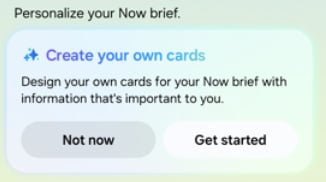
New Generative and Editable Cards on Now Brief help you choose what appears in your daily summaries. You can create cards across health, weather, and video so your daily brief reflects the information most relevant to you.
Call brief
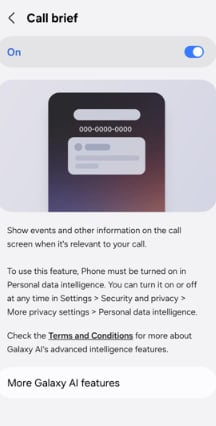
Turn on Call brief to see relevant events and other information related to your current call. Information will be displayed as cards right on your call screen, so you never have to leave the call to check another app.
Call > Settings > Call brief > toggle on
Creative Studio
Creative Studio now suggests image-generation ideas based on relevant upcoming events. For example, when a friend’s birthday is approaching, you may see a prompt to create a themed image or greeting, allowing you to quickly create something meaningful for the occasion.

Samsung is speeding up One UI 9.5 testing on the Galaxy S26 series, Z Fold 8, Z Flip 8, and Z Fold 8 Ultra as the latest October 2026 builds surface.
Stable One UI 9.0 has just started rolling out to the Galaxy S26 series. The company has also pushed a new firmware, built on Android 17-based One UI 9, which installs the latest October 2026 security patches.
Now, Samsung is testing the new One UI 9.5 October builds for the Galaxy S26 series, Z Fold 8 series, and Z Flip 8. As discovered by Fahad Ali Javed, the builds are internal stable packages, with no indication of the Beta Program.
- Galaxy Z8 series – BZJ1
- Galaxy S26 series – CZJ1
One UI 9.5 will launch alongside the Galaxy S27 flagship series next year. Samsung is already working on the next big firmware upgrade. A Beta Program is likely to open for select flagship models by the end of the year.
Like One UI 9.0, the upcoming One UI 9.5 will also be based on Android 17. However, it’s expected to introduce some notable design changes and UI improvements.
Samsung will also bring advanced new Galaxy AI features for users. The new flagships will focus more on the Agentic AI era, with AI assisting in your tasks in real time.

Notably, Samsung officially launched the One UI 8.5 Beta Program last year on December 8. At that time, the Galaxy S25 series was prioritized for Beta access.
As per tradition, it’s now the Galaxy S26 lineup’s turn to gain priority access. Samsung would later invite foldable phones and older flagships to the Beta Program, sometime in 2027.

Samsung has started working on its next software update, One UI 9.5. The company has not shared all the details about the new version yet, but some early signs are already appearing. The first Samsung app to receive One UI 9.5 support is Nearby Device Scanning. The app has now been updated to version 11.1.24.8.
According to the available information, the new version of Nearby Device Scanning adds One UI 9.5 support. It also brings support for a Quick Pair pop-up for new devices. This feature can make it easier for users to connect new and nearby devices with their Galaxy phones.
With Quick Pair, users can get a popup on the screen when a supported device is detected nearby. This can make the pairing process faster and simpler, mainly when connecting accessories.
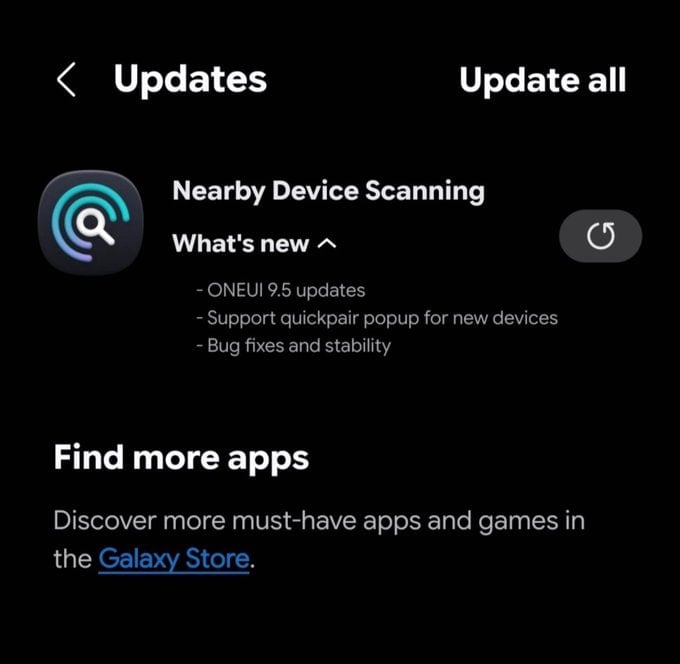
Image via @Kailash0729
The latest Nearby Device Scanning update also includes bug fixes and stability improvements. These changes should help the app work more smoothly and reliably.
Another interesting change is the new logo for Nearby Device Scanning. Samsung has redesigned the app’s logo, which could be an early hint of the design direction the company is taking with One UI 9.5.
The update does not reveal the complete list of features coming with One UI 9.5. It also does not confirm when Samsung will officially release the new software. However, the arrival of One UI 9.5 support in one of Samsung’s system apps suggests that development is already moving forward.
Galaxy users can expect more information about One UI 9.5 as Samsung continues its development. More apps may also receive updates with One UI 9.5 support in the coming months. Stay tuned.
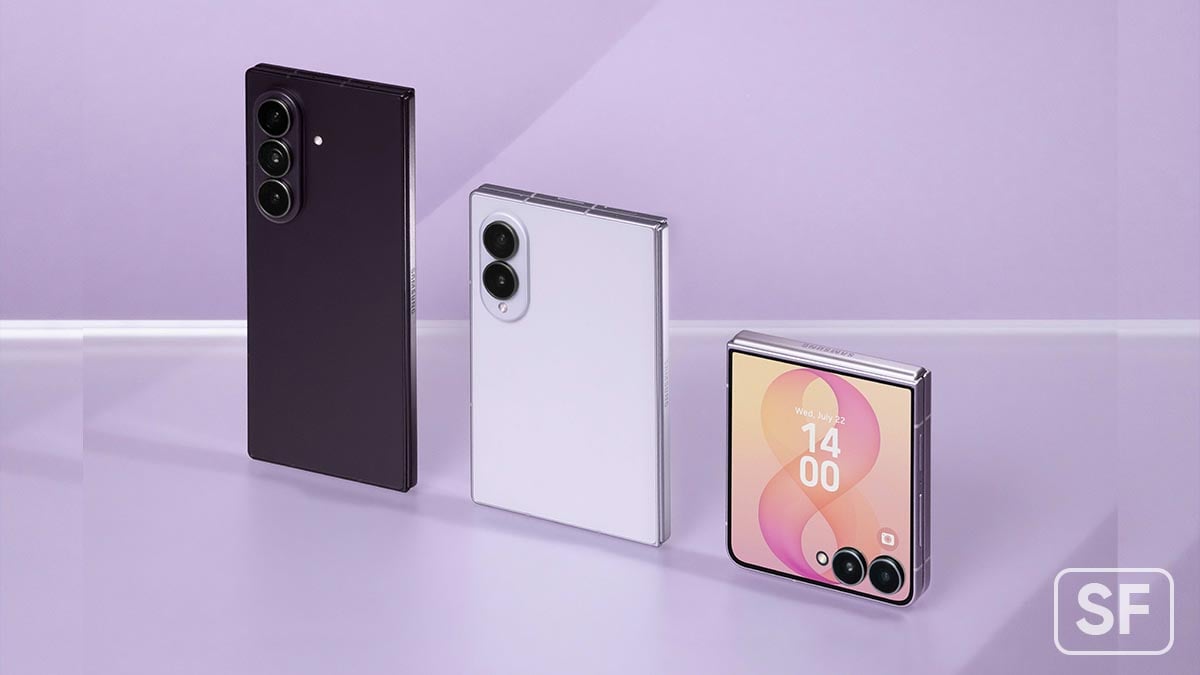
Samsung has started releasing a new software update for its latest foldable phones in South Korea. The update brings the October 2026 security patch and is based on One UI 9. The new update is available for the Galaxy Z Fold 8, Galaxy Z Fold 8 Ultra, and Galaxy Z Flip 8.
The company is releasing the October 2026 update to improve the security and stability of these devices. This update can be identified by a version ending with AZIJ. The installation package is around 530MB. It is based on One UI 9 and Android 17.
October 2026 security update mainly focuses on fixing security problems and improving the overall reliability of the phones. Samsung may also include small system improvements and bug fixes as part of the update.
The update is currently being released in South Korea, Samsung’s home market. The company may expand the rollout to other countries and regions in the coming days or weeks.
Galaxy users in South Korea can check for the update by going to Settings >> Software update >> Download and install. If the update is available for their device, they can download it directly from there.
Owners of the Galaxy Z Fold 8, Z Fold 8 Ultra, and Z Flip 8 are advised to check their software update section regularly. Installing the latest security update helps keep the device safer and running smoothly.

Verizon begins releasing One UI 9.0 official update to the Galaxy S26 series in the US. The major upgrade introduces various new features and improvements, while the carrier highlights some of the best new additions.
Samsung initially released the Stable One UI 9.0 update in South Korea. The company then expanded the software to the US. Stateside rollout expanded sequentially, with Verizon now joining the streak with One UI 9.0 in the US.
Verizon highlights Samsung’s new My FanCam, Now Brief’s Generative and Editable Cards, Call Brief, and improved Creative Assist features.
These are some of the biggest upgrades, derived from the Galaxy Z Fold 8 series. Samsung is sharing them with older flagship models as well, such as the Galaxy S25 series and Z7 foldables.
Software versions:
- S942USQU4BZID – Galaxy S26
- S947USQU4BZID – Galaxy S26+
- S948USQU4BZID – Galaxy S26 Ultra
What’s changing:
The current software update brings Android OS 17, One UI 9.0, and the latest features and performance improvements.
My FanCam
My FanCam automatically tracks a selected person in a recorded video and keeps them centered, intelligently reframing the footage as the scene moves.
Go to Gallery > Select the video > Select Galaxy AI > Select My FanCam
Now Brief
The Generative and Editable Cards on Now Brief help users choose what appears in their daily summaries.
Call brief
Turn on Call brief to see relevant events and other information related to your current call. Information will be displayed as cards right on your call screen, so you never have to leave the call to check another app.
Call > Settings > Call brief > toggle on
Creative Studio
Creative Studio now suggests image-generation ideas based on relevant upcoming events. For example, when a friend’s birthday is approaching, users may see a prompt to create a themed image or greeting, allowing them to quickly create something meaningful for the occasion.
-
 Updates3 days ago
One UI 9.0 vs One UI 8.0: Samsung update size comparison
-
One UI1 day ago
One UI 9.0 rolling out to Galaxy S25 Ultra, Edge, FE and Z Fold/Flip 7 in the US
-
One UI3 days ago
Samsung drops first One UI 9.5 appearance with new app update
-
One UI2 days ago
One UI 9.5 October builds surface for Galaxy S26, Z Fold 8 and Flip 8