
Samsung
Understand how Night Mode on Samsung Galaxy S21 FE 5G works!


Shooting photos at night can be extremely challenging – poor lighting, noise, and blurry and blurry images are just some of the possible (and unsatisfactory) consequences of dealing with photos at night.
To solve this problem, Samsung has developed the Galaxy S21 FE 5G, which, thanks to Night Mode, delivers excellent low-light shots to counter the challenge of night-time imaging. Night mode uses Artificial Intelligence to provide excellent images in low light conditions.
Stunning Photos Even In Low Light
Having fun with friends at a cafe or meeting them at a nightclub are moments that call for a photo record, but the lighting in such places does not always lead to good pictures. But activating the Night Mode of Galaxy S21 FE 5G is no longer an issue.
When this function is activated, the S21 FE 5G uses artificial intelligence (AI) from the moment you press the button to shoot and the following three-step process begins:
- During capture, the camera records multiple images of the scene at different exposure levels.
- After capture, the camera combines these images with each other to begin the process of enhancing the brightness of the image.
- Finally, artificial intelligence begins post-processing the image, reducing noise and improving detail. This results in clearer images and less noise.
How to use Night Mode in Galaxy S21 FE?
- Open the Camera app.
- Then swipe to and tap MORE.
- Tap NIGHT, and then tap the zoom icons if you’d like to get a closer shot.
- Tap Capture when you’re ready to take your photo.
Tip: Night mode uses multi-frame processing to combine 30 images into one clear photo.
Samsung Galaxy S21 FE Night Mode AI
The secret to achieving this level of clarity and detail lies in the multi-layer processing and retrieval by artificial intelligence. In the process, the Galaxy S21 FE 5G wisely selects the sharpest image from all captured images and uses it as a reference.
AI aligns and records the rest of the images before providing the final image, which is a well-lit image with minimal noise and a balance of tone and light between the photographed subject and the background.
Now, thanks to the S21 FE 5G’s night mode, your special moments will last forever, even when the ambient light is not enough or glare for photos.
Get notified –
Aside from SammyFans’ official Twitter and Facebook page, you can also join our Telegram channel, follow us on Instagram and subscribe to our YouTube channel to get notified of every latest development in Samsung and One UI ecosystem. Also, you can follow us on Google News for regular updates.


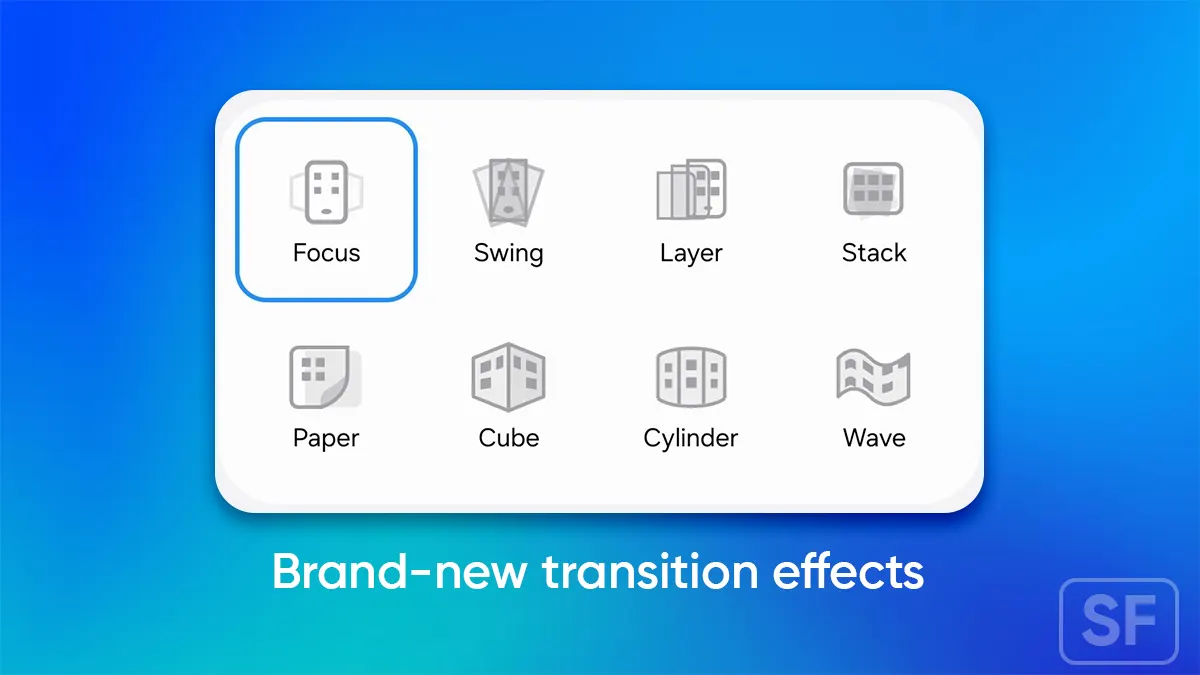
Your Samsung phone will soon have 8 playful page transition effects, and these visual treats will make your Galaxy feel surprisingly playful.
Samsung today released the One UI 9.5 version of Home Up, bringing new features such as Icon settings, Favorites background Blur and Shadow and Page transition effects. Every new tool is worth showing off, as One UI is literally killing it.
New Samsung page transition effects
Upgrading my Galaxy S26 Ultra’s Home Up app to the latest version installed 6 major customization features. Page transition effects are some of the most highlighted additions, which make the boring pagination a lot more playful.
Samsung has a total of eight options for the Page transition effects segment, with each introducing a minimal yet reliable transition. Among the total effects, I personally like the Cube, Wave, and Cylinder as their animations are too nice to ignore.
- Focus
- Swing
- Layer
- Stack
- Paper
- Cube
- Cylinder
- Wave
The new feature’s addition is well crafted and planned before rollout. To reduce unnecessary jumps to the home screen to see the effect, Samsung has slapped a dedicated canvas right above the options so you can see the effect in action.
One UI 9.5 Home Up: Page transition effect
Samsung's new Home Up brings 8 cool effects for page transitions 👇
Which one's your favorite? 👀 pic.twitter.com/E3E6fNOuLZ
— Sammy Fans – Samsung News and One UI Updates (@thesammyfans) November 28, 2026
How to setup Page transition effects?
One UI 9.5 is the primary requirement, followed by the latest versions of Good Lock and Home Up installed. If your phone’s Galaxy Store doesn’t fetch the newer version, you can sideload the app to gain early access to the new features.
Open Home Up, followed by the Home screen menu. Inside, you get a newly added “Page transition effect” tab with a label “New.” Switch the toggle on and tap the title to expand the gallery of effects, where you can apply one.
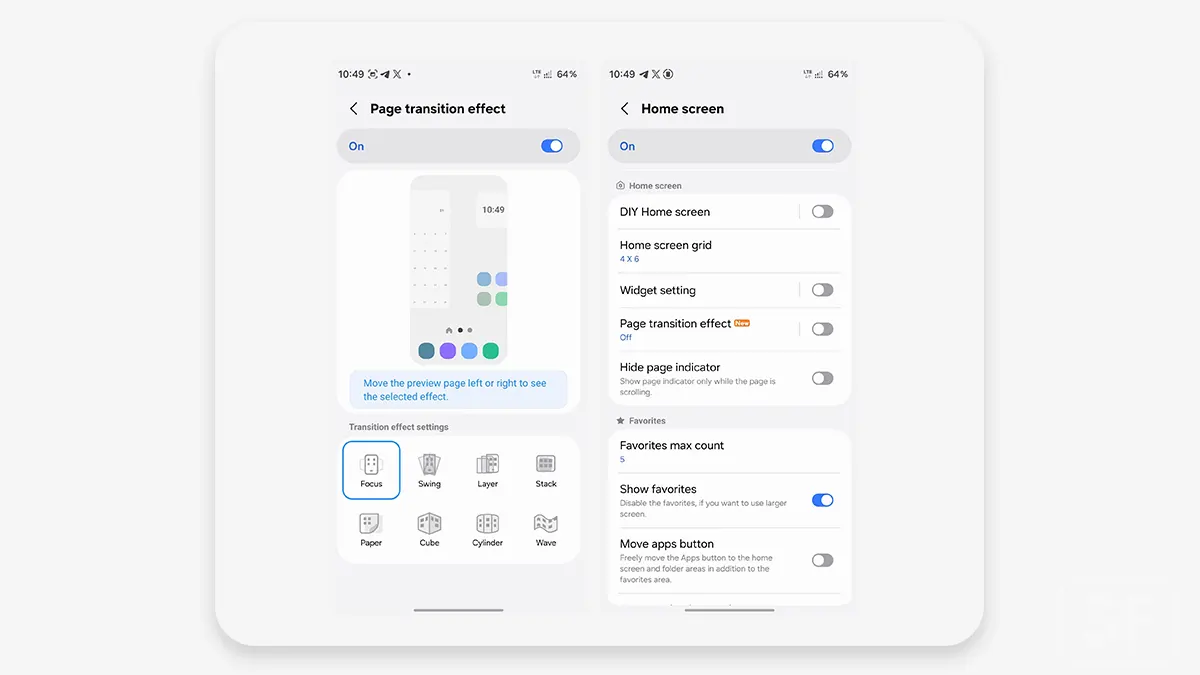
Screenshots: One UI 9.5 Page Transition Effects
Samsung is currently Beta testing One UI 9.5 on the Galaxy S26 series. The software will officially debut on the Galaxy S27 series next year. Sideloading the app doesn’t guarantee you get all the new customization tools functioning on One UI 9.
Samsung
Galaxy S27 Ultra camera might lose two sensors, but Samsung has a massive night-mode upgrade in its sleeve


Samsung is reportedly removing Laser Autofocus sensor and 3x Telephoto from the Galaxy S27 Ultra, but the main camera may introduce a major upgrade in terms of night mode performance and video recording aspect.
Trusted tipster IceUniverse claims Samsung is counterbalancing those cuts with a serious overhaul to the primary camera. According to the leak, the new main sensor delivers noticeably brighter night shots, sharper low-light detail, cleaner shadows, and tighter highlight control. Even better, video recording quality is tipped to see an impressive jump. Pre-release software tuning is still evolving ahead of the early 2027 launch, so final output could shift.
Samsung shifting from hardware to software mastery
Instead of relying on extra glass, Samsung is betting on a smarter primary pipeline, widely tipped to be a new 200MP sensor using in-sensor cropping for intermediate zoom and sensor-level phase detection for focus.
For years, Galaxy flagships trailed Apple’s iPhone Pro lineup in low-light video consistency, grain control, and exposure transitions. Closing that gap matters far more in real life than an extra spec-sheet line item, such as concerts and indoor events, nighttime street clips, and everyday point-and-shoot.
The new main camera of the Galaxy S27 Ultra has significantly improved the brightness and detail in night photography, and the video quality is particularly impressive.
— Ice Universe (@UniverseIce) November 27, 2026
Should you wait for the S27 Ultra or buy the S26 Ultra on discount?
If you rely heavily on crisp optical 3x portraits and want proven hardware right now, grabbing a discounted Galaxy S26 Ultra is the safe play. However, if low-light video stability and cleaner night photos top your wishlist, waiting until early 2027 could pay off.
For a visual breakdown of the rumored rear layout and sensor changes, check out Galaxy S27 Ultra dummies disagree on camera layout, and what that means for the final design, which walks through the simplified triple-camera housing.
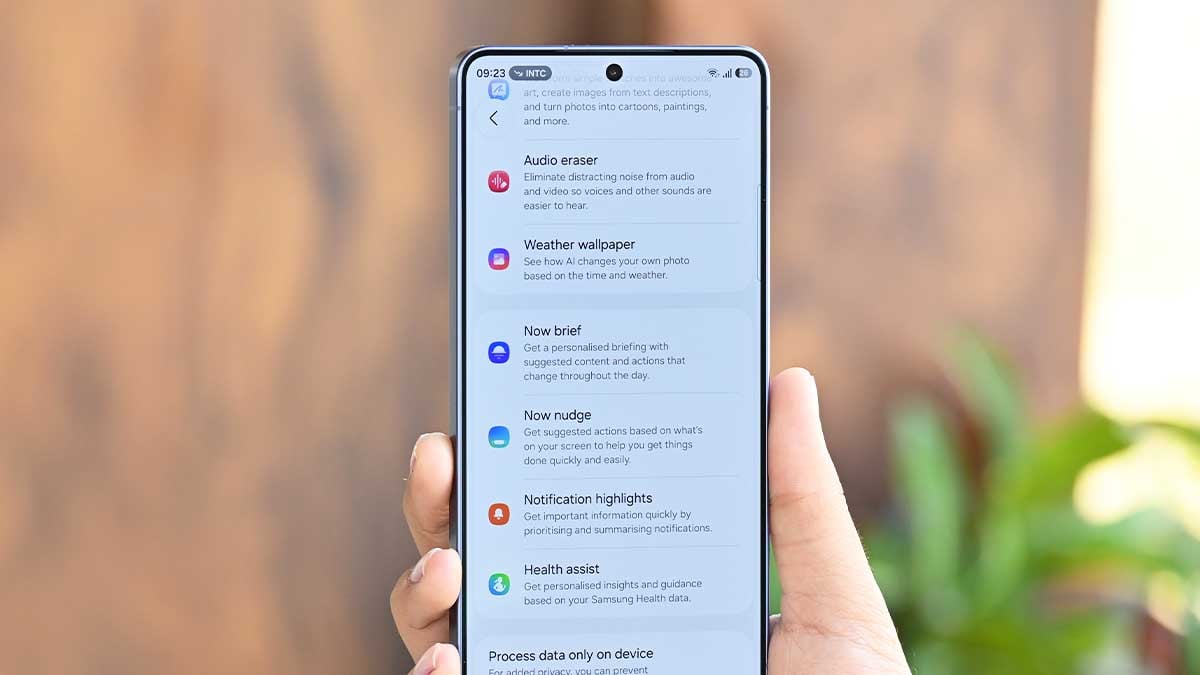
Right now, using Galaxy AI on Samsung devices forces a compromise between convenience and privacy. You either flip on the “Process data only on device” toggle in Galaxy AI Settings and lose your smartest editing and writing tools, or you trust Samsung’s policy promise that cloud servers won’t store your photos.
While the public One UI 9.5 Beta 1 rollout grabbed headlines for bringing native App Lock and upgraded Pro camera controls to the Galaxy S26 series, a fresh APK teardown from Android Authority reveals a much bigger privacy upgrade.
Digging through One UI 9.5 Beta 1 on a Galaxy S26 Ultra, investigators spotted a new Samsung software kit called SPAC, almost certainly standing for Samsung Private AI Cloud. Unlike One UI 9, this framework now sits inside four core system apps: Photo Editor, Smart Capture, PhotoRemasterService, and IntelliVoiceService.
Samsung isn’t relying solely on Gauss or Gemini anymore
For years, Samsung leaned heavily on Google’s Gemini and its own in-house Gauss models to power Galaxy AI. The One UI 9.5 code shows Samsung widening its playbook by bringing open-weight models onto its own private cloud servers.
One UI 9.5: Which AI models power which Galaxy features?
Code strings scattered across the four updated apps map specific open-weight engines to everyday Galaxy tasks:
- Smart Capture (AI Select): References Alibaba’s Qwen 3.6 and Google’s Gemma 4.
- IntelliVoiceService: Taps into Google’s Gemma 4 to handle live speech translation.
- PhotoRemasterService: Calls on Black Forest Labs’ FLUX.2 klein 4B alongside a Stable Diffusion model.
- Photo Editor (Inactive references): Includes dormant mentions of OpenAI TTS, Samsung Gauss, and Meta’s V-JEPA.
How SPAC protects your photos and voice data
SPAC connects to a server gateway codenamed “Arcane,” flanked by dedicated token, identity, and fraud detection services. Samsung is adopting the proven privacy architecture popularized by Apple’s Private Cloud Compute (2024), Google’s Private AI Compute (November 2025), and Meta’s Private Processing.
US server renewals suggest Samsung’s private AI back end is nearly ready
You cannot test SPAC on your Galaxy S26 Ultra today. Samsung has gated the feature behind unreleased app versions and newer Galaxy AI builds, and there are zero user-facing privacy prompts in Beta 1.
Behind the scenes, however, the infrastructure is moving fast. Public SSL certificate records show Samsung has actively renewed production SPAC server addresses over recent months while spinning up new servers in the US.

Samsung Display is investing around €210 million in ams OSRAM to develop a new display technology, MicroLED. With this investment, Samsung Display will get a 9.1% stake in the company and become its largest shareholder.
The deal has been announced on November 25, 2026. Samsung Display will purchase 9,984,439 newly issued shares of ams OSRAM. The deal is expected to be completed in early 2027 after receiving the required approvals.
Along with the investment, both companies have also signed an agreement to work together on developing ultra-small MicroLED technology for future displays. Their main aim is to make this technology better, more efficient and cheaper to manufacture.
MicroLED is considered an important display technology for the future. It uses very small LEDs that produce their own light. This means the display does not need a separate backlight. It can offer several benefits, including higher brightness, longer life and better design flexibility.
Through this partnership, Samsung Display will test the performance of the small LEDs made by ams OSRAM. It will also work on developing the manufacturing methods needed to produce MicroLED displays on a larger scale.
ams OSRAM has more than 120 years of experience in lighting and semiconductor technology. The company has strong knowledge of making smaller LEDs and producing them in large quantities. This experience will help both companies develop the new technology.
Samsung Display CEO Chung Yi said the investment is part of the company’s plan to prepare for future technology changes and find new business opportunities. With this partnership, Samsung Display wants to expand its business beyond OLED and strengthen its position in the display market.

Samsung is thanking the users of its Global Goals app on Galaxy devices and encouraging a broader audience to join the platform for donations. Interestingly, Samsung is also offering new limited-edition wildlife wallpapers in the Global Goals app.
According to a holiday-season press release, Samsung is promoting limited-edition wildlife wallpapers as a thank-you for active users of its Global Goals app. The wallpapers are tied to the app’s donation features and highlight the UN Global Goals call to protect biodiversity.
What Samsung says users can earn
The release says “active users” can earn the wallpapers and that an in-app Donation Leaderboard helps keep people engaged. It does not name the current wallpaper collection or say how many designs are available.
Global Goals app comes preinstalled on many Galaxy phones, tablets and watches, and is also available from the Galaxy Store and Google Play. Samsung has not said which wallpaper collection is current, so check the app’s gift section for what is on offer in your region.
Additionally, the South Korean tech giant doesn’t say how long the wallpapers will be available beyond calling them limited edition. The idea is not new, as the company introduced its Thank-you Gifts feature in February 2024.
At that point, Samsung said any user who engaged with the app could get a free design, while donating unlocked additional ones. The leaderboard dates back to 2023. This release appears to be a holiday reminder of those features rather than a launch.
Galaxy users donated $24 million so far
Samsung says Galaxy users have contributed around $24 million as of October 2026 through subscriptions, direct donations, and ad views, and that Samsung matches the donations generated by every ad viewed in the app. For context, Samsung reported over $17 million in February 2024 and over $22 million in October 2025.
-
 One UI3 days ago
One UI 9.5 Eligible Devices: These Samsung devices could receive the next major update
-
 Wearables2 days ago
Samsung confirms Galaxy Watch 9 features for older models, including Watch 4!
-

 News2 days ago
Galaxy S25 could be banned in the US as Samsung loses camera patent case
-
 One UI2 days ago
Samsung Galaxy S23 FE gets a new update but that’s not One UI 9